Today xhorsevvdi is going to share with you how to take out PCB Board inside VVDI Key Tool Plus.
Let’s start it, easy and simple.
1. Remove 12 screws on the back. (8 surrounded, 4 on the center)

2. Make the front side up and remove the front cover. (note: watch the cable connected to the screen)
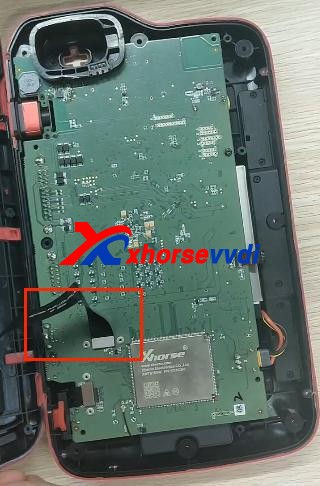
3. Disconnect 3 ribbon cables.

4. Remove the thin cable as shown.
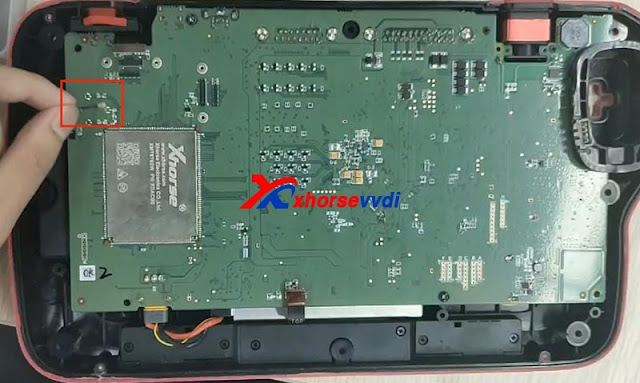
5. Unscrew 4 screws on the PCB board.
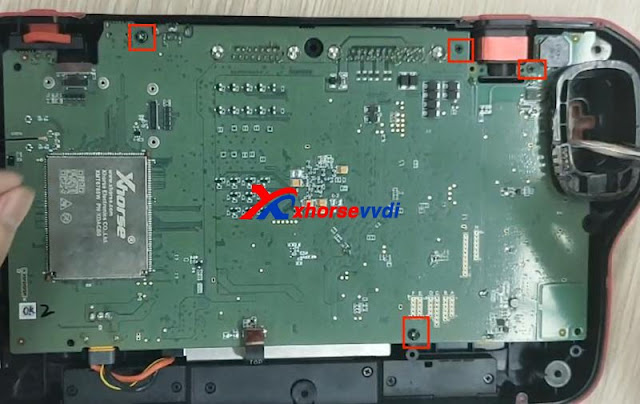
6. Take out PCB board and disconnect battery cable.

Finished, that’s the process of taking out PCB board from Key Tool Plus Pad.
Video demo:
https://www.youtube.com/embed/73hkthk0TaU
For more info, you can check
Source:http://blog.xhorsevvdi.com/how-to-take-out-xhorse-vvdi-key-tool-plus-pcb-board/
 xhorse vvdi key tool max