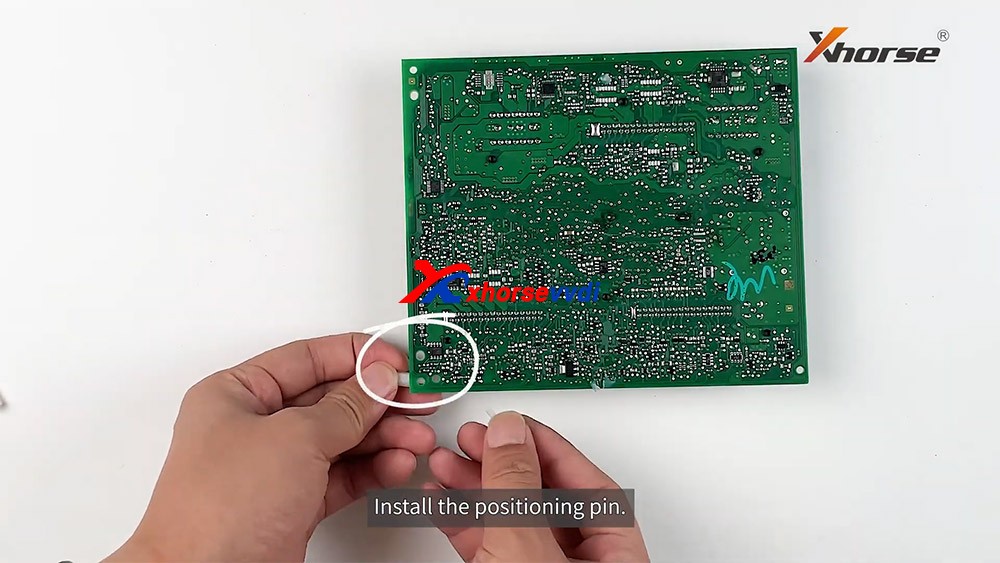
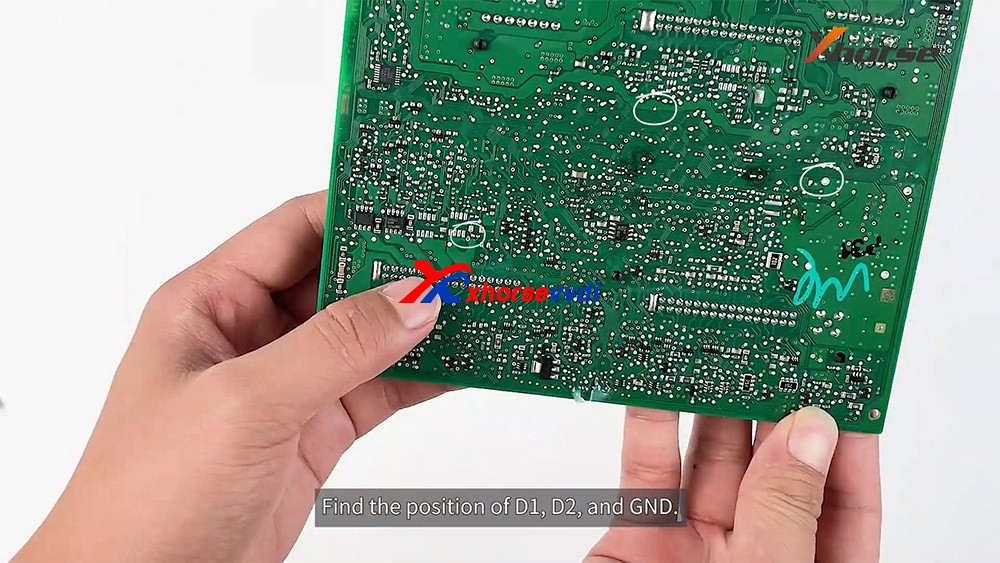
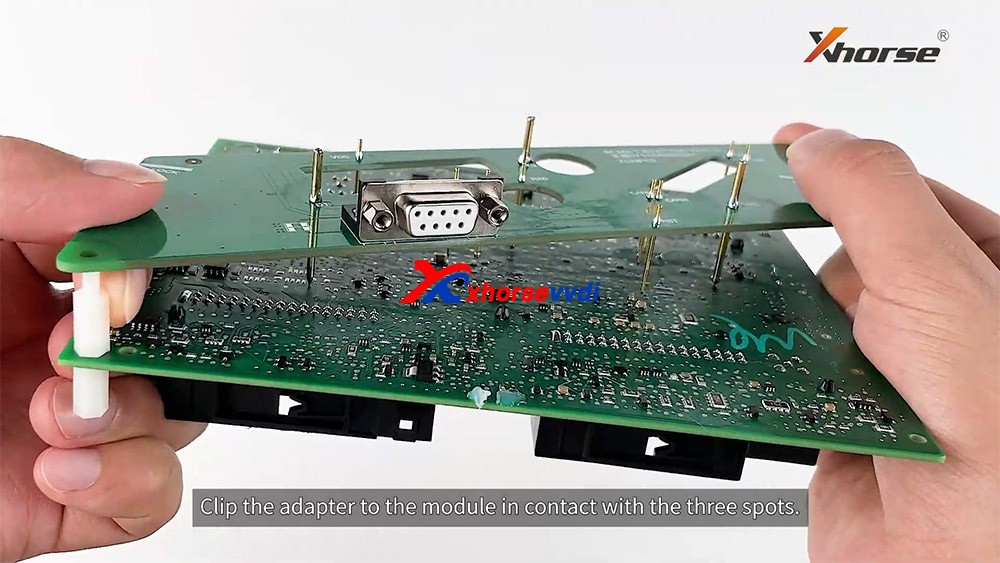
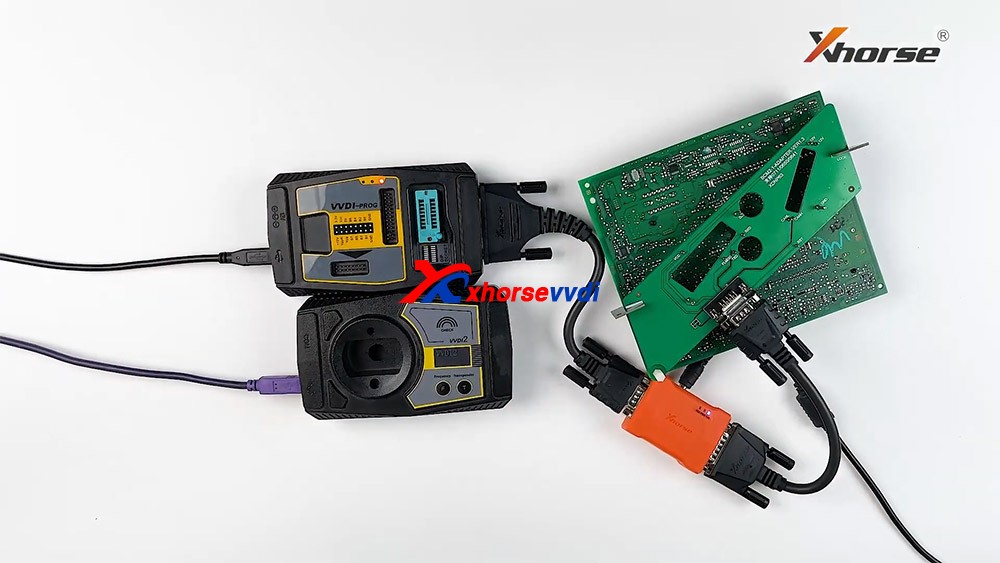
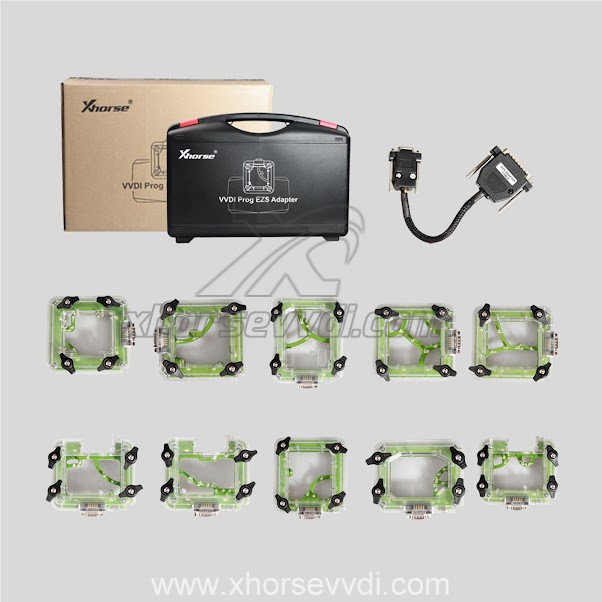
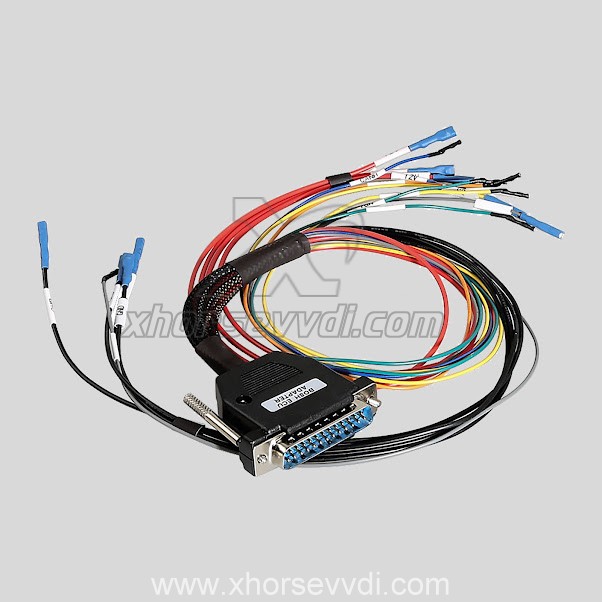
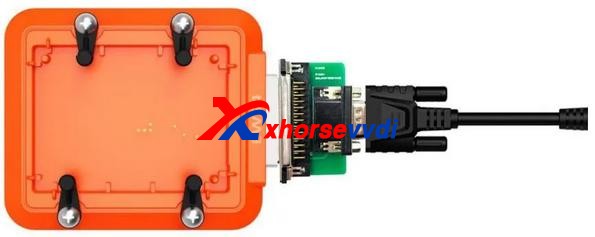
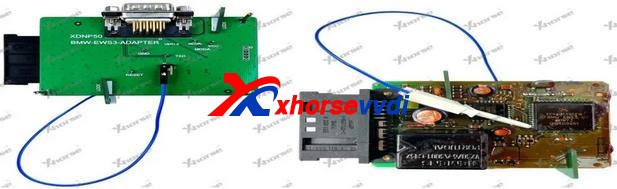
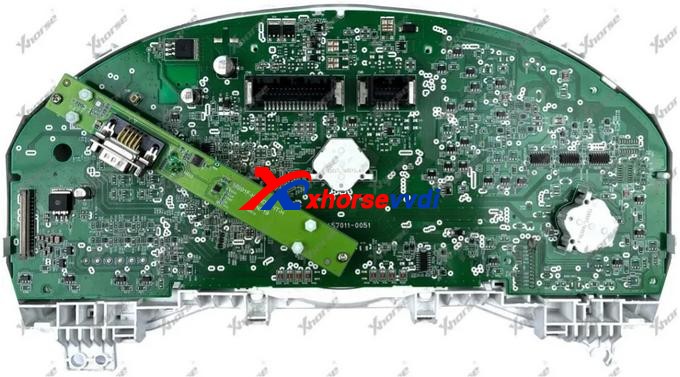
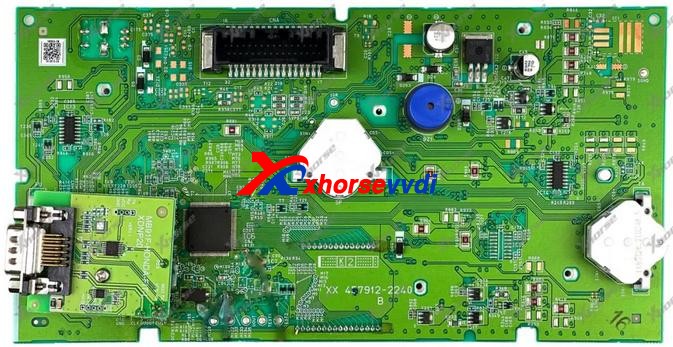
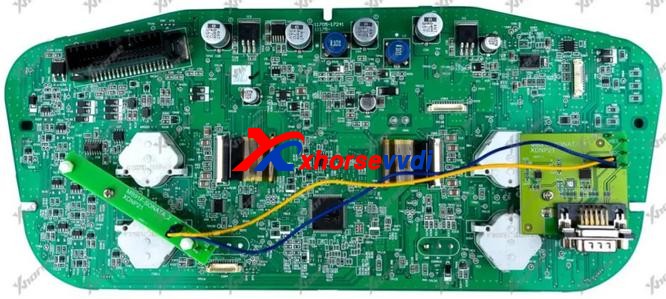
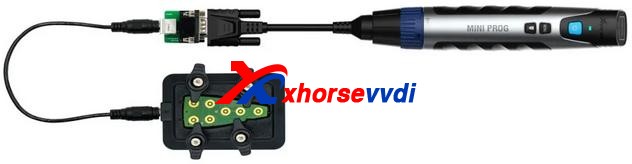
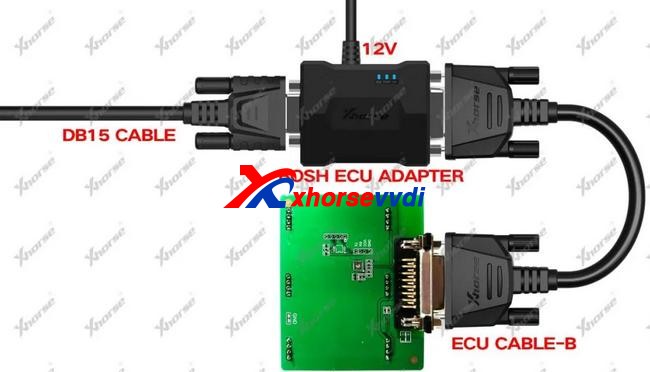
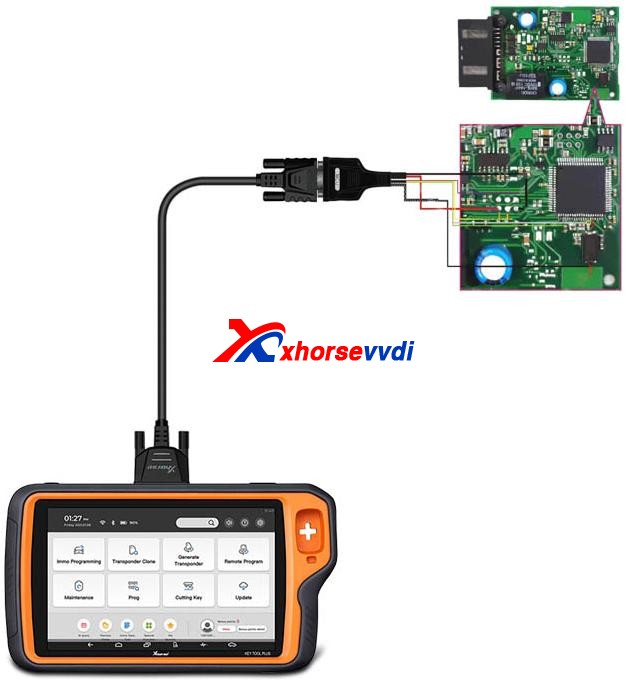
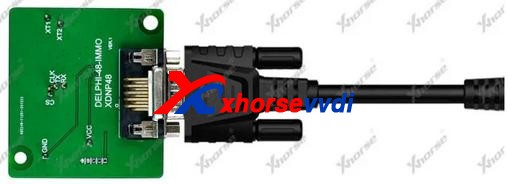
Xhorse solder-free adapters & cables are designed and manufactured for the convenience of its customers. With those, users can enjoy a whole-new working experience without removing chip or cutting wires.Now, Xhorse released nearly 100 adapters and cables which can work with both KEY TOOL PLUS and MINI PROG. They cover a wide range of car modules such as IMMO, ECU instrument etc.

This article is a detailed explanation of  Xhorse solder-free adapters and cables for VVDI Key Tool Plus and Mini Prog. This article mainly covers what they can do and how to use them.

Check below:

ItemImageFor Key Tool PlusFor Mini ProgFunctionWiring Diagram/Step
Basic Adapter
 XDNP10 Prog EEPROM Adapter(Supplied in package)Read chip data (Desoldering required)
Mercedes-Benz Adapters
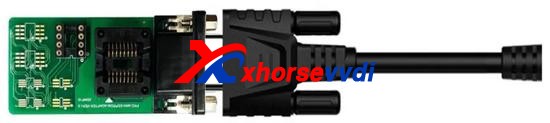
XDNP13 DB9 Cable×Connect Mini Prog to EZS adapter for reading Benz EIS data without solderingCheck with blog
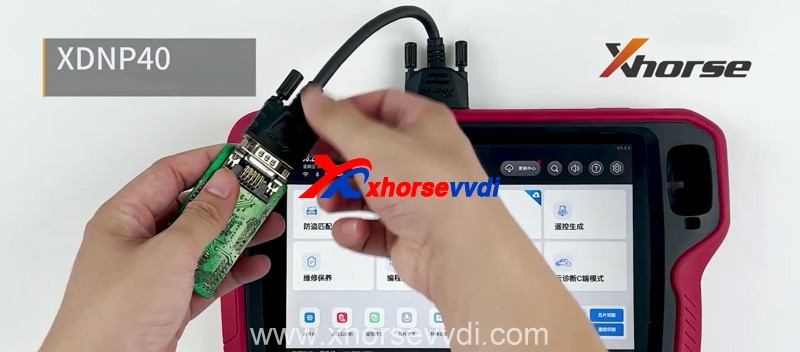
XDNP40 Benz ELV Adapter×Read/Write Benz ELV chip
(For repair damaged ELV caused by chip data loss)
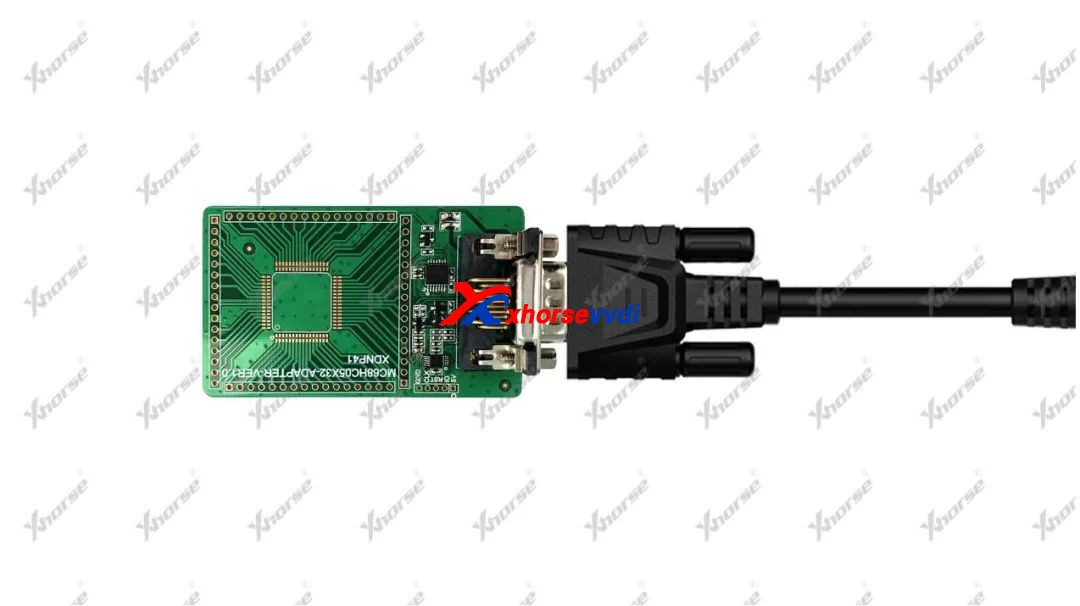
XDNP41 MC68HC05X32 AdapterRead/Write old-type Motorola MC68HC05X32 series MCU
(Mainly for Benz EIS reading and Benz key programming)
BMW  Adapters
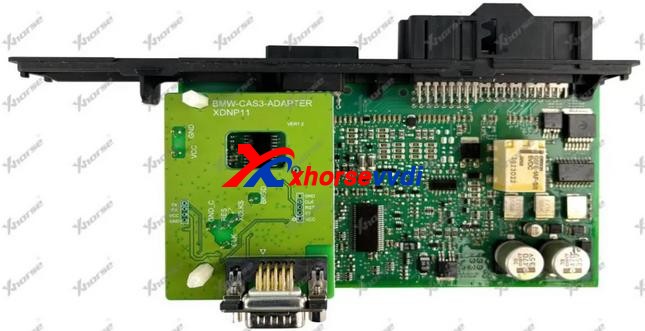
XDNP11 BMW CAS3/CAS3+ AdapterRead BMW CAS3/CAS3+ data without soldering
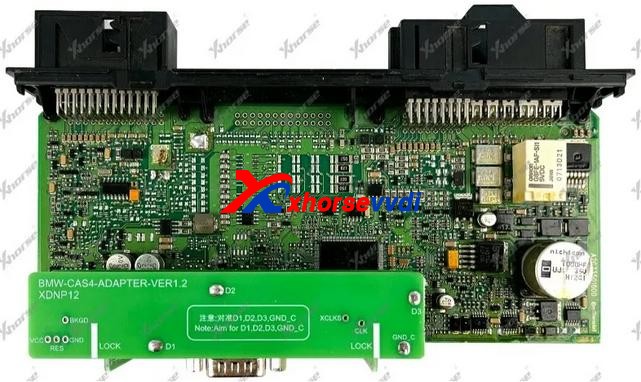
XDNP12 BMW CAS4/CAS4+ AdapterRead BMW CAS4/CAS4+ data without soldering
XDNP14 DB15-DB25 AdapterConnect Key Tool Plus/Mini Prog to BMW EWS4 adapter (Read ESW4 data without soldering)
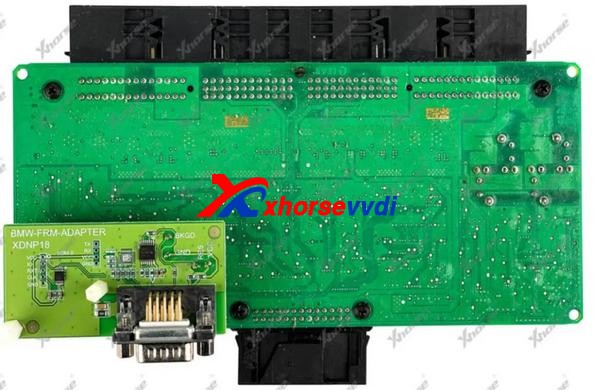
XDNP18 BMW E-Chassis FRM AdapterRead BMW E-Chassis FRM data without soldering (Repair BMW footwell module)
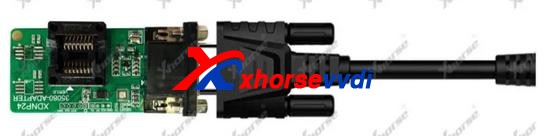
XDNP24 D80/35080 AdapterErase/Read/Write BMW dashboard 35080 chip
(Mainly for BMW E-chassis&F-chassis odometer correction)
XDNP33 ECU Interface Board Kit (N20 N55 B38)Work with Bosh ECU adapter to read BMW N20/N55/B38 engine ECU and read ISN for F-chassis (CAS4+/FEM/BDC) AKLNull
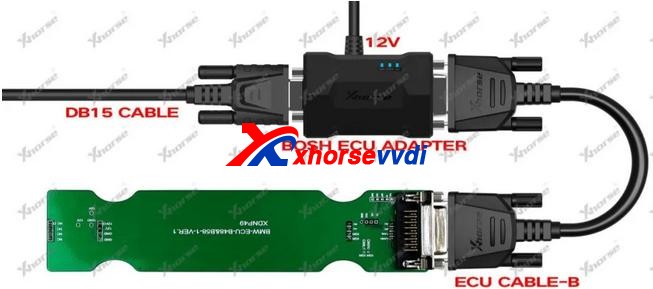
XDNP49 B48/B58 AdapterWork with Bosh ECU adapter to read BMW B48/B58 engine ECU and read ISN for F-chassis (CAS4+/FEM/BDC) AKL
XDNP50 BMW EWS3 AdapterRead BMW EWS3 data without soldering
Instrument Adapters for Honda KIA Hyundai
XDNP19 Honda FIT-H Dashboard AdapterRead/Write Honda FIT-H dashboard without soldering for repairing
XDNP20 Honda FIT-L Dashboard AdapterRead/Write Honda FIT-L dashboard without soldering for repairing
XDNP21 Hyundai Sonata Dashboard AdapterRead/Write Hyundai Sonata dashboard without soldering for repairing
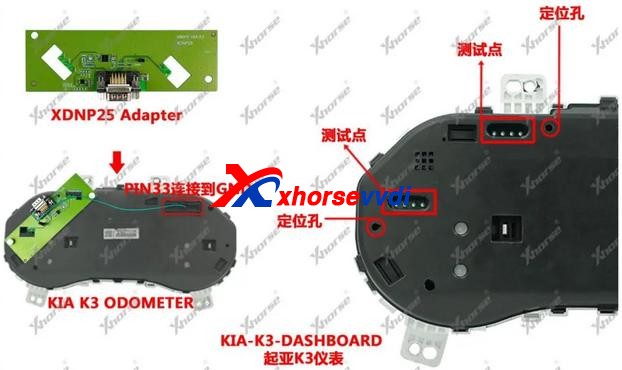
XDNP25 KIA K3 Dashboard AdapterRead/Write KIA K3 dashboard without soldering for repairing
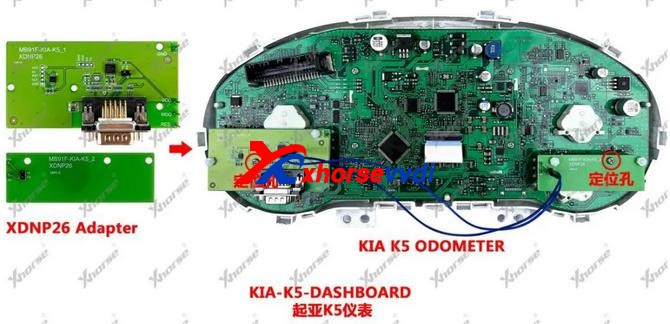
XDNP26 KIA K5 Dashboard AdapterRead/Write KIA K5 dashboard without soldering for repairing
Porsche Adapter
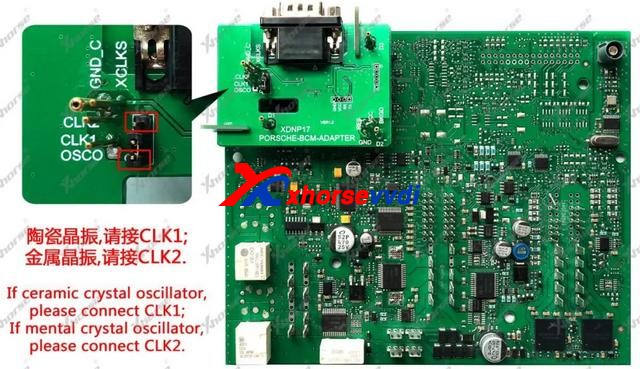
XDNP17 Porsche BCM AdapterRead Porsche BCM data without soldering (Support ID49 chip Add Key/AKL)
Landrover/Jaguar Adapter
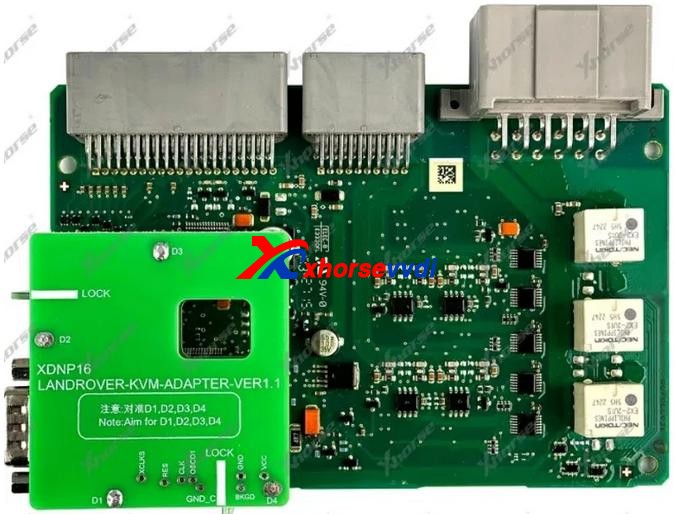
XDNP16 Landrover KVM AdapterRead Landrove/Jaguar KVM without soldeing (Support Landrover/Jaguar 2015-2018 Add Key/AKL )
Volvo Adapters
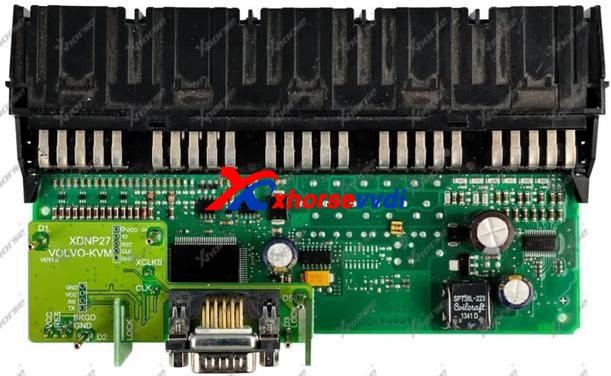
XDNP27 Volvo KVM AdapterRead Volvo KVM data without soldering (Smart key programming)
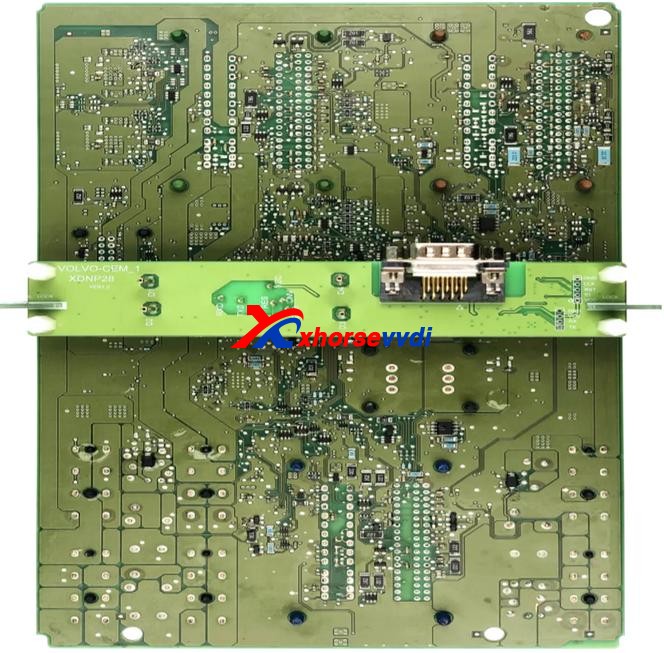
XDNP28 Volvo CEM-1 AdapterRead Volvo CEM data without soldering (Semi-smart/Smart key programming)
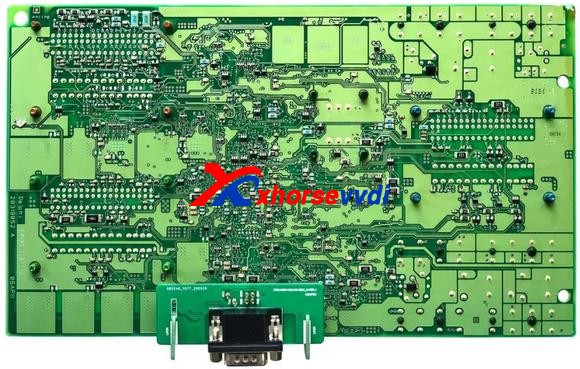
XDNP29 Volvo CEM-2 AdapterRead Volvo CEM data without soldering (Semi-smart/Smart key programming)
XDNP52 Volvo CEM(MPC5748G) AdapterRead CEM on Geely Volvo and Geely Lynk & Co without soldering
Work with OBD function on Key Tool Plus for Add Key/AKL
Null
XDNP53 Volvo CEM(MPC5646C) AdapterRead CEM on Geely Volvo and Geely Lynk & Co without soldering
Work with OBD function on Key Tool Plus for Add Key/AKL
Null
VW Adapters
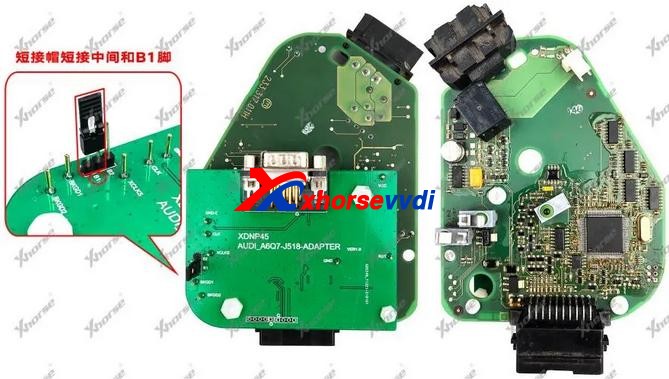
XDNP45 Audi ESL J518 AdapterRead/Write Audi ESL J518  for OEM 8E Add Key/AKL on A6, Q7
XDNP46 VW MG1CS001 ECU AdapterRead VW engine dataNull
XDNP47 TMS370 AdapterRead old-type Jetta IMMO data for ID42 key programmingNull
XDNP55 VW EGS DQ200 Gearbox AdapterRead/Write VW Audi DQ200 Gearbox ECU without solderingNull
XDNP56 VW EGS DL382 Gearbox AdapterRead/Write VW Audi DL382 Gearbox ECU without solderingNull
XDNP58 VW EGS DL501 Gearbox AdapterRead/Write VW Audi DL501 Gearbox ECU without solderingNull
XDNP59 VW EGS DQ250 Gearbox AdapterRead/Write VW Audi DQ250 Gearbox ECU without solderingNull
XDNP60 VW EGS VL381 Gearbox AdapterRead/Write VW Audi VL381 Gearbox ECU without solderingNull
Honda Adapters
XDNP54 Honda Civic BCM AdapterRead/Write Civic 2019- BCM without soldering for Smart card AKL programmingNull
XDNP57 Honda Vezel BCM AdapterRead/Write Vezel 2019- BCM without soldering for Smart card AKL programmingNull
Other Adapters
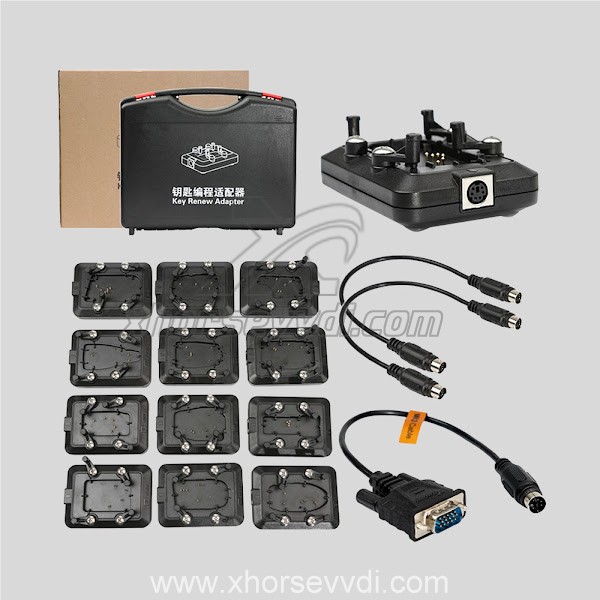
XDNP15 DB15-PS2 AdapterConnect Key Tool Plus/Mini Prog to key renew adapter (Renew or unlock keys)
XDNP22 12V+5V Power Adapter(Supplied in package)NullSupply 5V and 12V power
(12V – supply power to BOSH adapter for ECU/EGS reading
5V – TYPE-C port supplies power to Mini Prog)
Null
XDNP30 BOSH ECU Adapter and CableRead Engine ECU data by removing engine cover
XDNP34 MCU Cable(Supplied in package)Read MCU data to program keys or repair/replace module
XDNP36 9S12XE Cable(Supplied in KTP default package)Read/Write Motorala MCU data to repair/replace moduleNull
XDNP48 Delphi-48-IMMO AdapterRead old-type Greatwall IMMO data for ID48 key programming
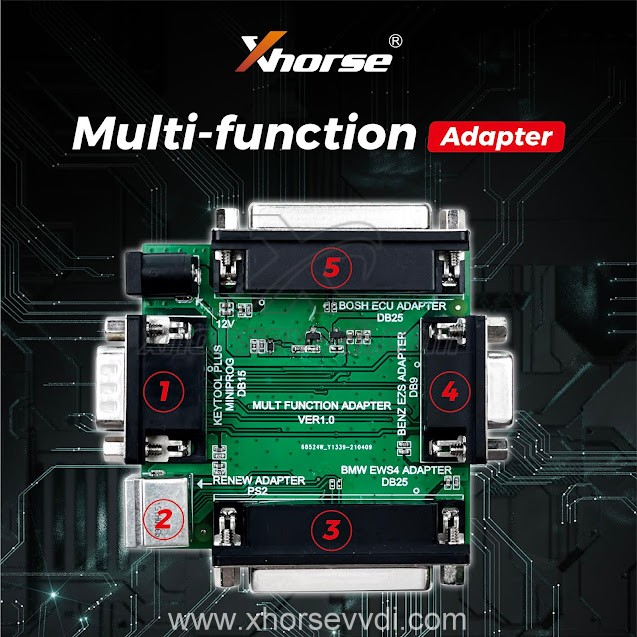
XDKP30 Multi-function AdapterCompatible for:
1.BOSH ECU Adapter (DB25) No Need Soldering
2.Connect with EZS Adapter (DB9)
3.EWS4 Adapter (DB25)
Renew Adapter (Only for MINI Prog)
4.MINI Prog and Key Tool Plus (DB15)
Check with blog

More adapters are coming!

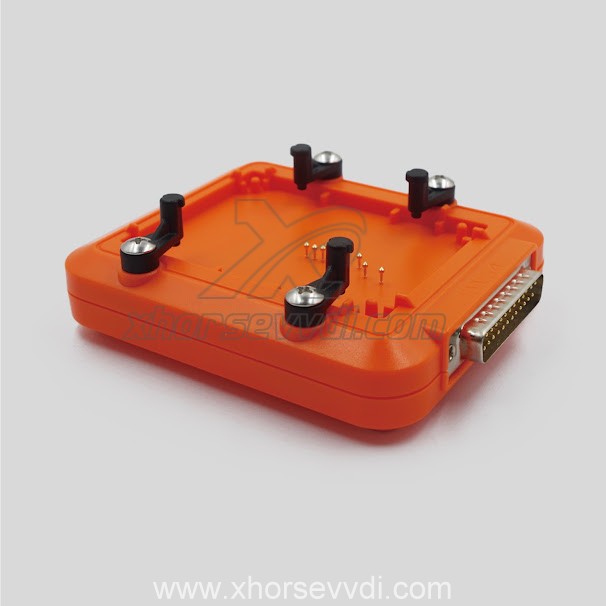
If you’re interested, we have most of these adapters and cables such as audi bcm2 adapter stock at https://www.xhorsevvdi.com/

 This article from https://www.xhorsevvdi.com/service/xhorse-ktp-mini-prog-adapters-full-list.html

Programming Benz EZS key with Xhorse VVDI Key Tool Plus

VVDI Prog Adapter for Benz EIS/EZS is used to connected Benz EZS in easy way without soldering, and it is working with key tool plus, but you need have XDKP30 Adapter.

And here is the connection pic of VVDI Key Tool Plus +EZS Adapter+XDKP30 Adapter:


And here is the XDKP30 Adapter


Xhorse Multi-function Adapter is developed especially for connecting old adapters such as BOSH ECU adapter, BENZ EZS adapters, etc. to KEY TOOL PLUS and MINI PROG. This is could help avoid purchasing those new accessories coming with KEY TOOL PLUS again and make full use of your old ones.

And here review of VVDI Key Tool plus program benz car models

1.Mercedes sprinter W906 new key copy

Xhorse VVDI Key Tool Plus work with EZS Adapter Success  03

2.Add Key Mercedes W906 2010 year By Obd 20min Job Done

Xhorse VVDI Key Tool Plus work with EZS Adapter Success  04

3.All Keys Lost W906 2014

Xhorse VVDI Key Tool Plus work with EZS Adapter Success  05
Xhorse VVDI Key Tool Plus work with EZS Adapter Success  06
Xhorse VVDI Key Tool Plus work with EZS Adapter Success  07

4.Mercedes w204 2007 add-key obd success and surprised

Xhorse VVDI Key Tool Plus work with EZS Adapter Success 07
Xhorse VVDI Key Tool Plus work with EZS Adapter Success  08
Xhorse VVDI Key Tool Plus work with EZS Adapter Success  09


5.Mercedes W212 Key Adding Ok

Xhorse VVDI Key Tool Plus work with EZS Adapter Success  10

http://blog.xhorsevvdi.com/xhorse-vvdi-key-tool-plus-work-with-ezs-adapter-ok/

How to distinguish Xhorse VVDI Remotes Types

This article is about to explain the difference of VVDI Universal Remotes. Different keys have different colors although they are similar in appearance.

How to distinguish Xhorse Universal Remotes  Types

Comparison Chart:

                       Model
Information
Wired KeyWireless KeySuper RemoteSmart Remote
Target UserThe user who only matches remote, or those who have their own transponder to put it into the remote for matching.The user who wants to copy 46, or to generate 11,12,13,47,38 chip through 46, or to generate remote.Will cover the chip types that vvdi super chip can clone and generate, suitable for the user who want to generate remote.The user whose car key is a smart remote
Package ColorRedBluePurpleOrange
Package appearancehow-to-choose-xhorse-universal-remotes-with-different-colors-10
PCB appearance
Bonus Points25 points40 points40 points60 points
Factory CodeXK seriesXN seriesXE seriesXS series
Reusable
Remote control
Wired remote control×××
When using vvdi key tool/ vvdi2 to generate remote key, install the battery first×
Keyless Go×××
Will start the car after matching successfully× (without immo chip)
Transponder××
Generate other transponders××
Transponder copy 46××
Only use xhorse device to generate remote
Match remote by device
Manual remote match×
Use VVDI2 to match MQB remote key×××

1. Wired Key(Red, XK series)
Its circuit board should be connected to VVDI Key Tool Plus/Key Tool Max/Mini Key Tool by Remote generate cable (only one generated in a wired way).


There is no chip, no VVDI Super Chip or battery inside but only a circuit board.
By it we can make a Hyundai flip key since Hyundai doesn’t need a chip, or a Subaru WRX key with a chip, or just generate remote function etc.

2. Wireless Key(Blue, XN series)
This has a built-in chip (not a vvdi super chip), no socket and battery.


Eg. Honda Civic 2009 by Key Tool Plus
Remote Program.
It’ll tell us which one to choose.
how-to-choose-xhorse-universal-remotes-with-different-colors-5
Then just generate the remote, and program the chip via OBD port.

3. Super Remote(Purple, XE series)
This has a built-in Super Chip, no battery, so we can clone chips on it when we have a working key.
Eg. Ford F-150 2011 by Key Tool Plus
Remote Program.


We need to generate the remote and the chip on board, because the remote doesn’t learn with the chip.
Path: Generate Transponder>>New 4D+ chip(80 bits)


Then the chip could be learned via OBD port.

4. Smart Remote(Orange, XS series)
Put a battery in and generate it, and learn it via OBD port.

How to distinguish Xhorse Universal Remotes  Types 4

5. Other Tips
If Xhorse Key Programmer says only wireless, it needs to be the blue package with a chip because it means there’s no on-board procedure to learn the remote.
If wired/wireless key, we can use a wired remote and install a chip to it or just program the remote for some vehicles, or use the Super Remote.

Part of materials from russej02.

Source: http://blog.xhorse.co.uk/how-to-choose-xhorse-universal-remotes-with-different-colors/

A Guide to Disassembling and Assembling VVDI Key Tool Plus

Today xhorsevvdi is going to share with you how to take out PCB Board inside VVDI Key Tool Plus.

Let’s start it, easy and simple.

1. Remove 12 screws on the back. (8 surrounded, 4 on the center)

How to disassemble Xhorse VVDI Key Tool Plus 01

2. Make the front side up and remove the front cover. (note: watch the cable connected to the screen)

How to disassemble Xhorse VVDI Key Tool Plus 02

3. Disconnect 3 ribbon cables.

How to disassemble Xhorse VVDI Key Tool Plus 03

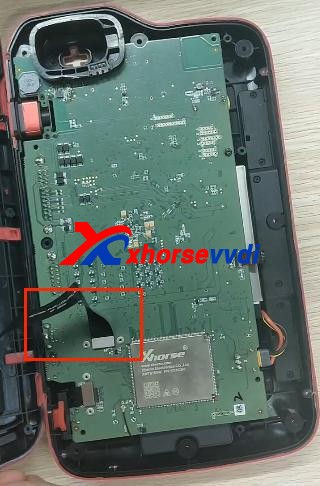
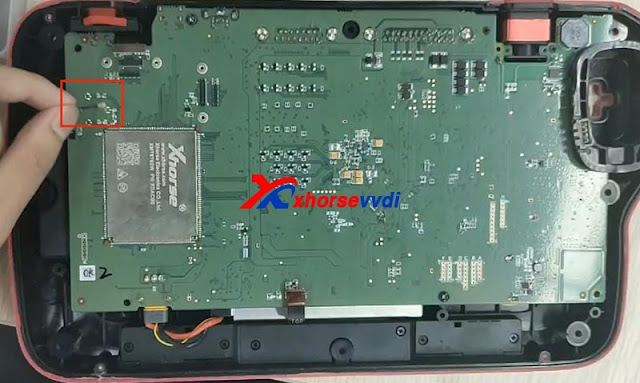
4. Remove the thin cable as shown.

How to disassemble Xhorse VVDI Key Tool Plus 04

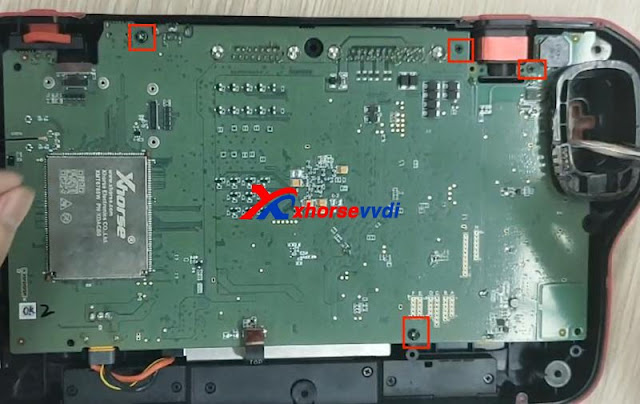
5. Unscrew 4 screws on the PCB board.

How to disassemble Xhorse VVDI Key Tool Plus 04

6. Take out PCB board and disconnect battery cable.

How to disassemble Xhorse VVDI Key Tool Plus 05

Finished, that’s the process of taking out PCB board from Key Tool Plus Pad.

Video demo:
https://www.youtube.com/embed/73hkthk0TaU

For more info, you can check

Source:http://blog.xhorsevvdi.com/how-to-take-out-xhorse-vvdi-key-tool-plus-pcb-board/

Which tool can read BMW EWS2/EWS3/EWS4?

This article is about to bring you a method to read 2nd/3rd/4th BMW EWS module respectively. All No soldering cables or removing MCU.

Contact us to check if your EWS is supported!

Part 1. EWS2

Tools: Ak90+ Key Programmer (Read 1D47J, 2D47J, 0D46J, 2L86D without removing MCU)

Model: BMW 3er E36 1996

MCU: 2D47J

Procedure:

Connect MCU to AK90 unit by 10-pin cable.

Connect AK90 unit to PC by USB cable.

BMW EWS with ak90+ 02

On AK90 app,

Press “Connect” and select chip type.

Watch the prompt and click on “Read EWS”.

BMW EWS with ak90+ 03
BMW EWS with ak90+ 04

Part 2. EWS3

Tools:  Xhorse XDNP50 EWS3 Adapter 

     VVDI Key Tool Plus

Procedure:

Use EEPROM clip to clip PIN1.

EWS3  with vvdi key tool plus 01

Connect EWS3 module to XDNP50 EWS3 Adapter.

EWS3  with vvdi key tool plus 02

Combine EWS3 module and EWS3 adapter.

EWS3  with vvdi key tool plus 03
EWS3  with vvdi key tool plus 04

Device path:

Programmer>>IMMO>>BMW>>BMW>>EWS3(Adapter)>>Read>>EEPROM

Part 3. EWS4

Tools: EWS4 Adapter

VVDI Prog 

Model: BMW X3 2007

MCU: 2L86D

Procedure:

Put EWS4 module in the adapter and lock it.

EWS4 with vvdi prog

Select “4-IMMOBILIZER” “BMW” “EWS4 X(ADAPTER)”.

Press “Read” and “Save” to get data file.

Done! That’s how we read BMW EWS2/EWS3/EWS4 no soldering.

Read also:

Xhorse XDNP50 EWS3 Adapter Step-by-Step Tutorial(No Soldering)?

How to use VVDI Prog and VVDI2 Program BMW X3 EWS4.4 2007?

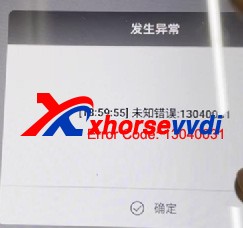
Solved! Xhorse VVDI BCM2 AUDI IMMO Reading Error Code: 13040031

During the process of using Xhorse Audi BCM2 Adapter to read & write data with VVDI Key Tool Plus and VVDI Prog, some may have error reports or failure messages. In this article, We will put together 2 errors and solutions for your reference.

Issue 1.

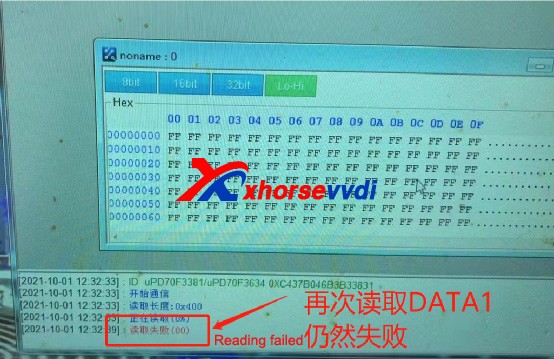
Read DATA1 success with BCM2 adapter , but during DATA2 reading VVDI Key Tool Plus prompts “Error Code: 13040031”and“Read Data fail”.

How To Fix VVDI AUDI BCM2 Adapter Error Code 13040031 (2)
How To Fix VVDI AUDI BCM2 Adapter Error Code 13040031 (3)

Solution 1 :

Do Not try as you like when it shows “Error Code: 13040031”, the correct way is to check cables & adapters connection and external power supply, try to read again and it should be fine (Do Not read DATA1 again, unlock BCM or try to install BCM back and read via OBD). Read data as instructions and restore BCM back, and there will be no other problems.

Issue 2.

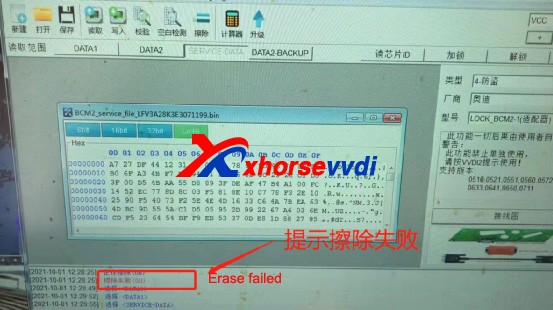
Read DATA1 and DATA2 success, save Immo data and service data success, but write service data fail and it prompts “Fail to erase” when repeating service data writing. Try again and DATA1 reading also fails.

How To Fix VVDI AUDI BCM2 Adapter Error Code 13040031 (4)
How To Fix VVDI AUDI BCM2 Adapter Error Code 13040031 (5)

Solution 2 :

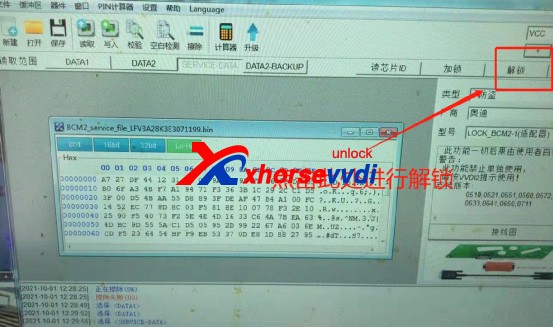
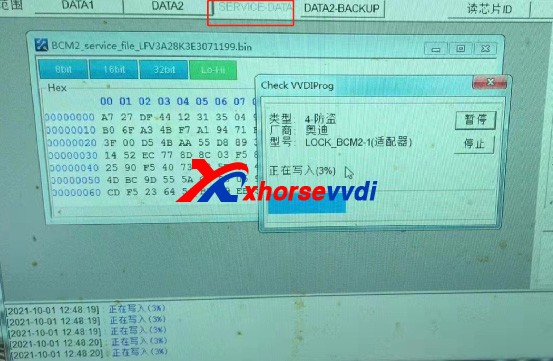
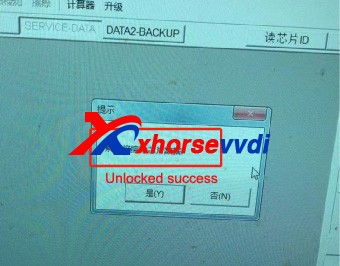
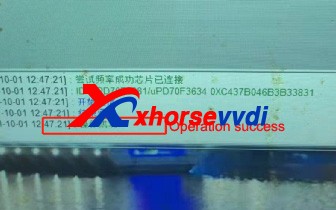
When VVDI PROG  reads DATA1 & DATA2 successfully and saves service data, we can select “Unlock” to unlock BCM’s CPU.

How To Fix VVDI AUDI BCM2 Adapter Error Code 13040031 (6)

Until the system prompts that the unlock is successful

How To Fix VVDI AUDI BCM2 Adapter Error Code 13040031 (7)
How To Fix VVDI AUDI BCM2 Adapter Error Code 13040031 (8)

Then select “SERVICE DATA” and write it back.

How To Fix VVDI AUDI BCM2 Adapter Error Code 13040031 (9)

After writing successfully, restore BCM back to vehicle, and vehicle can start without additional operation.

Above problems are collected from customers feedback. Hope this could help. More questions, contact us.

https://www.xhorsevvdi.com/service/xhorse-audi-bcm2-adapter-data-read-write-errors-and-solutions.html
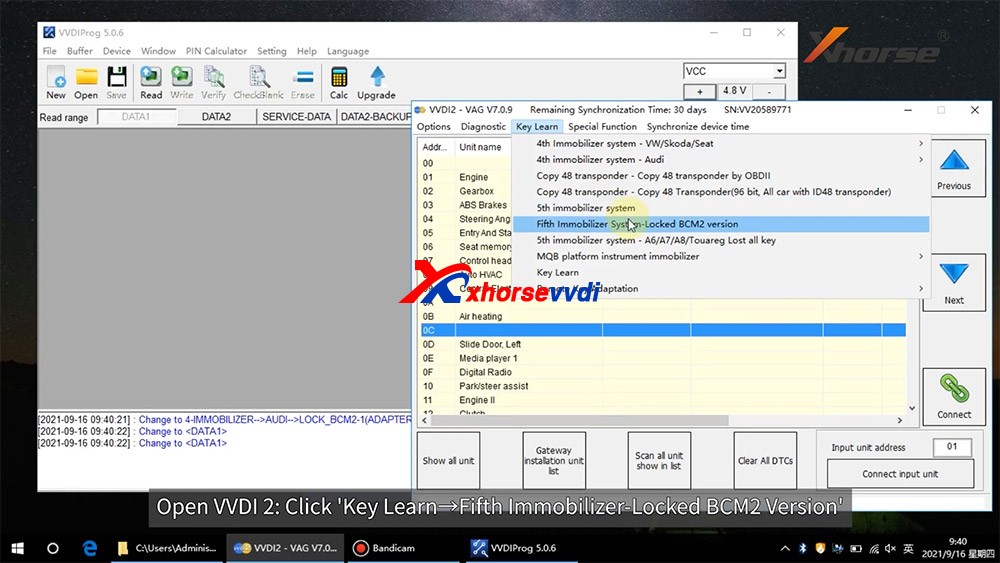
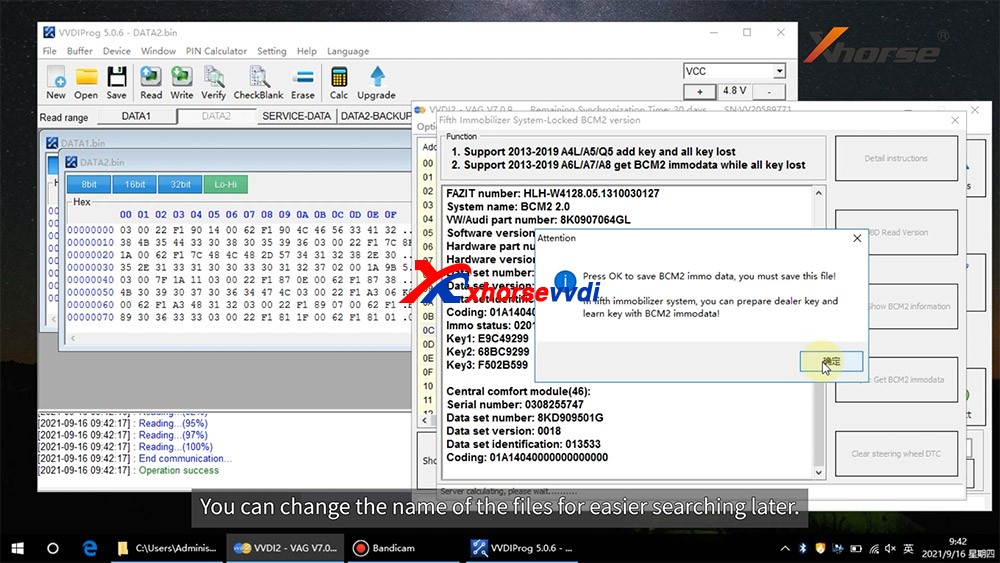
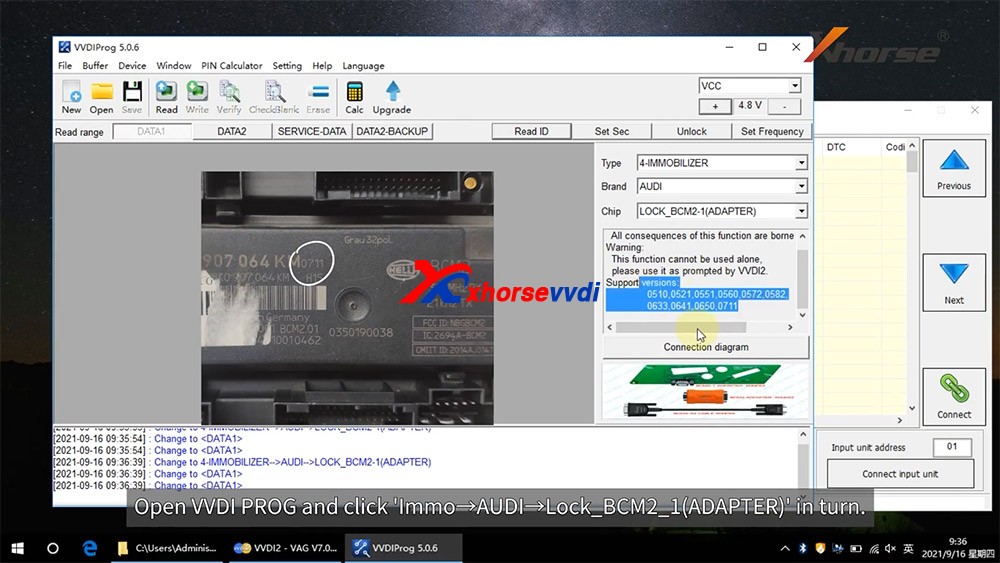
How to read locked BCM2 with Xhorse VVDI2 & VVDI PROG

With VVDI PROG and VVDI BCM2 adapter, VVDI2 support:

  1. 2013-2019 A4L /A5/Q5 add key and all key lost
  2. 2013-2019 A6L /A7/A8 get BCM2 immo data while all key lost (Synchronize data can get from 3rd service provider)(Add key can get BCM2 immo data directly via OBDII)

What we want to do today:
Read and write Audi 5th Immobilizer System- Locked BCM2

Good to know:

  • Warning 1 : This function is high risk, all the consequences caused are undertaken by yourself
  • Warning 2: In VVDI-PROG function, Don’t touch power supply, cable, BCM2 module!!!

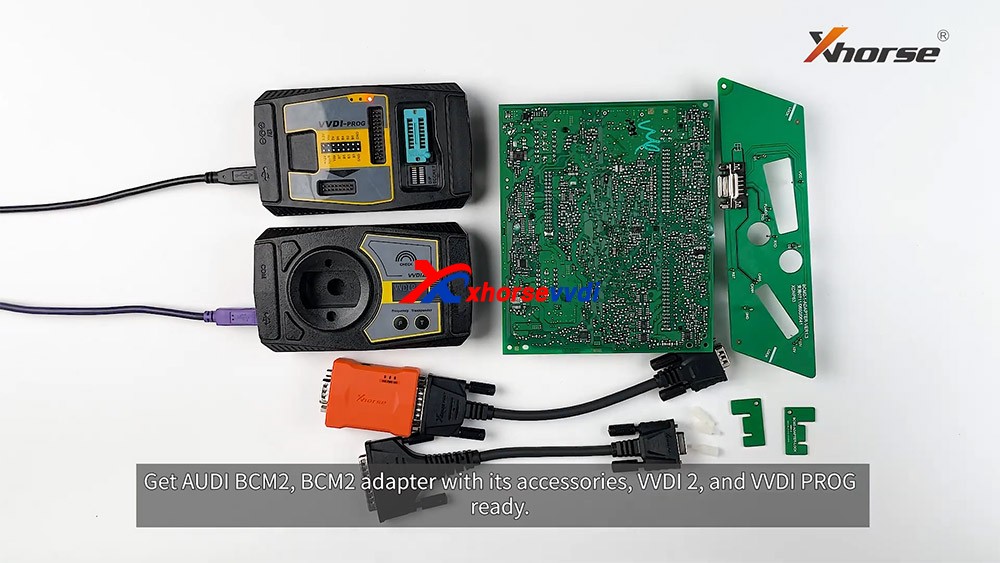
How to connect AUDI BCM2 Adapter with VVDI 2 & VVDI PROG 01

VVDI-PROG data instructions:

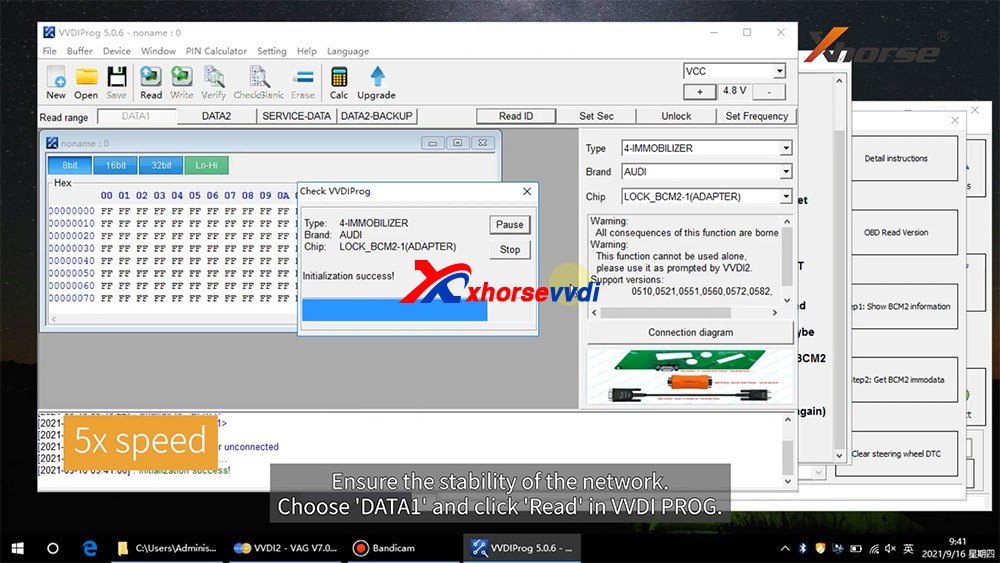
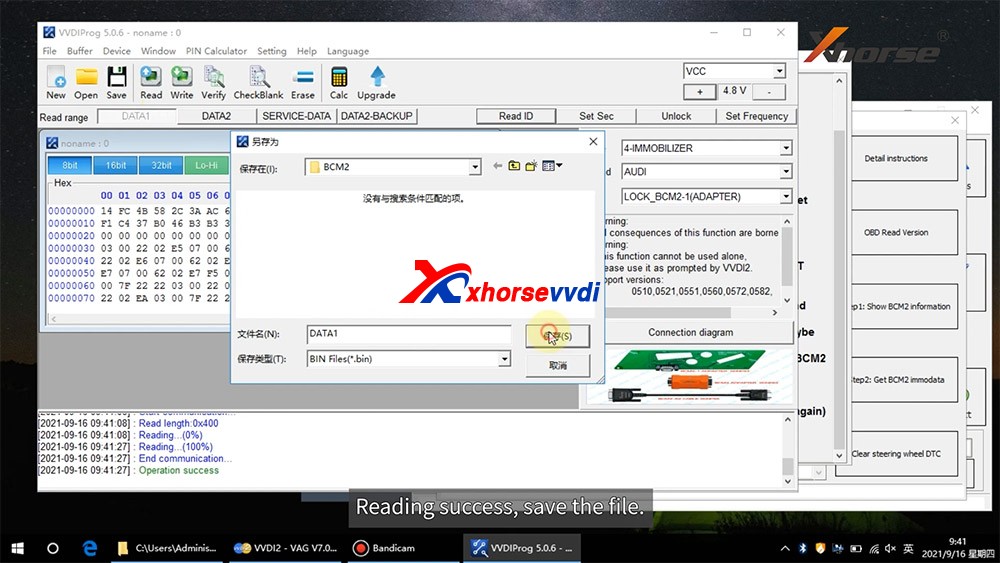
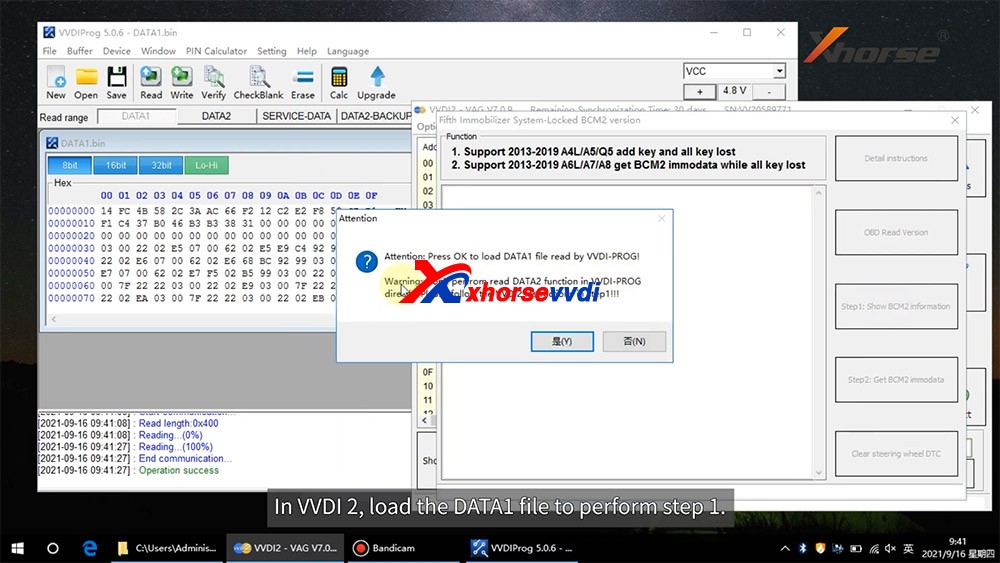
  • DATA1: VVDI2 stepl require data, you can read DATA1 after connect in VVDI-PROG
  • DATA2: VVDI2 step2 require data, you can read DATA2 after you get instructions in VVDI2(load DATA1 in stepl)
  • SERVICE-DATA: you can get this data in step2. Write this data to BCM2 activate module
  • DATA2-BACKUP: If read DATA2 failed(cause by power or cable), you can use this function to get DATA2 data

Instructions of using AUDI BCM2 Adapter with VVDI 2 & VVDI PROG:

  • First use OBD Read Version function, OBD read BCM2 version and check support status
  • Open trunk: Find the BCM2 in right-rear area, remove the two big plug, then small one(DON’T close trunk)
  • Connect VVDI-PROG and BCM2 module, VVDI BCM2 adapter require support +12V
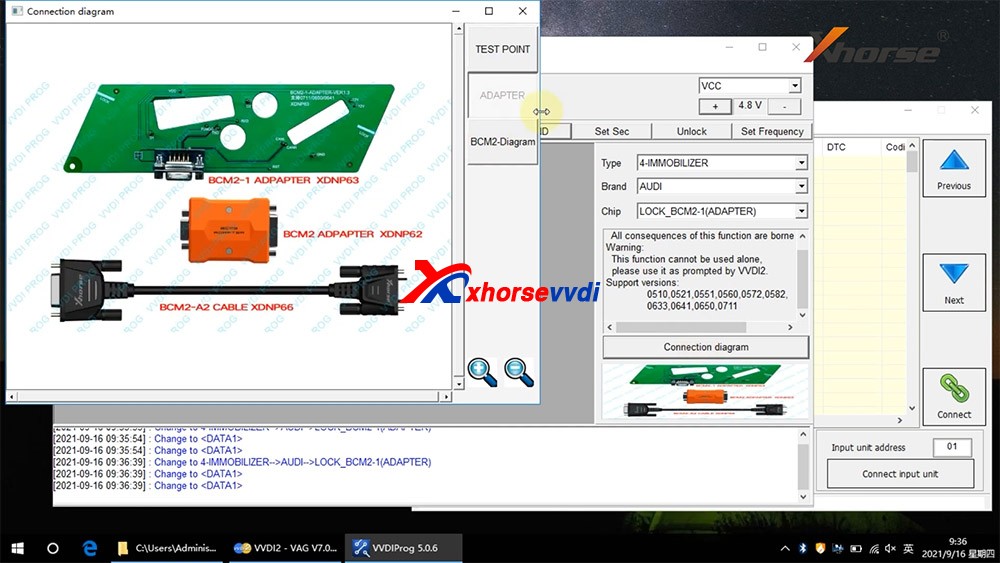
  • Enter VVDI-PROG->immobilizer->Audi->LOCK_BCM2-1 orLOCK_BCM2-2 read DATA1 data and save it(Depends on the SW version)
  • Enter WDI2 stepl, load DATA1 data(require internet), continue with VVDI2 instructions (maybe not need DATA2)
  • If VVDI2 ask you provide DATA2, enter VVDI-PROG read DATA2 and save(After read DATA2, BCM2 will enter service mode)
  • Enter VVDI2 step2, load DATA2 data(require internet), it will save 2 files: BCM2 immodata and BCM2 service data
  • BCM2 immodata can use learn key, BCM2 service data can write to BCM2(make BCM2 work again) with VVDI PRO.
  • After write BCM2 service data, restore BCM2 to car.
  • Enter 5th immobizer system learn key.

How to connect AUDI BCM2 Adapter with VVDI 2 & VVDI PROG 02
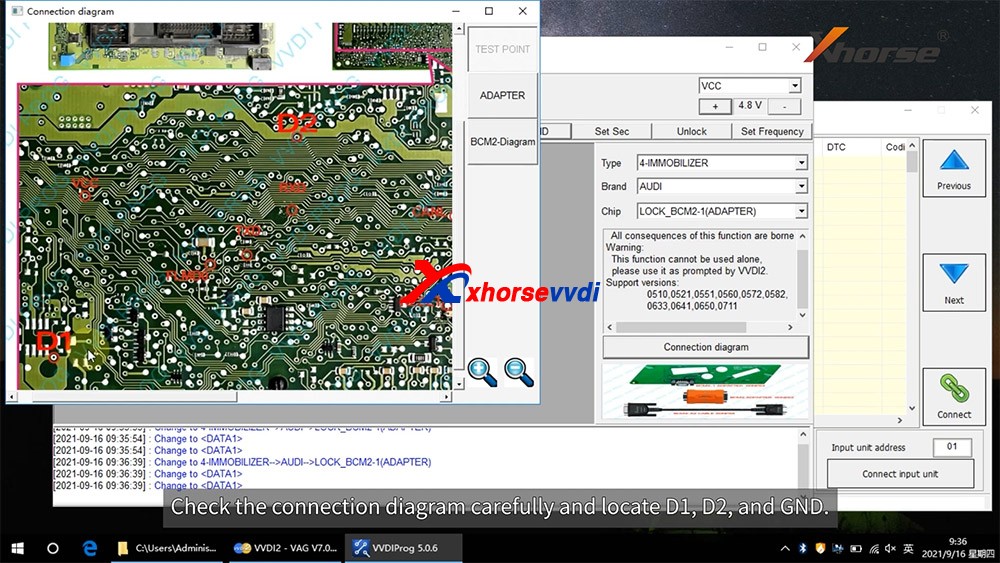
How to connect AUDI BCM2 Adapter with VVDI 2 & VVDI PROG 03
How to connect AUDI BCM2 Adapter with VVDI 2 & VVDI PROG 04
How to connect AUDI BCM2 Adapter with VVDI 2 & VVDI PROG 05
How to connect AUDI BCM2 Adapter with VVDI 2 & VVDI PROG 06
How to connect AUDI BCM2 Adapter with VVDI 2 & VVDI PROG 07
How to connect AUDI BCM2 Adapter with VVDI 2 & VVDI PROG 08
How to connect AUDI BCM2 Adapter with VVDI 2 & VVDI PROG 09
How to connect AUDI BCM2 Adapter with VVDI 2 & VVDI PROG 10
How to connect AUDI BCM2 Adapter with VVDI 2 & VVDI PROG 11
How to connect AUDI BCM2 Adapter with VVDI 2 & VVDI PROG 12
How to connect AUDI BCM2 Adapter with VVDI 2 & VVDI PROG 13

Enjoy!

http://blog.xhorsevvdi.com/how-to-use-xhorse-audi-bcm2-adapter-with-vvdi-prog-vvdi2/

Xhorse XDKP30 Multi-function Adapter Connection Guide

Xhorse Multi-function Adapter is developed especially for connecting old adapters such as BOSH ECU adapter, BENZ EZS adapters, etc. to KEY TOOL PLUS and MINI PROG. This is could help avoid purchasing those new accessories coming with KEY TOOL PLUS again and make full use of your old ones.

Xhorse XDKP30 Multi-function Adapter

There’re 5 ports in this adapter in total.

1. Connect to KEY TOOL PLUS and MINI PROG

2. Connect to renew adapters

vvdi renew adapters

3. Connect to BMW EWS4 adapter

BMW EWS4 adapter

4. Connect to BENZ EZS adapter

BENZ EZS adapter

5. Connect to BOSH ECU adapter

BOSH ECU adapter

These adapters all work with different tools from Xhorse, but now together with this Multi-function Adapter, they’re all compatible with KEY TOOL PLUS or MINI PROG. With this adapter, there’s no need to purchase new adapters specially designed for KEY TOOL PLUS or MINI PROG.

Source:http://blog.xhorsevvdi.com/how-to-use-xhorse-xdkp30-multi-function-adapter/

How to Check Xhorse Key Tool Plus Mercedes Benz / VW Tokens?

How to view the tokens for Mercedes Benz and VW MQB with Xhorse VVDI Key Tool Plus in step by step.

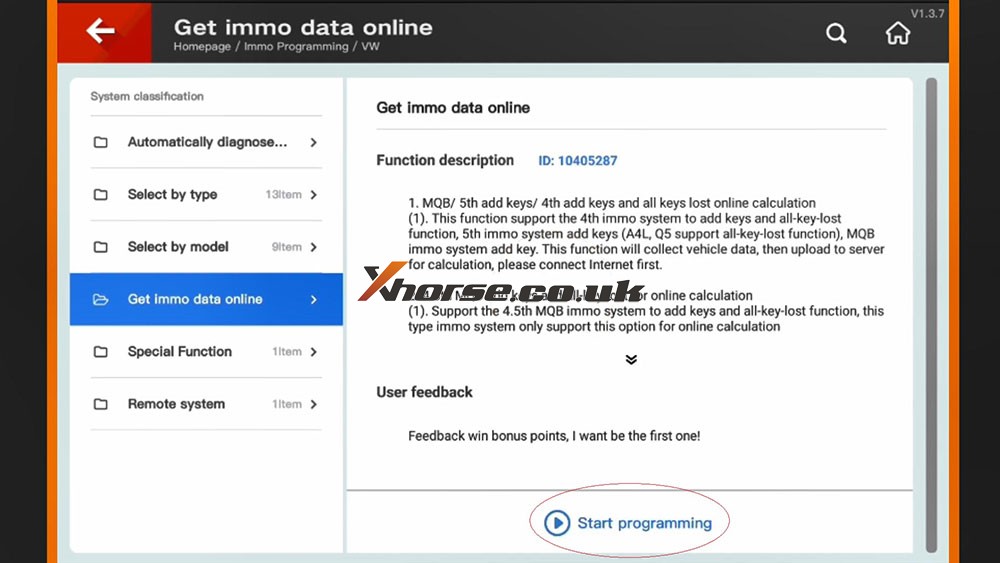
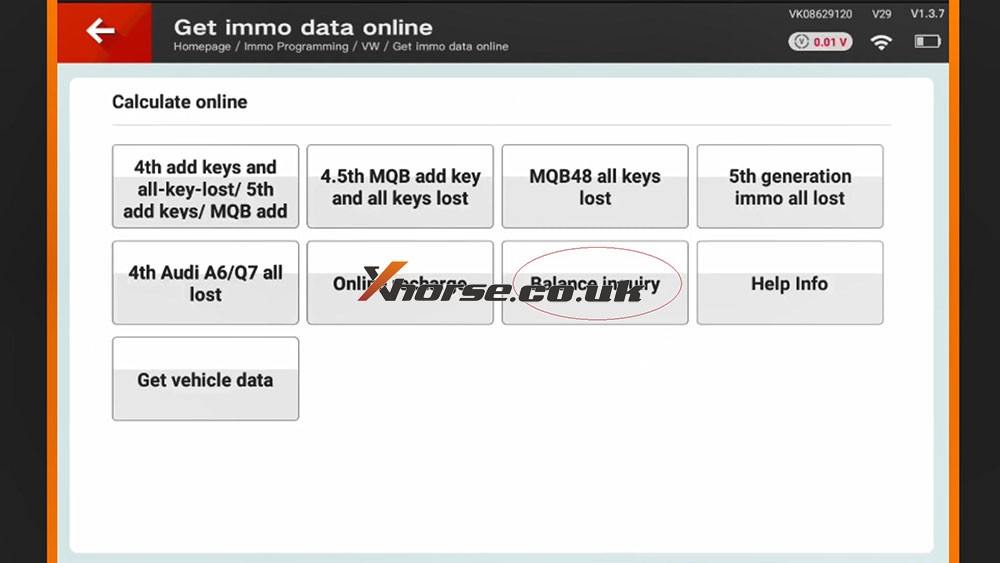
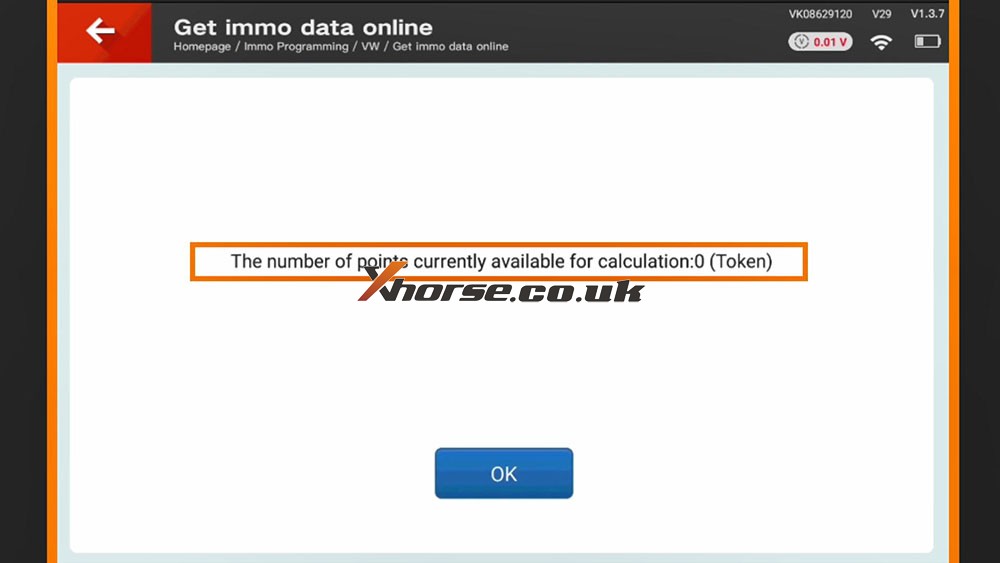
Part 1. How to View MQB Online Tokens with VVDI Key Tool Plus

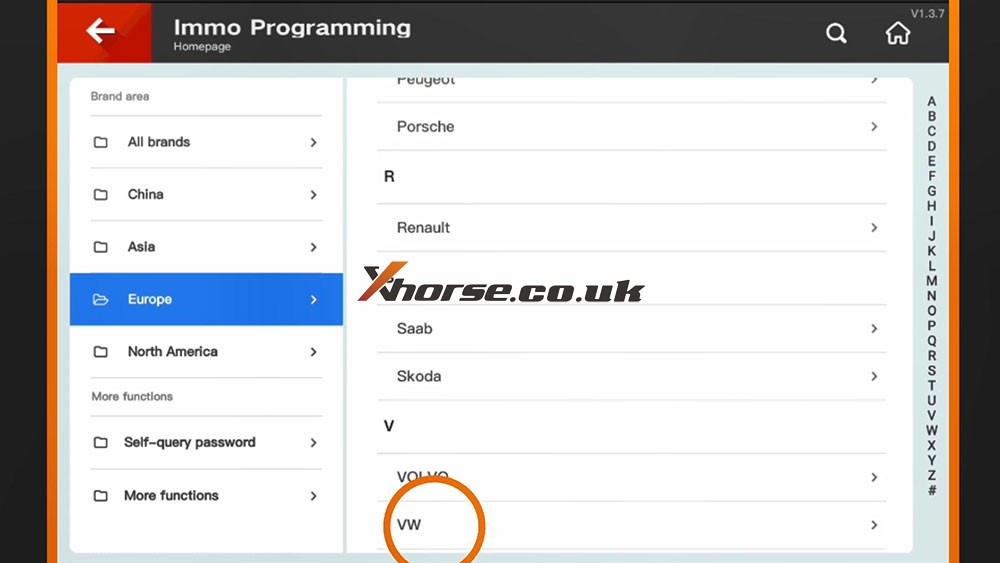
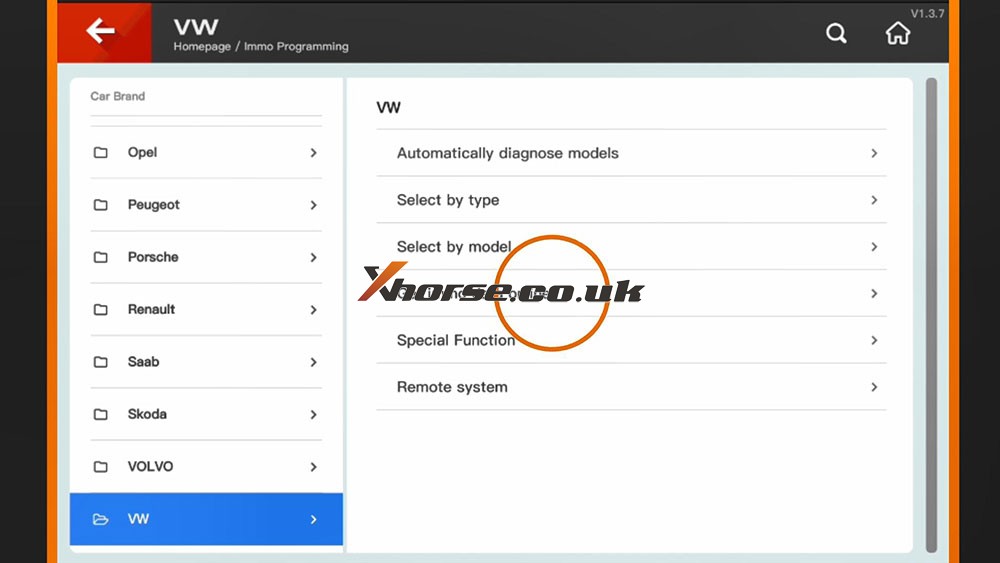
Immo programming -> VW -> Get immo data online -> Start programming -> Balance inquiry

How to check MQB Online Tokens with VVDI Key Tool Plus 01
How to check MQB Online Tokens with VVDI Key Tool Plus 02
How to check MQB Online Tokens with VVDI Key Tool Plus 03
How to check MQB Online Tokens with VVDI Key Tool Plus 04
How to check MQB Online Tokens with VVDI Key Tool Plus 05

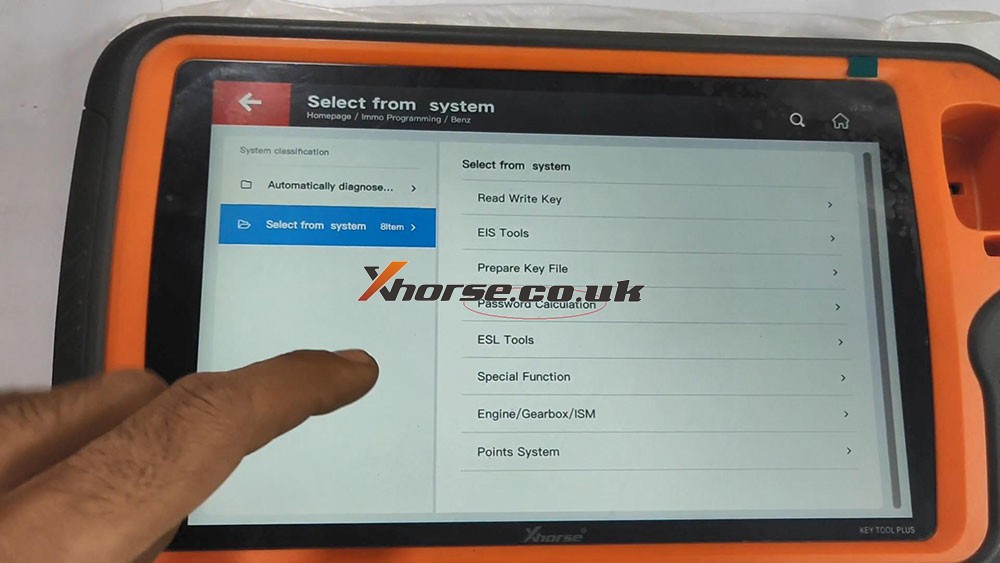
Part 2. How to View MMercedes Benz Tokens with VVDI Key Tool Plus

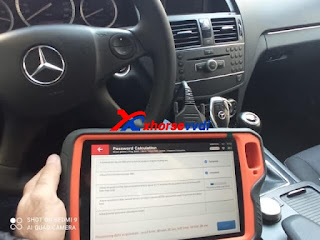
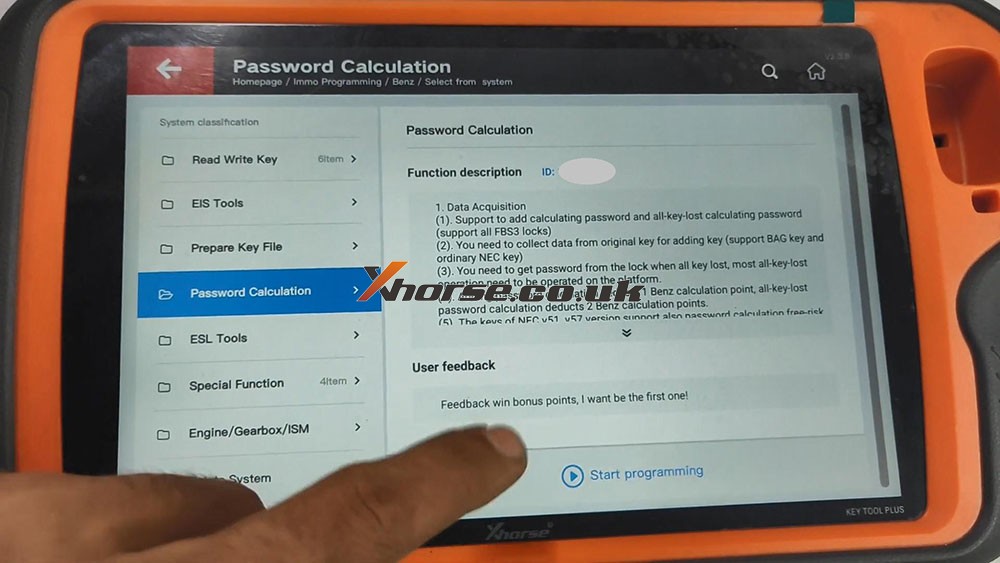
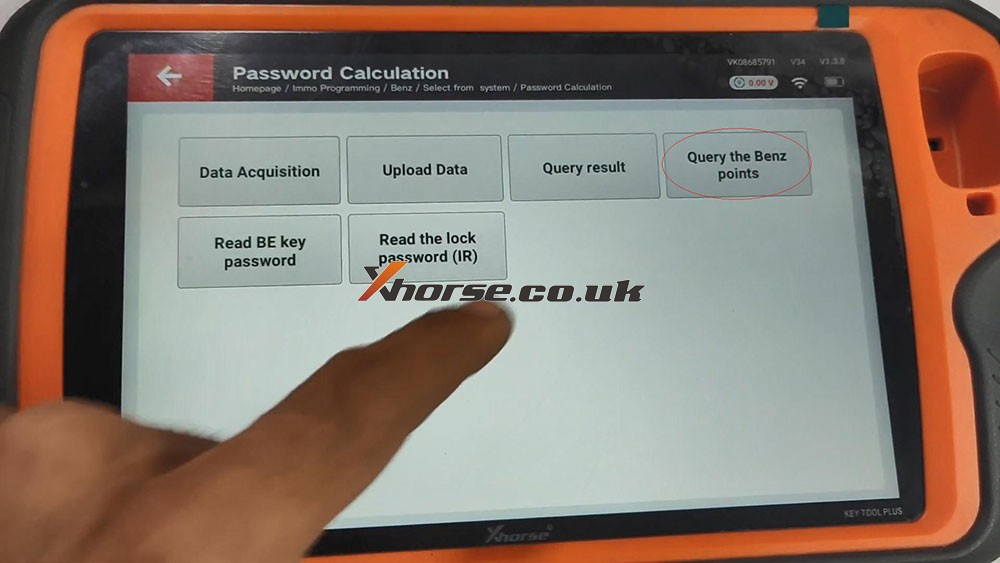
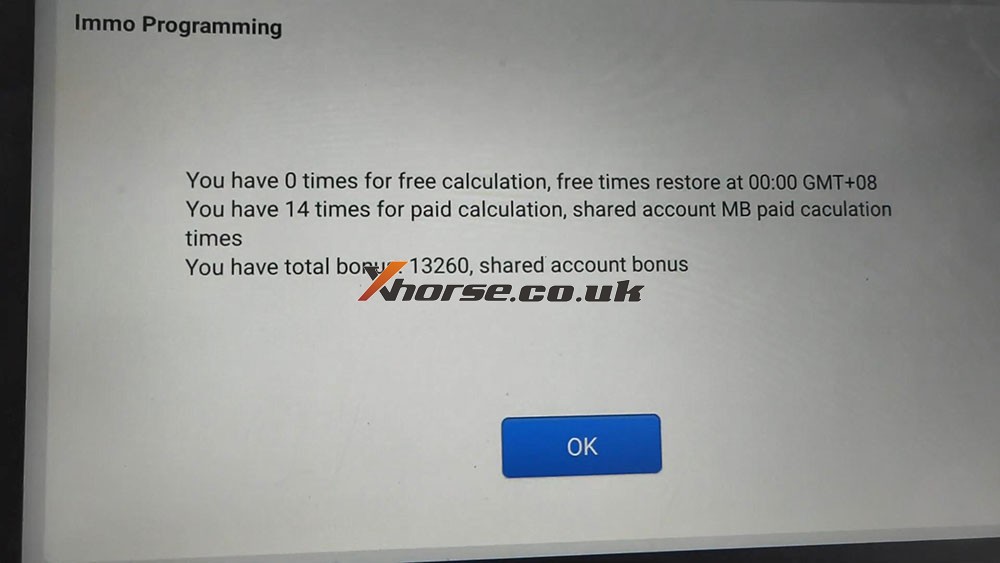
Immo programming -> Benz -> Select from system -> Password calculation -> Start programming -> Query the Benz points -> here you will see how many times for free calculation, how many times for paid calculation, how many bonus.

How to check MQB Online Tokens with VVDI Key Tool Plus 06
How to check MQB Online Tokens with VVDI Key Tool Plus 07
How to check MQB Online Tokens with VVDI Key Tool Plus 08
How to check MQB Online Tokens with VVDI Key Tool Plus 09

PS: You can get Key Tool Plus for Mercedes Benz Password Calculation Token at here:
https://www.xhorse.co.uk/wholesale/1-token-for-vvdi-key-tool-plus-password-calculation-for-sn-vk08.html
(Solved) Ford Remote only working inside car after programming by Key Tool Plus?
Customer feedback:

I programmed Ford Edge 2009 key and remote by Xhorse VVDI Key Tool Plus. The program was successful, the key can start the engine and the remote can lock/unlock doors. The remote can work when I was inside and the driver’s door is closed, but the remote will not lock/unlock doors once I step out of the car and close the driver’s door.

In addition, I found my key’s working range is about 5-10m, but I have to remove the cover of the key fob and use the key fob. If I put it back, it still only works inside the car.

Xhorsevvdi engineer believes Key Tool Plus Pad supports Ford Edge 2009 key and remote programming, so the problem may be the key itself.

Here are the Solutions:

1.Replace the key battery

The battery may be dead or of low power, so replace the battery or try another key.

Whichever you choose, you may need to reprogram it using  Key Tool Plus.

There are two options for this model: “Select by model” or “Select by system”.

If functions of model selection fail, go to functions of system selection.

2.Clean the key circuit board

Circuit boards in the key fob is easy to get wet or corroded, although the key quality varies in OEM key and Aftermarket key.

Use a dry, soft brush to clean off oxidized matters gently.

If it’s a surface carbon buildup, try a cleaner like “CO Contact Cleaner”.

3.Re-solder the battery contacts

There may be a “dry” solder joint or a scratch on the battery connector.

Solder wires for “+” and “-” battery contacts.

If you don’t know how to use a soldering iron correctly, don’t do it yourself.

Done! Hope this could help!

http://blog.xhorsevvdi.com/fixed-ford-remote-only-work-in-car-after-add-key-by-vvdi-key-tool-plus/

Design a site like this with WordPress.com
Get started