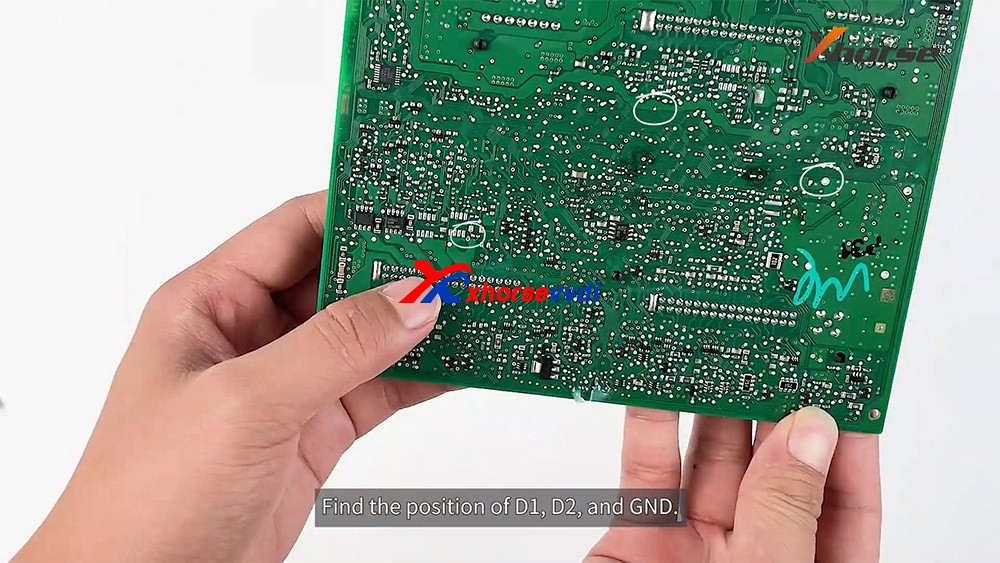
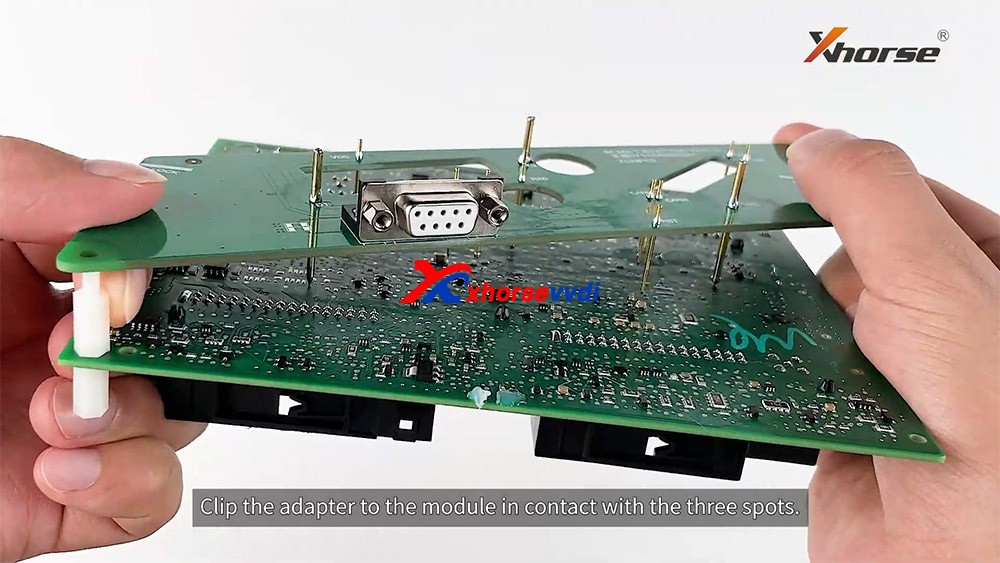
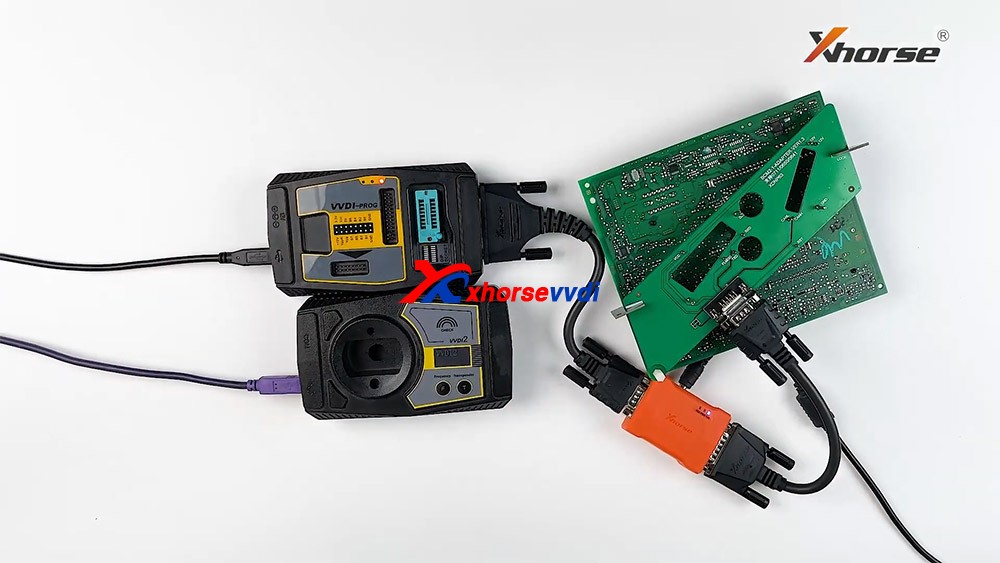
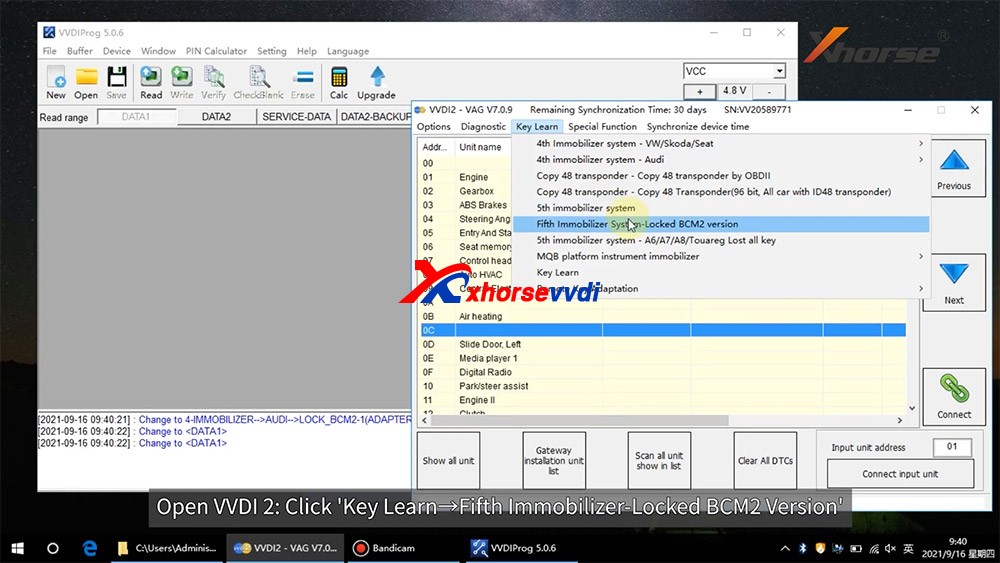
How to use Xhorse VVDI2 Read Audi BCM encryption info

Recently released Xhorse BCM2 Solder-free Adapter allows users to read encrypted Audi BCM2 module, but how to know if it’s a locked version? In this article we’ll raise two ways:

  1. Judge by the number on BCM2 module
  2. Read BCM2 info by VVDI2/Key Tool Plus

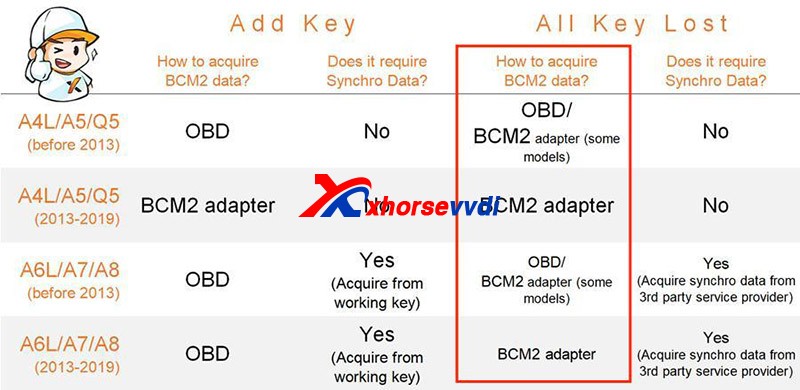
Generally, BCM2 modules before 2013 are unencrypted while those after 2013 are encrypted.
How To Identify An Encrypted Audi Bcm By Xhorse Programmers 1

However, there are exceptions after 2013 and it’s hard to judge 2013 versions.

Then we have

Method 1. Judge by the number on the BCM2 module

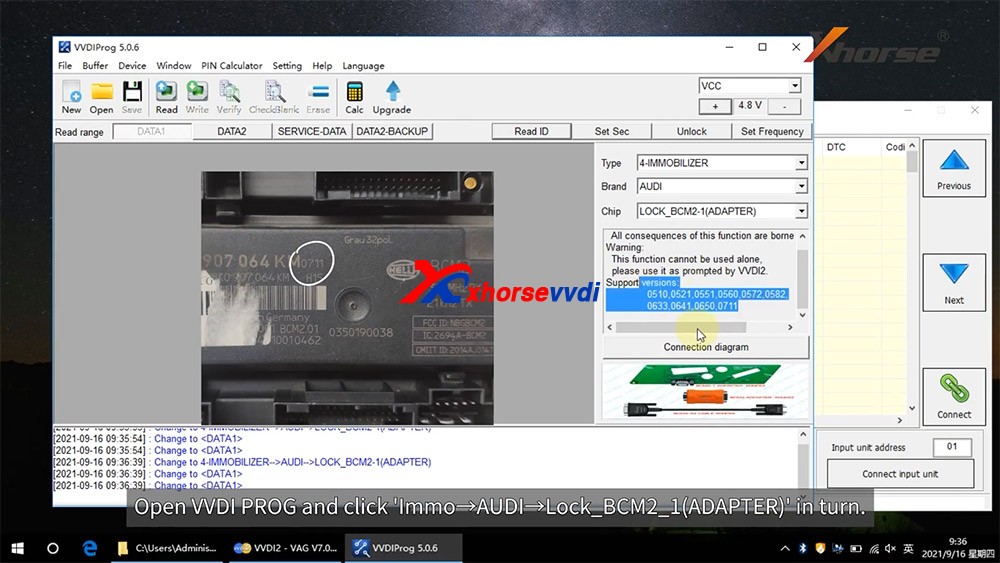
After we remove a BCM2 module, check the number on the box. (Here we have “0711”)
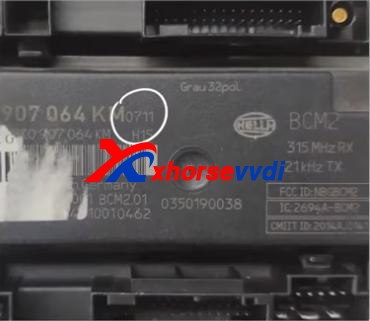
How To Identify An Encrypted Audi Bcm By Xhorse Programmers 2

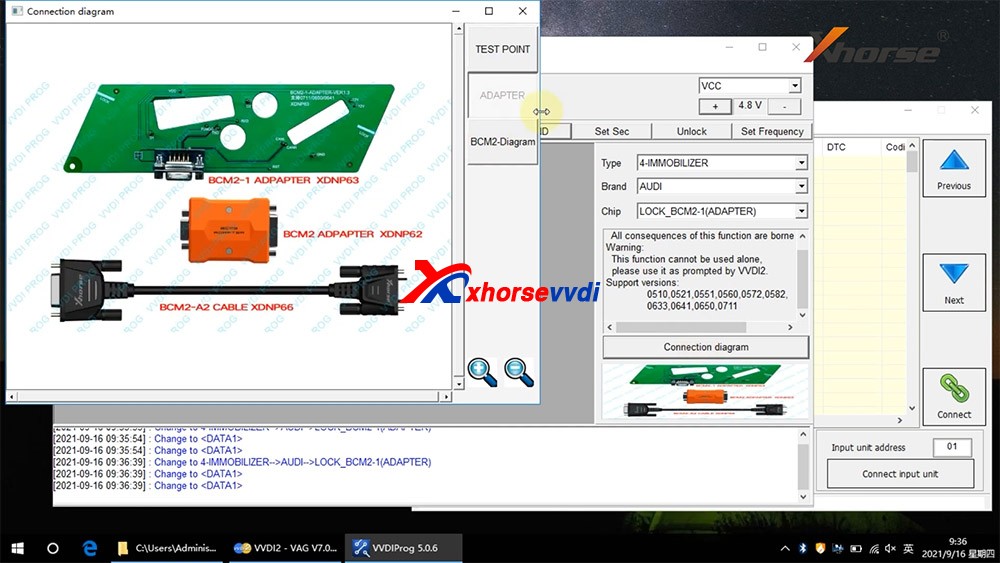
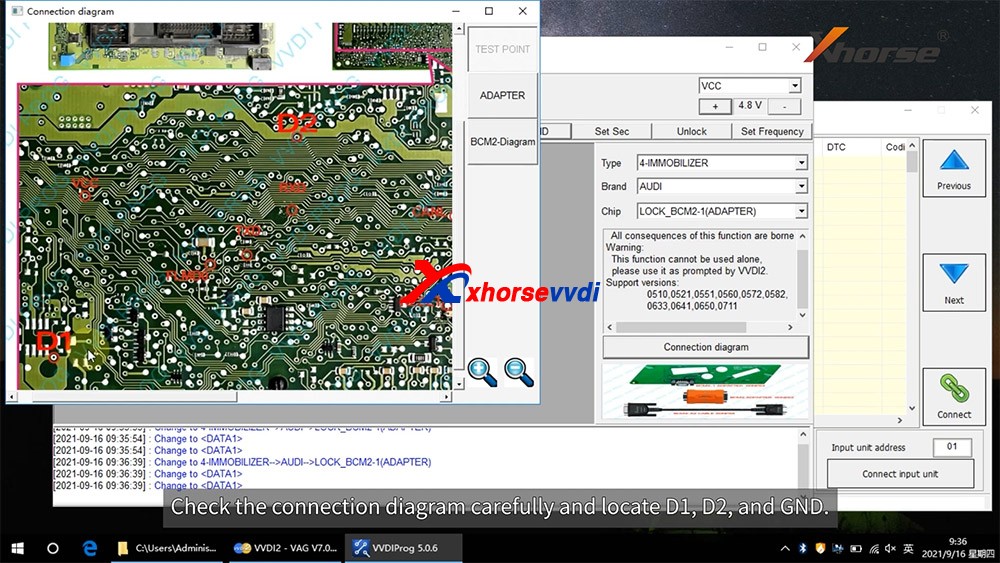
On the chip selection page of VVDI PROG or VVDI Key Tool Plus, supported numbers are listed on the below.
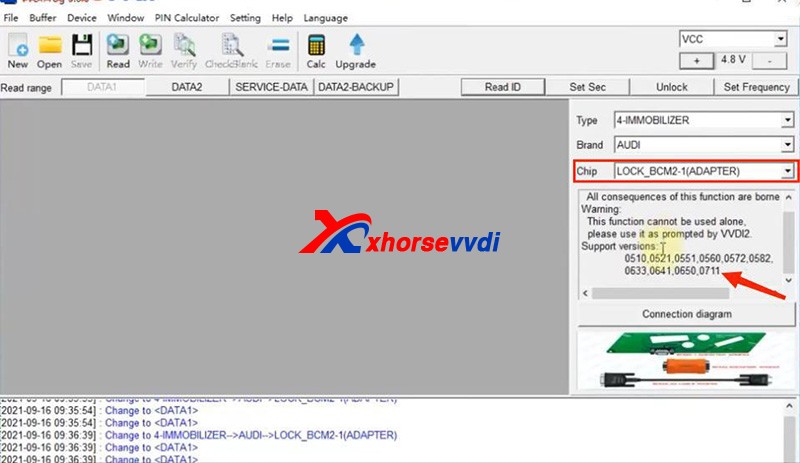
How To Identify An Encrypted Audi Bcm By Xhorse Programmers 3
How To Identify An Encrypted Audi Bcm By Xhorse Programmers 4

If our BCM2 number is on the list, we need to read it by an encrypted BCM2 Adapter.

Notes:

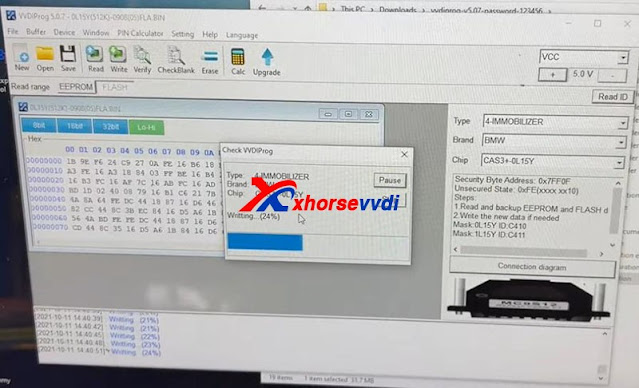
1)VVDI PROG has “LOCK_BCM2-1(ADAPTER)” and “LOCK_BCM2-2(ADAPTER)”

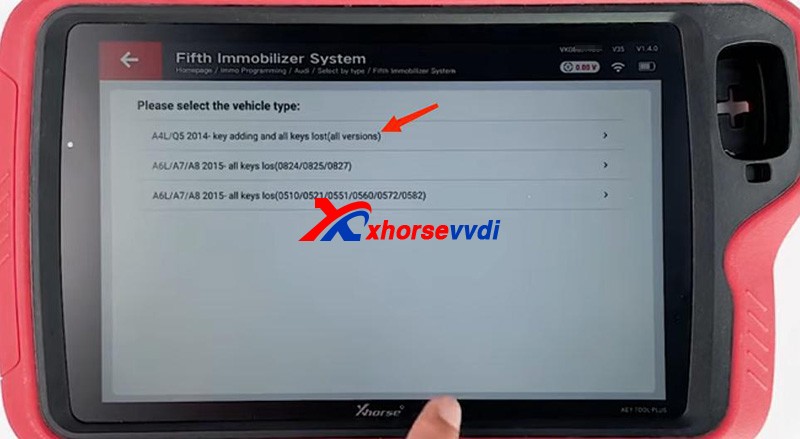
2)For our “0711”, we should select “(all versions)” on Key Tool Plus.

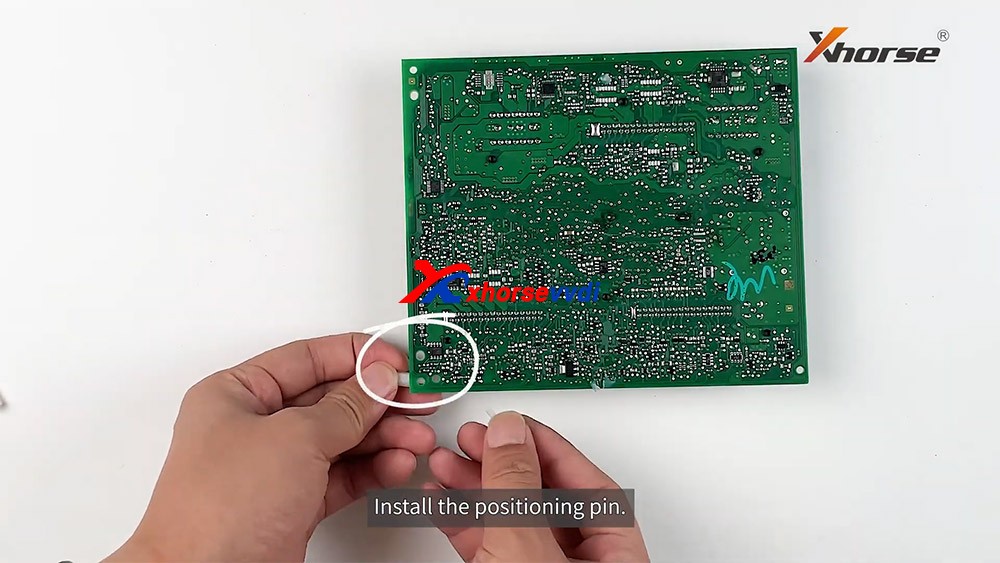
If we cannot find a number on our BCM2 modules, remove the cover to check the number on the chip of the circuit board.
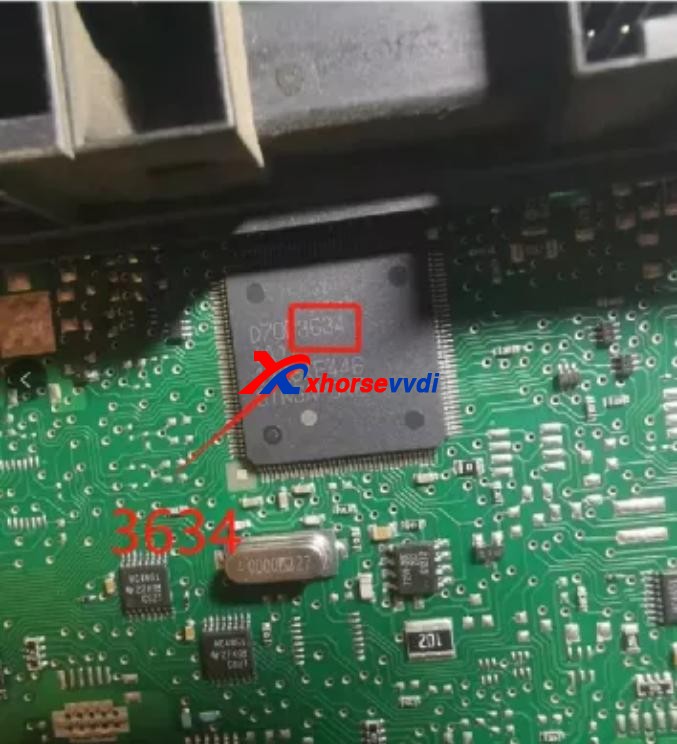
How To Identify An Encrypted Audi Bcm By Xhorse Programmers 5

Then see if our number is listed on unencrypted versions.
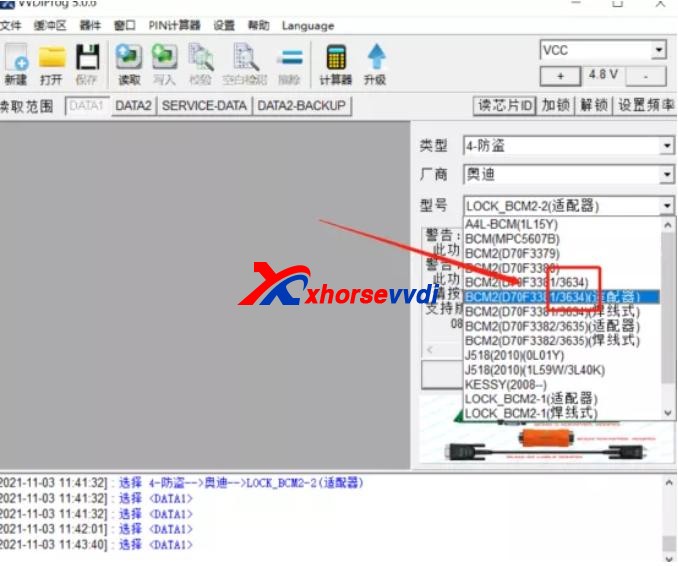
How To Identify An Encrypted Audi Bcm By Xhorse Programmers 6

If so, read it by the selection prompt (our “3634” is unencrypted and it can be read in a soldering/solder-free way);

If not, Do Not Try to read a unknown-version BCM2 and contact your dealer to confirm.

Method 2. Read BCM2 info by VVDI2/Key Tool Plus

Sometimes we find part of BCM2 modules on the encrypted list are unencrypted, so we have the second way – OBD identify/read.

Before We Remove A BCM2 From A Vehicle, connect VVDI2/Key Tool Plus to your vehicle via OBD to check.

Path 1 (on VVDI2):

  • Key Learn>>Fifth Immobilizer-Locked BCM2 version
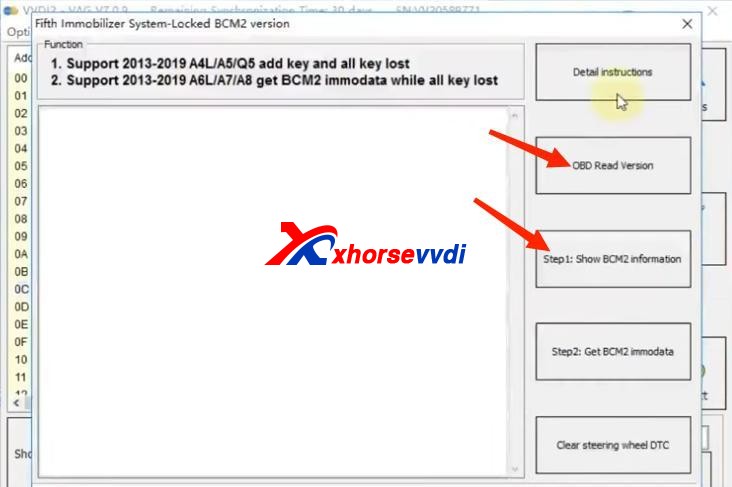
How To Identify An Encrypted Audi Bcm By Xhorse Programmers 7

Path 2 (on Key Tool Plus):

  • Immo Programming>>Audi>>Select by type>>Fifth Immobilizer System>>Start Programming>>Read BCM2 Data>>OBD identify BCM2 type
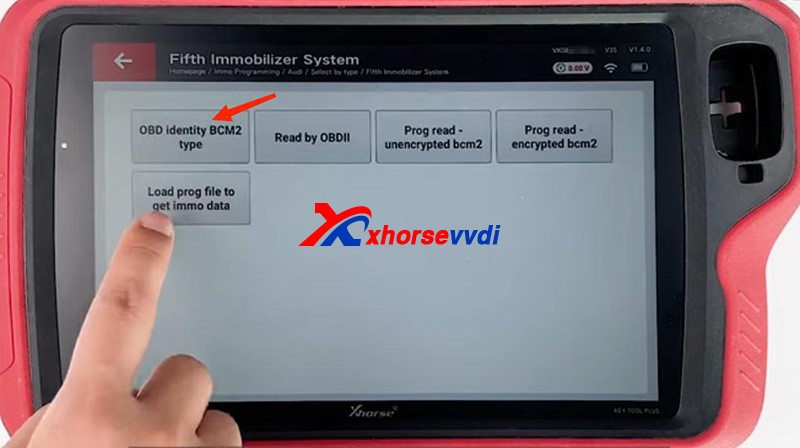
How To Identify An Encrypted Audi Bcm By Xhorse Programmers 8

It’s accurate to read BCM info via OBD, and then follow the instruction:

For unencrypted versions, read D-FLASH and P-FLASH without encrypted BCM2 adapters.

For encrypted versions, Do use encrypted BCM2 adapters.
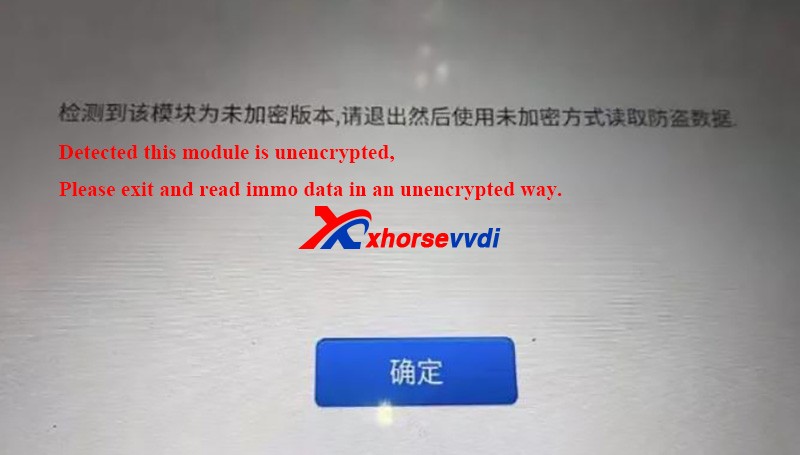
How To Identify An Encrypted Audi Bcm By Xhorse Programmers 9

Other tips

  1. When we read an encrypted BCM2 with VVDI AUDI BCM2 adapters, Do Not click on “Unlock”, or the module will be erased and no way to restore.
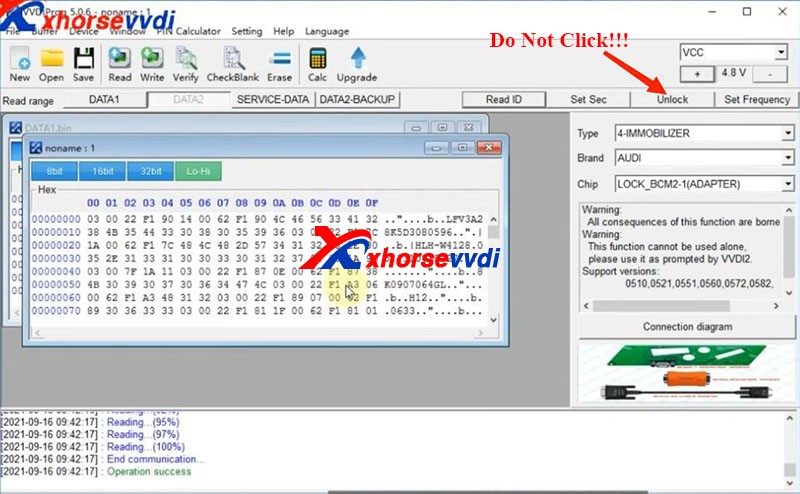
How To Identify An Encrypted Audi Bcm By Xhorse Programmers 10
  1. During removing BCM modules or soldering cables to BCM circuit boards (Particularly in winter), Do care static electricity, which may cause damages to chips or data loss.

Alright, that’s how we identify BCM2 status and some tips during operation.Thanks to xhorsevvdi for making this article: http://blog.xhorsevvdi.com/how-to-identify-an-encrypted-audi-bcm-by-xhorse-programmers/

Read & write for Porsche Key With VVDI Programmer User Manual

This article is about to compare different ways to read Porsche BCM and program keys by Xhorse Programmer. Some require de-soldering, while some don’t with certain cables and adapters.

Method 1. VVDI PROG (Desoldering required)

This way requires MC9S12 reflash cable included in the package and to desolder components (and to cut wires on part of chips).

1)Panamera (1L15Y) tested OK

It requires removing a component and soldering it back after reading and saving the FLASH file.

vvdi prog Panamera (1L15Y) tested OK

2)Macan (1N35H) & Cayenne GTS (5M48H) tested OK

It requires removing two components, cutting a wire, and soldering them back after it’s complete.

vvdi prog Macan (1N35H) & Cayenne GTS (5M48H) tested OK01
vvdi prog Macan (1N35H) & Cayenne GTS (5M48H) tested OK 02

General procedure (VVDI PROG+VVDI2):

  • Read&save D-FLASH file (VVDI PROG)>>Load the file (VVDI2)>>Program keys>>Install back BCM>>Learn keys via OBD (VVDI2)

Method 2. VVDI Programmer with Porsche Fast Easy Cable

This way requires Porsche Fast Easy Cable and wiring. No soldering is required.

This adapter works with VVDI PROG, VVDI2, and Key Tool Plus to read BCM without soldering.

1)1N35H tested OK

VVDI prog Programmer with Porsche Fast Easy Cable

The rest procedure is similar to method 1.

Method 3. VVDI Key Tool Plus/Mini Prog with XDNPP017 Adapter

This way requires XDNPP017 Solder-free Adapter, so soldering is not required in this way as well.

1)Cayenne (5M48H) and Macan (1N35H) tested OK

KTP Cayenne (5M48H) and Macan (1N35H) tested OK 01
KTP Cayenne (5M48H) and Macan (1N35H) tested OK 02

General procedure:

  • Read&save D-FLASH file (Key Tool Plus/Mini Prog)>>Load the file (Key Tool Plus)>>Program keys (Key Tool Plus)>>Install back BCM>>Learn keys via OBD (Key Tool Plus)
KTP Cayenne (5M48H) and Macan (1N35H) tested OK 03
KTP Cayenne (5M48H) and Macan (1N35H) tested OK 04

Alright, different methods require different adapters & cables and operation and watch the devices that adapters support.

  1. How to use VVDI2 and VVDI Prog to Program Porsche Paramera Key? 
  2. VVDI Prog Programmer Read Porsche BCM 2M25J Successfully 
  3. How to use VVDI2 and VVDI Prog to Read Write Porsche Key?
  4. Xhorse VVDI Key Tool program 2011 Porsche Cayenne AKL 
  5. VVDI Prog Read Porsche BCM Data Tips 

Xhorse VVDI BIMTool Cas3+ ISTAP Downgrade Over OBD OK

Here we’re trying to downgrade CAS3+ ISTAP. Because it’s encrypted since ISTAP upgrade and it doesn’t allow VVDI BIMTool or any software to write a key to it.

What we want to do is:

Write back the original FLASH data that was doing a key before.

Try to crank CAS3+ module by BIMTool and bench test platform.

Step 1

So, first we write the original FLASH into CAS3 by VVDI Prog Programmer.

How to downgrade ISTAP with Xhorse VVDI Prog +BIMTool 01
How to downgrade ISTAP with Xhorse VVDI Prog +BIMTool 02

Step 2

Set up bench test platform:

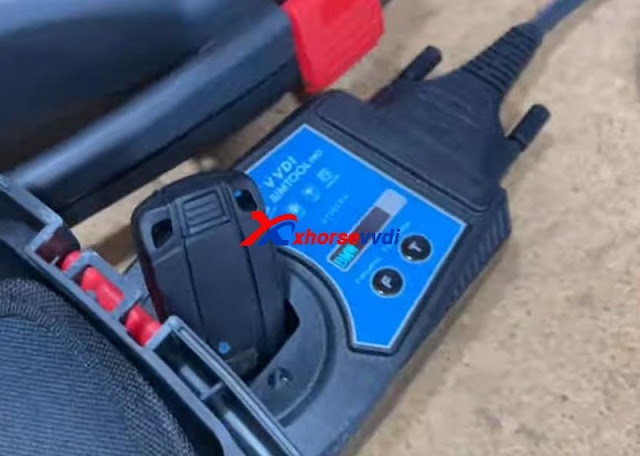
Connect the cable to all hardware (BIMTool, JBE, CAS3, key slot, switch…)

Notice the PIN on JBE module.

How to downgrade ISTAP with Xhorse VVDI Prog +BIMTool 03
How to downgrade ISTAP with Xhorse VVDI Prog +BIMTool 04

Insert the key and light on the cluster.

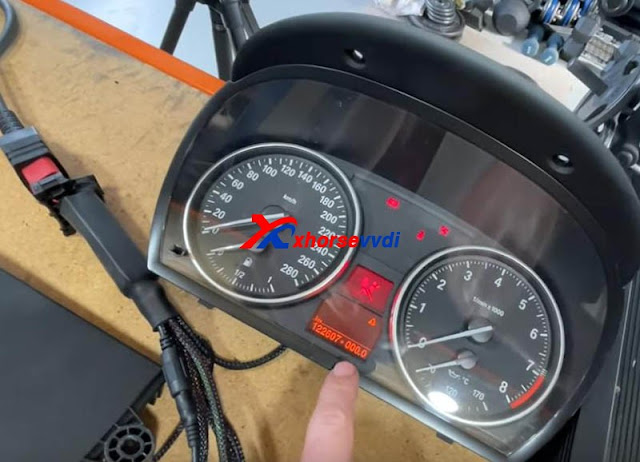
We see there is a steering lock but we can bring up the mileage. (The temper dot comes from the mismatch of the kilometer between CAS and cluster)

How to downgrade ISTAP with Xhorse VVDI Prog +BIMTool 04

Step 3

We hook up BIMTool.

Turn to “CAS key learn” page and connect.

Click on “Get Key Info” and “Add key”.

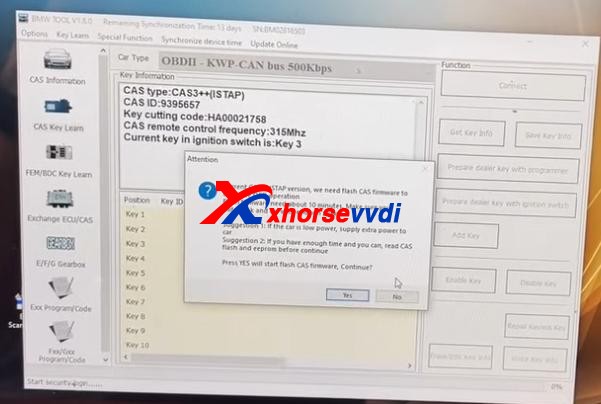
If it’s encrypted, here it’ll prompt.

But, it asks if we’re going to update firmware, which means FLASH writing by VVDI Prog worked.

How to downgrade ISTAP with Xhorse VVDI Prog +BIMTool 05

Now disconnect PC from the Internet.

Press “No” to update firmware.

Then press “Yes” to flash CAS firmware.

How to downgrade ISTAP with Xhorse VVDI Prog +BIMTool 06

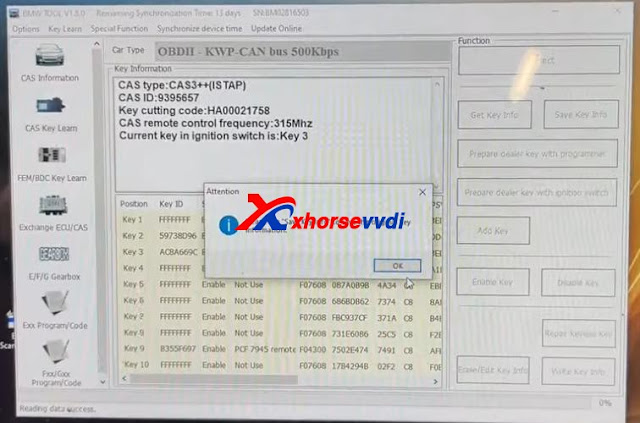
Follow the instruction and it gives us key info.

How to downgrade ISTAP with Xhorse VVDI Prog +BIMTool 07

Finally we manage to crack and downgrade CAS3+ ISTAP on bench.

Try if it can give us ISN.

Exchange ECU/CAS>>CAS – CAS3+ OBDII>>Read ECU ISN

No.

Try it via EEPROM dump file that we got from VVDI Prog, and a working key.

How to downgrade ISTAP with Xhorse VVDI Prog +BIMTool 09

Yes.

How to downgrade ISTAP with Xhorse VVDI Prog +BIMTool 10

Done!

More functions to be explored!

http://blog.xhorsevvdi.com/vvdi-prog-bimtool-and-cas3-bench-test-platform-downgrade-istap-success/
V5.0.8 Xhorse VVDI Prog add SAIC-GM-BCM

V5.0.8 VVDI Prog software is released, here is the newest V5.0.8 VVDI Prog software download link.

1.Free Download V5.0.8 VVDI Prog Software

https://we.tl/t-PJCP3BZGvA

Password:123456

2.V5.0.8 VVDI Prog Update Information:

V5.0.8 VVDI Prog Update (2021-10-27)
* This version DON’t need update firmware
* Fix LACROSSE-BCM(2008) diagram in <4-IMMOBILIZER>-><BUICK>
+ Add MB91F109, MB91F127, MB91F128, MB91F133, MB91F155, MB91F158, MB91F223, MB91F248, MB91F267, MB91F273, MB91F313, MB91F314, MB91F318R,  MB91F345,
MB91F353A, MB91F355A, MB91F356B, MB91F463C, MB91F465C, MB91F467C, MB91F464H, MB91F467M, MB91F467T, MB91F475, MB91F478, MB91F479, MB91F482, MB91F486, MB91F487, MB91F492, MB91F575/S, MB91F577/S, MB91F610:FONT, MB91F610:PROG, MB91F627, MB91F662, MB91F668/F669 options in <2-MCU>-><FUJITSU-MB9XF>
+ Add SAIC-GM-BCM option in <4-IMMOBILIZER>-> <SAICMOTOR>
+ Add CS75(MB91F534B)(2017) option in <5-DASHBOARD>-><CHANGAN>
+ Add Viaggio(D70F3525)(2014) option in <5-DASHBOARD>-><FIAT>
+ Add HIACE-DASHBOARD(2016) option in <5-DASHBOARD>-><JINBEI>
+ Add SOUTHEAST-V3-LINGYUE option in <5-DASHBOARD>-> <SOUTHEAST-MOTOR>
+ Add A4L-LEW-MODULE(2017-), A4L-SKYLIGHT-MOTOR-MODULE, options in <8-OHTER>-><AUDI>
+ Add  VIANO-ELECTRIC-DOOR-MODULE option in <8-OTHER>-><BENZ>
+ Add  525-REAR-VIEW-CAMERA-MODULE,  X5-E70-ESP(ST10F269), X6-E71-TAILGATE-MODULE options in <8-OHTER>-><BMW>
+ Add CS75-AIRCONDITION-MODULE(2014)  option in <8-OHTER>-><CHANGAN>
+ Add ECOBOOST-AFS-MODULE option in <8-OHTER>-><Ford>
+ Add MG-6-TELEMATICS-MODULE(2014) option in <8-OHTER>-><SAICMOTOR>
+ Add PHIDEON-TPM(2018) option in <8-OHTER>-><VOLKSWAGEN>
+ Add S80L-ICM(2011) option in <8-OHTER>-><VOLVO>

How to read locked BCM2 with Xhorse VVDI2 & VVDI PROG

With VVDI PROG and VVDI BCM2 adapter, VVDI2 support:

  1. 2013-2019 A4L /A5/Q5 add key and all key lost
  2. 2013-2019 A6L /A7/A8 get BCM2 immo data while all key lost (Synchronize data can get from 3rd service provider)(Add key can get BCM2 immo data directly via OBDII)

What we want to do today:
Read and write Audi 5th Immobilizer System- Locked BCM2

Good to know:

  • Warning 1 : This function is high risk, all the consequences caused are undertaken by yourself
  • Warning 2: In VVDI-PROG function, Don’t touch power supply, cable, BCM2 module!!!

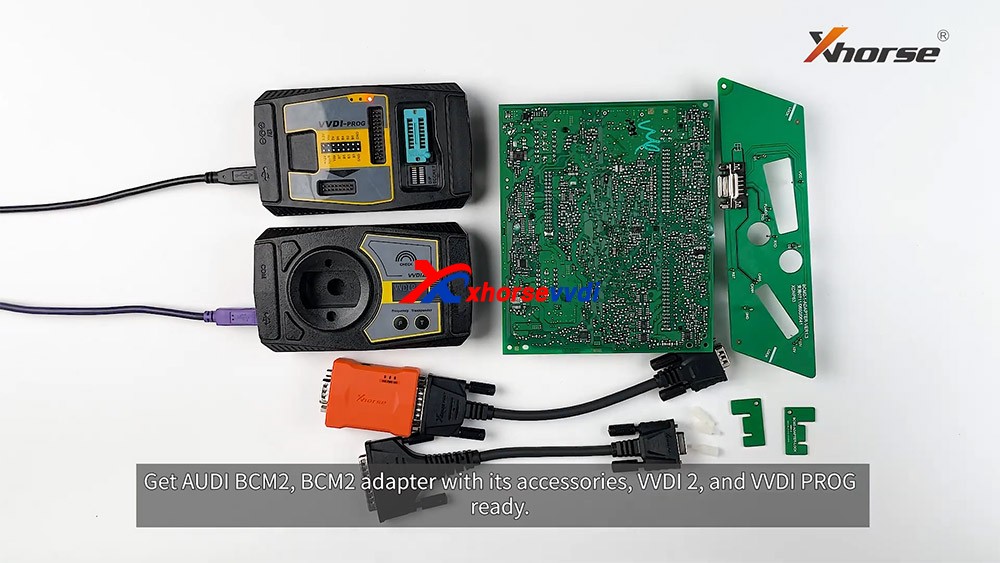
How to connect AUDI BCM2 Adapter with VVDI 2 & VVDI PROG 01

VVDI-PROG data instructions:

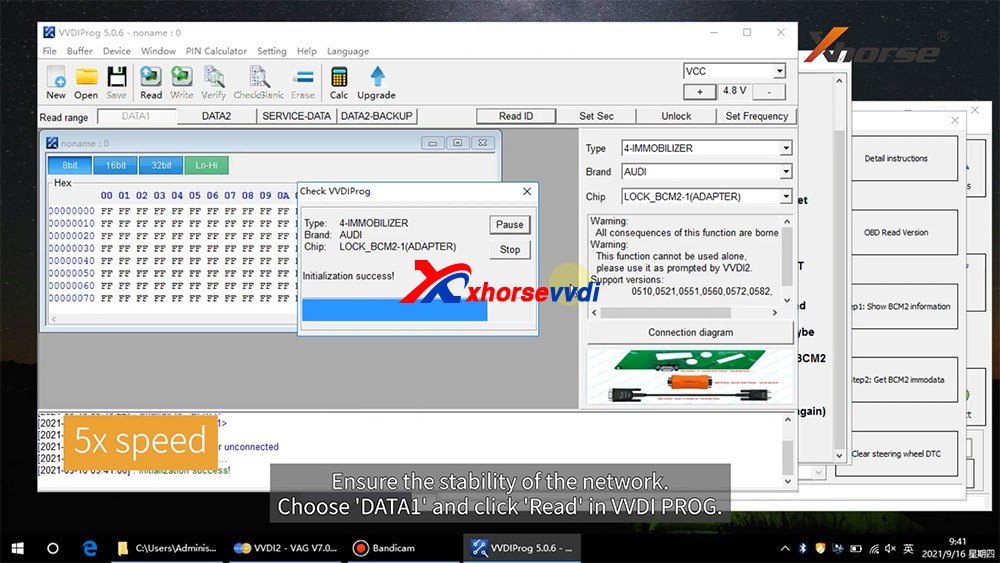
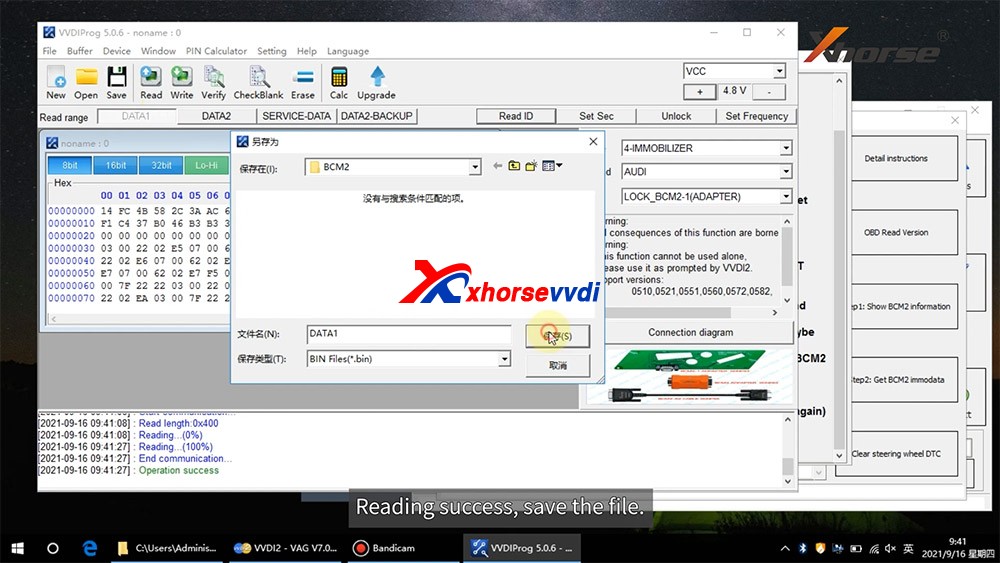
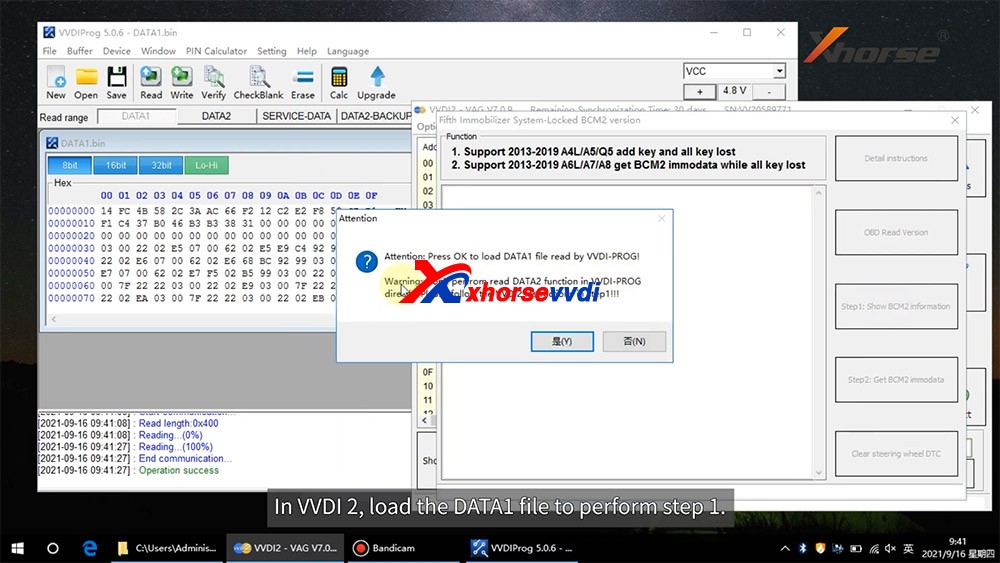
  • DATA1: VVDI2 stepl require data, you can read DATA1 after connect in VVDI-PROG
  • DATA2: VVDI2 step2 require data, you can read DATA2 after you get instructions in VVDI2(load DATA1 in stepl)
  • SERVICE-DATA: you can get this data in step2. Write this data to BCM2 activate module
  • DATA2-BACKUP: If read DATA2 failed(cause by power or cable), you can use this function to get DATA2 data

Instructions of using AUDI BCM2 Adapter with VVDI 2 & VVDI PROG:

  • First use OBD Read Version function, OBD read BCM2 version and check support status
  • Open trunk: Find the BCM2 in right-rear area, remove the two big plug, then small one(DON’T close trunk)
  • Connect VVDI-PROG and BCM2 module, VVDI BCM2 adapter require support +12V
  • Enter VVDI-PROG->immobilizer->Audi->LOCK_BCM2-1 orLOCK_BCM2-2 read DATA1 data and save it(Depends on the SW version)
  • Enter WDI2 stepl, load DATA1 data(require internet), continue with VVDI2 instructions (maybe not need DATA2)
  • If VVDI2 ask you provide DATA2, enter VVDI-PROG read DATA2 and save(After read DATA2, BCM2 will enter service mode)
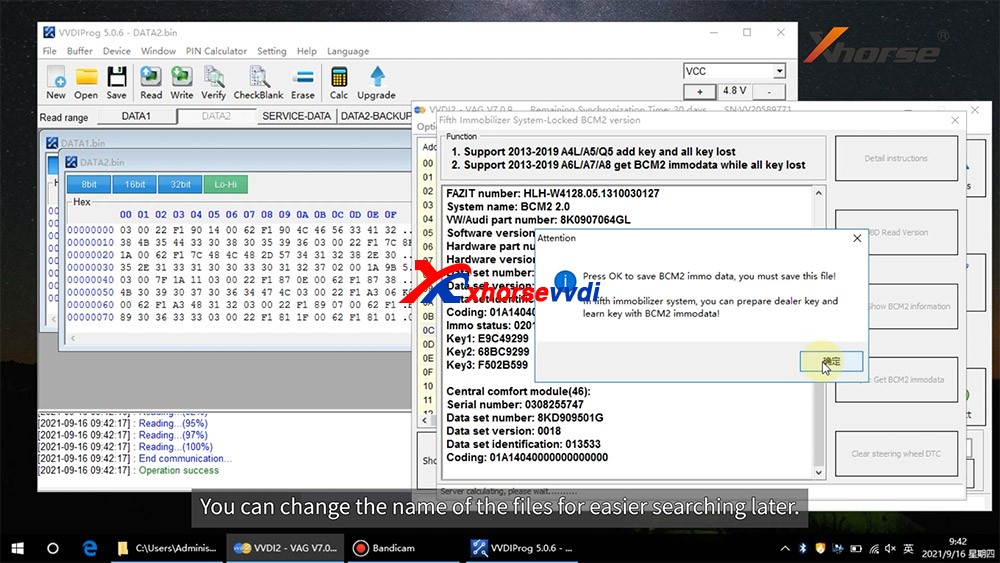
  • Enter VVDI2 step2, load DATA2 data(require internet), it will save 2 files: BCM2 immodata and BCM2 service data
  • BCM2 immodata can use learn key, BCM2 service data can write to BCM2(make BCM2 work again) with VVDI PRO.
  • After write BCM2 service data, restore BCM2 to car.
  • Enter 5th immobizer system learn key.

How to connect AUDI BCM2 Adapter with VVDI 2 & VVDI PROG 02
How to connect AUDI BCM2 Adapter with VVDI 2 & VVDI PROG 03
How to connect AUDI BCM2 Adapter with VVDI 2 & VVDI PROG 04
How to connect AUDI BCM2 Adapter with VVDI 2 & VVDI PROG 05
How to connect AUDI BCM2 Adapter with VVDI 2 & VVDI PROG 06
How to connect AUDI BCM2 Adapter with VVDI 2 & VVDI PROG 07
How to connect AUDI BCM2 Adapter with VVDI 2 & VVDI PROG 08
How to connect AUDI BCM2 Adapter with VVDI 2 & VVDI PROG 09
How to connect AUDI BCM2 Adapter with VVDI 2 & VVDI PROG 10
How to connect AUDI BCM2 Adapter with VVDI 2 & VVDI PROG 11
How to connect AUDI BCM2 Adapter with VVDI 2 & VVDI PROG 12
How to connect AUDI BCM2 Adapter with VVDI 2 & VVDI PROG 13

Enjoy!

http://blog.xhorsevvdi.com/how-to-use-xhorse-audi-bcm2-adapter-with-vvdi-prog-vvdi2/
How to use Xhorse Vvdi Prog + Vvdi EZS Adapter to read W211 EIS

Hi there, today Xhorsevvdi is going to show you a simple way to read Benz EIS data. We’ll use Xhorse VVDI Prog and EZS adapter to read Benz W211 EIS. Of course, VVDI Prog is not the only choice, EZS adapter can also work with the VVDI Key tool plus (Xhorse multi-function XDKP30 adapter is needed) or MINI Prog (DB9 cable is needed).


Procedure:

Step 1

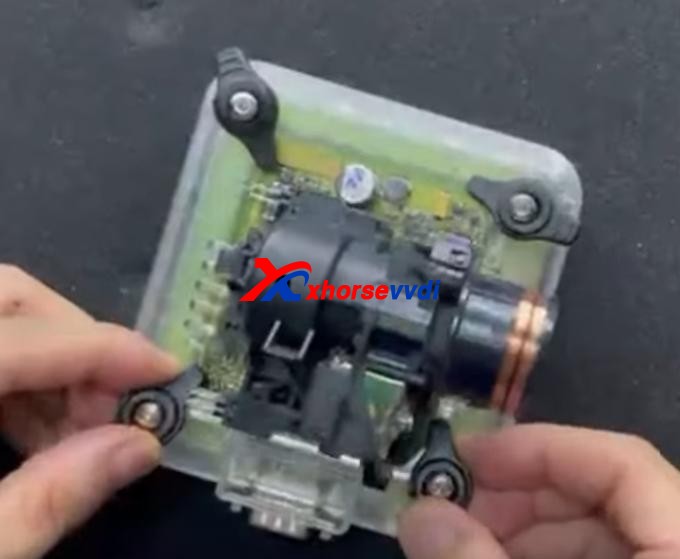
First we remove EIS cover.

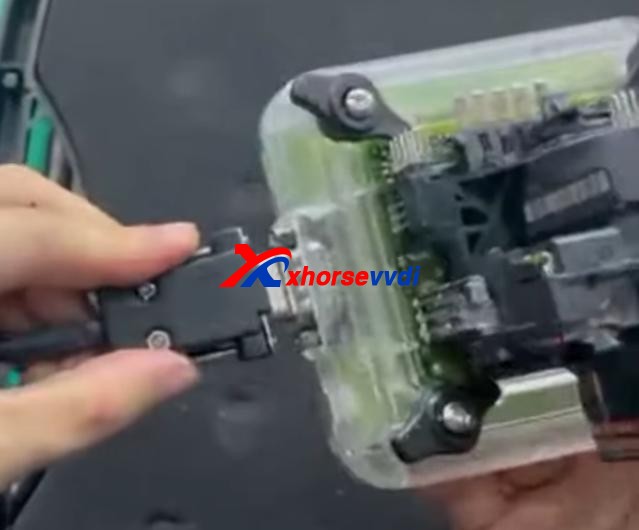
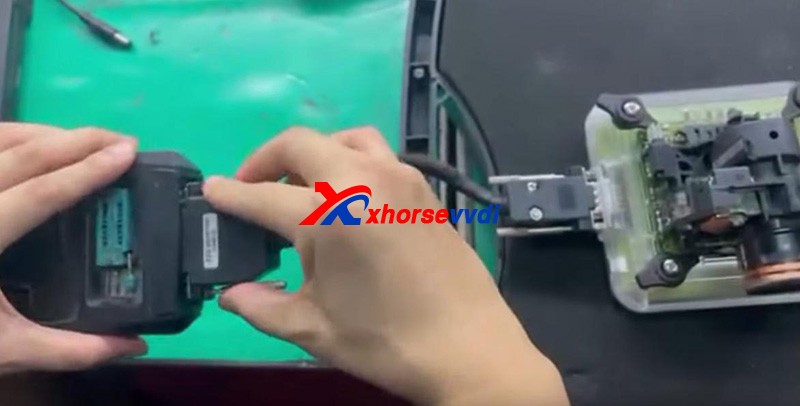
Then put it in W209/211(HC12) EZS adapter and fasten it.


How to use Xhorse Vvdi Prog + Vvdi EZS Adapter  to read W211 EIS 03

Connect the set to VVDI Prog by the cable supplied.


Supply power to VVDI Prog and connect it to PC.


Step 2

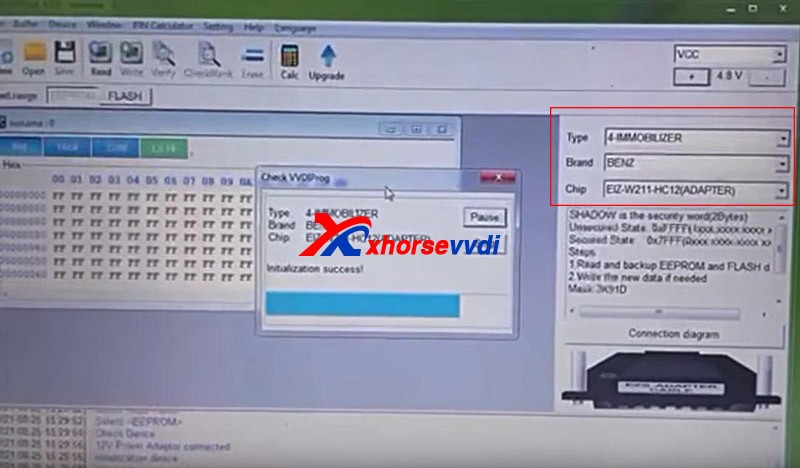
Open up VVDI Prog software.

Select

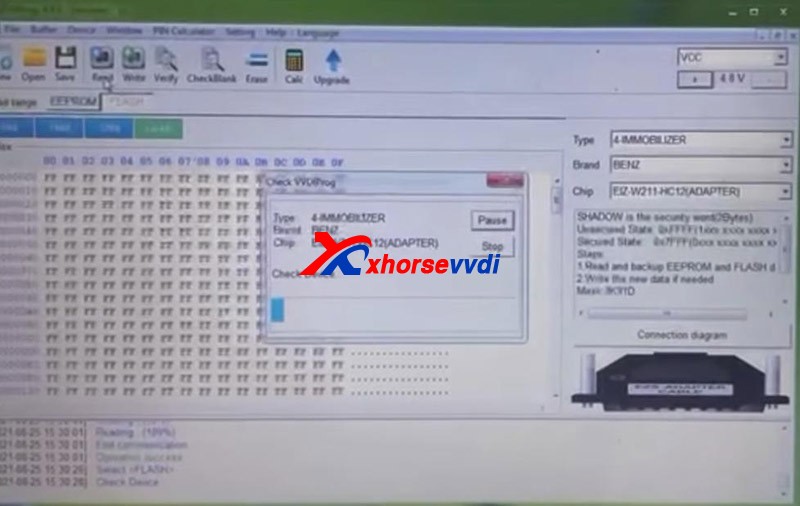
Type>>“4-IMMOBILLIZER”

Brand>>“BENZ”

Chip>>“EIZ-W211-HC12(ADAPTER)”.

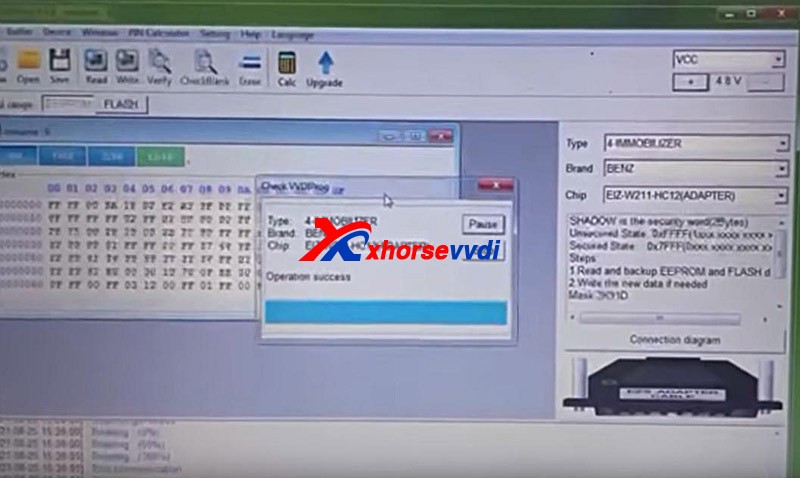
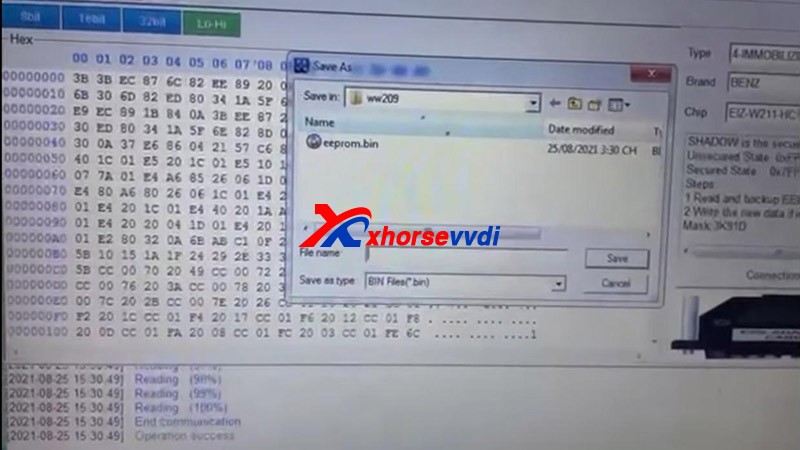
Select “EEPROM” and press “Read” to get EEPROM data.

How to use Xhorse Vvdi Prog + Vvdi EZS Adapter  to read W211 EIS 06
How to use Xhorse Vvdi Prog + Vvdi EZS Adapter  to read W211 EIS 07

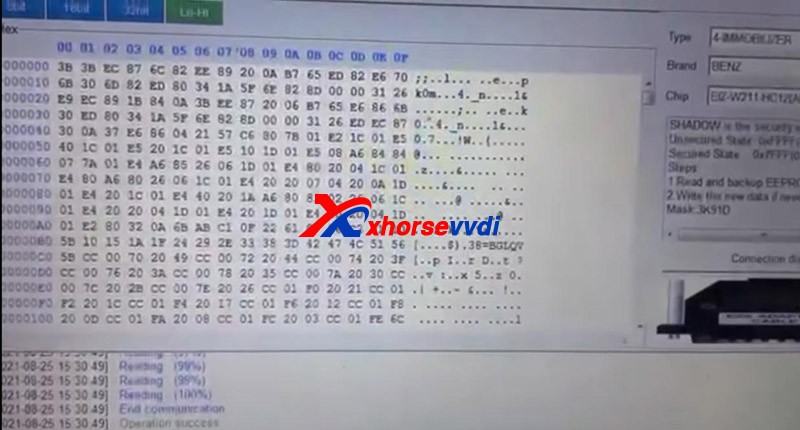
Click on “Save” to save EEPROM data.

Select “FLASH” and press “Read” to get FLASH data.


Also click on “Save” to save FLASH data.


Done!

It’s really easy for VVDI PROG to read Benz EIS data with EZS adapters.

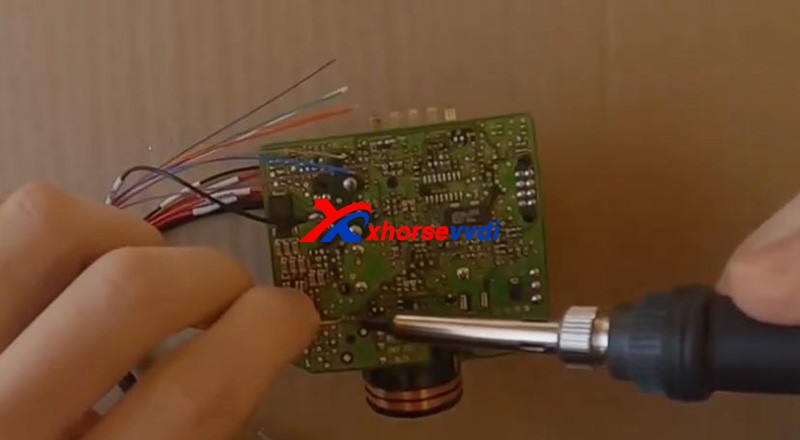
Without the adapter, you have to solder cables to EIS circuit board. That would be a tough job.


More things to simplify your job, please check

http://blog.xhorsevvdi.com

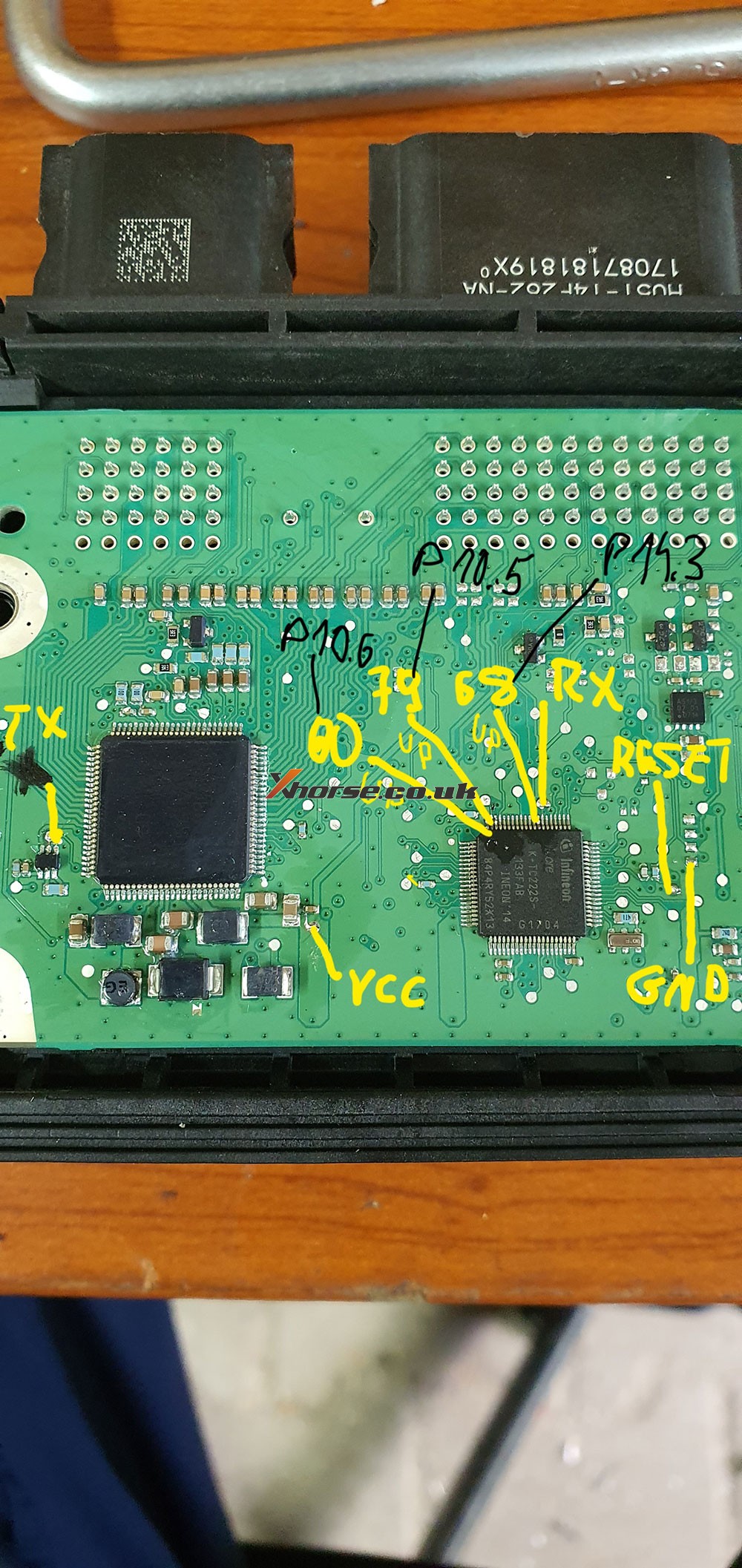
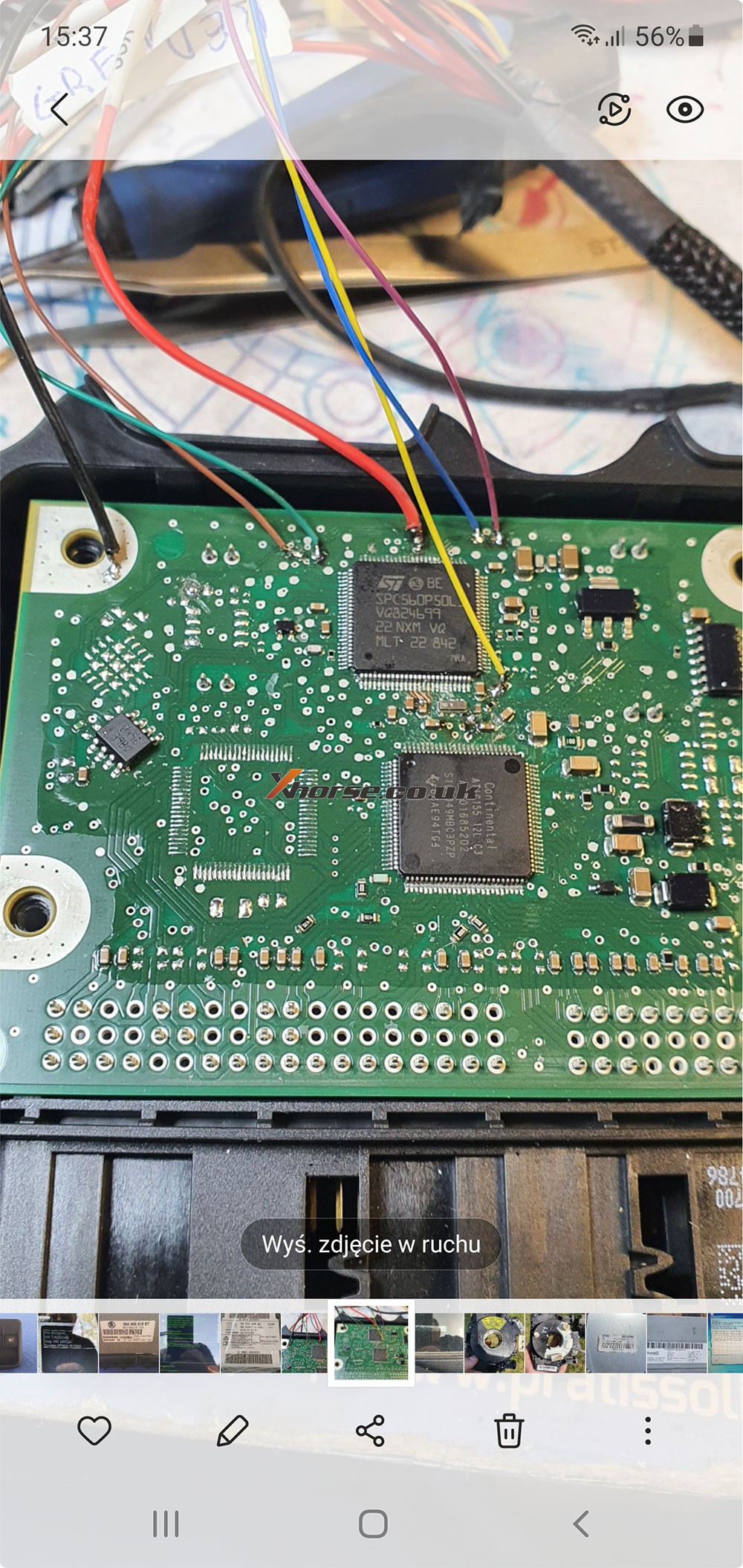
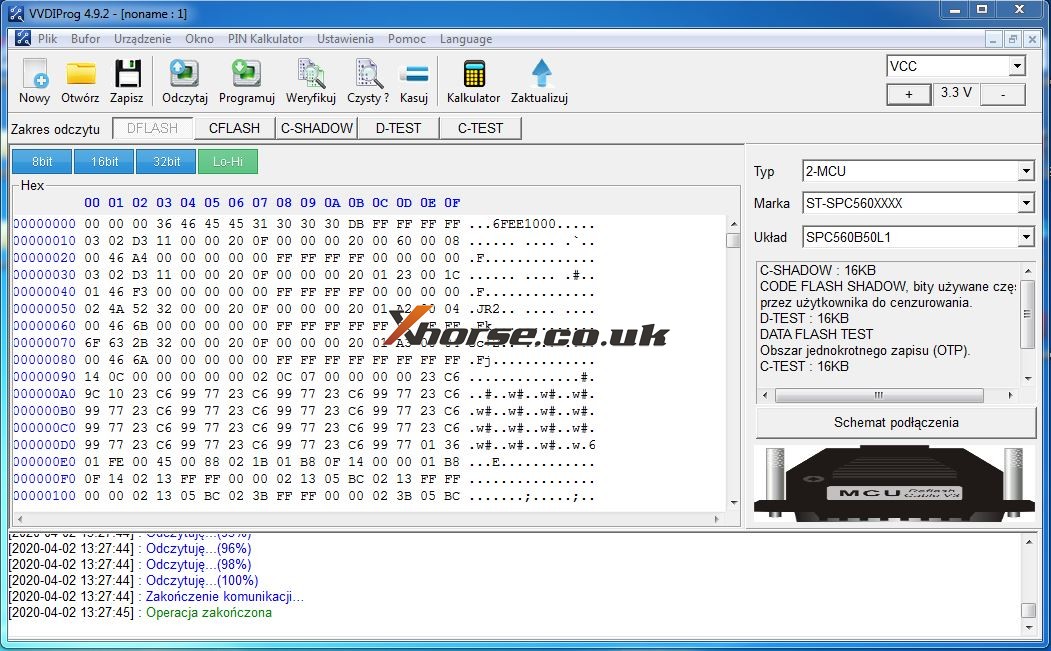
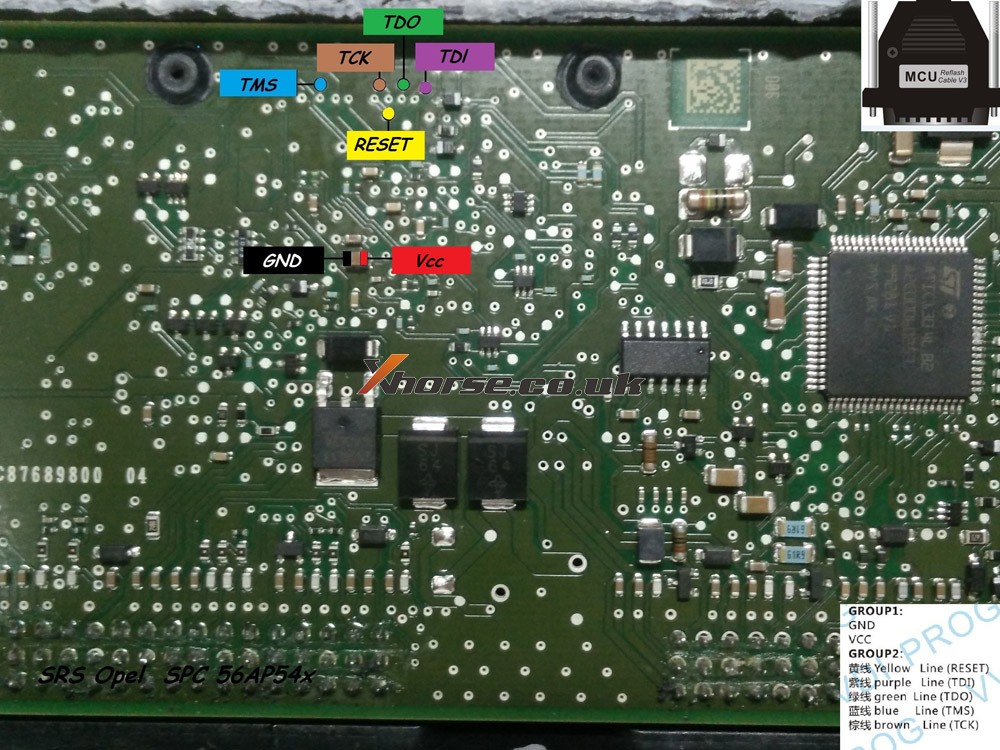
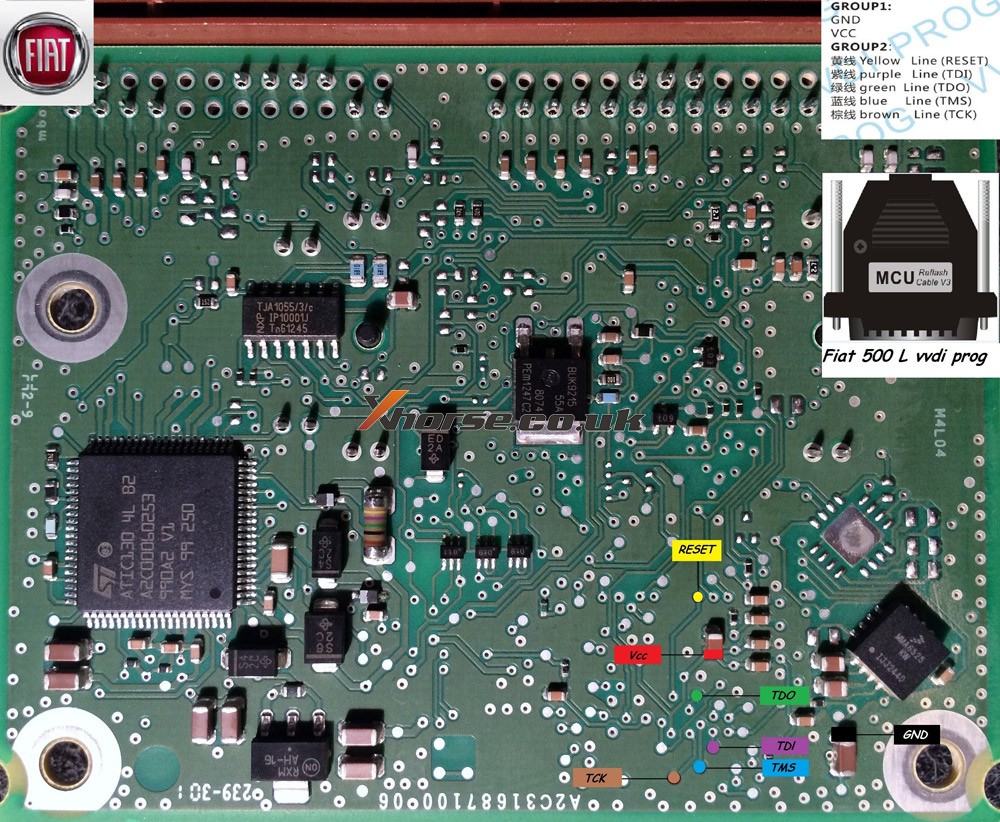
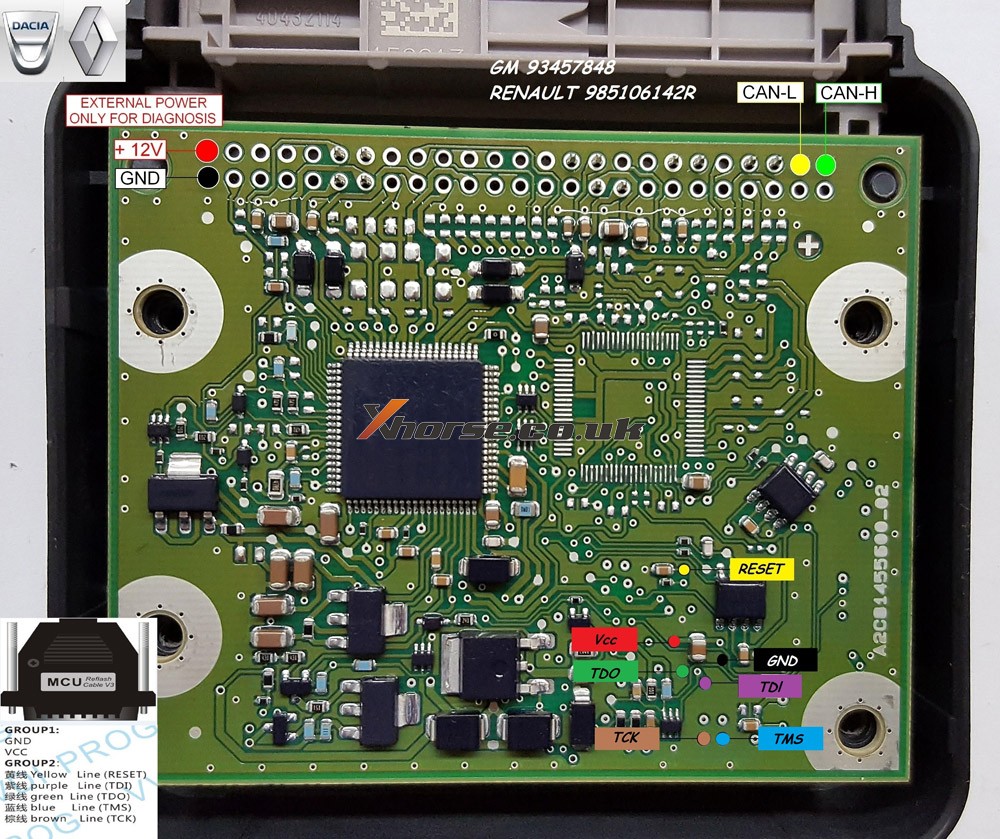
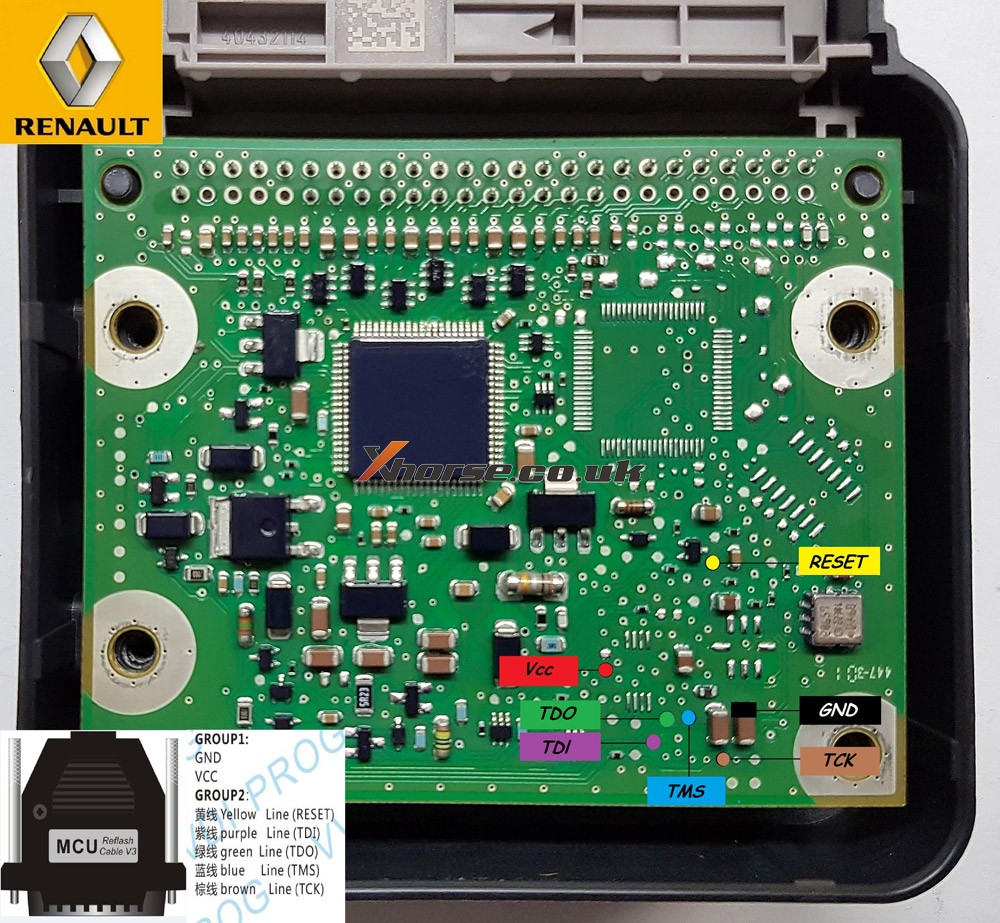
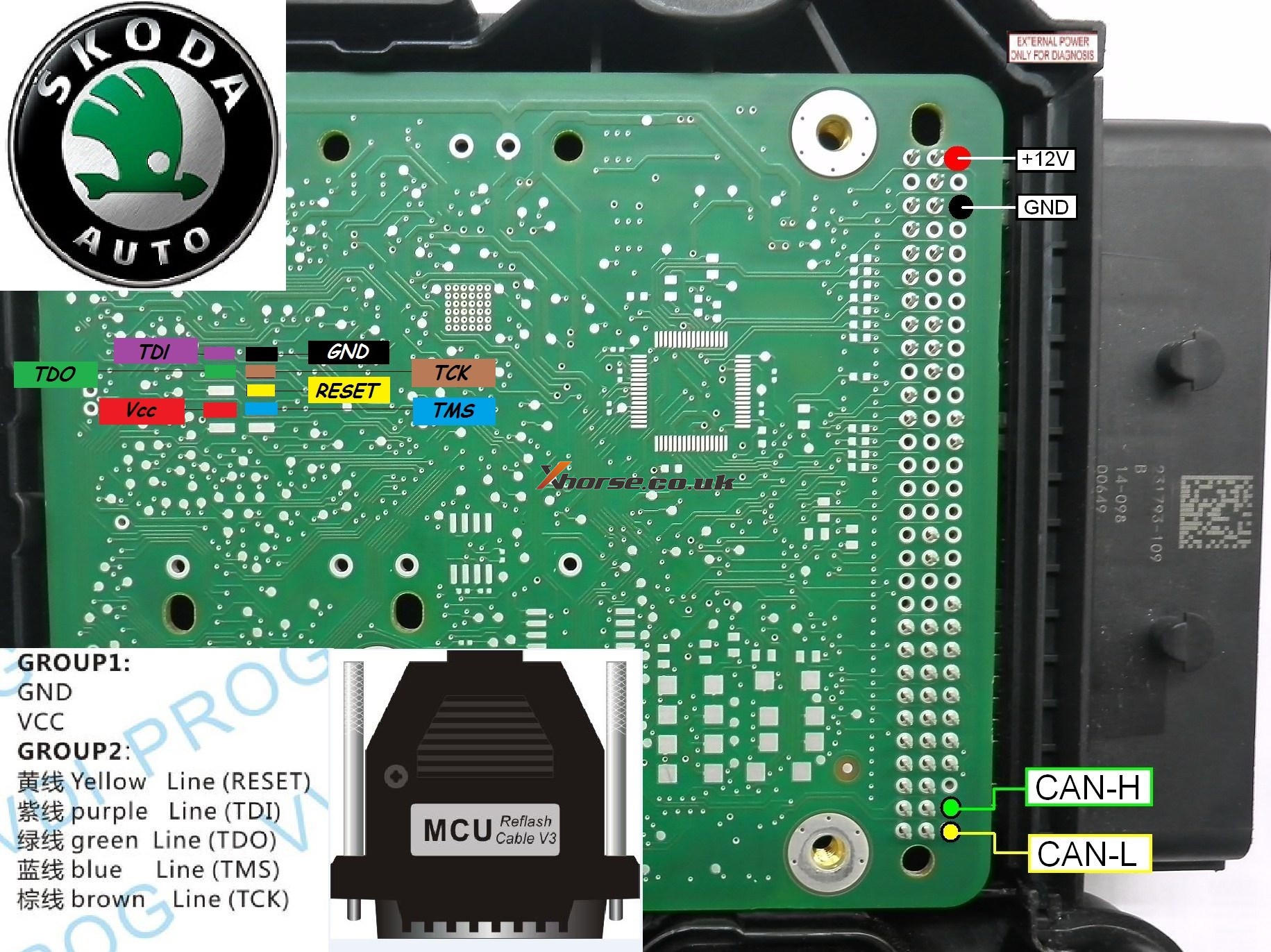
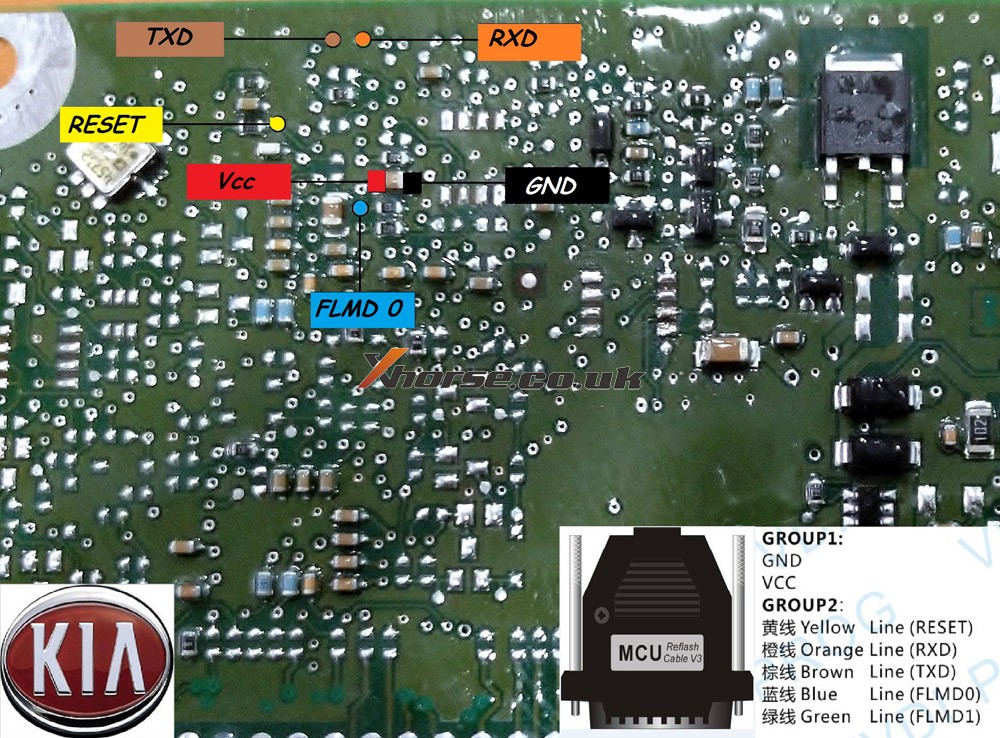
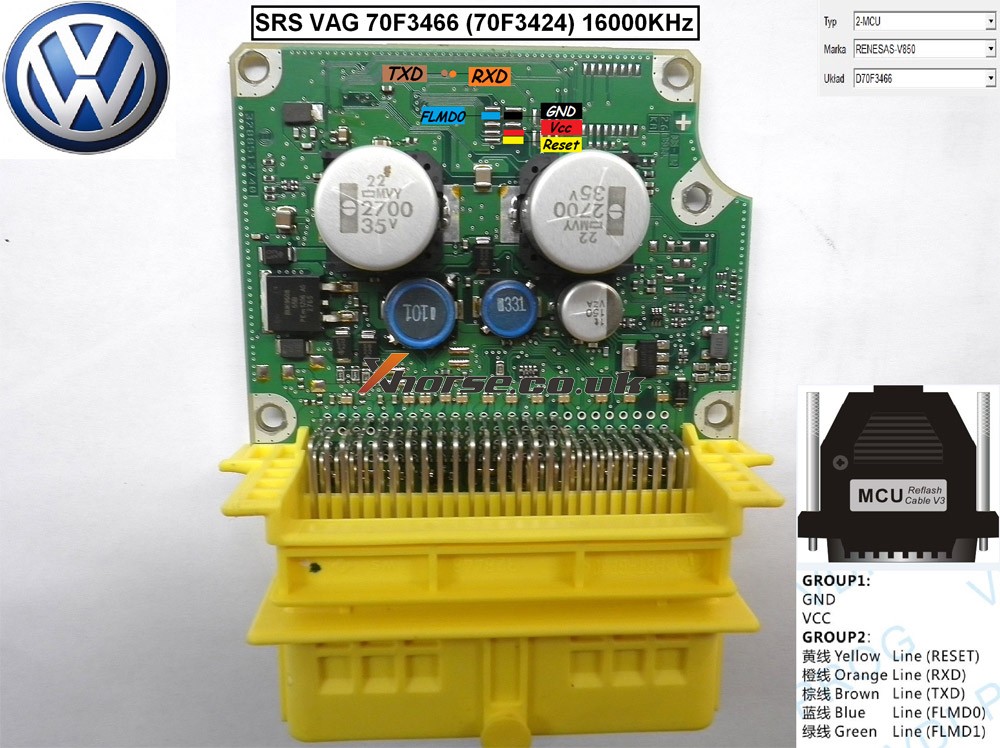
Xhorse VVDI PROG Pinout for Opel, Ford PSA etc

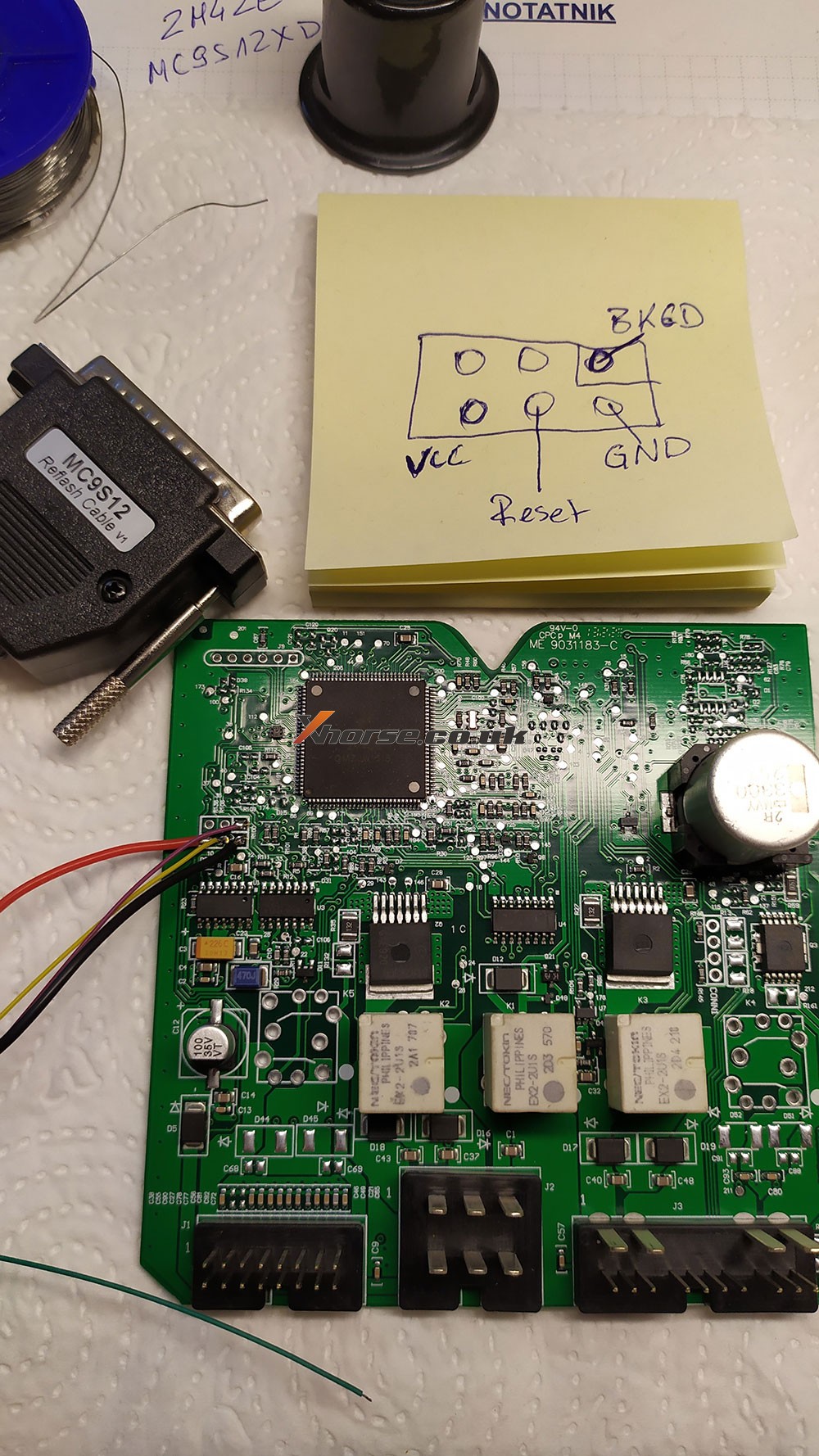
Opel Insignia 2011 year

Body R/W VVDI PROG

Pinout for all of you

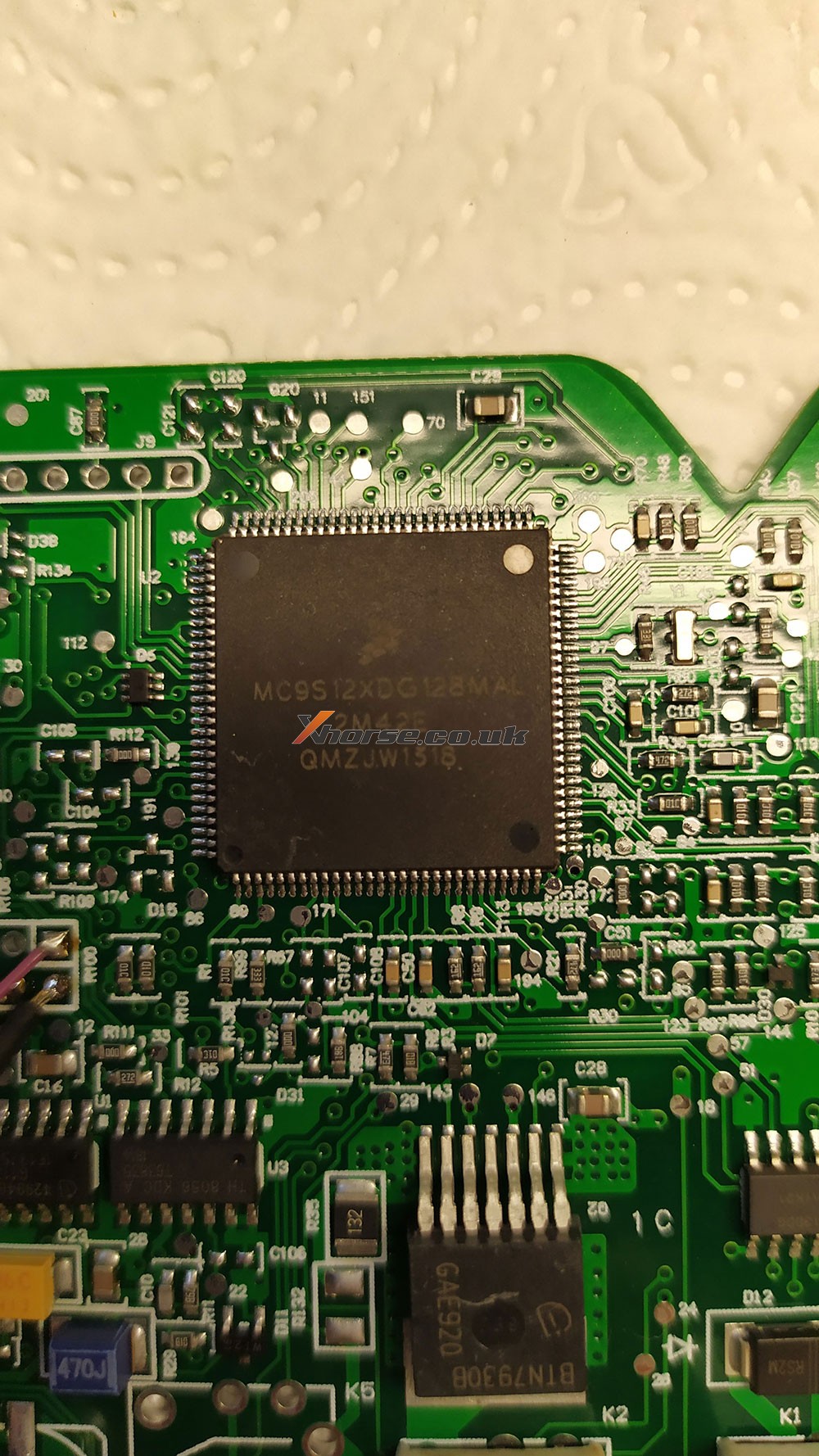
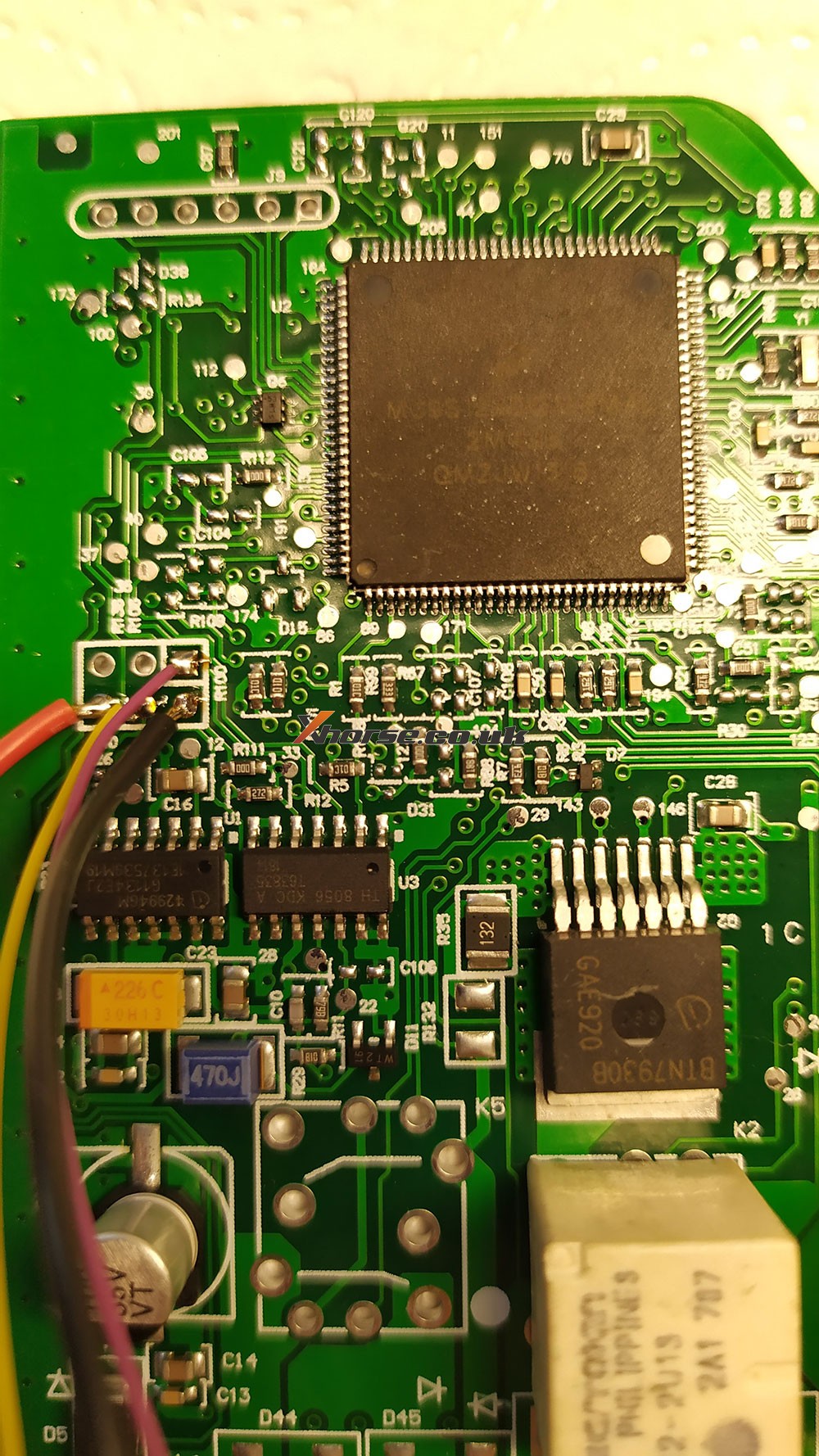
Mask 2M42E

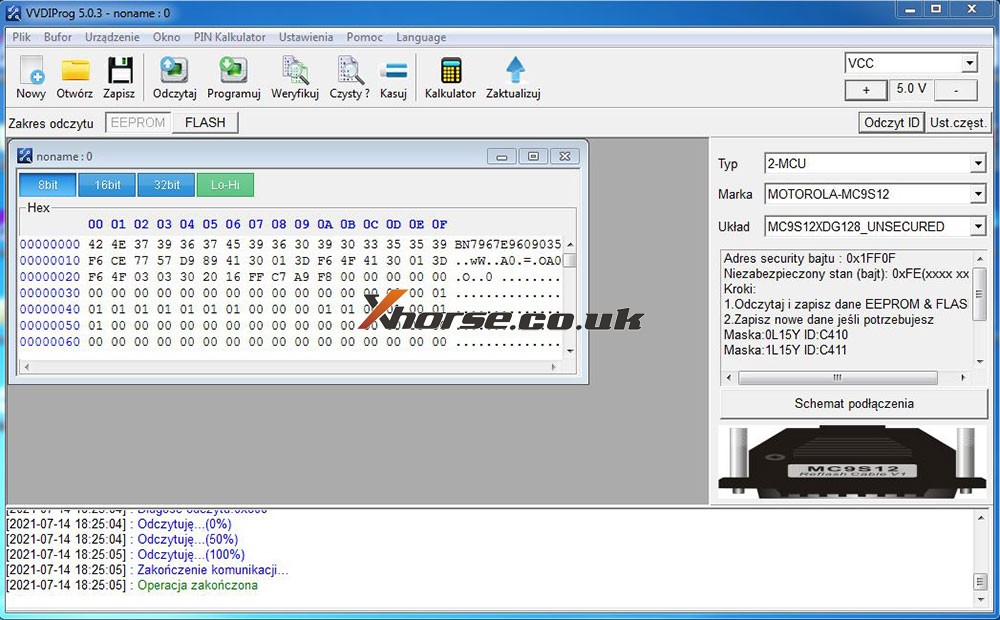
MC9S12XDG128MAL


vvdi-pro-body-insignia-2m42e–eep 04
vvdi-pro-body-insignia-2m42e–eep 05

VVDI PROG Ford fiesta 2017 Pinout


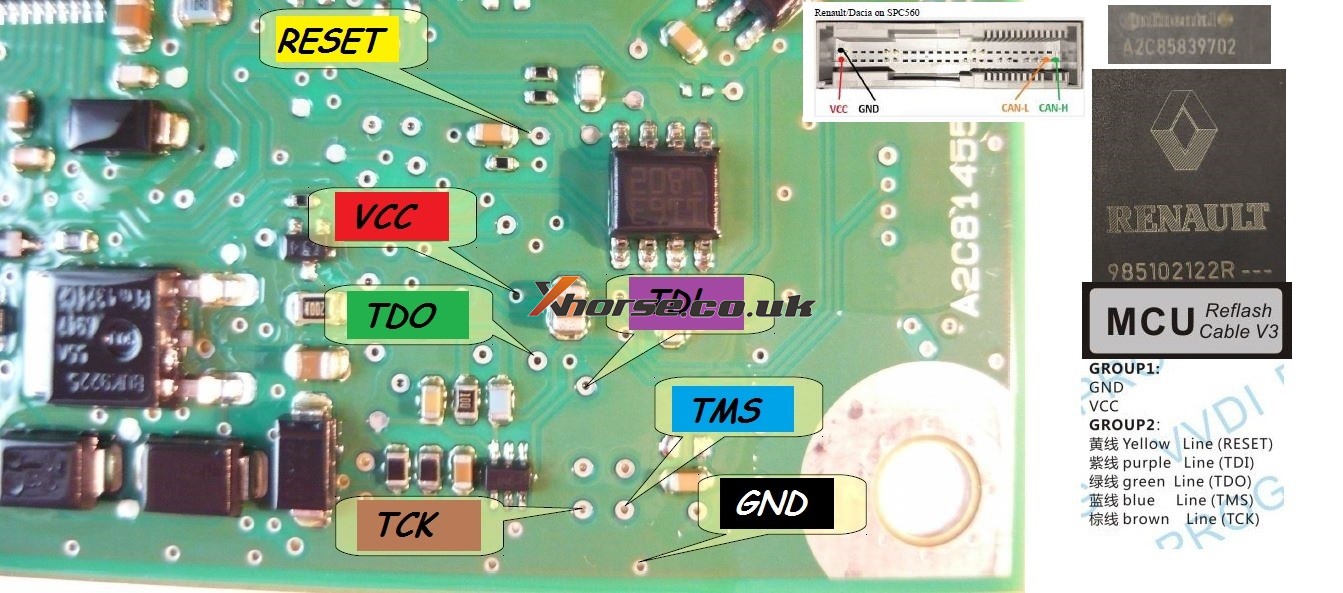
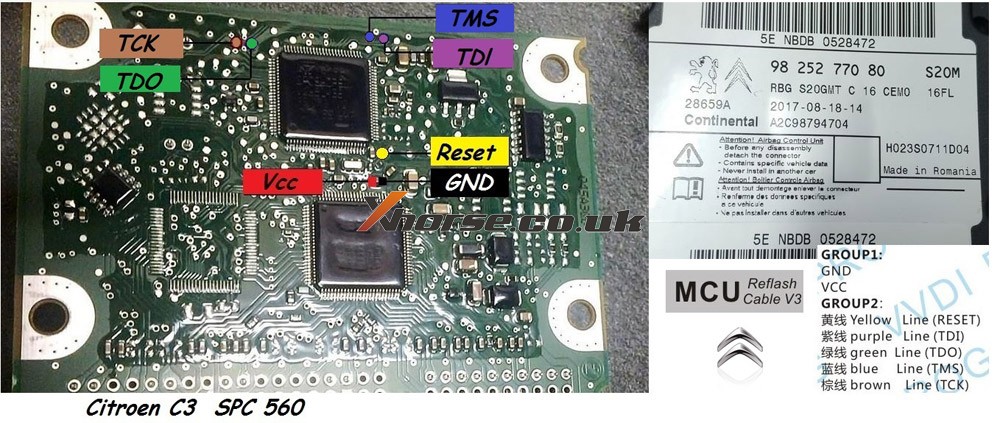
VVDI PROG PSA SPC560 Pinout


Renault / Dacia SPC560

Pinout xprog edit for vvdi
Test ok


Opel SPC 56AP54x
Pinout CPT edit for vvdi prog


Fiat 500 L
MPC/SPC
CPT edit for vvdi prog


Dacia / Renault v2
pinout CPT edit for VVDI prog


Dacia /Renault v3
pinout CPT edit for vvdi prog


Skoda SPC5604-114pin
pinout CPT edit for VVDI prog


Kia NEC
pinout CPT edit for VVDI prog


VW renesas v850
pinout CPT edit for VVDI prog


Citroen C3 SPC560


MB_W222_SRS_SPC560P5_jtag


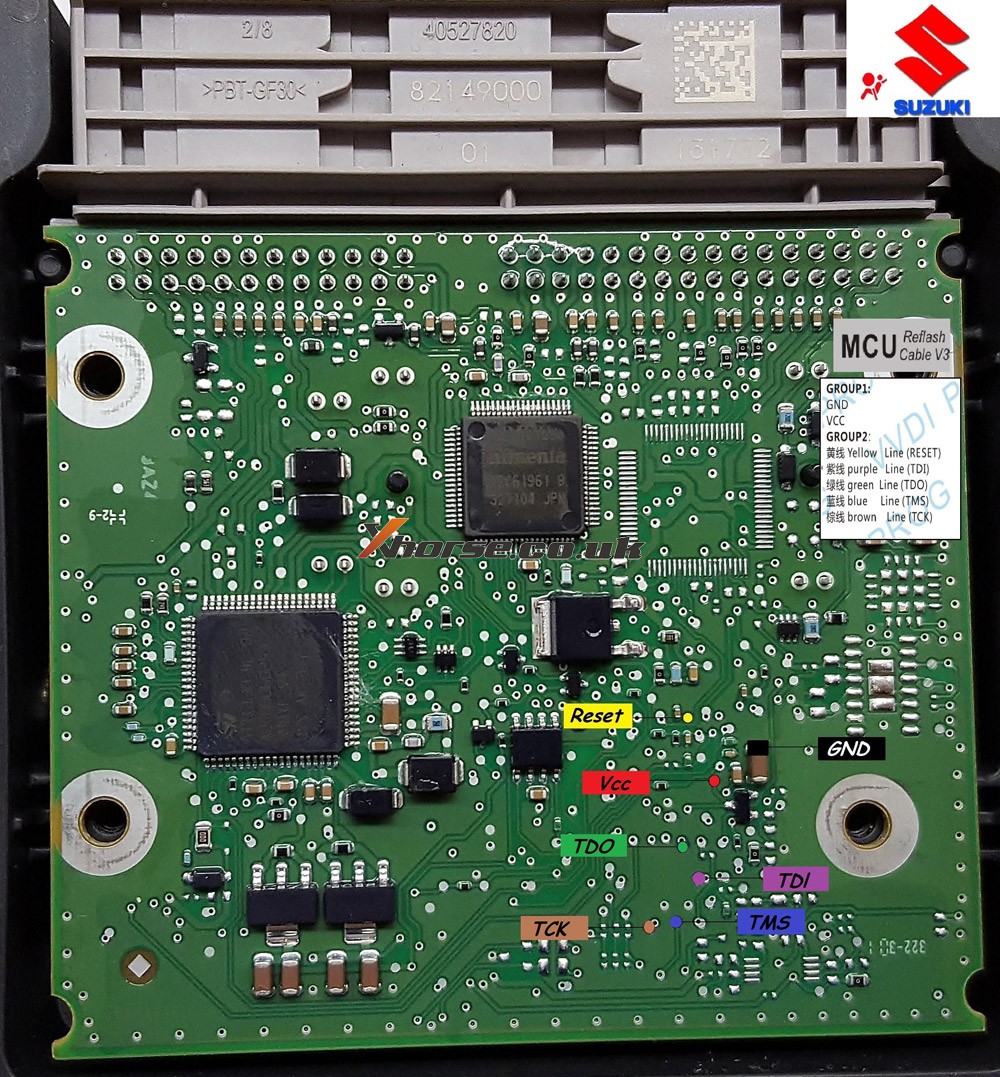
Suzuki_SRS_SPC560P50_pinout


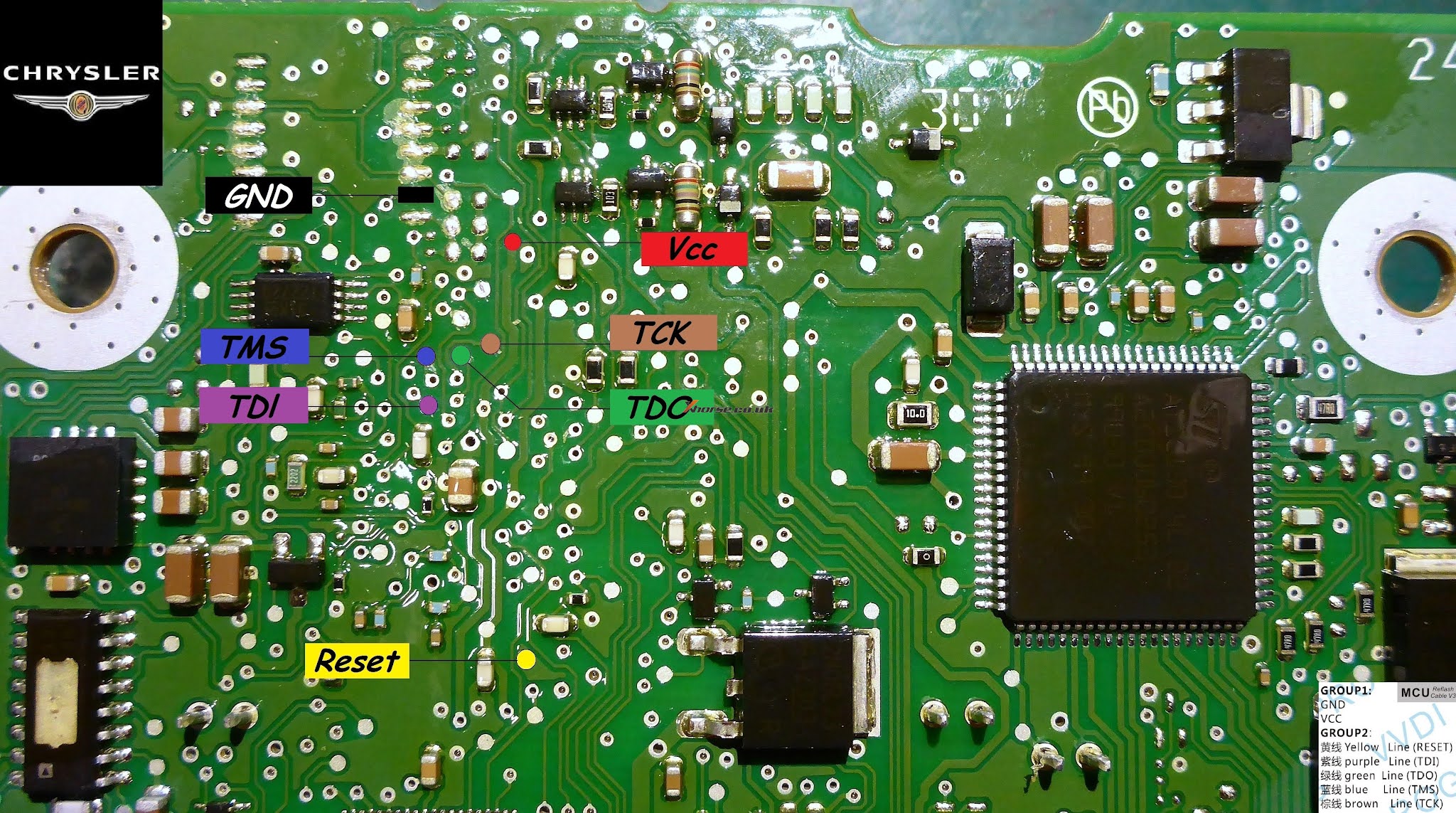
Chrysler MPC SRS


Source:http://blog.xhorse.co.uk/vvdi-prog-pinout-for-opel-ford-psa-etc/

Xhorse VVDI PROG do mileage change for 535i F10 6wb

 Hello guys, I have here 2013 535 F10 with 6wb cluster to do mileage correction. I couldn’t modify mileage in dumps, I already wrote the modified in CAS, but I couldn’t write the dump 160d0wt in IC, thought VVDI prog cannot do this service. I have VVDI PROG and VVDI BIMTOOL

Update:
VVDI PROG can ERASE the first 2 lines, I do use adapter SOP16.

Tips:

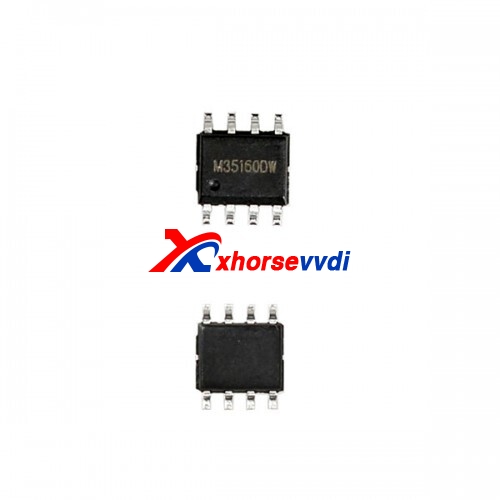
35160D0WT EEPROM is not erasable and has page-id which locks this memory to its own dashboard-micro. you CANNOT erase or substitute original memory with recovered/bought one. You have to emulate the original memory with an emulator and then edit the data. This requires special tooling and emulator etc.

Hope it helps!

 Source:http://blog.xhorsevvdi.com/535i-f10-6wb-cluster-mileage-correction-with-xhorse-vvdi-prog/

Possible to use VVDI prog to renew Opel/Vauxhall keys?

Yes, Xhorse VVDI Prog is able to renew Opel/vauxhall keys,here you are:
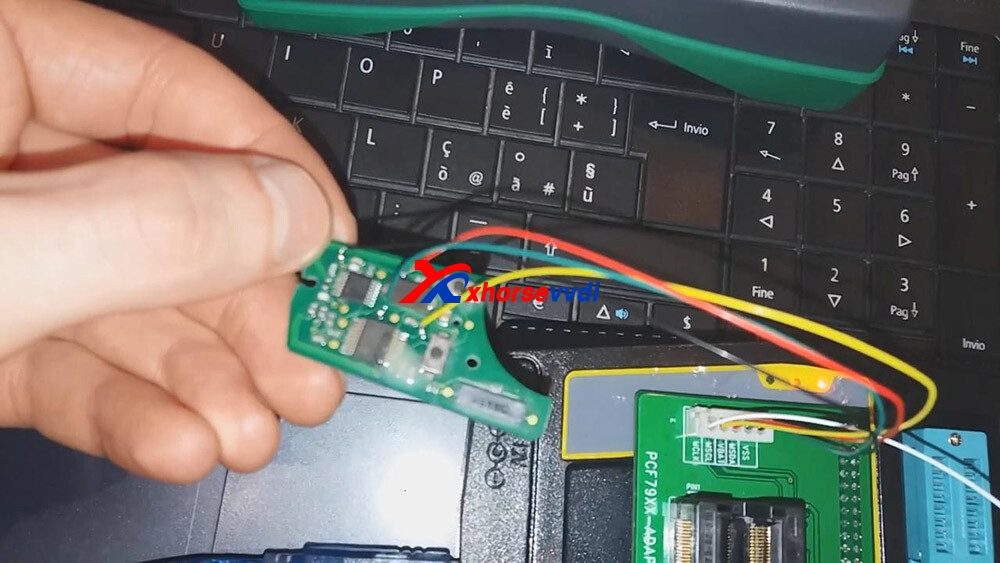
Free download GM renew file for Xhorse VVDI Prog:https://mega.nz/file/ruhSxb5A#Rm9CKc2jwMkhPMcpnv3to3j3bl1j9jv0wcov83nqS3sUse to renew Opel/vauxhall keys (Delphi, valeo and Siemens types)Different number key does not matter if it’s another number the file is the same. How to use Xhorse VVDI Prog to Reset/ renew/ virgin PCF7941 Opel Zafira B/ Astra H?Connection…

xhorse-vvdi-prog-renew-renew-gm-opel-key-01

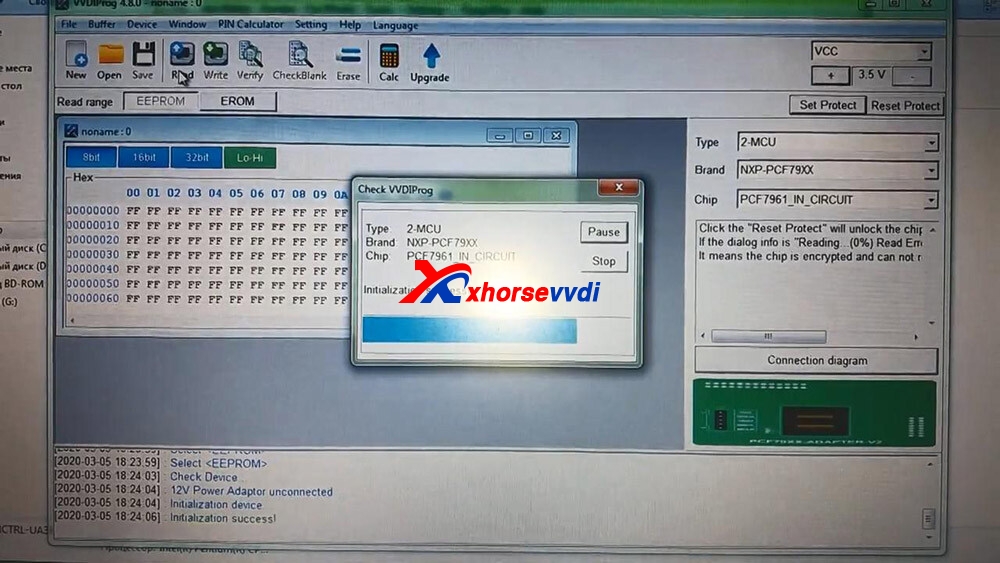
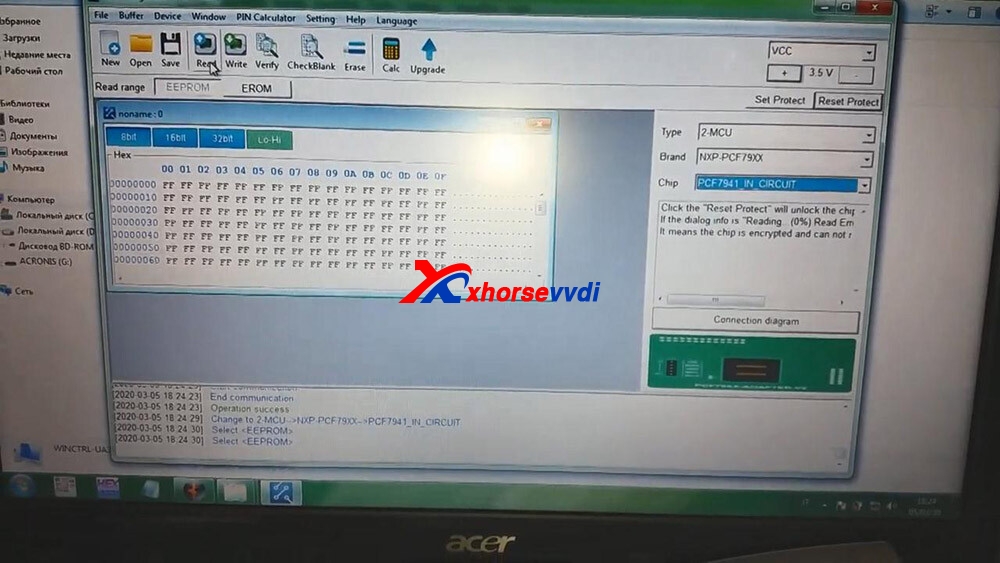
 Open VVDI Prog and select chip “PCF7961_IN_Circuit”.

xhorse-vvdi-prog-renew-renew-gm-opel-key-02

 Click on “Read”.

xhorse-vvdi-prog-renew-renew-gm-opel-key-03

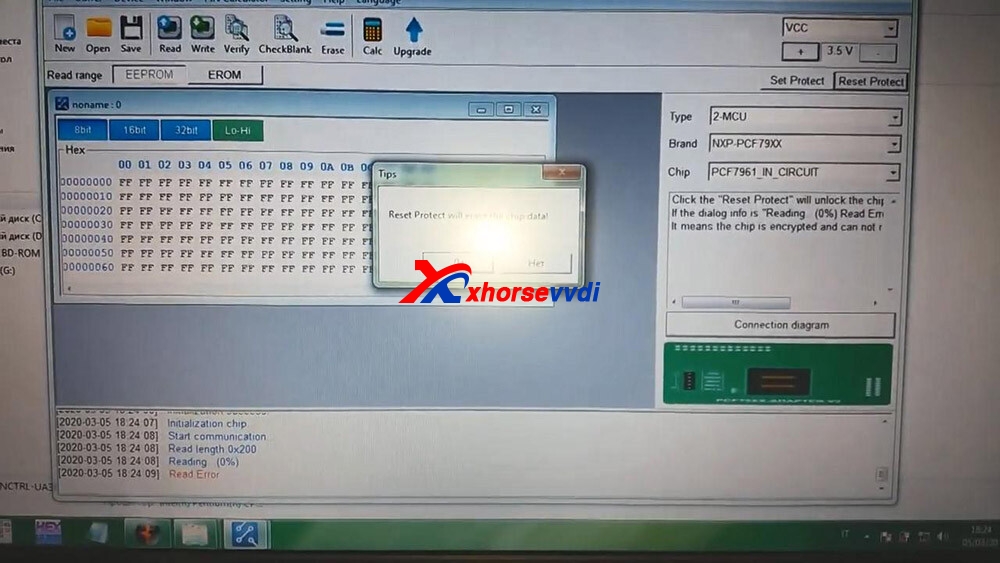
 Click on “Reset Protect”.

xhorse-vvdi-prog-renew-renew-gm-opel-key-04

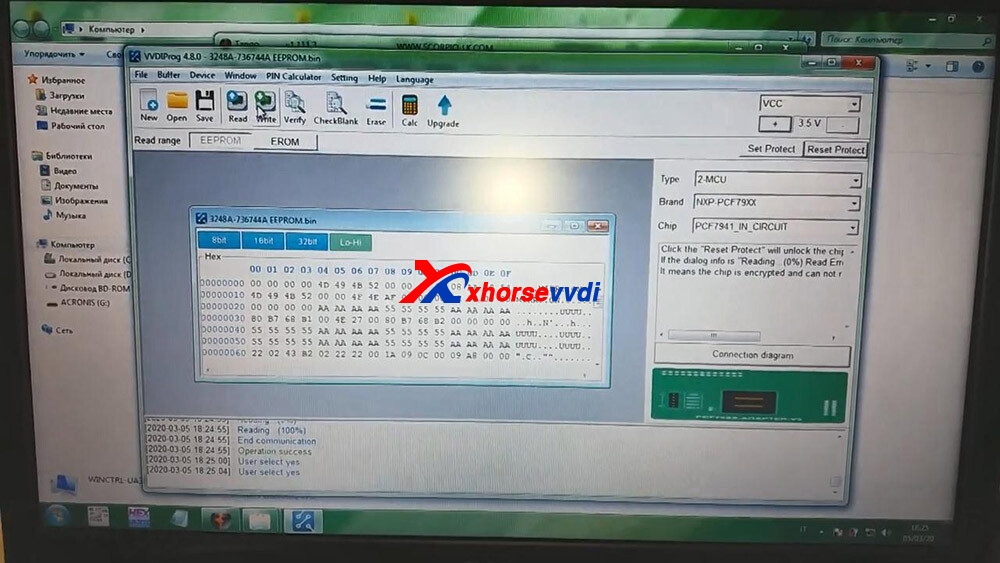
 Click on “PCF7941_IN_Circuit” and then “Read”.

xhorse-vvdi-prog-renew-renew-gm-opel-key-05

 Click on “Open” to choose the bin file.and then click on “Write”.

xhorse-vvdi-prog-renew-renew-gm-opel-key-06

 Click on “Set Protect”.

xhorse-vvdi-prog-renew-renew-gm-opel-key-07

 Alright, renew successfully and input the PCF7941 chip into the Key programmer to program the key. Enjoy!

https://xhorsesupport.blogspot.com/

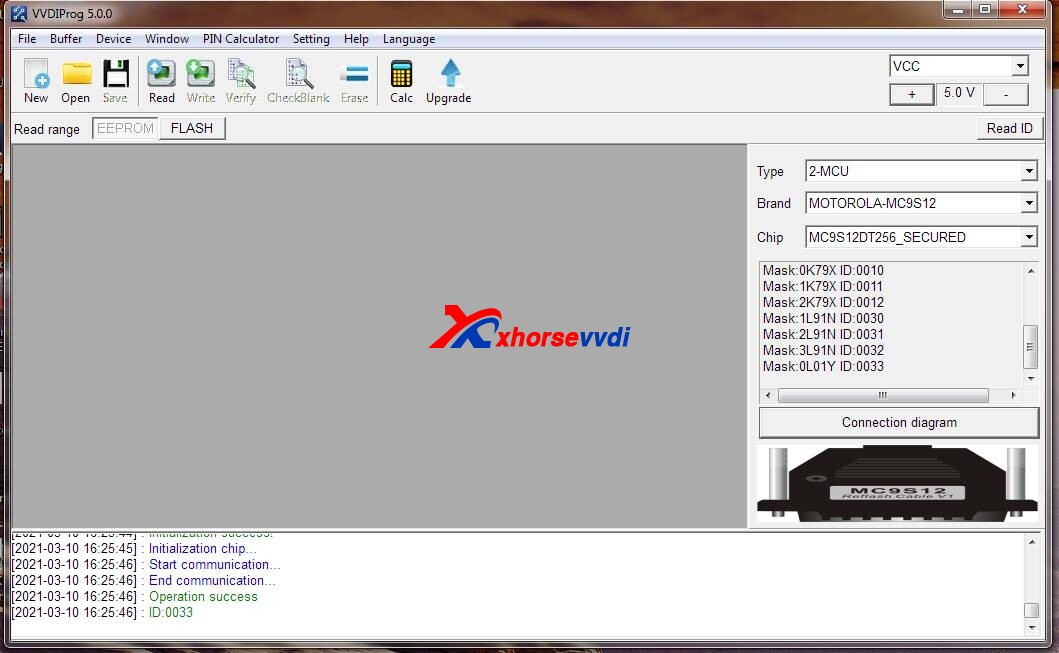
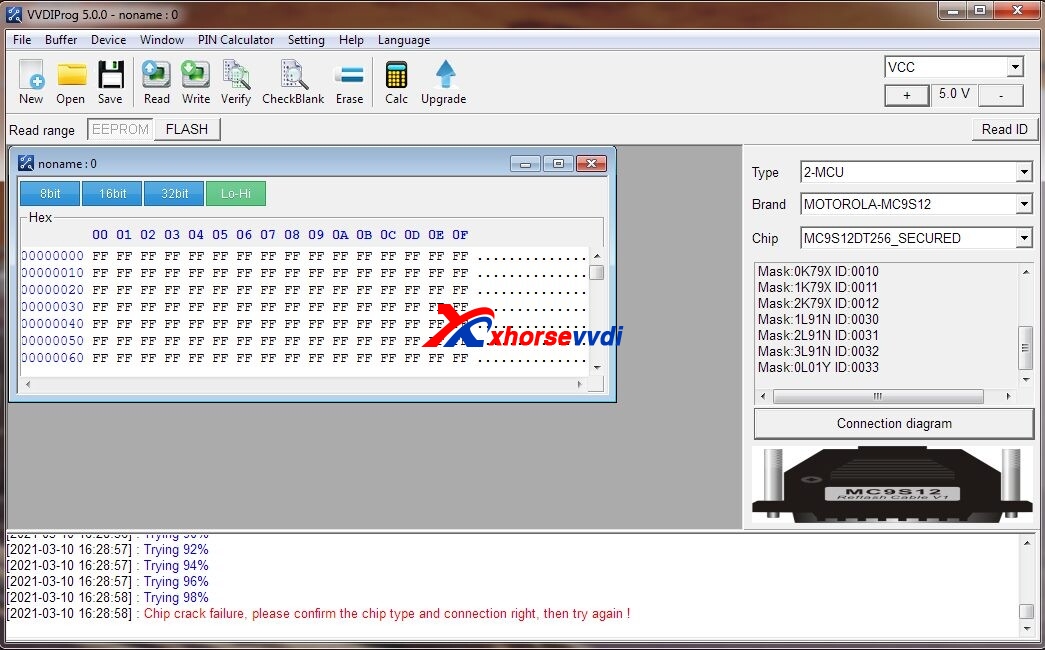
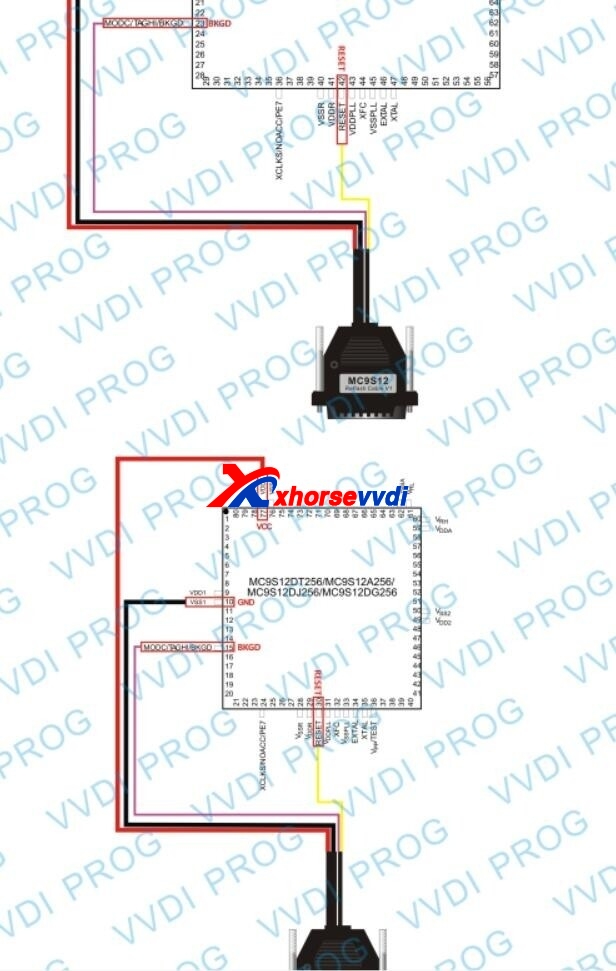
Xhorse VVDI Prog Read MC9S12DT256 secured connection diagram

Question: Have Mercedes Benz Vito EZS, I need to read MC9S12DT256 secured with VVDI Prog but it is not possible because it is MB? You need VVDI MB?ID ok but not possible to crack chip.

xhorse-vvdi-prog-read-mc9s12dt256-secured-connection-diagram-01
xhorse-vvdi-prog-read-mc9s12dt256-secured-connection-diagram-02

Answer:

100% that you can read these without issue. Bad connection or bad chip, please check it.

This is the correct connection diagram:

xhorse-vvdi-prog-read-mc9s12dt256-secured-connection-diagram-03

Enjoy!

Any question, please feel free to contact us:

E-mail:sales@xhorsevvdi.com
Skype: xhorsevvdi.com
Whatsapp: +86-13983756354

Related: 

  1. How does Xhorse VVDI PROG Read BMW 2019 B48 ISN? (15.7)
  2. How does VVDI PROG Read BMW 440i B58 ISN? (14.1)
  3. Free Download V4.9.6 VVDI Prog Software (7.2)
  4. Free Download VVDI Prog 4.6.2 Software (6.3)
  5. Xhorse VVDI PROG V4.9.9 Software Download Free (5.8)
Design a site like this with WordPress.com
Get started