Xhorse VVDI2 add Key For VW With NEC/Johnson Cluster

Xhorse Key Programmers (VVDI2/VVDI Key Tool Plus) can add key for VW cars with NEC/Johnson cluster via certain adapters or software.

For VW with NEC cluster, you may need to switch the cluster into service mode by NEC Cluster Set, and then you can add key by VVDI2/Key Tool Plus.
For VW with Johnson cluster, you may need to contact VAG dealer to get Immo data, and then load it into like VVDI2 to add key.

Here will show you two examples:
1.VW JETTA 2013(NEC Cluster)
What we need:
Xhorse VVDI2
NEC Cluster Set
Procedure:
Connect NEC cluster cable to NEC cluster.
Turn on the switch.
Put probe side on the point until the cluster shows “BRAKE”, which means the cluster is in service mode.

VW JETTA 2013 NEC Cluster  with vvdi2 02


Note: better back up ABS coding before putting cluster into service mode.
On VVDI2,
Click on “Read EEPROM/FLASH”.
When it succeeds, it’ll tell you the whole procedure.
So we read and save EEPROM&Immo data.
Use a VVDI super chip to generate an ID48 transponder key by Key Tool Max.
Put it in VVDI2 key coil to “prepare normal dealer key”.
Last, click on “Reset Instrument” and the cluster goes back on.


Also, above operation can be done with VVDI Key Tool Plus Pad.

2.VW Golf 2019(Johnson Cluster)
What we need:
Xhorse VVDI2
VAG dealer(to get Immo data)
Procedure:
If you select cluster type and click on “Diag”, it’ll prompt the cluster is not supported.


So we need to contact a VAG dealer to pay for immo data.
After we got immo data file, if we just load it to prepare key, it’ll still prompt this file is not supported.
So we need to exit and select other instrument types so that it don’t know we have a Johnson cluster.
Then load immo data file on “Immo data prepare key” and add key.

Alright, we can see that VW key programming capability of Xhorse programmer can be advanced a lot by other tools’ help.

http://blog.xhorse.co.uk/can-xhorse-programmer-add-key-for-vw-with-nec-johnson-cluster/
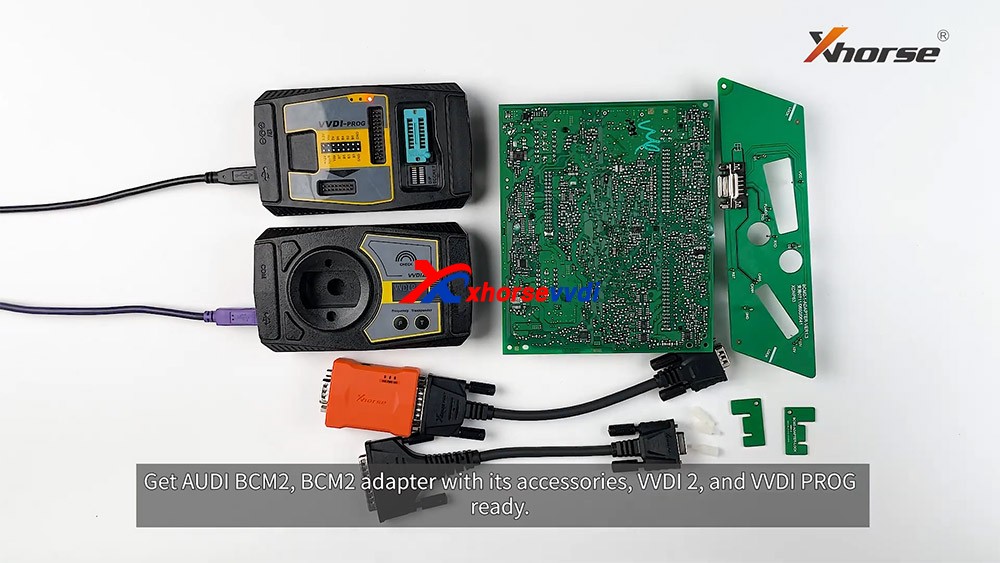
How to read locked BCM2 with Xhorse VVDI2 & VVDI PROG

With VVDI PROG and VVDI BCM2 adapter, VVDI2 support:

  1. 2013-2019 A4L /A5/Q5 add key and all key lost
  2. 2013-2019 A6L /A7/A8 get BCM2 immo data while all key lost (Synchronize data can get from 3rd service provider)(Add key can get BCM2 immo data directly via OBDII)

What we want to do today:
Read and write Audi 5th Immobilizer System- Locked BCM2

Good to know:

  • Warning 1 : This function is high risk, all the consequences caused are undertaken by yourself
  • Warning 2: In VVDI-PROG function, Don’t touch power supply, cable, BCM2 module!!!

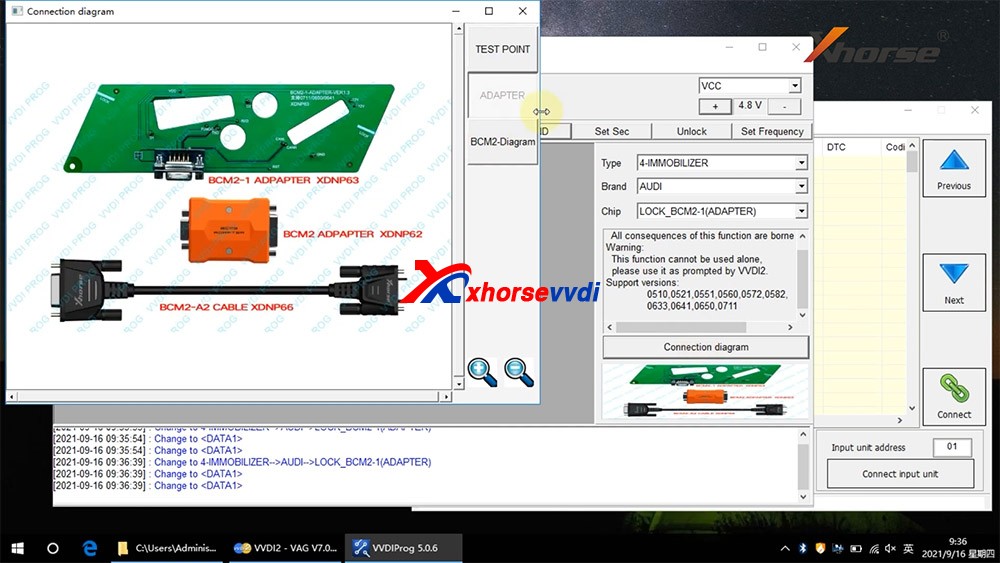
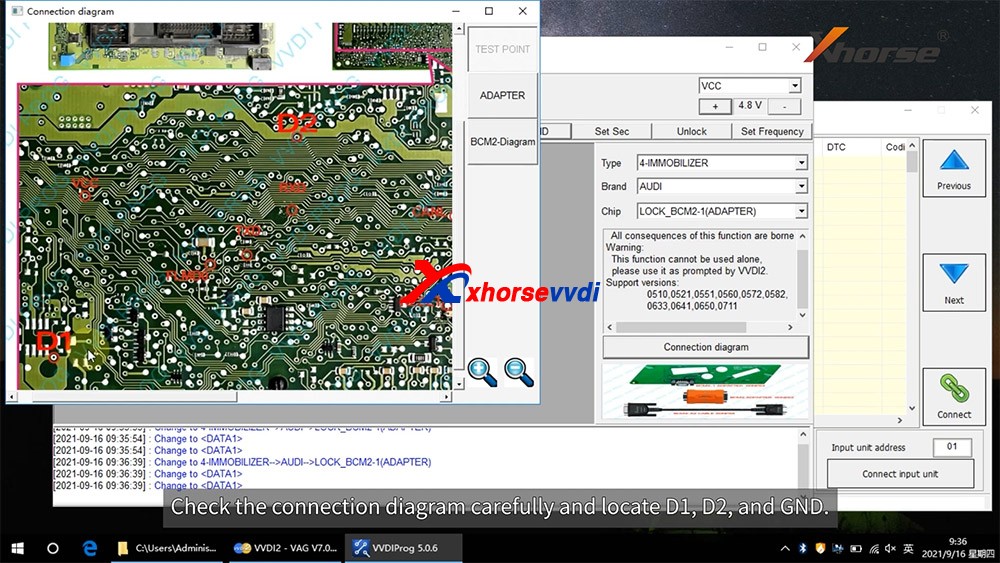
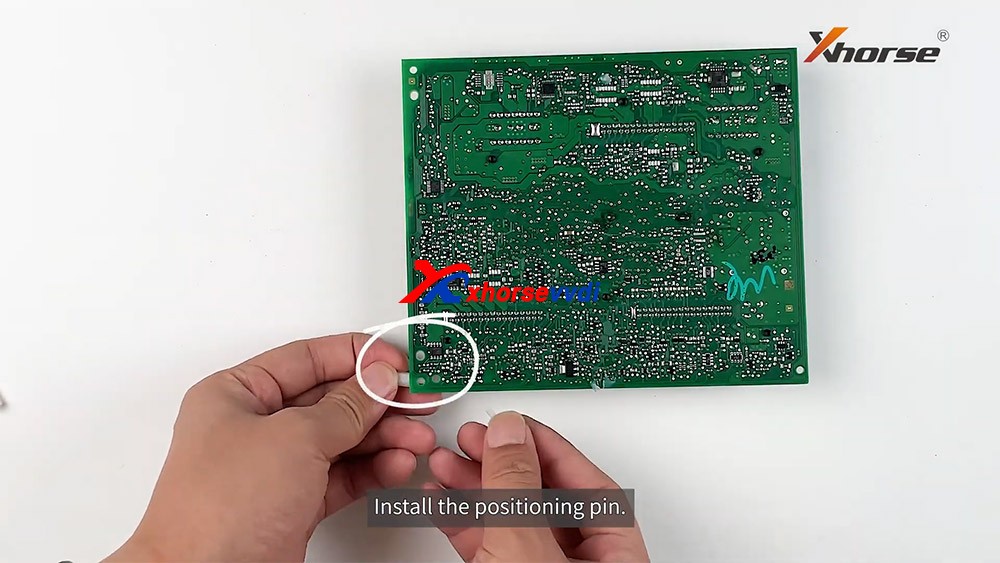
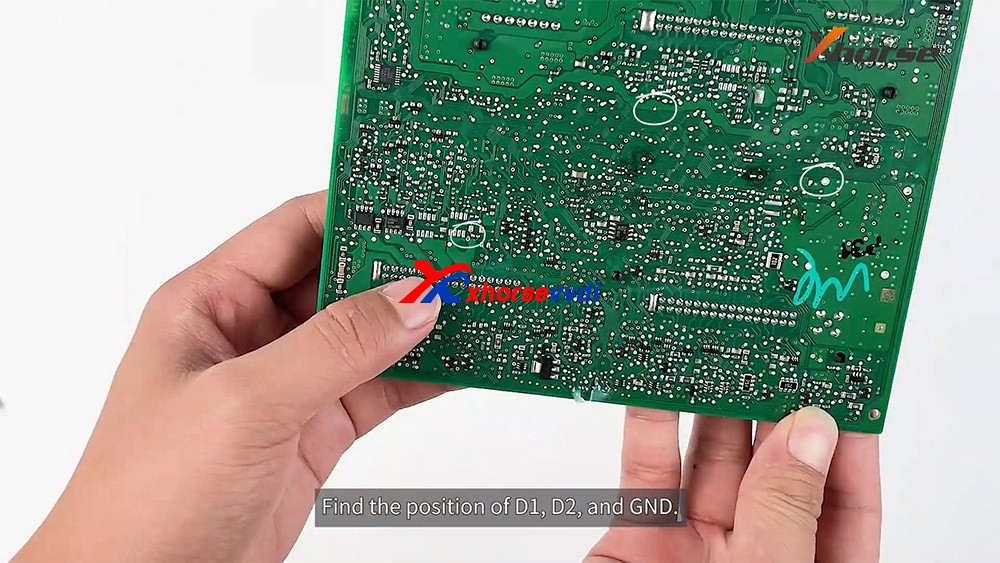
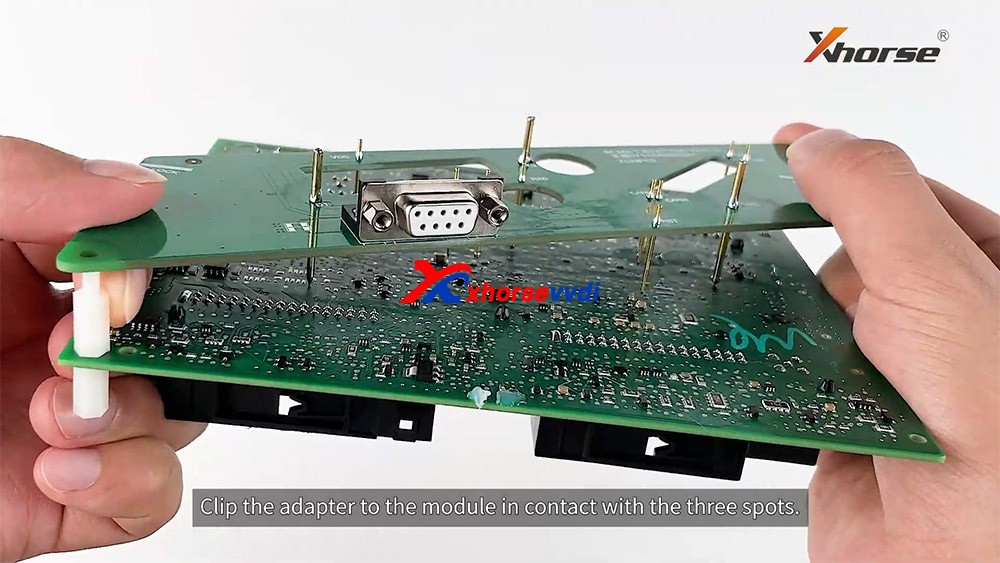
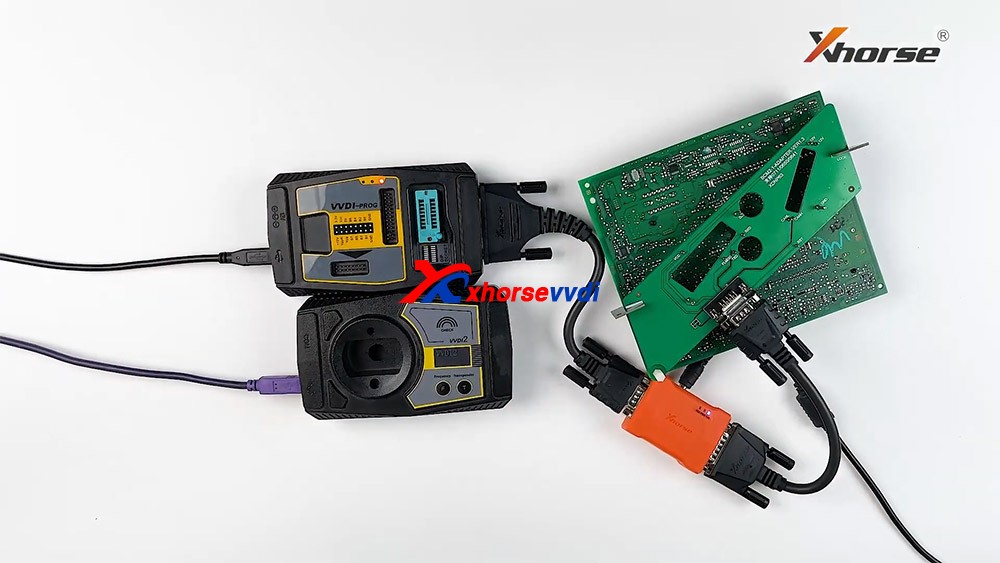
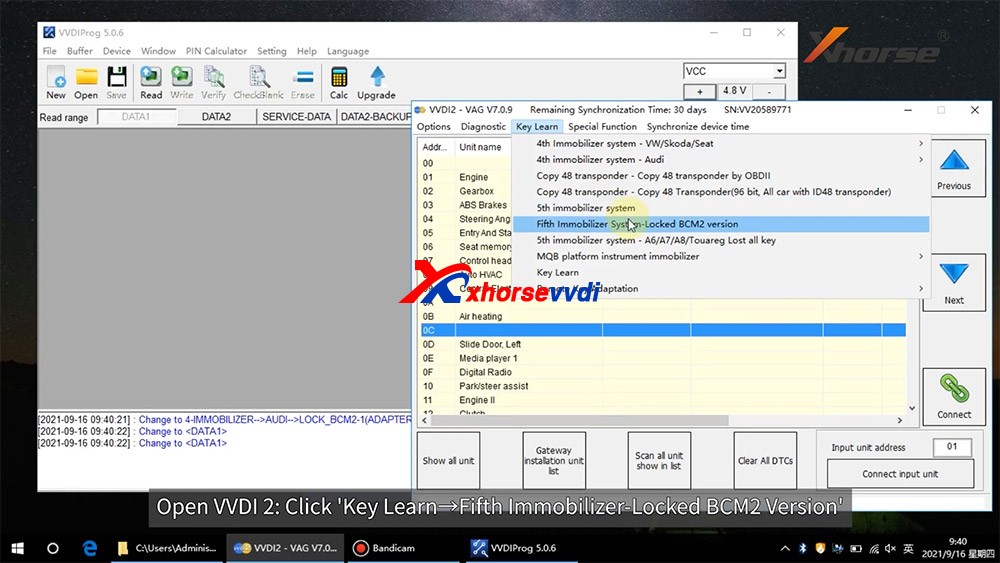
How to connect AUDI BCM2 Adapter with VVDI 2 & VVDI PROG 01

VVDI-PROG data instructions:

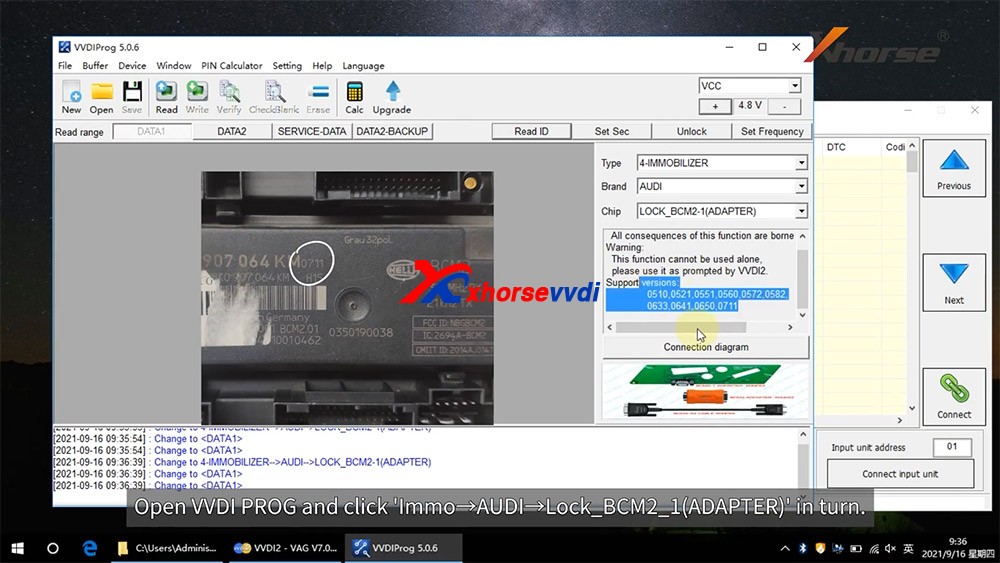
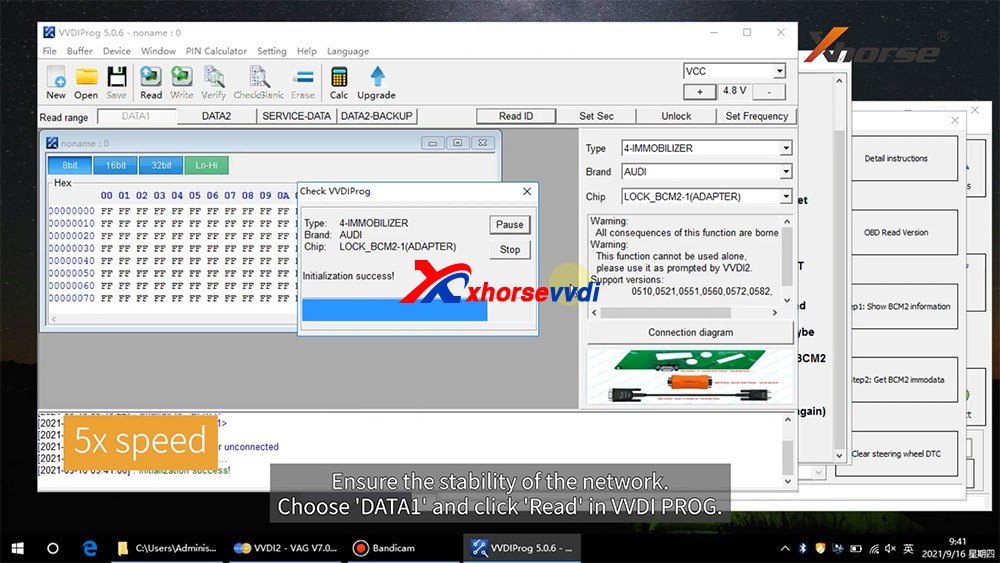
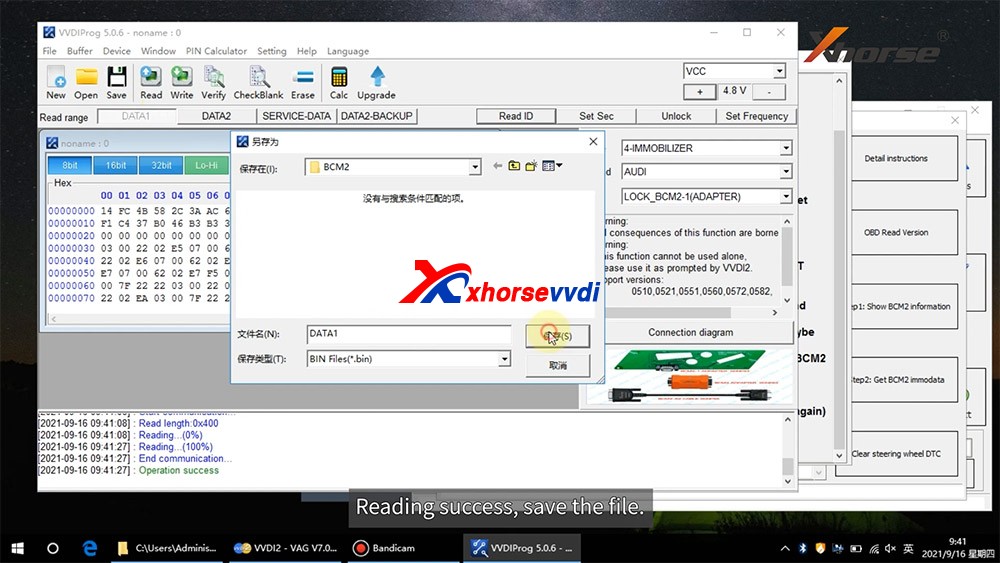
  • DATA1: VVDI2 stepl require data, you can read DATA1 after connect in VVDI-PROG
  • DATA2: VVDI2 step2 require data, you can read DATA2 after you get instructions in VVDI2(load DATA1 in stepl)
  • SERVICE-DATA: you can get this data in step2. Write this data to BCM2 activate module
  • DATA2-BACKUP: If read DATA2 failed(cause by power or cable), you can use this function to get DATA2 data

Instructions of using AUDI BCM2 Adapter with VVDI 2 & VVDI PROG:

  • First use OBD Read Version function, OBD read BCM2 version and check support status
  • Open trunk: Find the BCM2 in right-rear area, remove the two big plug, then small one(DON’T close trunk)
  • Connect VVDI-PROG and BCM2 module, VVDI BCM2 adapter require support +12V
  • Enter VVDI-PROG->immobilizer->Audi->LOCK_BCM2-1 orLOCK_BCM2-2 read DATA1 data and save it(Depends on the SW version)
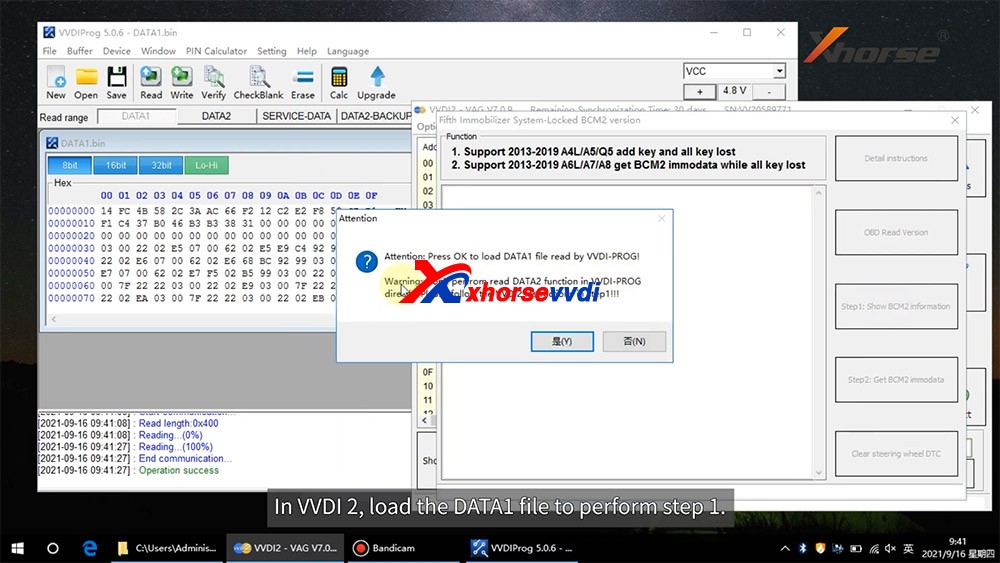
  • Enter WDI2 stepl, load DATA1 data(require internet), continue with VVDI2 instructions (maybe not need DATA2)
  • If VVDI2 ask you provide DATA2, enter VVDI-PROG read DATA2 and save(After read DATA2, BCM2 will enter service mode)
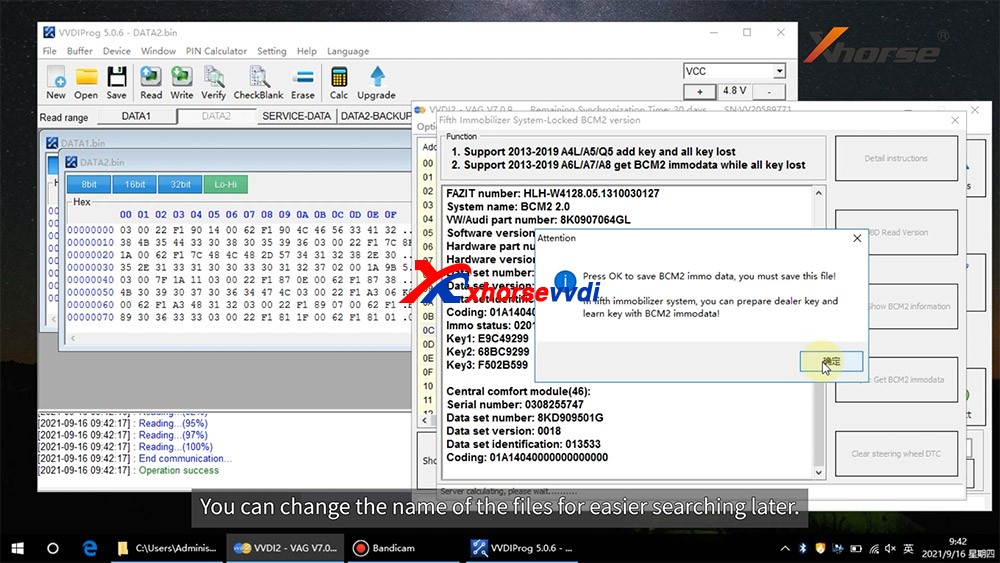
  • Enter VVDI2 step2, load DATA2 data(require internet), it will save 2 files: BCM2 immodata and BCM2 service data
  • BCM2 immodata can use learn key, BCM2 service data can write to BCM2(make BCM2 work again) with VVDI PRO.
  • After write BCM2 service data, restore BCM2 to car.
  • Enter 5th immobizer system learn key.

How to connect AUDI BCM2 Adapter with VVDI 2 & VVDI PROG 02
How to connect AUDI BCM2 Adapter with VVDI 2 & VVDI PROG 03
How to connect AUDI BCM2 Adapter with VVDI 2 & VVDI PROG 04
How to connect AUDI BCM2 Adapter with VVDI 2 & VVDI PROG 05
How to connect AUDI BCM2 Adapter with VVDI 2 & VVDI PROG 06
How to connect AUDI BCM2 Adapter with VVDI 2 & VVDI PROG 07
How to connect AUDI BCM2 Adapter with VVDI 2 & VVDI PROG 08
How to connect AUDI BCM2 Adapter with VVDI 2 & VVDI PROG 09
How to connect AUDI BCM2 Adapter with VVDI 2 & VVDI PROG 10
How to connect AUDI BCM2 Adapter with VVDI 2 & VVDI PROG 11
How to connect AUDI BCM2 Adapter with VVDI 2 & VVDI PROG 12
How to connect AUDI BCM2 Adapter with VVDI 2 & VVDI PROG 13

Enjoy!

http://blog.xhorsevvdi.com/how-to-use-xhorse-audi-bcm2-adapter-with-vvdi-prog-vvdi2/

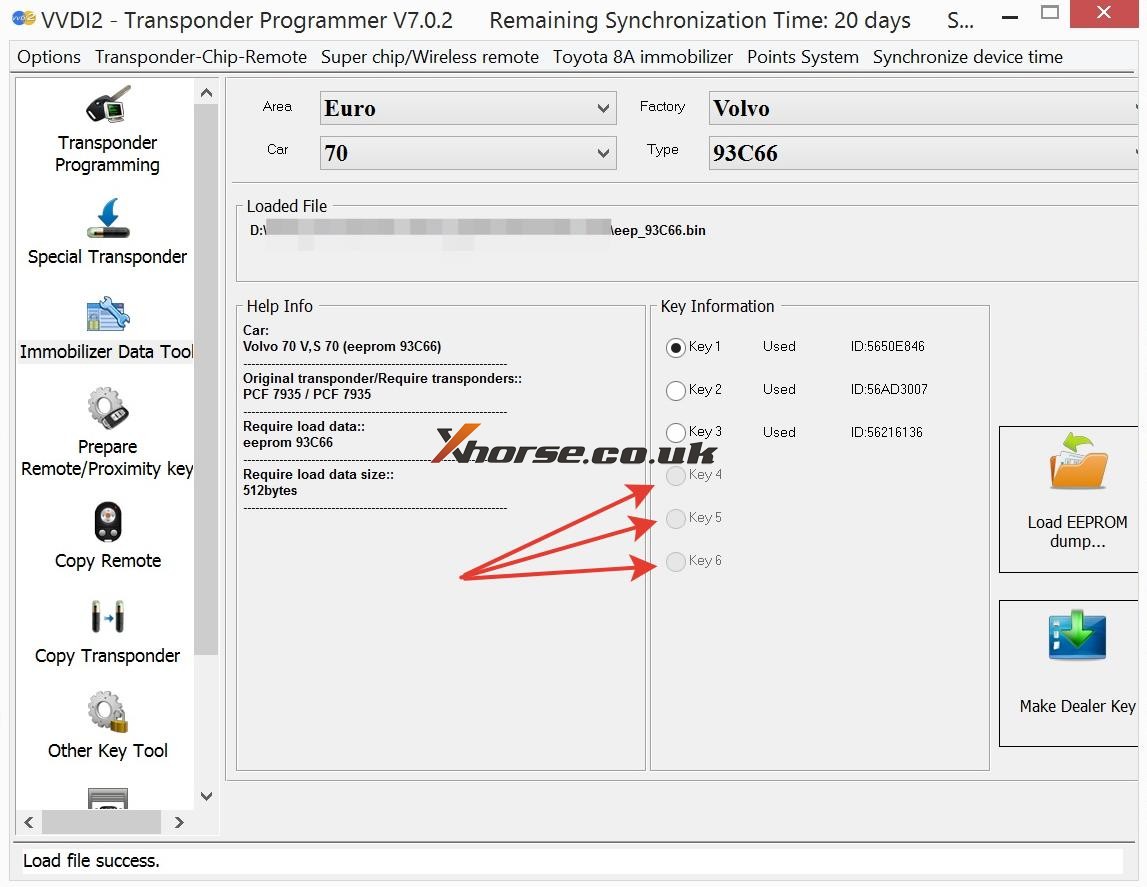
(Solved!)Xhorse VVDI2 Volvo 93С66 pcf7935 key 4 5 6 not available Problem

Problem: Xhorse VVDI2 Volvo V70 1998- with 93С66 and pcf7935. When loading eeprom data, free positions 4, 5 and 6 are not available for writing. How to solve this issue?

VVDI2 Volvo 93С66 pcf7935 key 4 5 6 not available

Xhorse senior engineer replied:

Just generate key from 1,2,or 3 position. No need write back data to immobox if using together with Super Chip XT27A01 XT27A66 Transponder; if using together with the original key, need to write back data to immobox.

http://blog.xhorse.co.uk/how-to-fix-vvdi2-93%d1%8166-pcf7935-key-4-5-6-not-available/

How to use Xhorse VVDI2 program key on VW Golf 2019 Key?

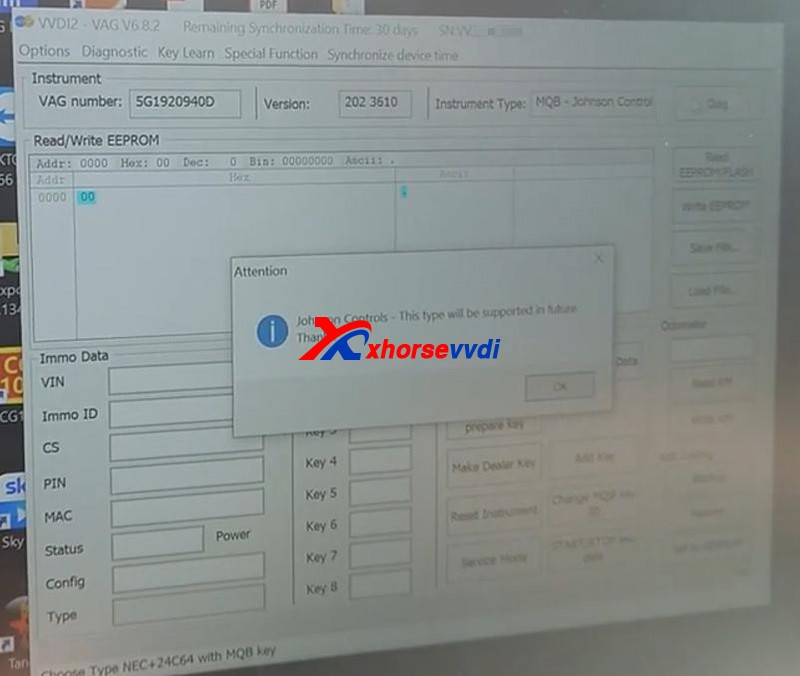
This tutorial on how to add a spare key to a 2019 Volkswagen Golf with a Johnson Controls instrument cluster, using an Xhorse VVDI2 and VAG Helper. Let’s see what’s going on.Xhorse VVDI2 doesn’t support Johnson controls.Got VVDI2 connected and open up VVDI2 software.Then pressKey Learn>>MQB platform instrument immobilizer>>Instrument with NEC+24C64If we click on “Diag”, it will identify the instrument cluster.After connecting to the device, it will tell us it’s unsupported.

vw-golf-2019-johnson-controls-add-key-by-vvdi2vag-helper-success-1

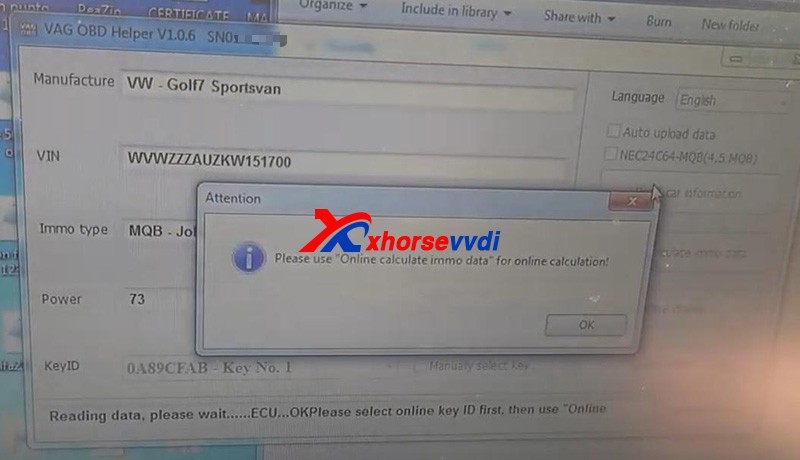
Get immo dataDisconnect the OBD connector and put in VAG OBD Helper.Open up VAG OBD Helper.Just hit “Read car information”.For a while, it will display things like VIN and tells you the next step.

vw-golf-2019-johnson-controls-add-key-by-vvdi2vag-helper-success-2

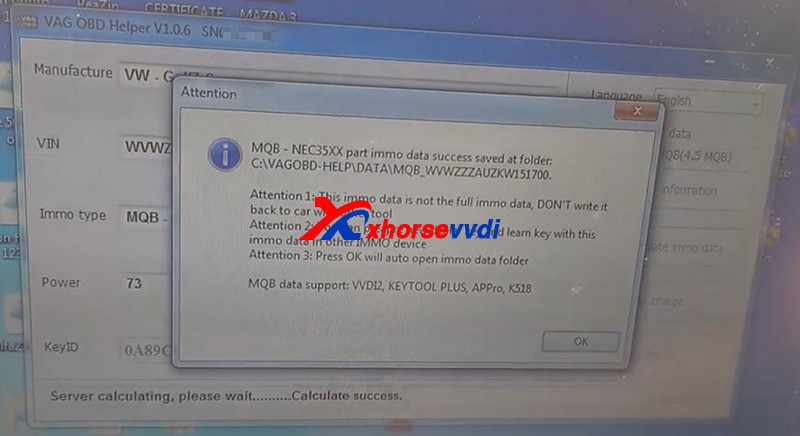
Then follow to press “Online calculate immo data”.This process took us around 10 minutes to calculate.Then it will show you data file location, tips and supported devices.

vw-golf-2019-johnson-controls-add-key-by-vvdi2vag-helper-success-3

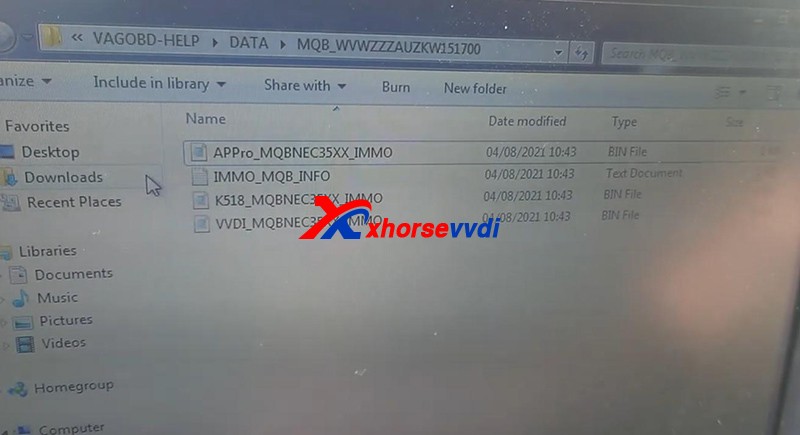
Go to that path, we could find bin files for like VVDI and Lonsdor.

vw-golf-2019-johnson-controls-add-key-by-vvdi2vag-helper-success-4

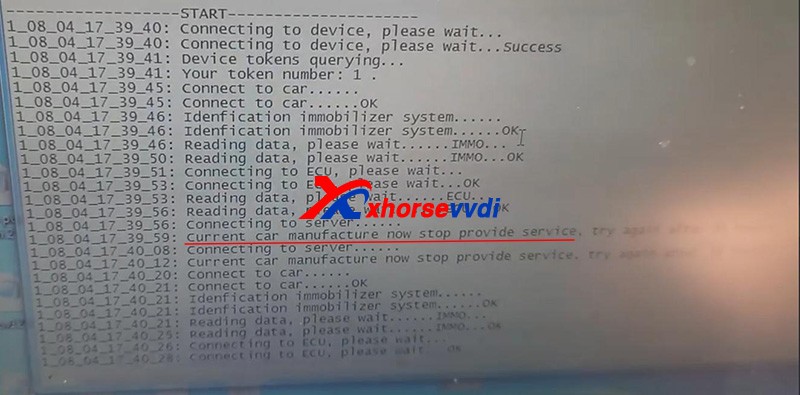
We can also look at the detailed log file.As we see, earlier it says “Current car manufacture now stop provide service”, but try again a couple of times it worked fine.

vw-golf-2019-johnson-controls-add-key-by-vvdi2vag-helper-success-5

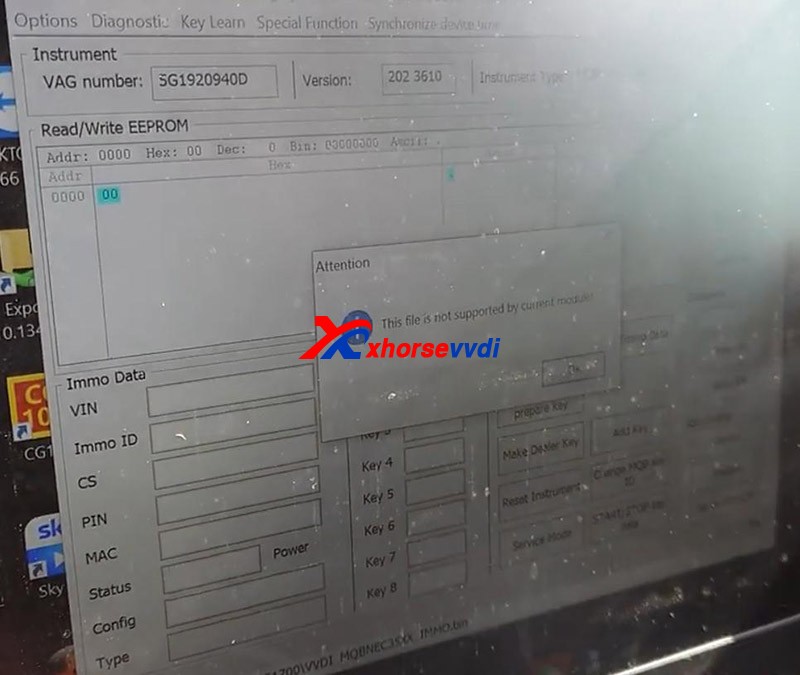
Prepare dealer keyGo back to VVDI2.Here we go to “Immo data prepare key”.Load the immo data file as the prompt.Then it says “This file is not supported by current module”, and the reason is the selected instrument type.

vw-golf-2019-johnson-controls-add-key-by-vvdi2vag-helper-success-6

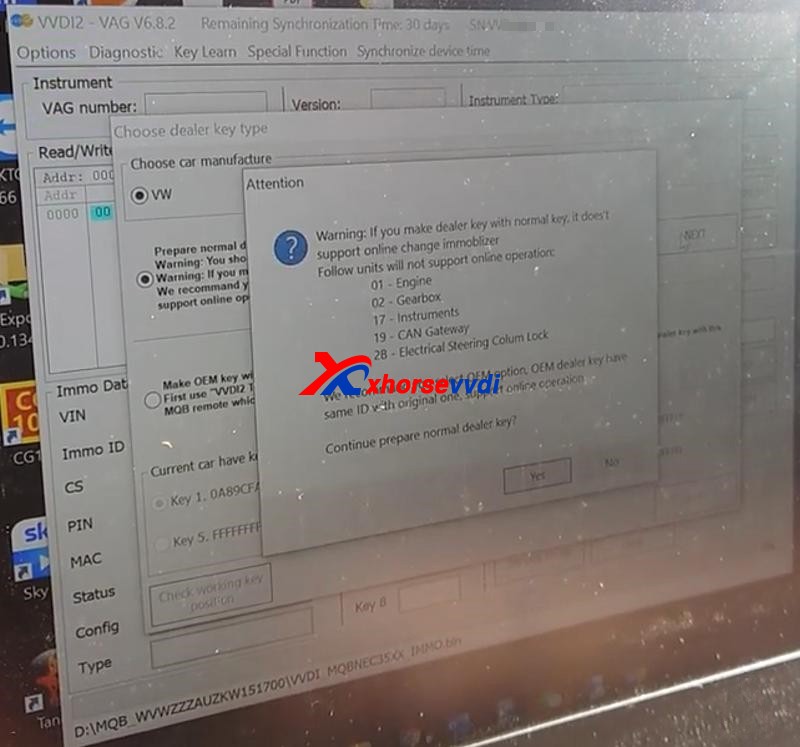
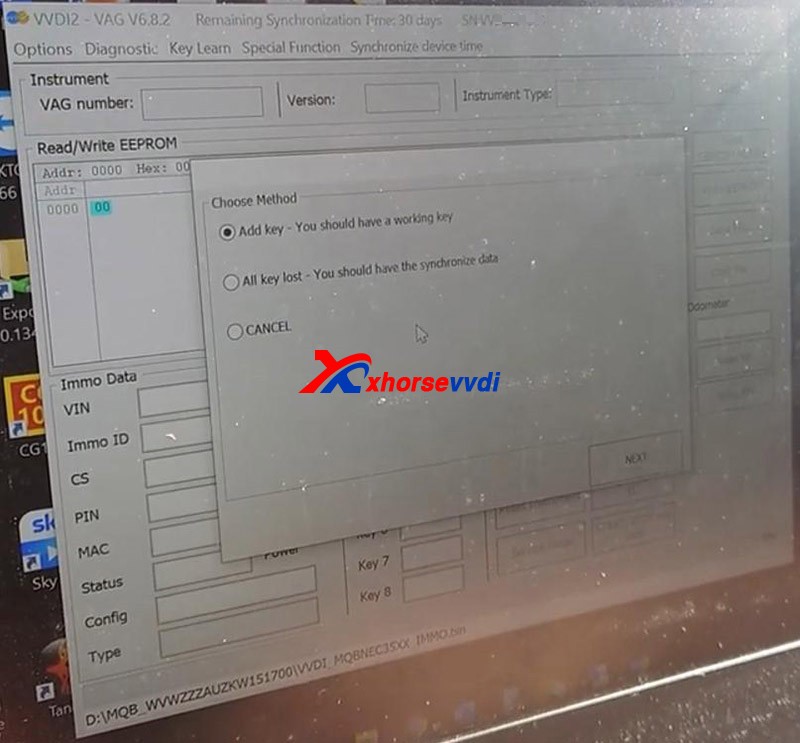
So we exit and open up again.What we want to do is wanting it not think we’ve got a Johnson control cluster.Go toKey Learn>>MQB platform instrument immobilizer>>Instrument with NEC35XXWe choose this option because the file is called a 35xx.Then we hit “Immo data prepare key” and load the file.SelectPrepare normal dealer key>>Add key

vw-golf-2019-johnson-controls-add-key-by-vvdi2vag-helper-success-7
vw-golf-2019-johnson-controls-add-key-by-vvdi2vag-helper-success-8

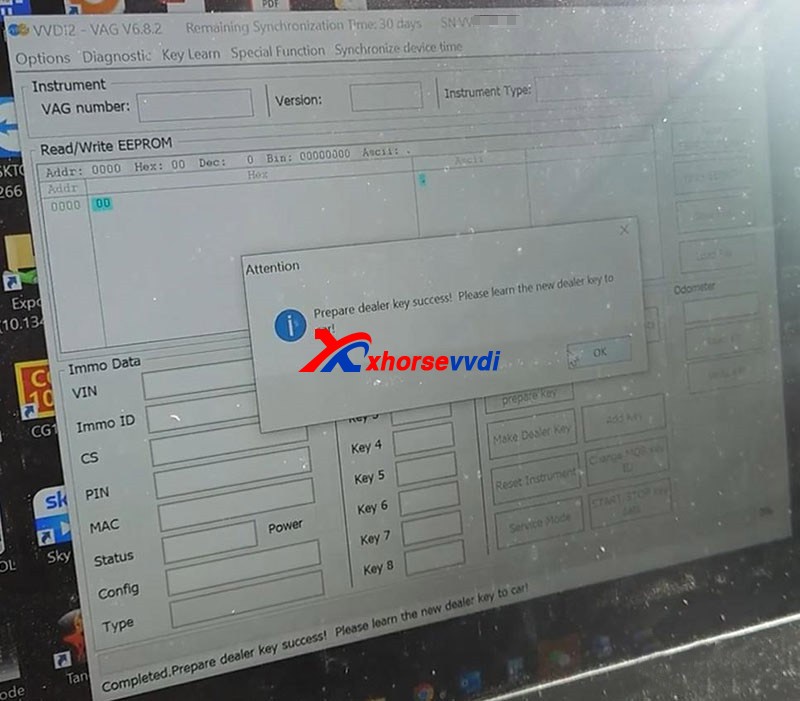
 Insert the original key into Xhorse VVDI2 as the prompt.Save the sync data.Insert the new key into VVDI2 as the prompt.Prepare dealer key success.

vw-golf-2019-johnson-controls-add-key-by-vvdi2vag-helper-success-9

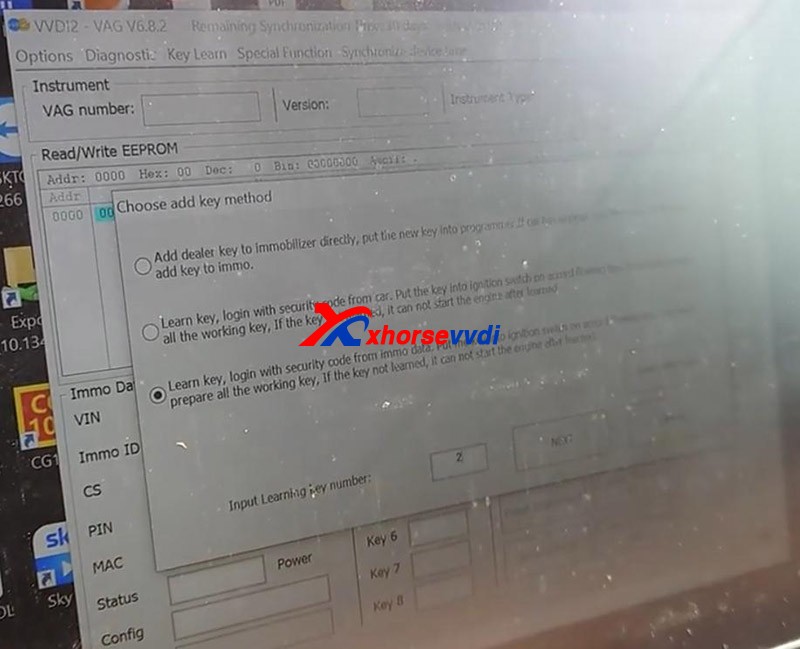
Add keyPressAdd key>>Learn key, login with security code from immo dataLoad the immo data file and input learning key number – 2.

vw-golf-2019-johnson-controls-add-key-by-vvdi2vag-helper-success-10

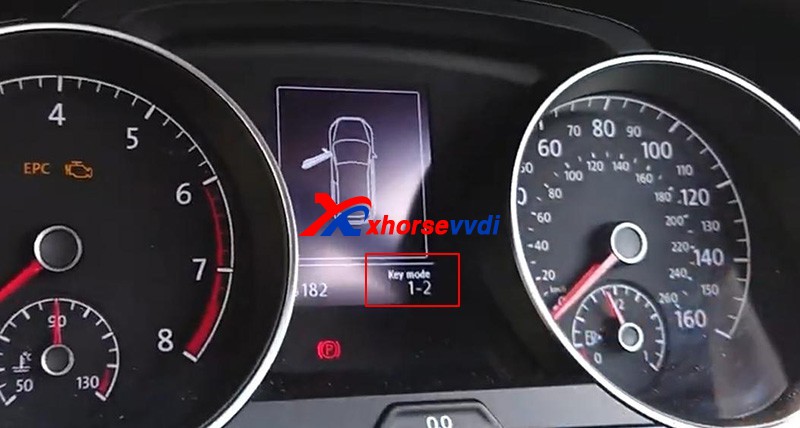
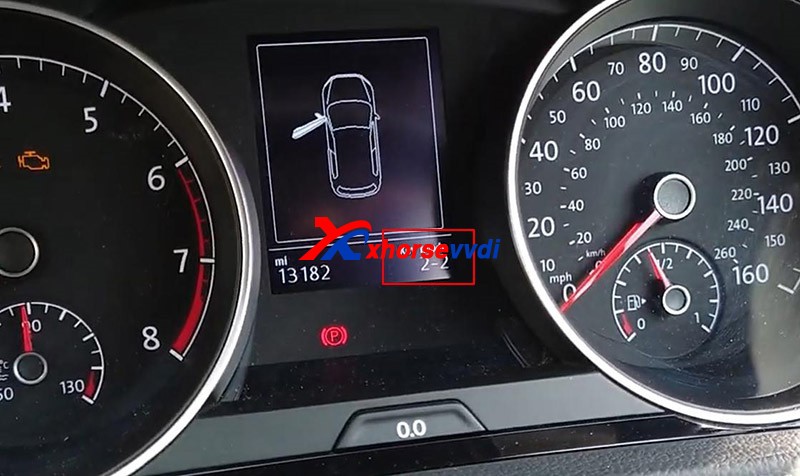
First turn on the ignition by the original key.Now we can see “ Key mode 1-2” on the cluster.

vw-golf-2019-johnson-controls-add-key-by-vvdi2vag-helper-success-11

Then put in the new key.

vw-golf-2019-johnson-controls-add-key-by-vvdi2vag-helper-success-12

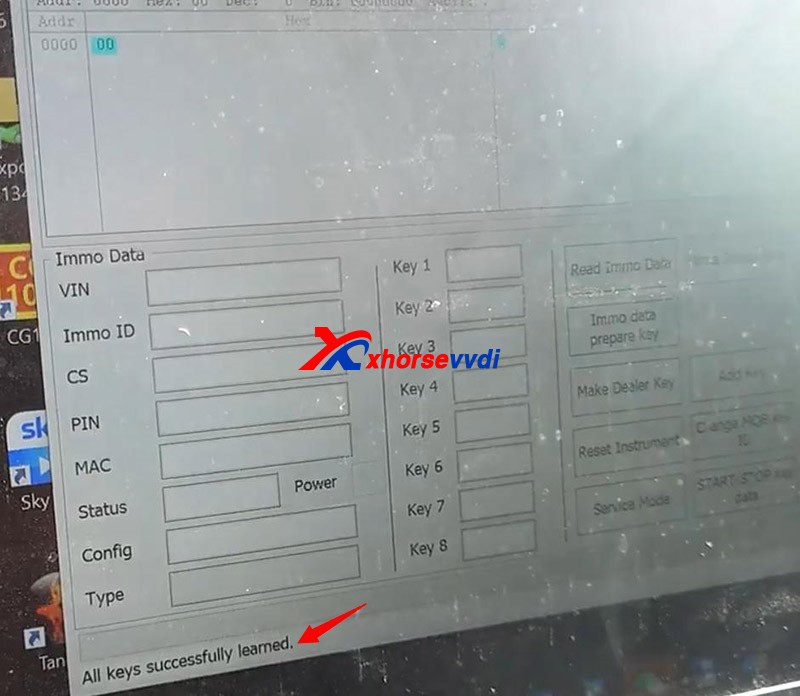
Hit “OK” to finish the learning process.All keys successfully learned.

vw-golf-2019-johnson-controls-add-key-by-vvdi2vag-helper-success-13

 Done!Now we can start the vehicle by the two keys.This is how we add a spare key for VW Golf 2019 with Johnson modules by Xhorse VVDI2 and VAG Helper.https://www.xhorsevvdi.com/service/xhorse-vvdi2-add-key-for-2019-volkswagen-golf.html

How to generate Toyota TOY.T XM remote by using VVDI2

How to use Xhorse VVDI2 and TOY.T Universal Smart Key to generate Toyota XM remote.


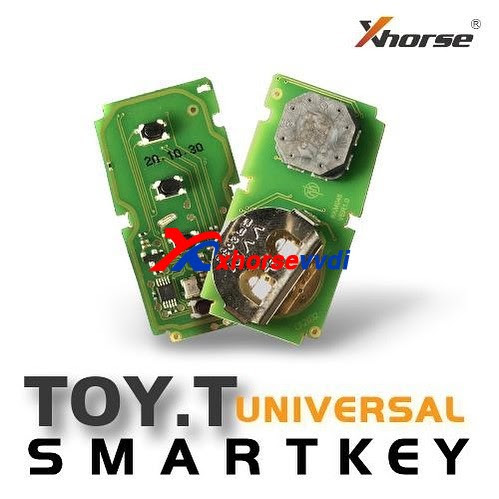
Look at TOY.T Universal Smart Key :


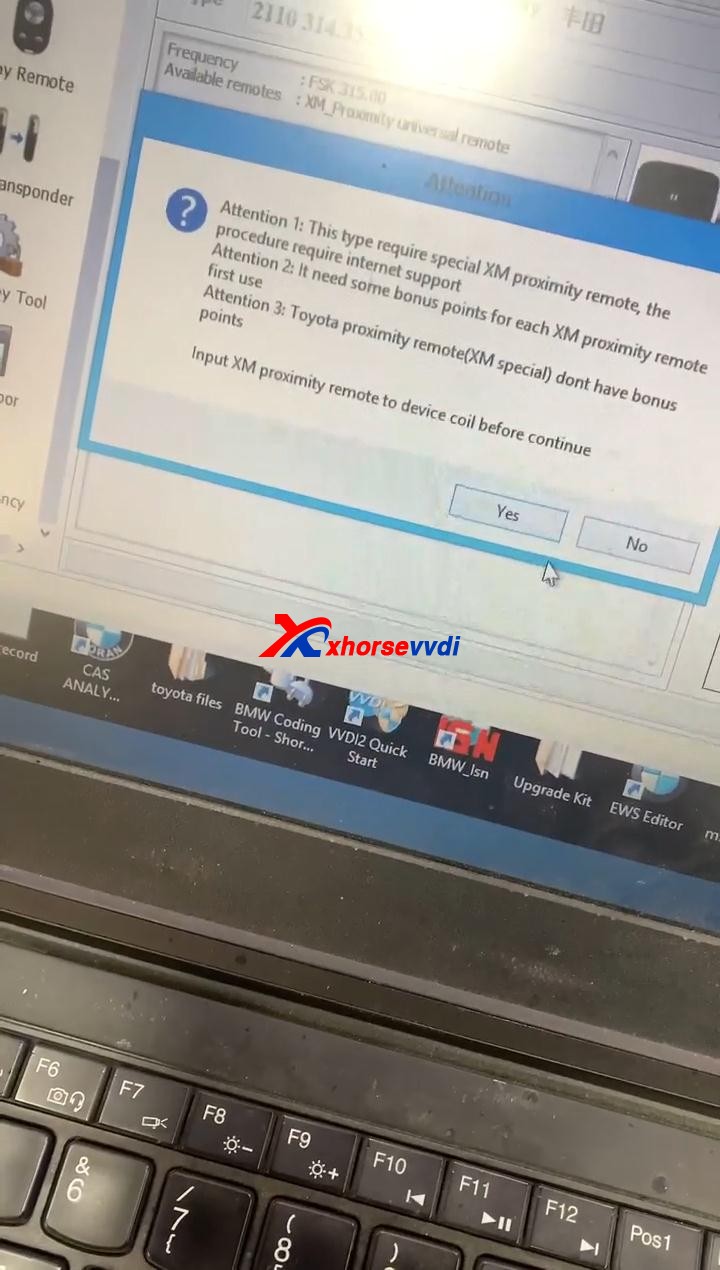
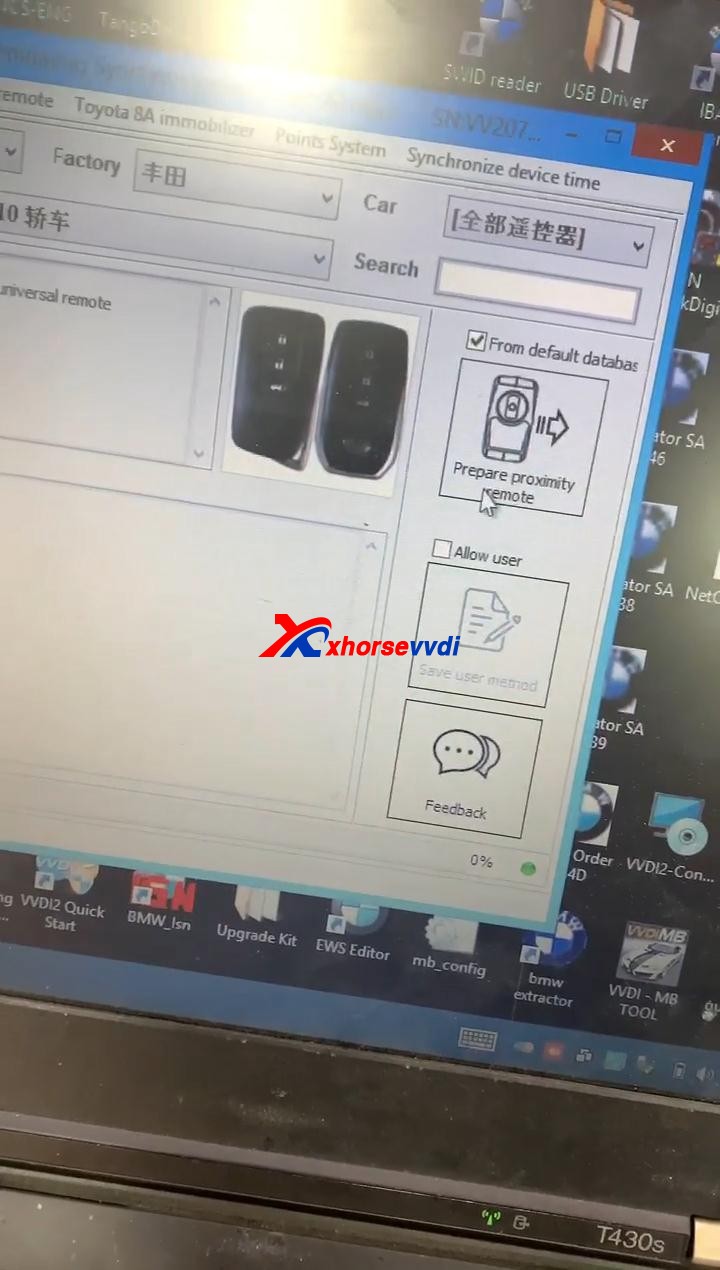
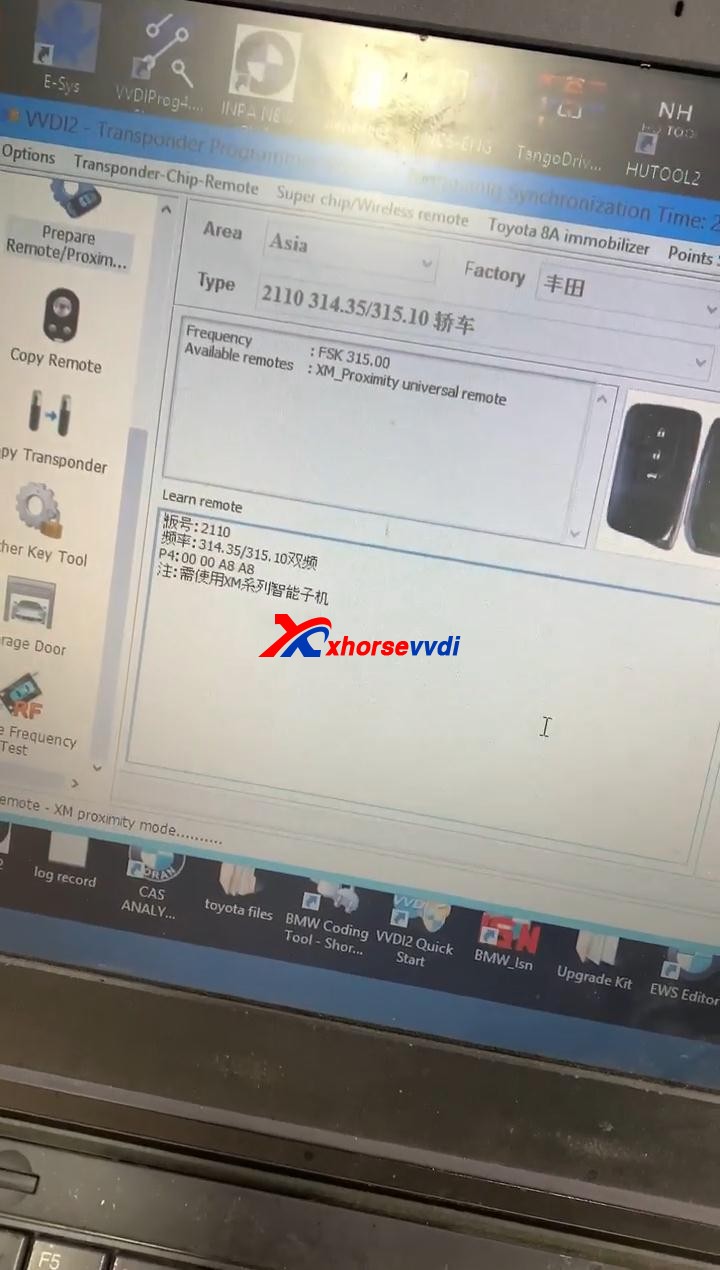
Open Xhorse VVDI2 software, click on “Prepare proximity remote”.


Read the following attentions and follow it:

Attention 1: This type require special Xhorse XM Smart Key, the procedure require internet support.

Attention 2: it needs some bonus points for each XM Proximity remote first use.

Attention 3: Toyota Proximity remote (XM special) don’t have bonus points.

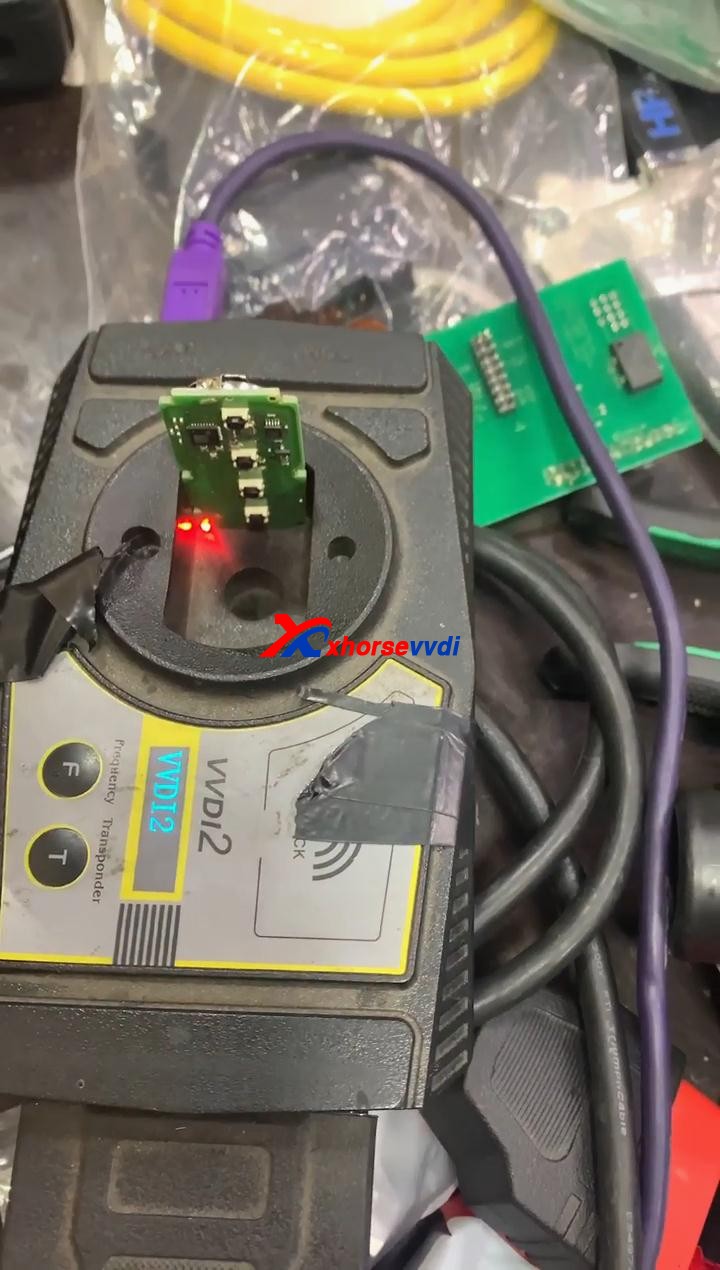
Input XM proximity remote to device coil before continue.


After reading the above attention, click on “Yes”. 

How to use Xhorse VVDI2 Program Toyota Smart Key  03


Synchronize with server.

Please wait…

Query result…

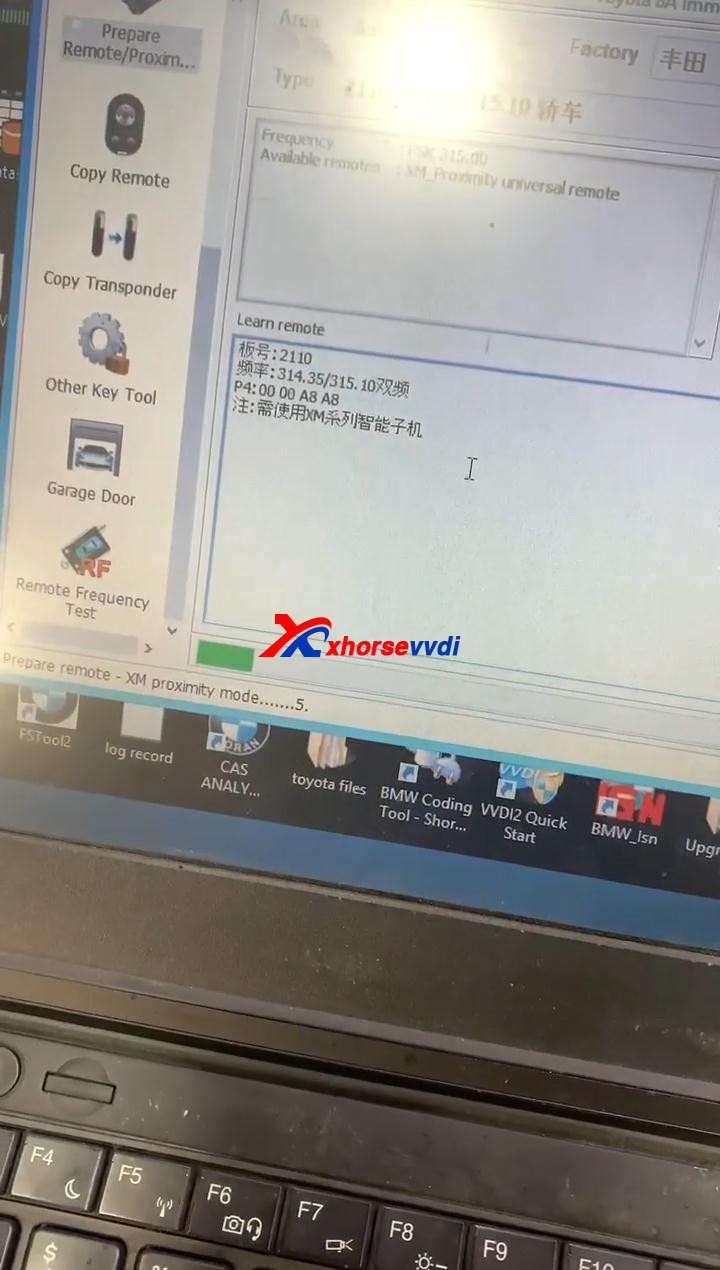
Calculating, require 5 seconds, query after 10 seconds… (Cannot be cancelled)

Prepare remote – XM proximity mode…5


Enjoy!


TOY.T Universal Smart Key is available here:

https://www.xhorsevvdi.com/wholesale/xhorse-smart-key-for-toyota.html


Source:https://www.xhorsevvdi.com/

Design a site like this with WordPress.com
Get started