How to use Xhorse VVDI2 Read Audi BCM encryption info

Recently released Xhorse BCM2 Solder-free Adapter allows users to read encrypted Audi BCM2 module, but how to know if it’s a locked version? In this article we’ll raise two ways:

  1. Judge by the number on BCM2 module
  2. Read BCM2 info by VVDI2/Key Tool Plus

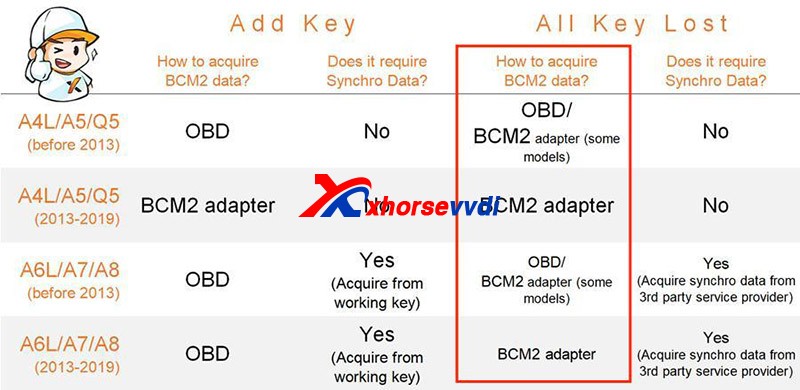
Generally, BCM2 modules before 2013 are unencrypted while those after 2013 are encrypted.
How To Identify An Encrypted Audi Bcm By Xhorse Programmers 1

However, there are exceptions after 2013 and it’s hard to judge 2013 versions.

Then we have

Method 1. Judge by the number on the BCM2 module

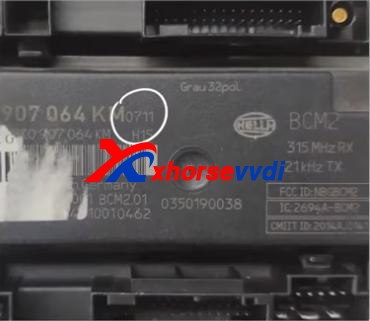
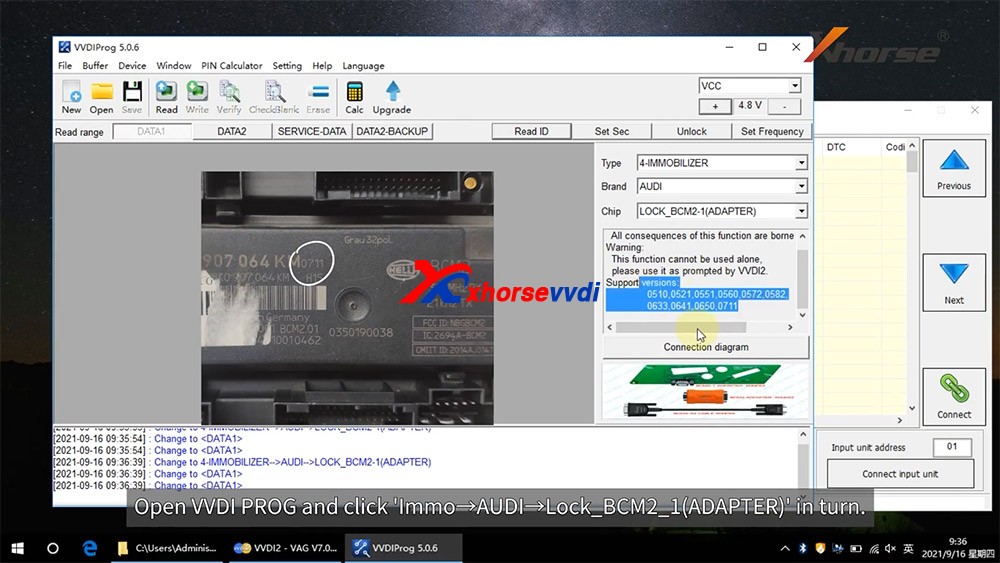
After we remove a BCM2 module, check the number on the box. (Here we have “0711”)
How To Identify An Encrypted Audi Bcm By Xhorse Programmers 2

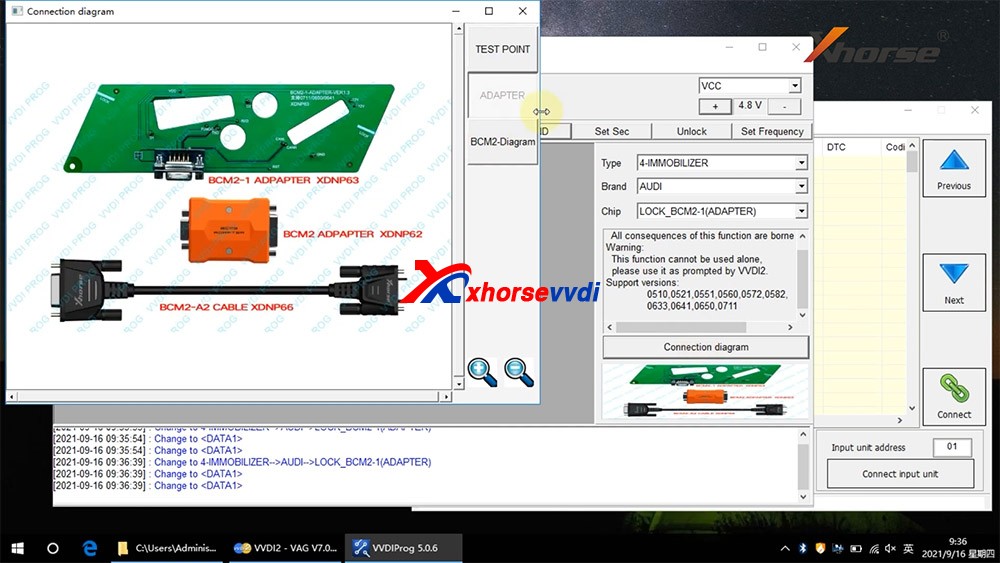
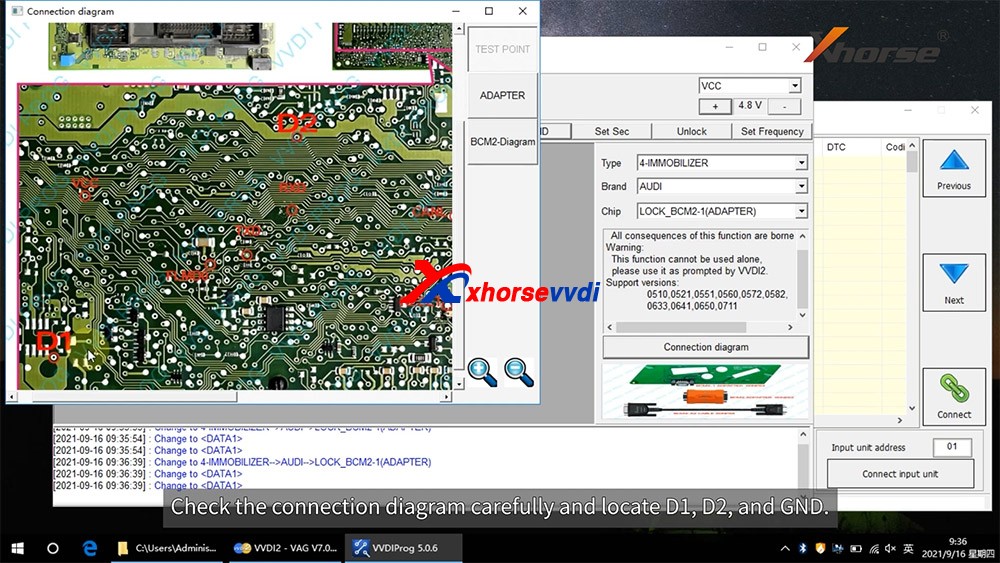
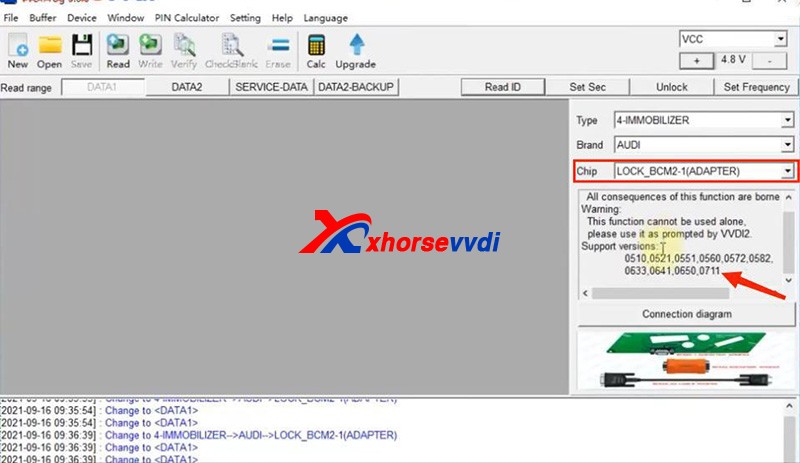
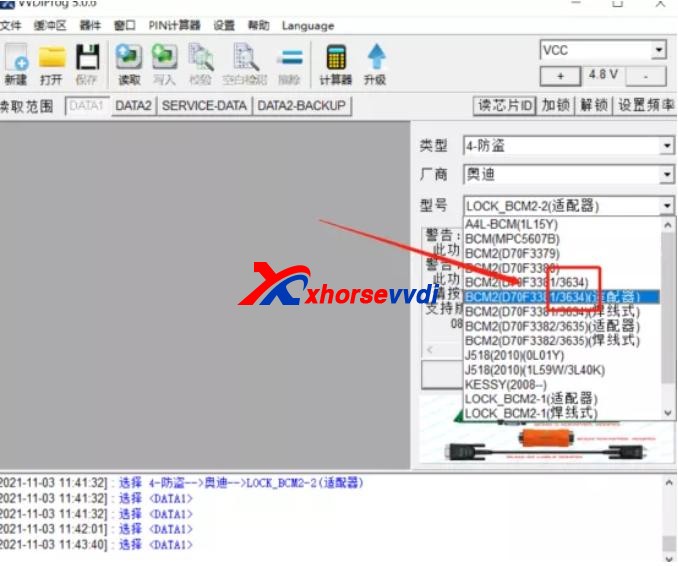
On the chip selection page of VVDI PROG or VVDI Key Tool Plus, supported numbers are listed on the below.
How To Identify An Encrypted Audi Bcm By Xhorse Programmers 3
How To Identify An Encrypted Audi Bcm By Xhorse Programmers 4

If our BCM2 number is on the list, we need to read it by an encrypted BCM2 Adapter.

Notes:

1)VVDI PROG has “LOCK_BCM2-1(ADAPTER)” and “LOCK_BCM2-2(ADAPTER)”

2)For our “0711”, we should select “(all versions)” on Key Tool Plus.

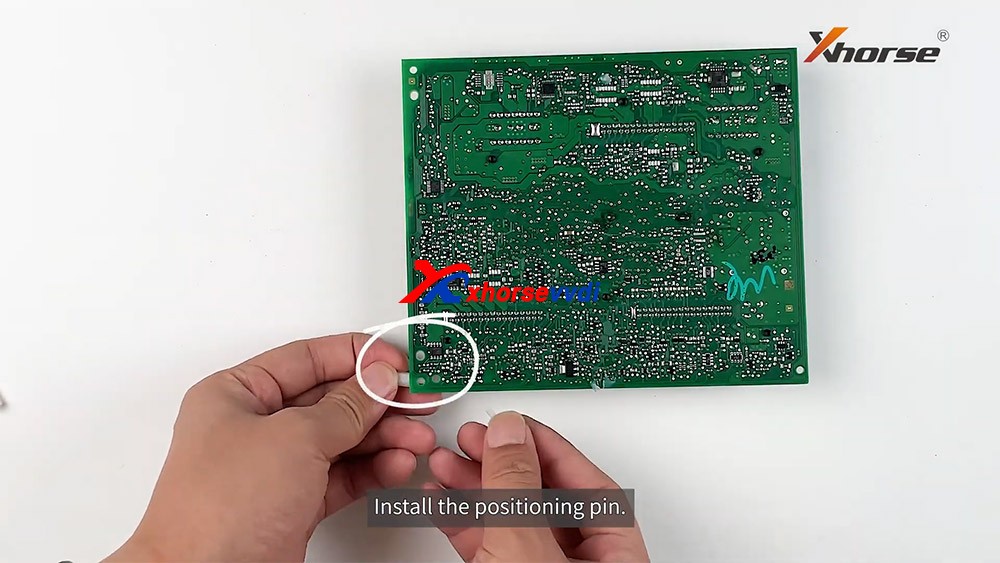
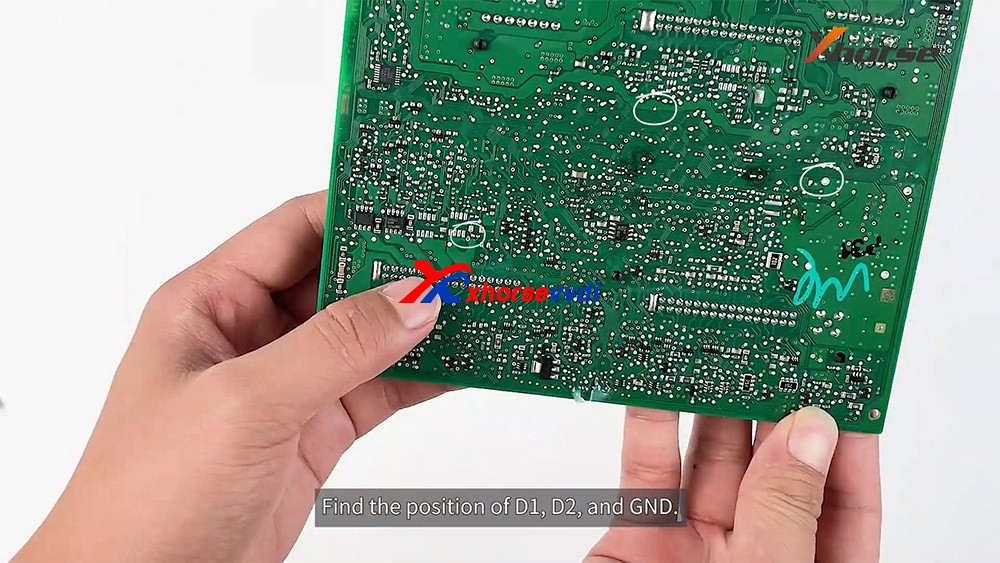
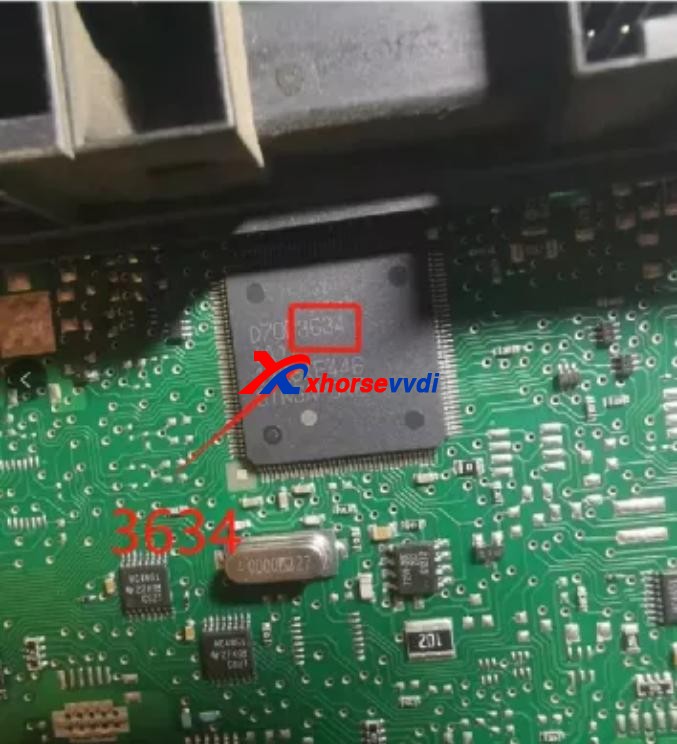
If we cannot find a number on our BCM2 modules, remove the cover to check the number on the chip of the circuit board.
How To Identify An Encrypted Audi Bcm By Xhorse Programmers 5

Then see if our number is listed on unencrypted versions.
How To Identify An Encrypted Audi Bcm By Xhorse Programmers 6

If so, read it by the selection prompt (our “3634” is unencrypted and it can be read in a soldering/solder-free way);

If not, Do Not Try to read a unknown-version BCM2 and contact your dealer to confirm.

Method 2. Read BCM2 info by VVDI2/Key Tool Plus

Sometimes we find part of BCM2 modules on the encrypted list are unencrypted, so we have the second way – OBD identify/read.

Before We Remove A BCM2 From A Vehicle, connect VVDI2/Key Tool Plus to your vehicle via OBD to check.

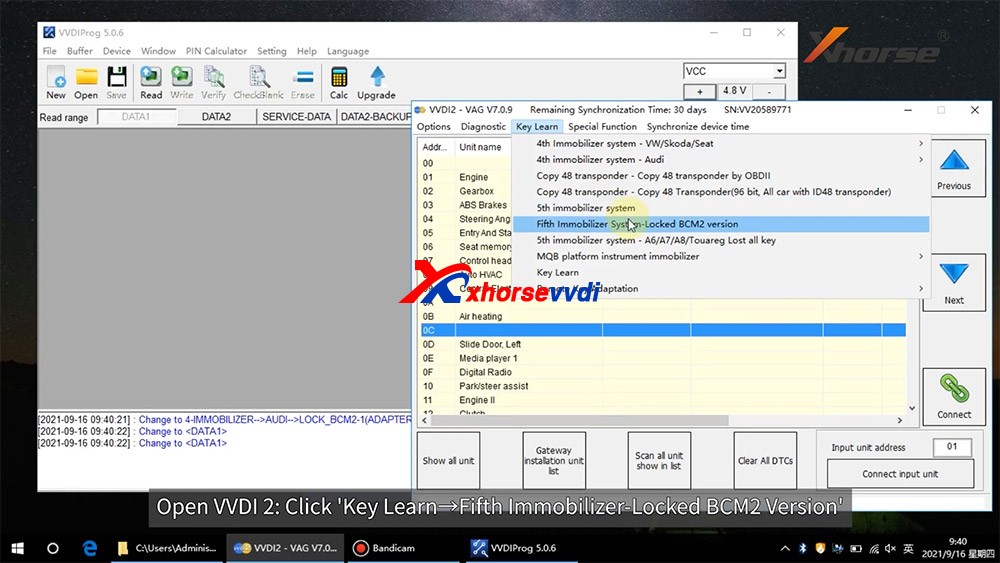
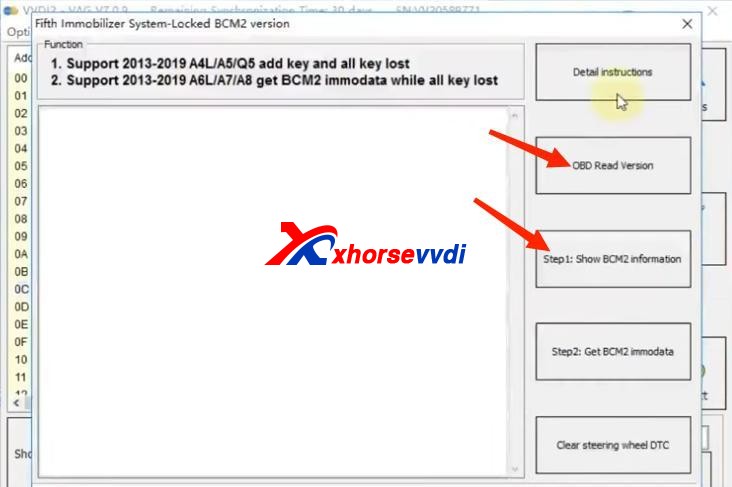
Path 1 (on VVDI2):

  • Key Learn>>Fifth Immobilizer-Locked BCM2 version
How To Identify An Encrypted Audi Bcm By Xhorse Programmers 7

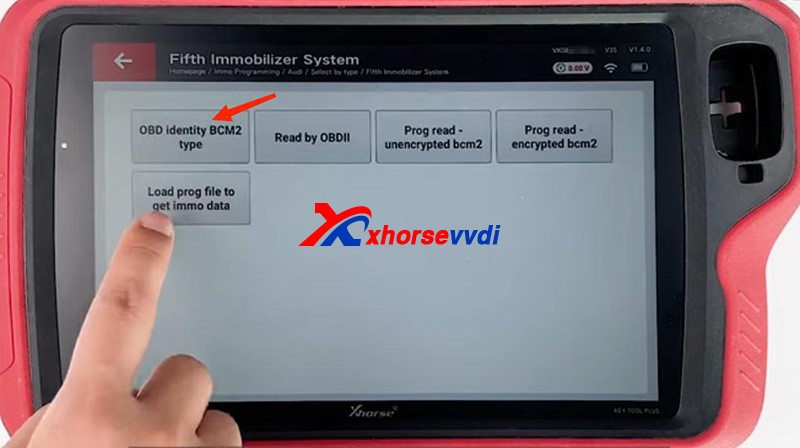
Path 2 (on Key Tool Plus):

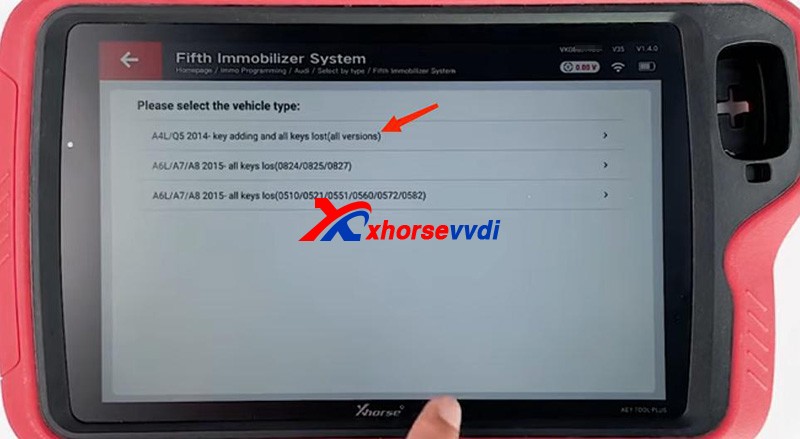
  • Immo Programming>>Audi>>Select by type>>Fifth Immobilizer System>>Start Programming>>Read BCM2 Data>>OBD identify BCM2 type
How To Identify An Encrypted Audi Bcm By Xhorse Programmers 8

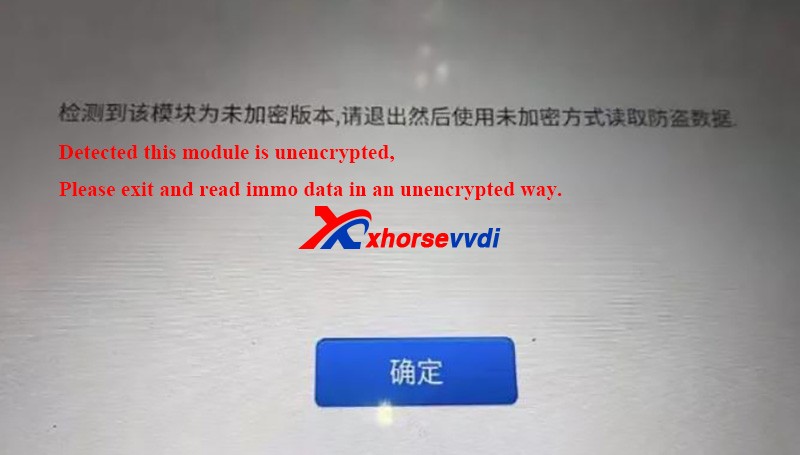
It’s accurate to read BCM info via OBD, and then follow the instruction:

For unencrypted versions, read D-FLASH and P-FLASH without encrypted BCM2 adapters.

For encrypted versions, Do use encrypted BCM2 adapters.
How To Identify An Encrypted Audi Bcm By Xhorse Programmers 9

Other tips

  1. When we read an encrypted BCM2 with VVDI AUDI BCM2 adapters, Do Not click on “Unlock”, or the module will be erased and no way to restore.
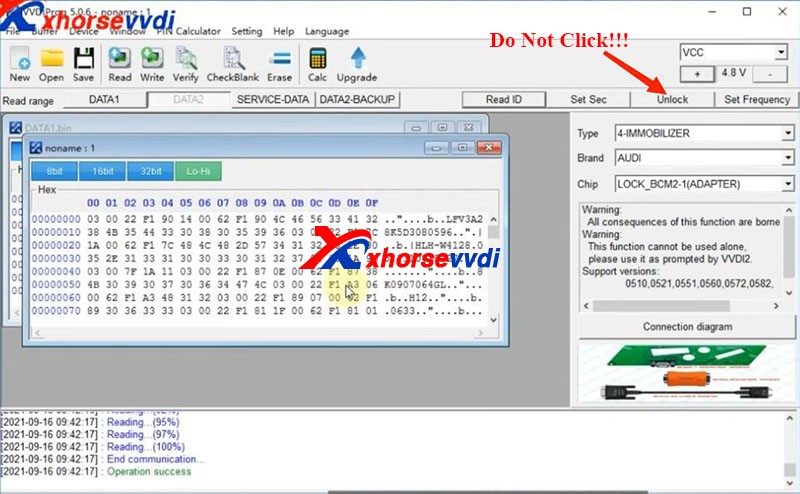
How To Identify An Encrypted Audi Bcm By Xhorse Programmers 10
  1. During removing BCM modules or soldering cables to BCM circuit boards (Particularly in winter), Do care static electricity, which may cause damages to chips or data loss.

Alright, that’s how we identify BCM2 status and some tips during operation.Thanks to xhorsevvdi for making this article: http://blog.xhorsevvdi.com/how-to-identify-an-encrypted-audi-bcm-by-xhorse-programmers/
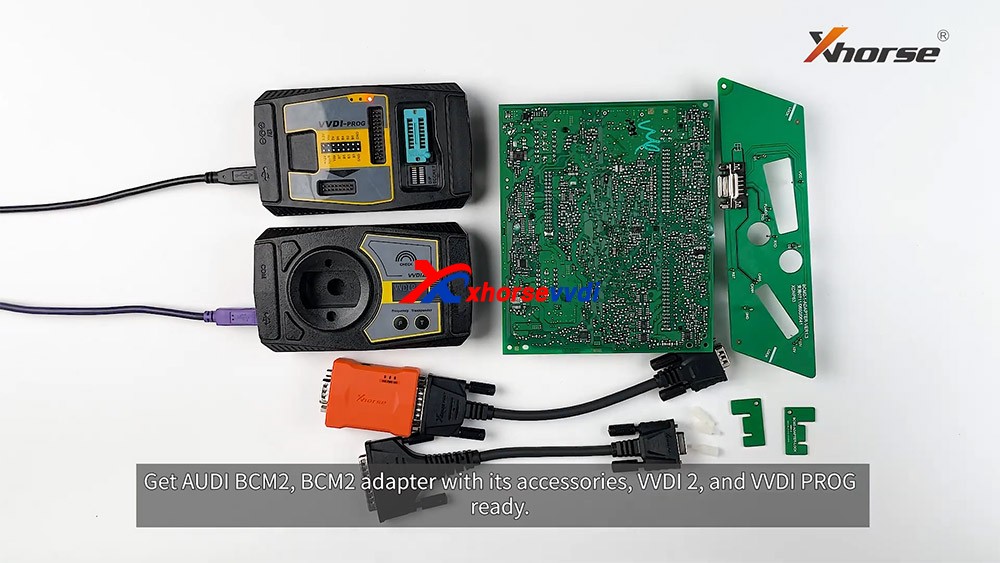
How to read locked BCM2 with Xhorse VVDI2 & VVDI PROG

With VVDI PROG and VVDI BCM2 adapter, VVDI2 support:

  1. 2013-2019 A4L /A5/Q5 add key and all key lost
  2. 2013-2019 A6L /A7/A8 get BCM2 immo data while all key lost (Synchronize data can get from 3rd service provider)(Add key can get BCM2 immo data directly via OBDII)

What we want to do today:
Read and write Audi 5th Immobilizer System- Locked BCM2

Good to know:

  • Warning 1 : This function is high risk, all the consequences caused are undertaken by yourself
  • Warning 2: In VVDI-PROG function, Don’t touch power supply, cable, BCM2 module!!!

How to connect AUDI BCM2 Adapter with VVDI 2 & VVDI PROG 01

VVDI-PROG data instructions:

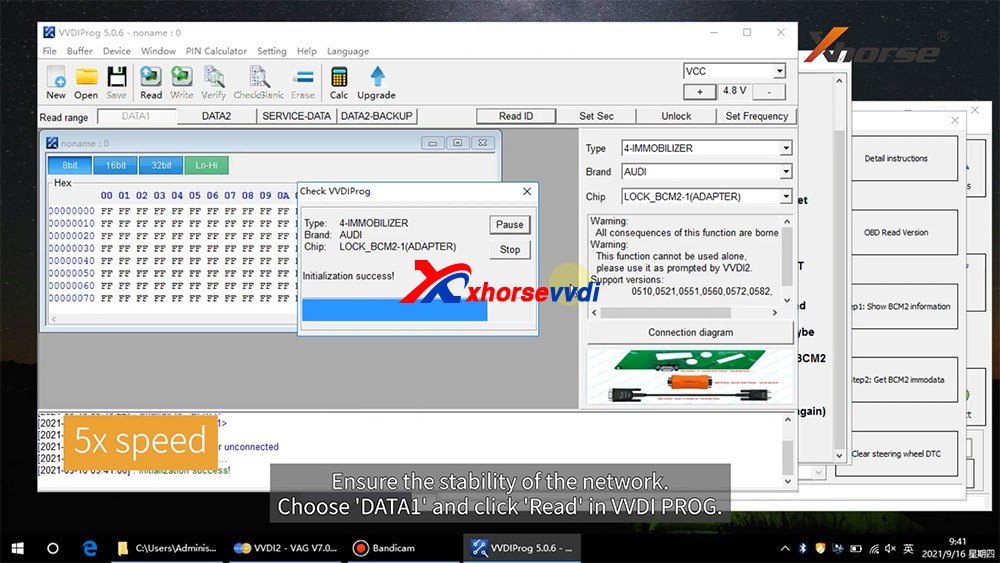
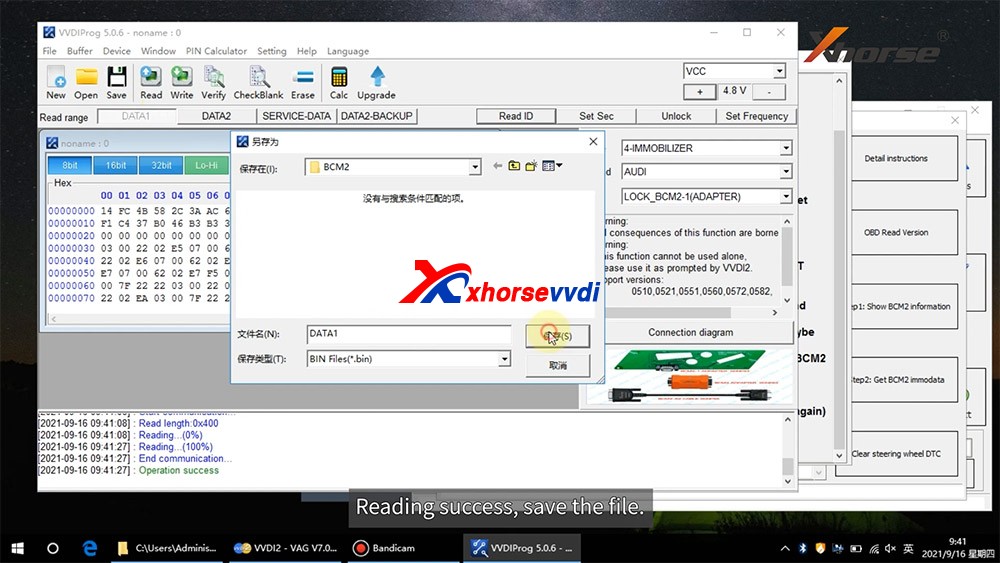
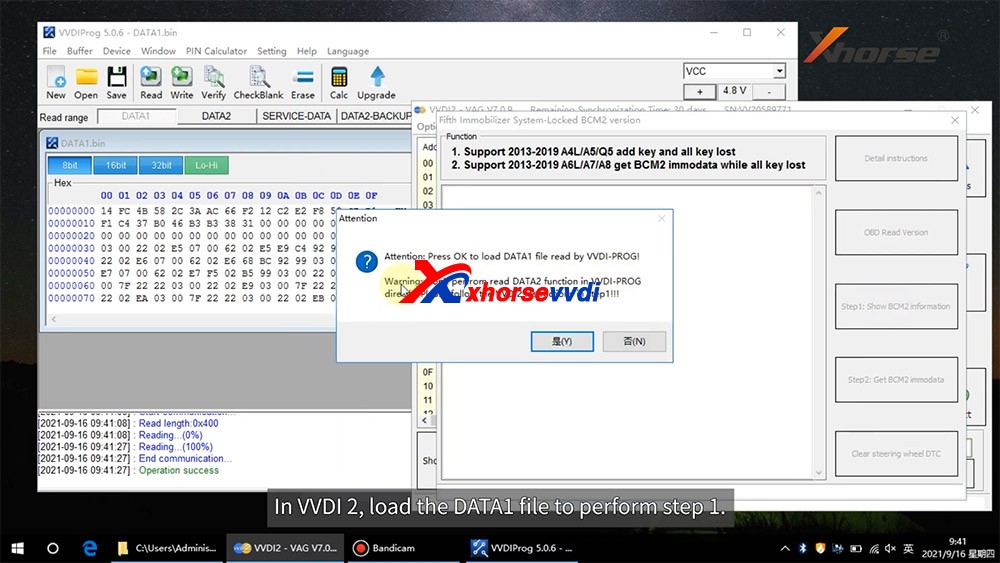
  • DATA1: VVDI2 stepl require data, you can read DATA1 after connect in VVDI-PROG
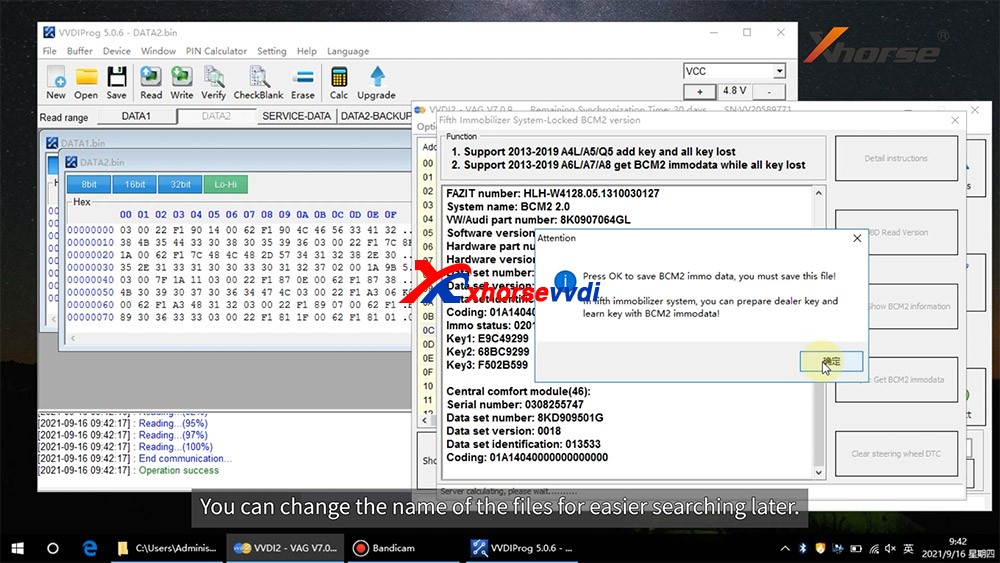
  • DATA2: VVDI2 step2 require data, you can read DATA2 after you get instructions in VVDI2(load DATA1 in stepl)
  • SERVICE-DATA: you can get this data in step2. Write this data to BCM2 activate module
  • DATA2-BACKUP: If read DATA2 failed(cause by power or cable), you can use this function to get DATA2 data

Instructions of using AUDI BCM2 Adapter with VVDI 2 & VVDI PROG:

  • First use OBD Read Version function, OBD read BCM2 version and check support status
  • Open trunk: Find the BCM2 in right-rear area, remove the two big plug, then small one(DON’T close trunk)
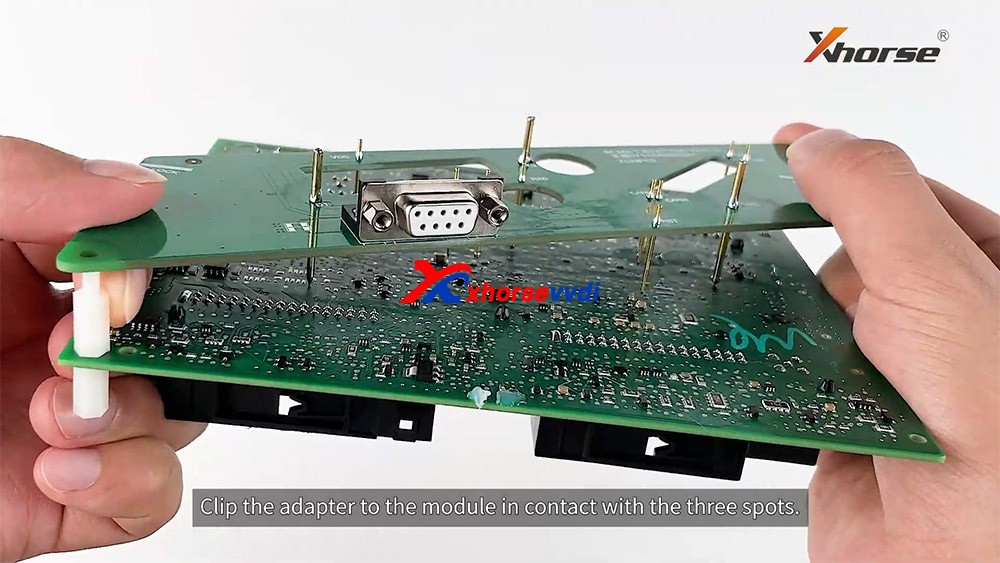
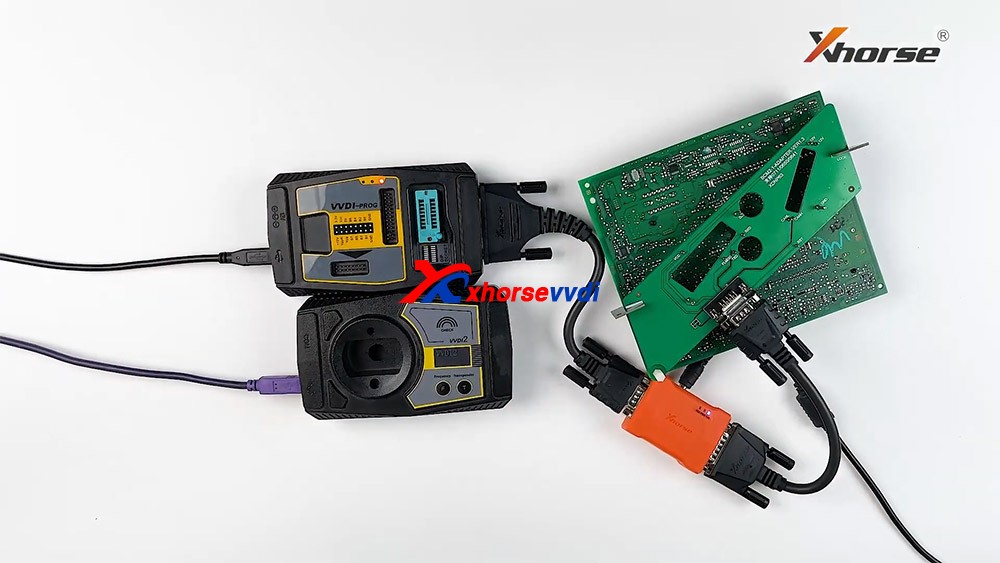
  • Connect VVDI-PROG and BCM2 module, VVDI BCM2 adapter require support +12V
  • Enter VVDI-PROG->immobilizer->Audi->LOCK_BCM2-1 orLOCK_BCM2-2 read DATA1 data and save it(Depends on the SW version)
  • Enter WDI2 stepl, load DATA1 data(require internet), continue with VVDI2 instructions (maybe not need DATA2)
  • If VVDI2 ask you provide DATA2, enter VVDI-PROG read DATA2 and save(After read DATA2, BCM2 will enter service mode)
  • Enter VVDI2 step2, load DATA2 data(require internet), it will save 2 files: BCM2 immodata and BCM2 service data
  • BCM2 immodata can use learn key, BCM2 service data can write to BCM2(make BCM2 work again) with VVDI PRO.
  • After write BCM2 service data, restore BCM2 to car.
  • Enter 5th immobizer system learn key.

How to connect AUDI BCM2 Adapter with VVDI 2 & VVDI PROG 02
How to connect AUDI BCM2 Adapter with VVDI 2 & VVDI PROG 03
How to connect AUDI BCM2 Adapter with VVDI 2 & VVDI PROG 04
How to connect AUDI BCM2 Adapter with VVDI 2 & VVDI PROG 05
How to connect AUDI BCM2 Adapter with VVDI 2 & VVDI PROG 06
How to connect AUDI BCM2 Adapter with VVDI 2 & VVDI PROG 07
How to connect AUDI BCM2 Adapter with VVDI 2 & VVDI PROG 08
How to connect AUDI BCM2 Adapter with VVDI 2 & VVDI PROG 09
How to connect AUDI BCM2 Adapter with VVDI 2 & VVDI PROG 10
How to connect AUDI BCM2 Adapter with VVDI 2 & VVDI PROG 11
How to connect AUDI BCM2 Adapter with VVDI 2 & VVDI PROG 12
How to connect AUDI BCM2 Adapter with VVDI 2 & VVDI PROG 13

Enjoy!

http://blog.xhorsevvdi.com/how-to-use-xhorse-audi-bcm2-adapter-with-vvdi-prog-vvdi2/

Design a site like this with WordPress.com
Get started