Peugeot 307 Johnson BSI 95128 All Keys Lost With Xhorse VVDI KEYTOOL MAX

Question: How to do transponder clone for Peugeot 307 all keys lost in Xhorse Key Tool Max?

Generally, the whole procedure is divided in two steps:

1. Read PIN code via OBD or EEPROM

2. Learn/Program keys.

This article provides two ways and some tips for your reference.

Method 1. Read PIN via OBD and program keys

If you have Key Tool Max and Mini OBD Tool, the procedure will be very simple.

General Procedure:

1.Read password by Mini OBD Tool via OBD port.

2.Generate an ID46 Peugeot Citroen chip using VVDI Super Chip and Key Tool Max.

PIN Reading Path :

  • Immo Programming>>Peugeot>>Password reading>>Type 2 KWP (all keys lost or adding)
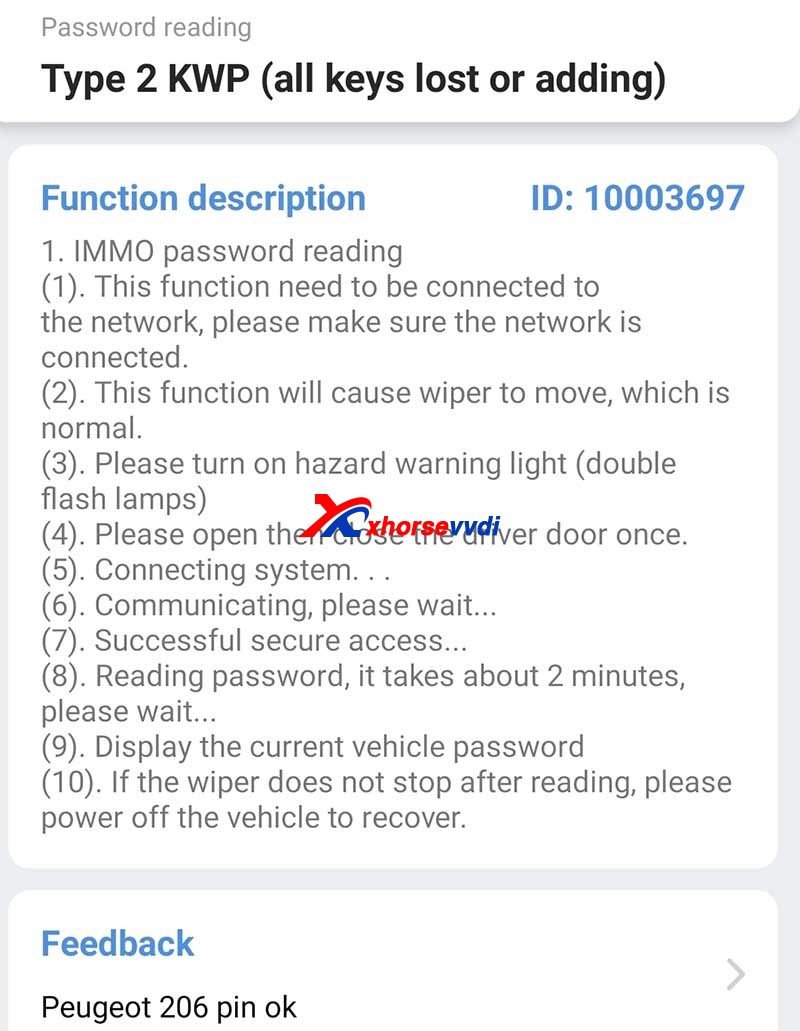
Tips On Peugeot 307 Johnson Bsi 95128 All Keys Lost Programming 1

Method 2. Read PIN via EEPROM and program keys via dump

If you don’t have a password reader, the procedure may be a little bit tough.

General Procedure:

1.Remove BSI module.

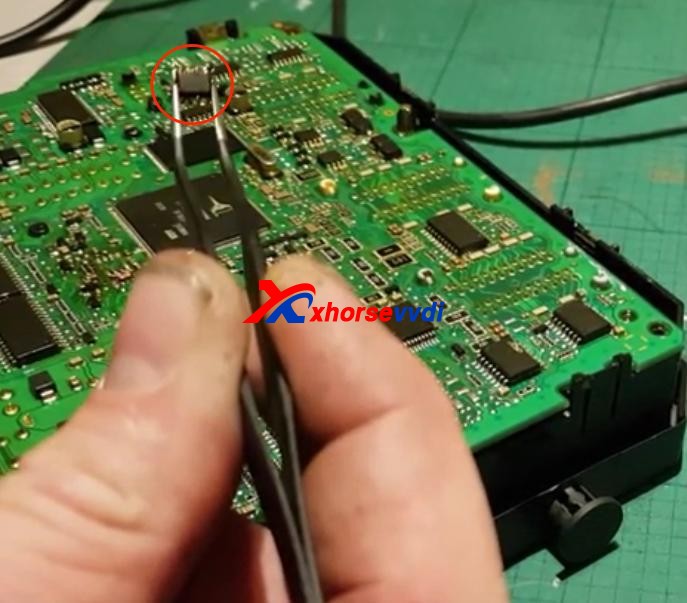
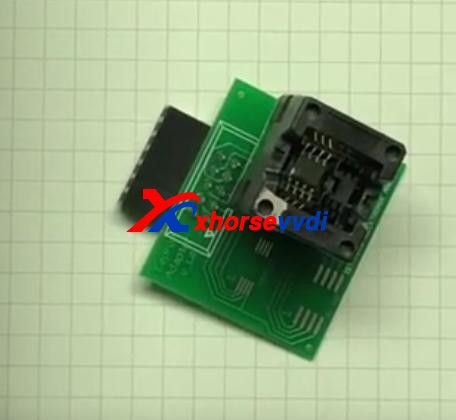
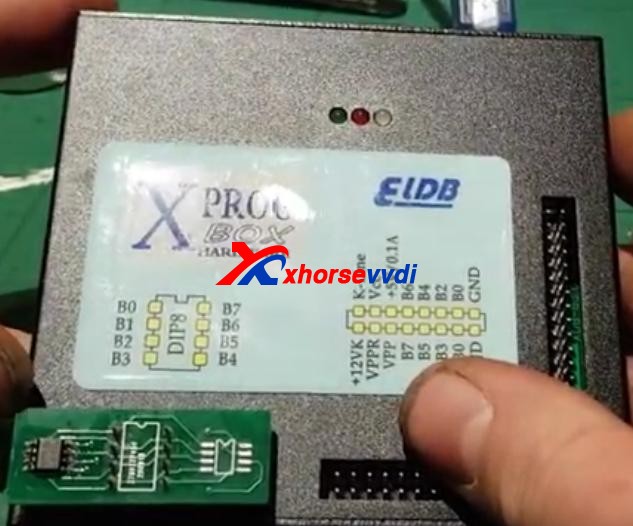
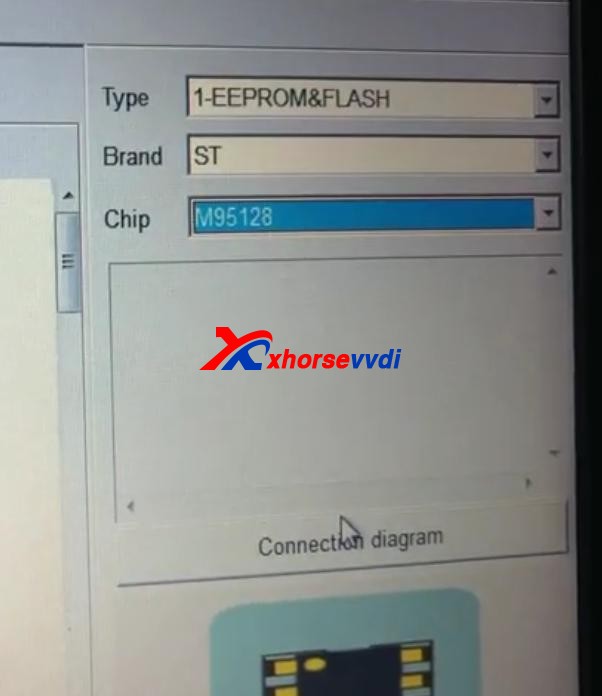
2.Read EEPROM (this step may need desoldering) by an ECU programmer like VVDI PROG or XPROG.

3. Program keys via dump file.
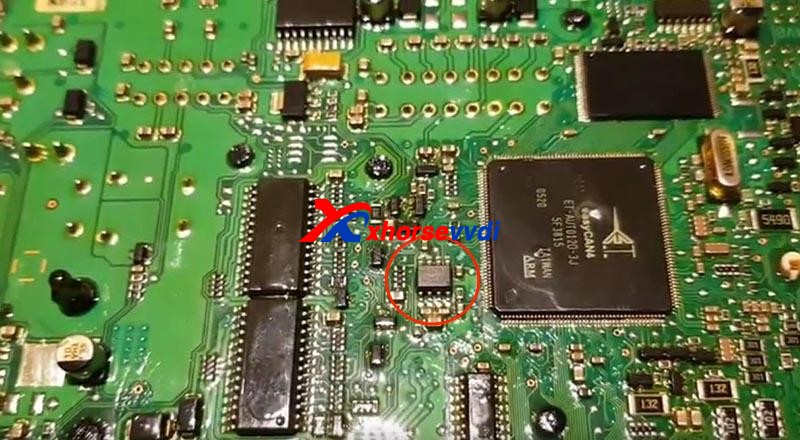
Tips On Peugeot 307 Johnson Bsi 95128 All Keys Lost Programming 2
Tips On Peugeot 307 Johnson Bsi 95128 All Keys Lost Programming 3
Tips On Peugeot 307 Johnson Bsi 95128 All Keys Lost Programming 4
Tips On Peugeot 307 Johnson Bsi 95128 All Keys Lost Programming 5
Tips On Peugeot 307 Johnson Bsi 95128 All Keys Lost Programming 6

Tips:

1. You may need to take apart the BSI module to get the circuit board.

Tips On Peugeot 307 Johnson Bsi 95128 All Keys Lost Programming 7

2. Use hot air very carefully since EEPROM is close to CAN MCU. In any error, the MCU may die.

Thanks to Ghayath, Woj and Gaio.

Any questions feel free to contact us.

http://blog.xhorsevvdi.com/peugeot-307-johnson-bsi-95128-all-keys-lost-programming/

Read & write for Porsche Key With VVDI Programmer User Manual

This article is about to compare different ways to read Porsche BCM and program keys by Xhorse Programmer. Some require de-soldering, while some don’t with certain cables and adapters.

Method 1. VVDI PROG (Desoldering required)

This way requires MC9S12 reflash cable included in the package and to desolder components (and to cut wires on part of chips).

1)Panamera (1L15Y) tested OK

It requires removing a component and soldering it back after reading and saving the FLASH file.

vvdi prog Panamera (1L15Y) tested OK

2)Macan (1N35H) & Cayenne GTS (5M48H) tested OK

It requires removing two components, cutting a wire, and soldering them back after it’s complete.

vvdi prog Macan (1N35H) & Cayenne GTS (5M48H) tested OK01
vvdi prog Macan (1N35H) & Cayenne GTS (5M48H) tested OK 02

General procedure (VVDI PROG+VVDI2):

  • Read&save D-FLASH file (VVDI PROG)>>Load the file (VVDI2)>>Program keys>>Install back BCM>>Learn keys via OBD (VVDI2)

Method 2. VVDI Programmer with Porsche Fast Easy Cable

This way requires Porsche Fast Easy Cable and wiring. No soldering is required.

This adapter works with VVDI PROG, VVDI2, and Key Tool Plus to read BCM without soldering.

1)1N35H tested OK

VVDI prog Programmer with Porsche Fast Easy Cable

The rest procedure is similar to method 1.

Method 3. VVDI Key Tool Plus/Mini Prog with XDNPP017 Adapter

This way requires XDNPP017 Solder-free Adapter, so soldering is not required in this way as well.

1)Cayenne (5M48H) and Macan (1N35H) tested OK

KTP Cayenne (5M48H) and Macan (1N35H) tested OK 01
KTP Cayenne (5M48H) and Macan (1N35H) tested OK 02

General procedure:

  • Read&save D-FLASH file (Key Tool Plus/Mini Prog)>>Load the file (Key Tool Plus)>>Program keys (Key Tool Plus)>>Install back BCM>>Learn keys via OBD (Key Tool Plus)
KTP Cayenne (5M48H) and Macan (1N35H) tested OK 03
KTP Cayenne (5M48H) and Macan (1N35H) tested OK 04

Alright, different methods require different adapters & cables and operation and watch the devices that adapters support.

  1. How to use VVDI2 and VVDI Prog to Program Porsche Paramera Key? 
  2. VVDI Prog Programmer Read Porsche BCM 2M25J Successfully 
  3. How to use VVDI2 and VVDI Prog to Read Write Porsche Key?
  4. Xhorse VVDI Key Tool program 2011 Porsche Cayenne AKL 
  5. VVDI Prog Read Porsche BCM Data Tips 

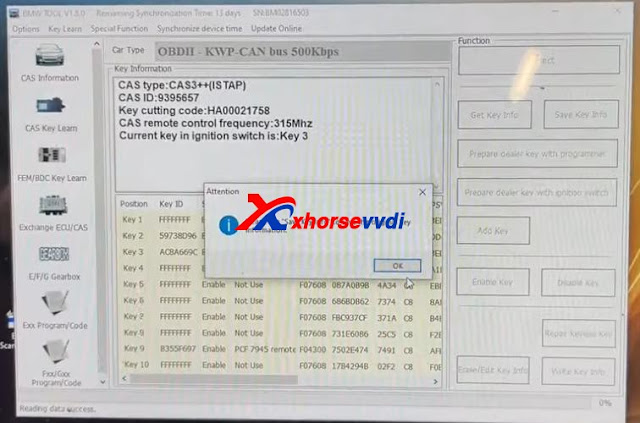
Xhorse VVDI BIMTool Cas3+ ISTAP Downgrade Over OBD OK

Here we’re trying to downgrade CAS3+ ISTAP. Because it’s encrypted since ISTAP upgrade and it doesn’t allow VVDI BIMTool or any software to write a key to it.

What we want to do is:

Write back the original FLASH data that was doing a key before.

Try to crank CAS3+ module by BIMTool and bench test platform.

Step 1

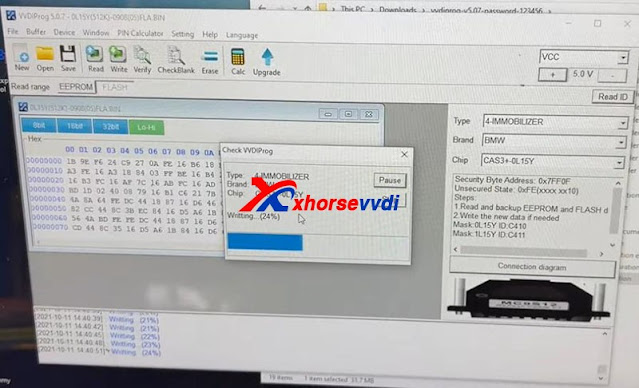
So, first we write the original FLASH into CAS3 by VVDI Prog Programmer.

How to downgrade ISTAP with Xhorse VVDI Prog +BIMTool 01
How to downgrade ISTAP with Xhorse VVDI Prog +BIMTool 02

Step 2

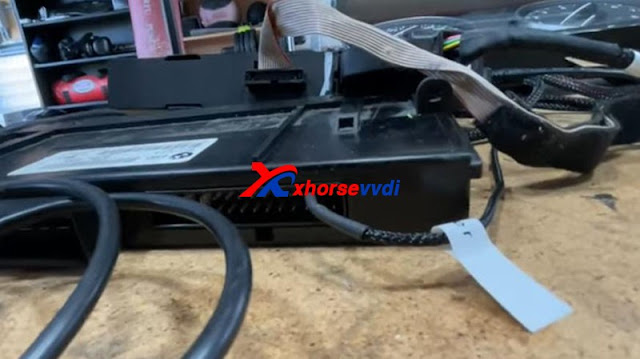
Set up bench test platform:

Connect the cable to all hardware (BIMTool, JBE, CAS3, key slot, switch…)

Notice the PIN on JBE module.

How to downgrade ISTAP with Xhorse VVDI Prog +BIMTool 03
How to downgrade ISTAP with Xhorse VVDI Prog +BIMTool 04

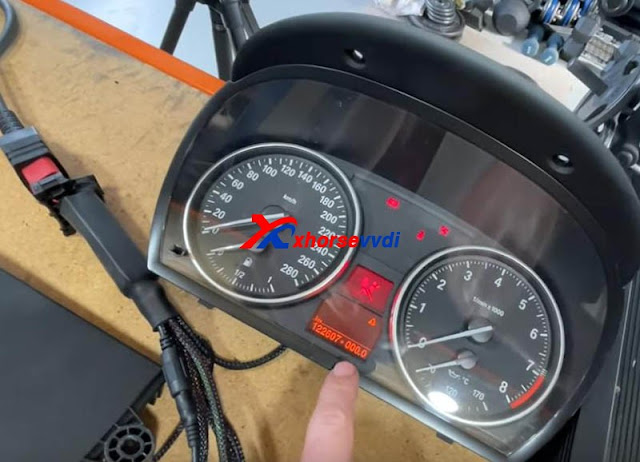
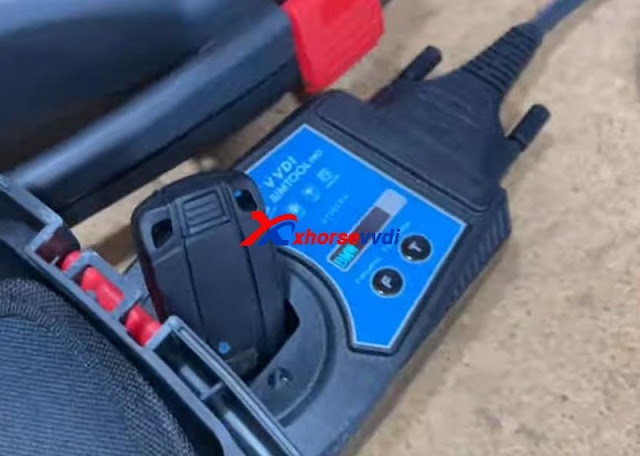
Insert the key and light on the cluster.

We see there is a steering lock but we can bring up the mileage. (The temper dot comes from the mismatch of the kilometer between CAS and cluster)

How to downgrade ISTAP with Xhorse VVDI Prog +BIMTool 04

Step 3

We hook up BIMTool.

Turn to “CAS key learn” page and connect.

Click on “Get Key Info” and “Add key”.

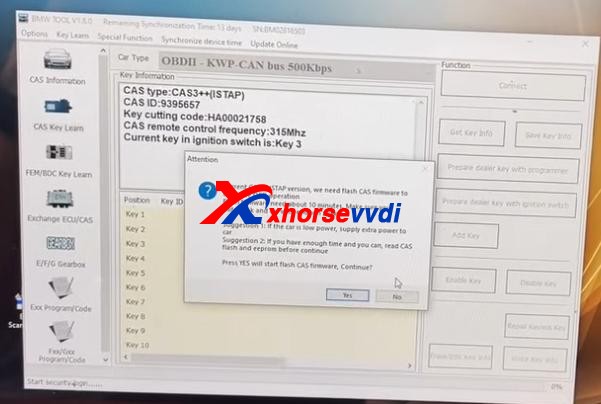
If it’s encrypted, here it’ll prompt.

But, it asks if we’re going to update firmware, which means FLASH writing by VVDI Prog worked.

How to downgrade ISTAP with Xhorse VVDI Prog +BIMTool 05

Now disconnect PC from the Internet.

Press “No” to update firmware.

Then press “Yes” to flash CAS firmware.

How to downgrade ISTAP with Xhorse VVDI Prog +BIMTool 06

Follow the instruction and it gives us key info.

How to downgrade ISTAP with Xhorse VVDI Prog +BIMTool 07

Finally we manage to crack and downgrade CAS3+ ISTAP on bench.

Try if it can give us ISN.

Exchange ECU/CAS>>CAS – CAS3+ OBDII>>Read ECU ISN

No.

Try it via EEPROM dump file that we got from VVDI Prog, and a working key.

How to downgrade ISTAP with Xhorse VVDI Prog +BIMTool 09

Yes.

How to downgrade ISTAP with Xhorse VVDI Prog +BIMTool 10

Done!

More functions to be explored!

http://blog.xhorsevvdi.com/vvdi-prog-bimtool-and-cas3-bench-test-platform-downgrade-istap-success/
Which tool can read BMW EWS2/EWS3/EWS4?

This article is about to bring you a method to read 2nd/3rd/4th BMW EWS module respectively. All No soldering cables or removing MCU.

Contact us to check if your EWS is supported!

Part 1. EWS2

Tools: Ak90+ Key Programmer (Read 1D47J, 2D47J, 0D46J, 2L86D without removing MCU)

Model: BMW 3er E36 1996

MCU: 2D47J

Procedure:

Connect MCU to AK90 unit by 10-pin cable.

Connect AK90 unit to PC by USB cable.

BMW EWS with ak90+ 02

On AK90 app,

Press “Connect” and select chip type.

Watch the prompt and click on “Read EWS”.

BMW EWS with ak90+ 03
BMW EWS with ak90+ 04

Part 2. EWS3

Tools:  Xhorse XDNP50 EWS3 Adapter 

     VVDI Key Tool Plus

Procedure:

Use EEPROM clip to clip PIN1.

EWS3  with vvdi key tool plus 01

Connect EWS3 module to XDNP50 EWS3 Adapter.

EWS3  with vvdi key tool plus 02

Combine EWS3 module and EWS3 adapter.

EWS3  with vvdi key tool plus 03
EWS3  with vvdi key tool plus 04

Device path:

Programmer>>IMMO>>BMW>>BMW>>EWS3(Adapter)>>Read>>EEPROM

Part 3. EWS4

Tools: EWS4 Adapter

VVDI Prog 

Model: BMW X3 2007

MCU: 2L86D

Procedure:

Put EWS4 module in the adapter and lock it.

EWS4 with vvdi prog

Select “4-IMMOBILIZER” “BMW” “EWS4 X(ADAPTER)”.

Press “Read” and “Save” to get data file.

Done! That’s how we read BMW EWS2/EWS3/EWS4 no soldering.

Read also:

Xhorse XDNP50 EWS3 Adapter Step-by-Step Tutorial(No Soldering)?

How to use VVDI Prog and VVDI2 Program BMW X3 EWS4.4 2007?

How to read locked BCM2 with Xhorse VVDI2 & VVDI PROG

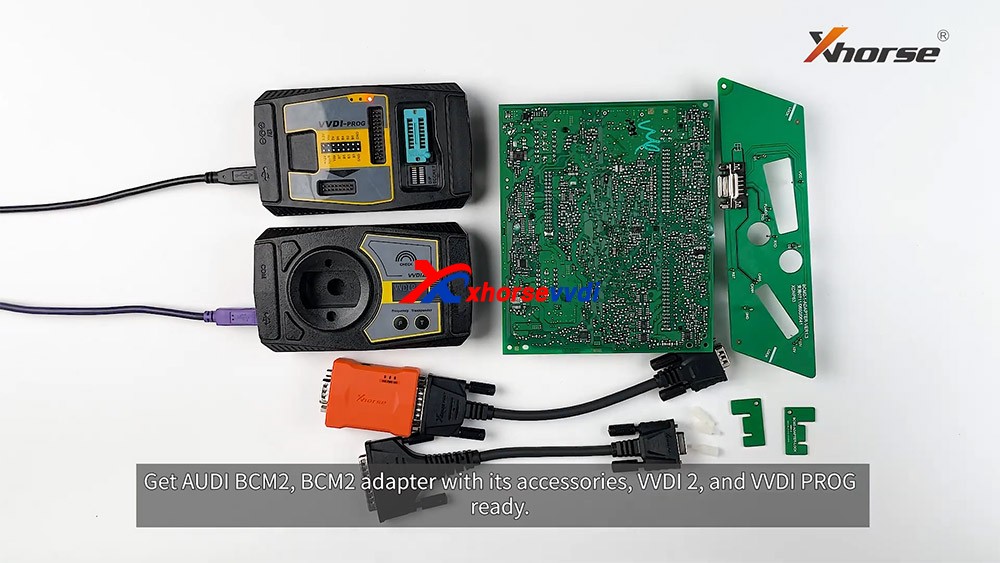
With VVDI PROG and VVDI BCM2 adapter, VVDI2 support:

  1. 2013-2019 A4L /A5/Q5 add key and all key lost
  2. 2013-2019 A6L /A7/A8 get BCM2 immo data while all key lost (Synchronize data can get from 3rd service provider)(Add key can get BCM2 immo data directly via OBDII)

What we want to do today:
Read and write Audi 5th Immobilizer System- Locked BCM2

Good to know:

  • Warning 1 : This function is high risk, all the consequences caused are undertaken by yourself
  • Warning 2: In VVDI-PROG function, Don’t touch power supply, cable, BCM2 module!!!

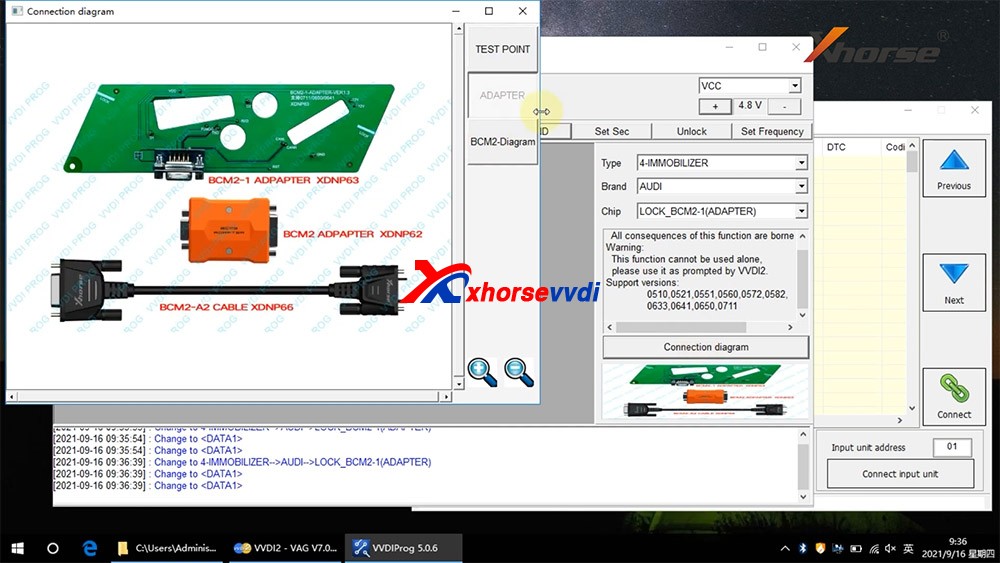
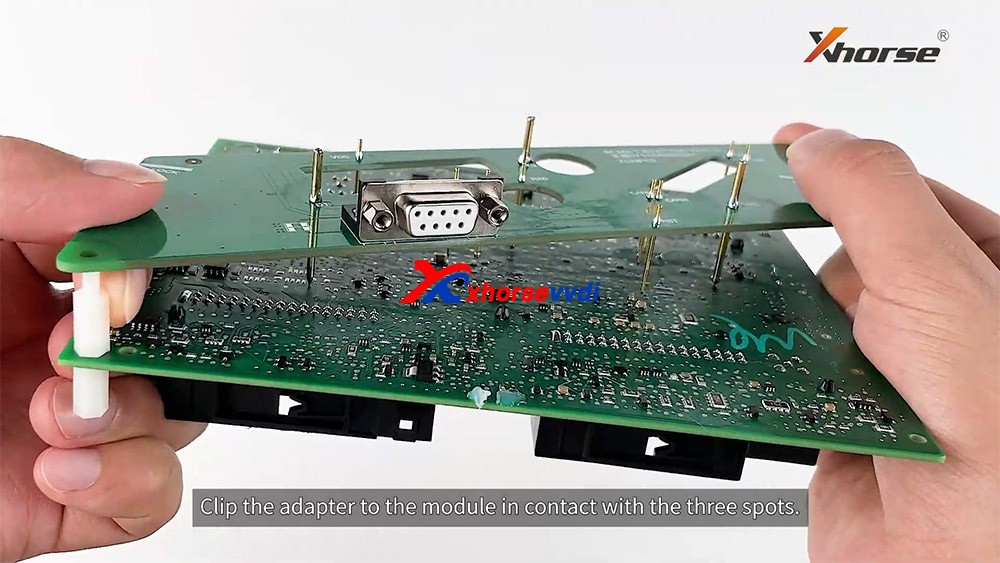
How to connect AUDI BCM2 Adapter with VVDI 2 & VVDI PROG 01

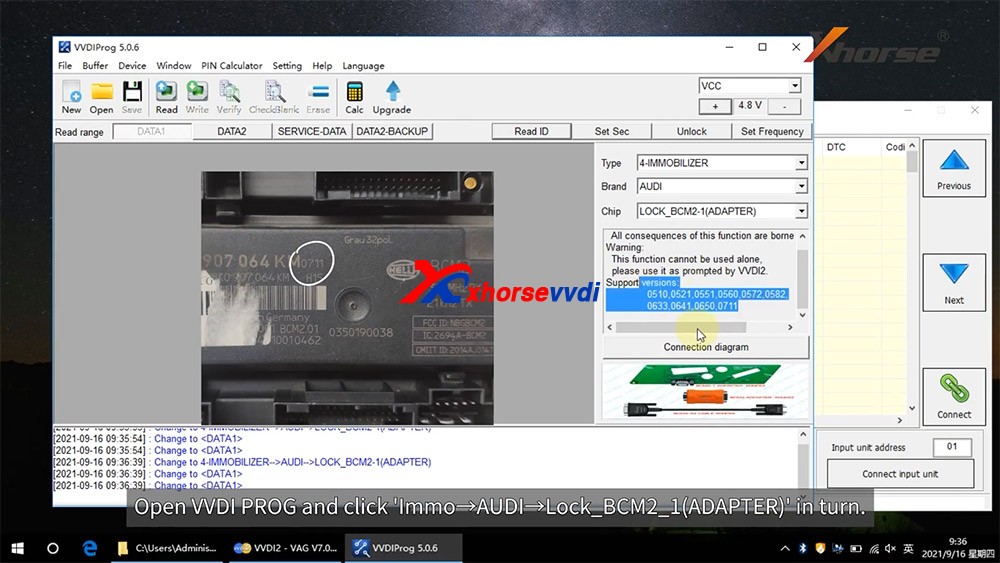
VVDI-PROG data instructions:

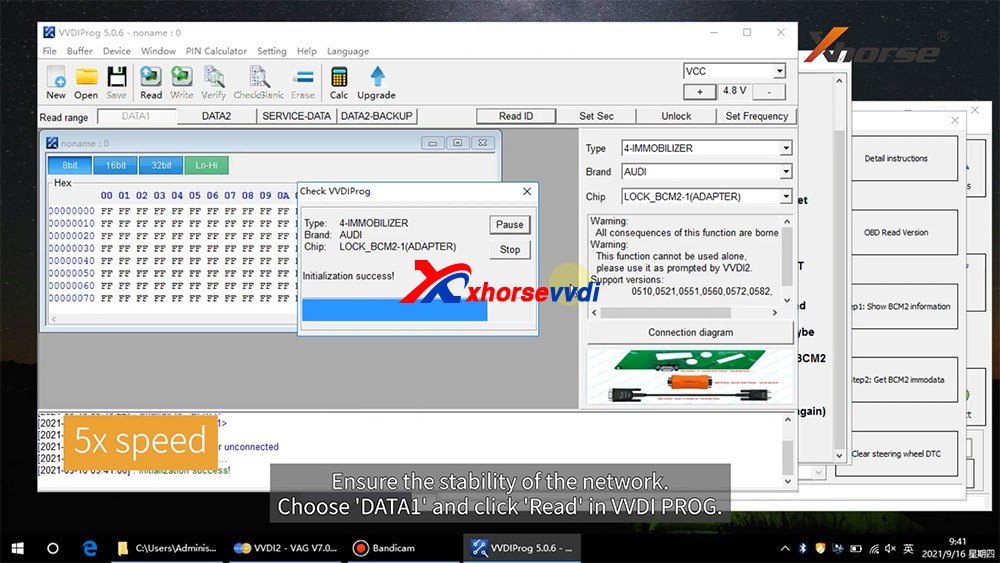
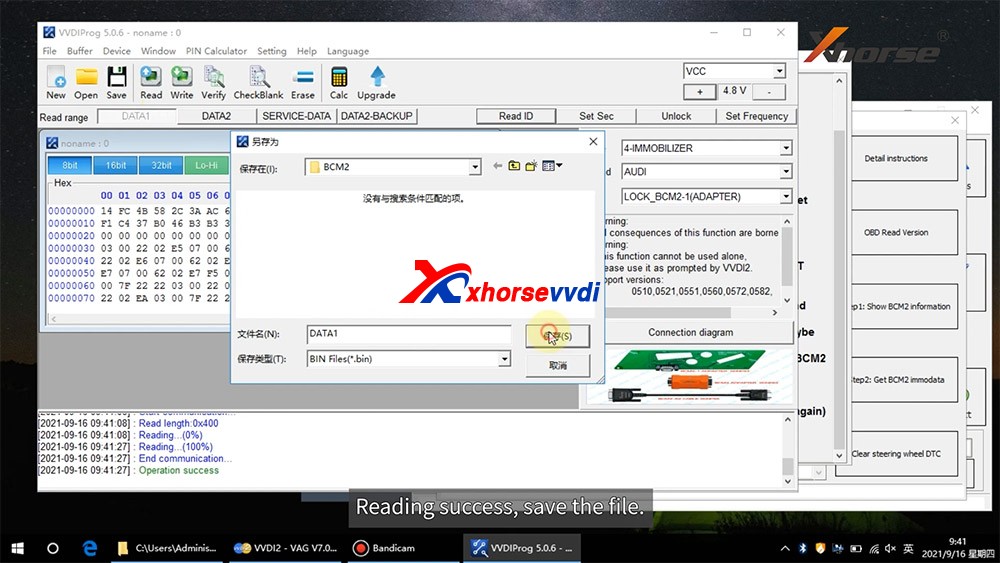
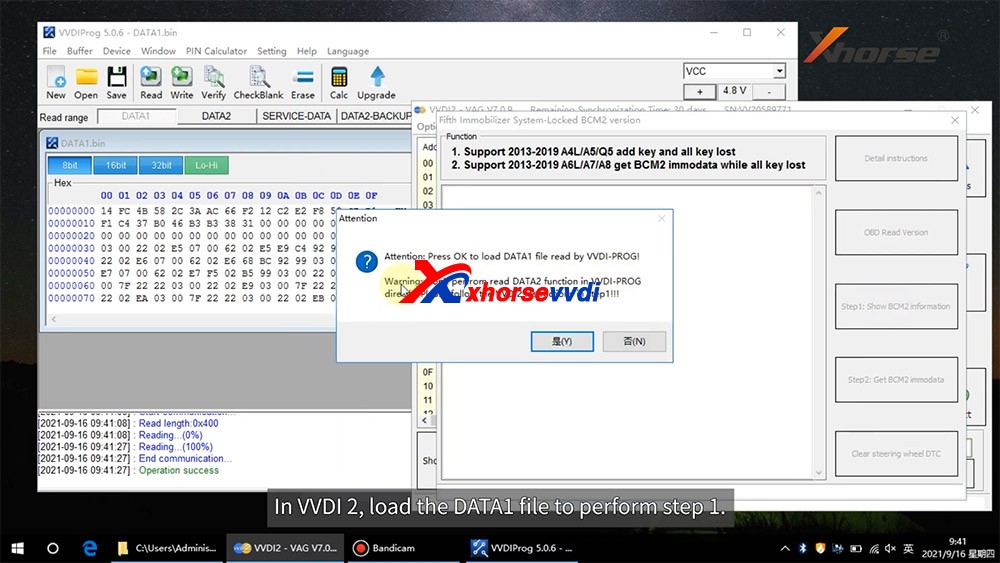
  • DATA1: VVDI2 stepl require data, you can read DATA1 after connect in VVDI-PROG
  • DATA2: VVDI2 step2 require data, you can read DATA2 after you get instructions in VVDI2(load DATA1 in stepl)
  • SERVICE-DATA: you can get this data in step2. Write this data to BCM2 activate module
  • DATA2-BACKUP: If read DATA2 failed(cause by power or cable), you can use this function to get DATA2 data

Instructions of using AUDI BCM2 Adapter with VVDI 2 & VVDI PROG:

  • First use OBD Read Version function, OBD read BCM2 version and check support status
  • Open trunk: Find the BCM2 in right-rear area, remove the two big plug, then small one(DON’T close trunk)
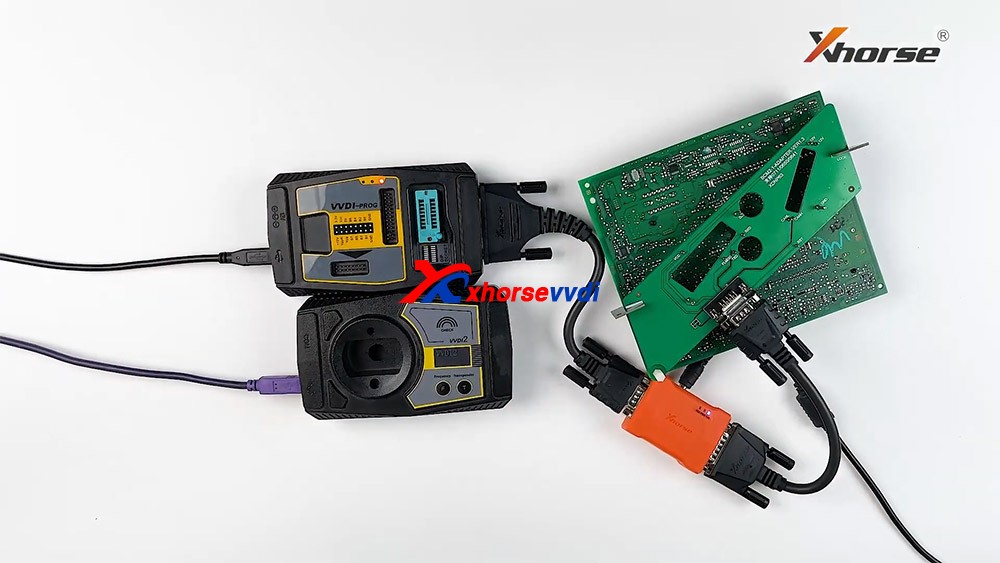
  • Connect VVDI-PROG and BCM2 module, VVDI BCM2 adapter require support +12V
  • Enter VVDI-PROG->immobilizer->Audi->LOCK_BCM2-1 orLOCK_BCM2-2 read DATA1 data and save it(Depends on the SW version)
  • Enter WDI2 stepl, load DATA1 data(require internet), continue with VVDI2 instructions (maybe not need DATA2)
  • If VVDI2 ask you provide DATA2, enter VVDI-PROG read DATA2 and save(After read DATA2, BCM2 will enter service mode)
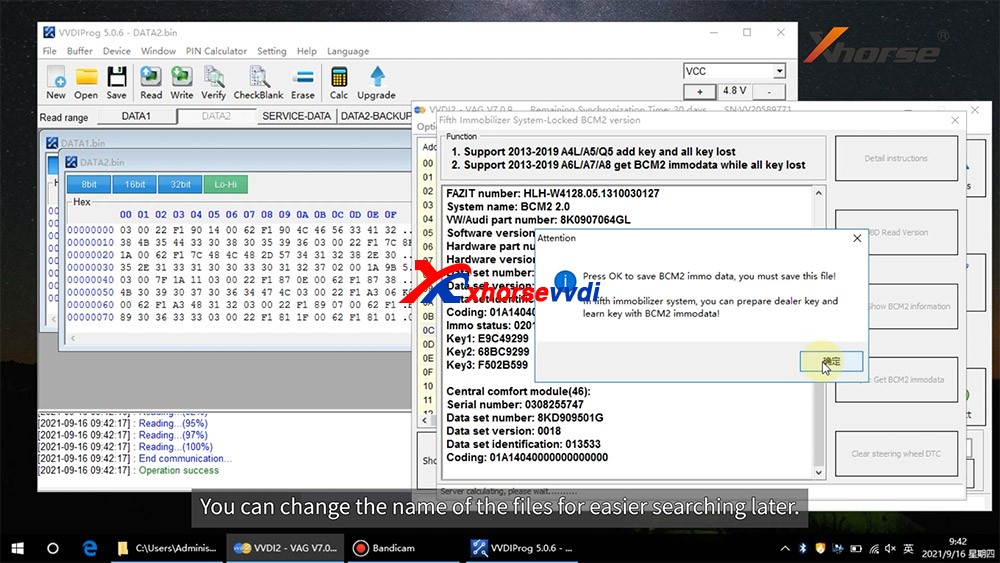
  • Enter VVDI2 step2, load DATA2 data(require internet), it will save 2 files: BCM2 immodata and BCM2 service data
  • BCM2 immodata can use learn key, BCM2 service data can write to BCM2(make BCM2 work again) with VVDI PRO.
  • After write BCM2 service data, restore BCM2 to car.
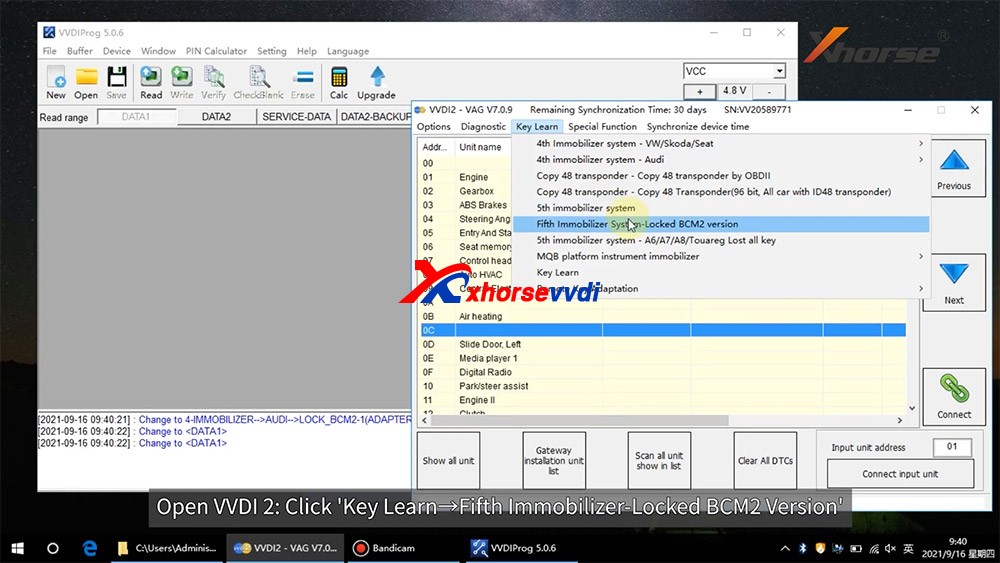
  • Enter 5th immobizer system learn key.

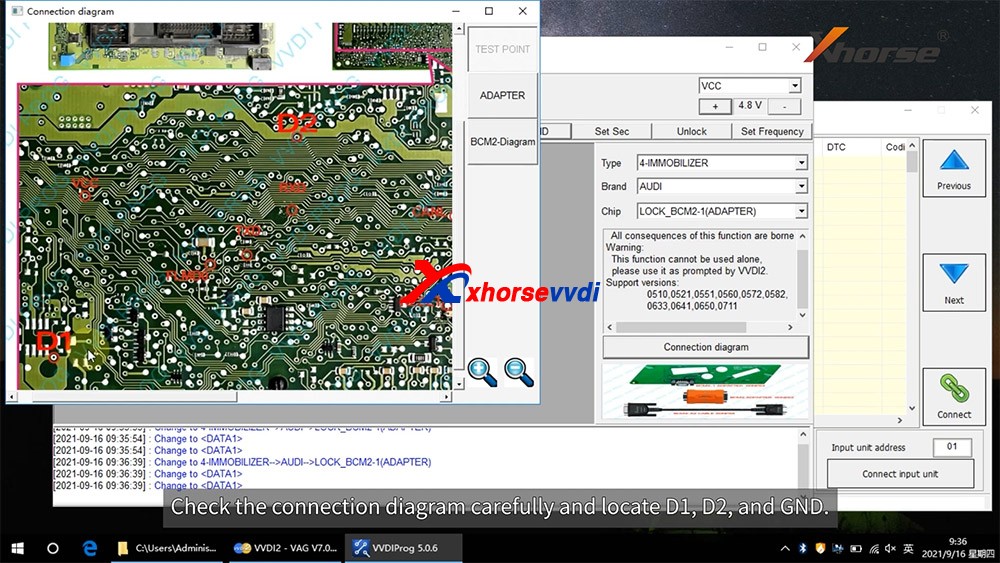
How to connect AUDI BCM2 Adapter with VVDI 2 & VVDI PROG 02
How to connect AUDI BCM2 Adapter with VVDI 2 & VVDI PROG 03
How to connect AUDI BCM2 Adapter with VVDI 2 & VVDI PROG 04
How to connect AUDI BCM2 Adapter with VVDI 2 & VVDI PROG 05
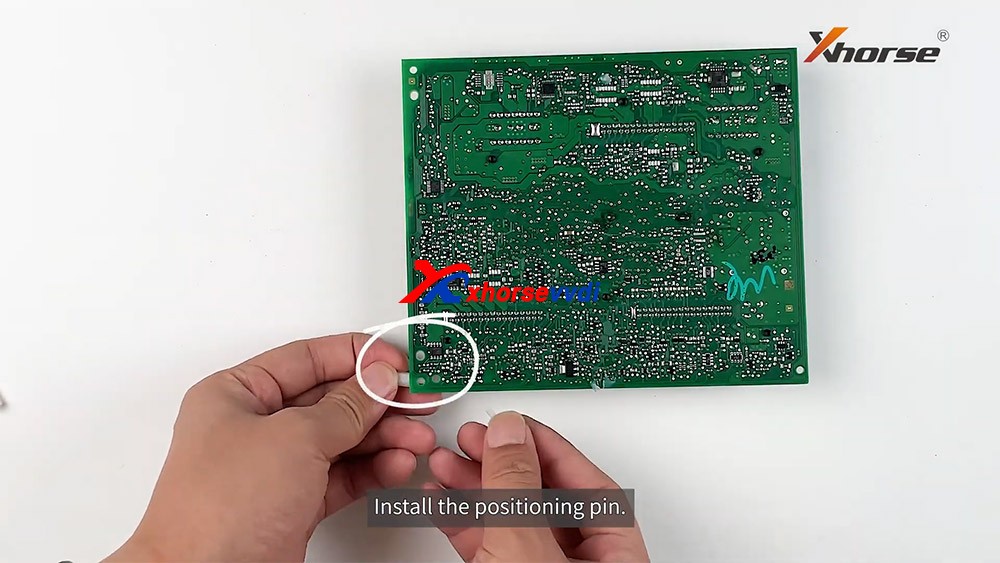
How to connect AUDI BCM2 Adapter with VVDI 2 & VVDI PROG 06
How to connect AUDI BCM2 Adapter with VVDI 2 & VVDI PROG 07
How to connect AUDI BCM2 Adapter with VVDI 2 & VVDI PROG 08
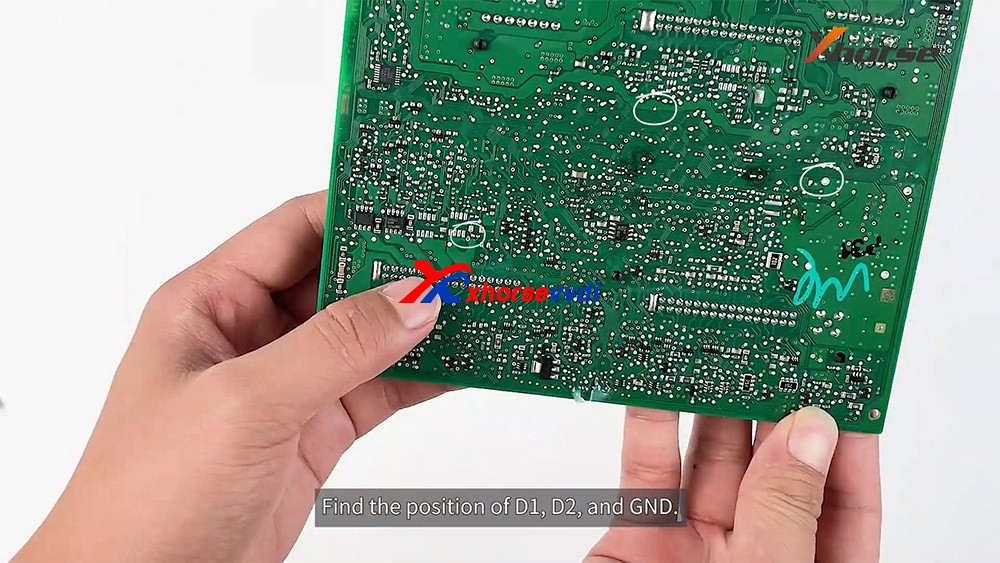
How to connect AUDI BCM2 Adapter with VVDI 2 & VVDI PROG 09
How to connect AUDI BCM2 Adapter with VVDI 2 & VVDI PROG 10
How to connect AUDI BCM2 Adapter with VVDI 2 & VVDI PROG 11
How to connect AUDI BCM2 Adapter with VVDI 2 & VVDI PROG 12
How to connect AUDI BCM2 Adapter with VVDI 2 & VVDI PROG 13

Enjoy!

http://blog.xhorsevvdi.com/how-to-use-xhorse-audi-bcm2-adapter-with-vvdi-prog-vvdi2/

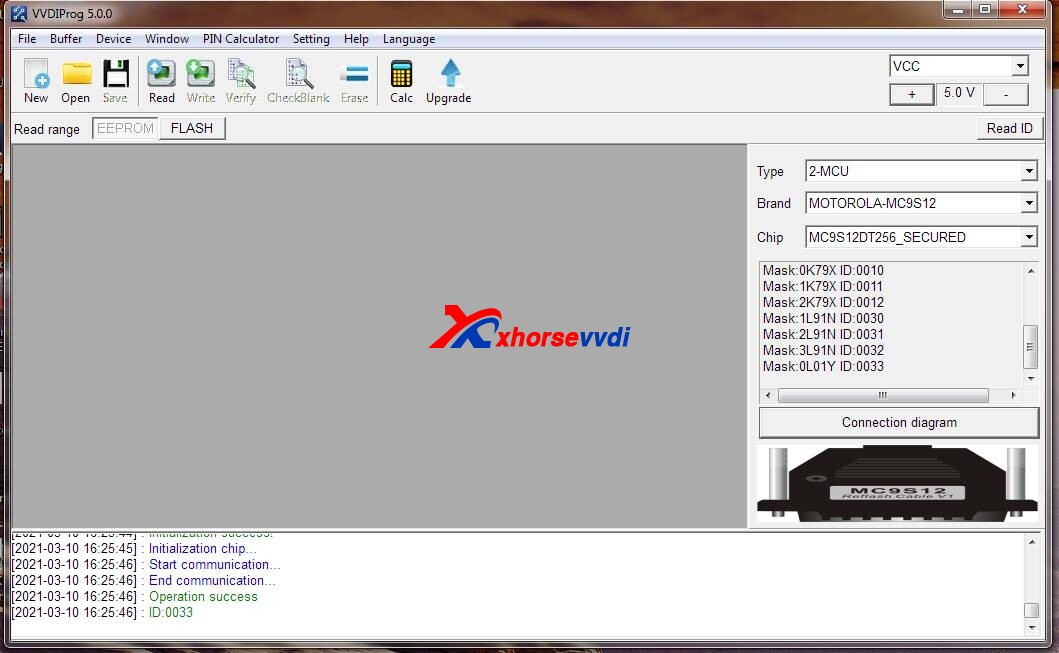
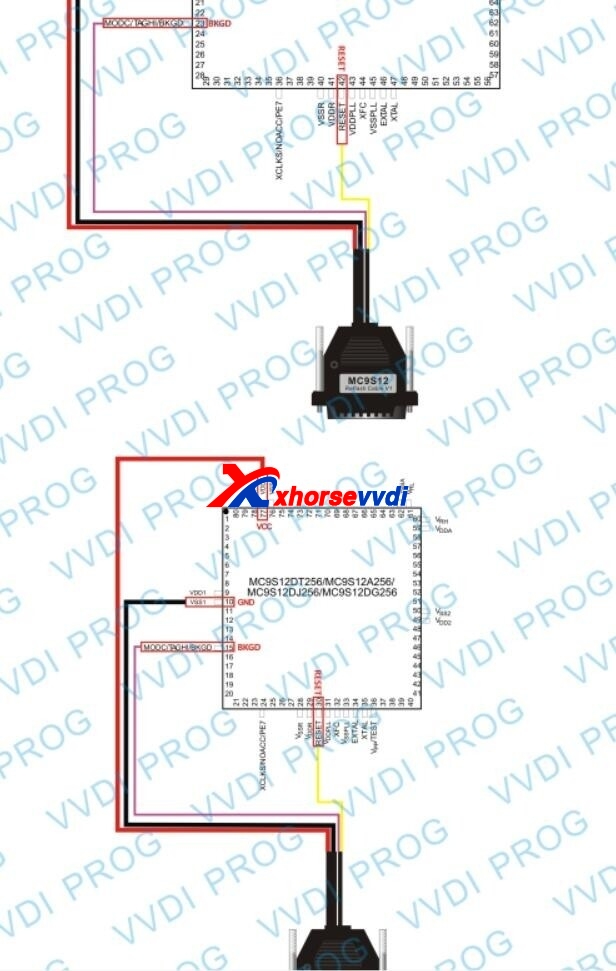
Xhorse VVDI Prog Read MC9S12DT256 secured connection diagram

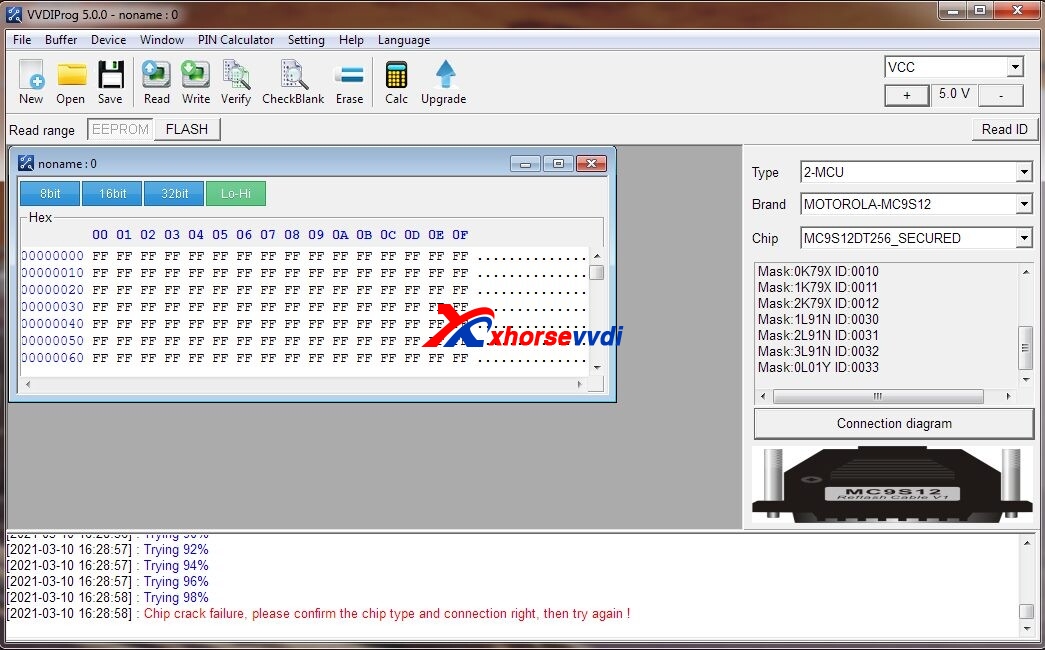
Question: Have Mercedes Benz Vito EZS, I need to read MC9S12DT256 secured with VVDI Prog but it is not possible because it is MB? You need VVDI MB?ID ok but not possible to crack chip.

xhorse-vvdi-prog-read-mc9s12dt256-secured-connection-diagram-01
xhorse-vvdi-prog-read-mc9s12dt256-secured-connection-diagram-02

Answer:

100% that you can read these without issue. Bad connection or bad chip, please check it.

This is the correct connection diagram:

xhorse-vvdi-prog-read-mc9s12dt256-secured-connection-diagram-03

Enjoy!

Any question, please feel free to contact us:

E-mail:sales@xhorsevvdi.com
Skype: xhorsevvdi.com
Whatsapp: +86-13983756354

Related: 

  1. How does Xhorse VVDI PROG Read BMW 2019 B48 ISN? (15.7)
  2. How does VVDI PROG Read BMW 440i B58 ISN? (14.1)
  3. Free Download V4.9.6 VVDI Prog Software (7.2)
  4. Free Download VVDI Prog 4.6.2 Software (6.3)
  5. Xhorse VVDI PROG V4.9.9 Software Download Free (5.8)

How to solve BMW 535i 2009 DME cannot read ISN?

Car model:

BMW 535i 2009 (CAS4)

Symptom:

The car original DME got damaged I can’t read ISN

Now we have a new set of DME, CAS4 and a working key from a working Series 6 640i 2013.
After fitting all these the dashboard is working fine even central lock, but car can’t start.

Solution:

Even if it starts with wrong VIN in DME and CAS – EGS ISN also need to be corrected. But in that case it will start and won’t go off Parking position, so it will come next.

The easiest option for you is to read ISN from old CAS4 and swap it to new CAS and DME, then you don’t need to bother with gearbox which is never too exciting. Just backup all data, change ISN and VIN in both modules either by VVDI or by uploading here.

First thing to check after you change VIN and ISNs if car crank won’t start – cas dme sync by ISTA.

If it’s CAS4 – not crypted and you can extract ISN. CAS4+ is crypted and you will need working key (which I understood you have) to extract ISN.
Well, I didn’t really understand why you are bothering with new CAS, if you can just swap ISN from your CAS4 to the DME.

Credits to@ g5n14.

Good to know:

Upload old CAS dump or ISN read by VVDI, VIN and DME eeprom to @ sales@VVDIShop.com will be sorted by the tech support.

http://blog.vvdishop.com/

Xhorse VVDI PROG Update to V4.9.5

Xhorse VVDI Prog programmer software updated to V4.9.5 on Aug 24th, 2020.VVDI PROG latest software version V4.9.5 update Detials:

* This version DON’t need update firmware
* Fix RH86 bug
* Fix RH850 Series bugs
+ Add VVDI PROG USER MUNUAL 4.9.5 version in Doc folder
+ Add 24AA025, 24AA1025, 24AA1026 options in<1-EEPROM&FLASH-><MICROCHIP>
+ Add FOTON(MC9S12G128) option in <4-IMMOBILIZER-><BAICMOTOR>
+ Add HC05X32(1D69J) option in <4-IMMOBILIZER-><BENZ>
+ Add 300C-46 option in <4-IMMOBILIZER-><CHRYSLER>
+ Add S350-CONTROL-UNIT-PKE option in <4-IMMOBILIZER-><JMC>
+ Add MAXUS-V80 option in <5-DASHBOARD-><SAICMOTOR>
+ Add CAPTU-AIRBAG option in <7-AIRBAG-><RENAULT>
+ Add VOLVO-AIRBAG(2020) option in <7-AIRBAG-><VOLVO>
+ Add C205-CHAIR-MODULE option in <8-OTHERS-><BENZ>
+ Add FAW-BCM(MPC5603BxLQ) option in <8-OTHERS-><FAW>
+ Add BOYUE-PRO(2020)-PEPS-CONTROLLERoption in <8-OTHERS-><GEELY>
+ Add BOYUE-TIRE-PRESSURE-MODULE option in <8-OTHERS-><GEELY>
+ Add VV5-TAILGATE(2017) option in <8-OTHERS-><GREATWALL>
+ Add RFA-SECURED(SPC560B60L3) option in <8-OTHERS-><LANDROVER>
+ Add MAGOTAN-LEFT-FRONT-DOOR-MODULEoption in <8-OTHERS-><VOLKSWAGEN>
+ Add MAGOTAN-REVERSING-RADAR-MODULE option in <8-OTHERS-><VOLKSWAGEN>Free Download VVDI Prog V4.9.5 Software https://mega.nz/file/9YtlBI5S#6zE5goTjPgoXT56Jz4CluUsb-yef5zxzgSWUK3PcXsw/url

Design a site like this with WordPress.com
Get started