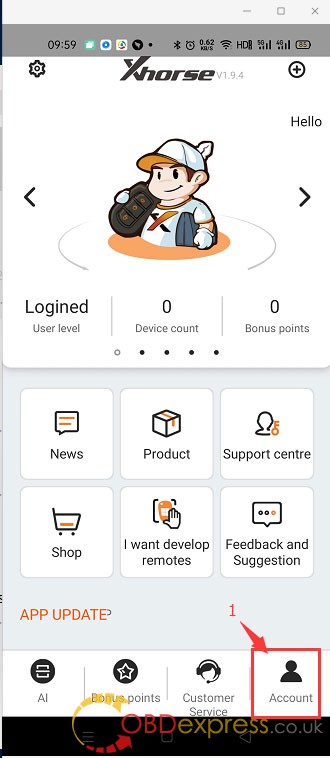
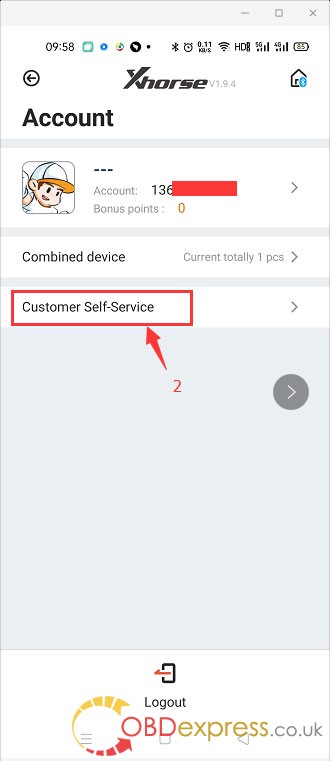
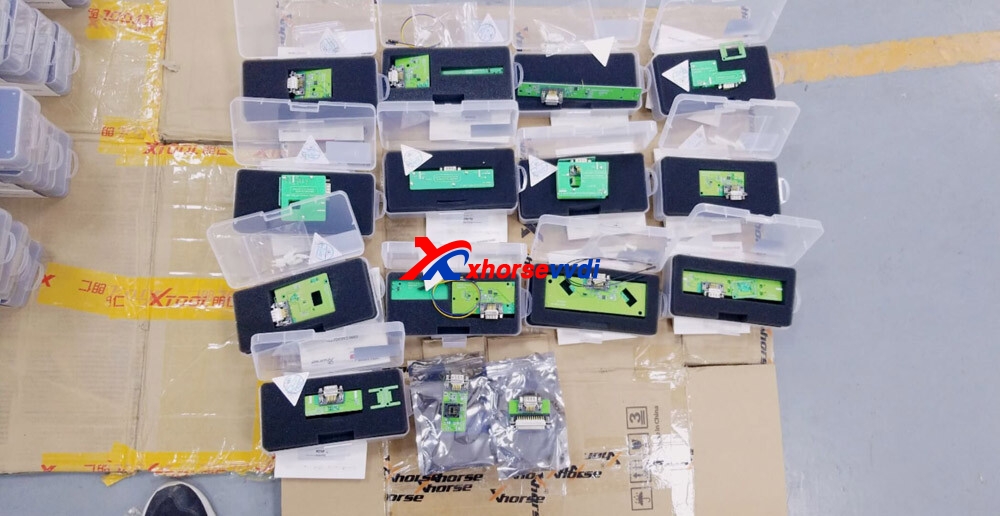
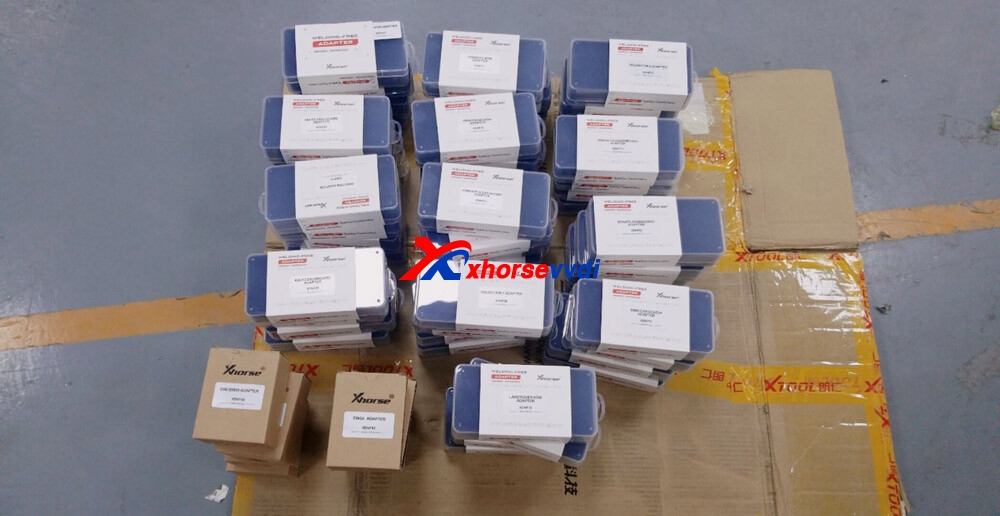
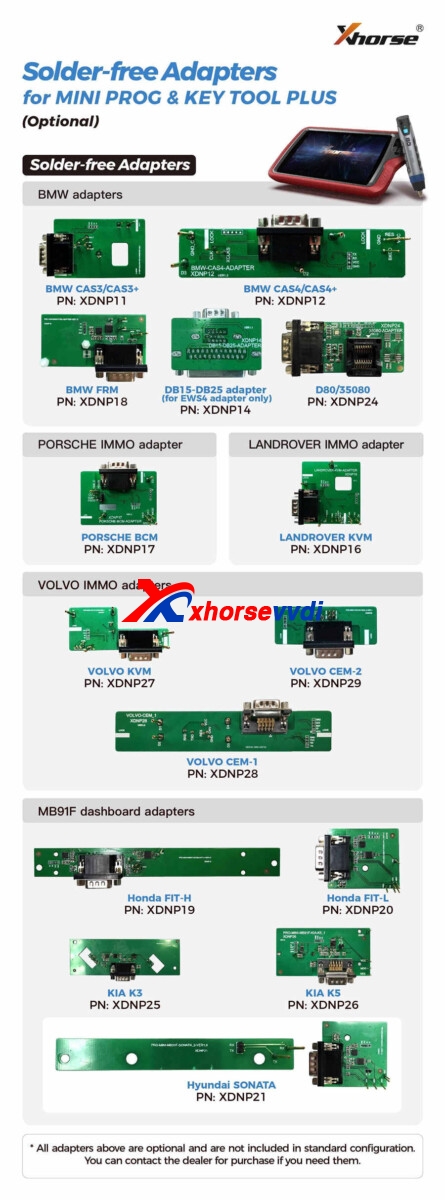
Xhorse Solder-free Adapters, as the name suggest, is used for programming without soldering. This full set includes adapters for BMW, Porsche, Landrover, Volvo adapaters and others. They are compatible with: Xhrose VVDI MINI PROG and VVDI KEY TOOL PLUS.
For some Mercedes-Benz odometer corrections, most are between 2006-2014. As I understood, cars are storing mileage in many modules. IC, EIS, SRS, ESP, etc. The most important thing is EIS. Because if you correct the mileage on the device cluster, the exact value can be read in EIS format (if you have a high value). What equipment should be used to perform the task? What tools can read and write EIS?
What to do next?
I give U my suggestion ( and experience). Use Xhorse VVDI prog programmer for both EIS AND CLUSTER. plus, not set to 0, just set needed mileage in two ecu. With XHorse VVDI Programmer you can read and write the EIS.
Simple instruction:
Go to immobilizer- Benz- and see. It is not obd tool. It is programmer. Need to read memory and make changes. Both – eis and cluster at least.
MB cars for right correction required at least to make changes in 2 ecu – eis and dash(i am not talking about mileage stored in ecu. just basic) and tools like mb vvdi breaks synchronization between it. in real life U can see example EIS -160000 and Dash 180000 after this operation.
w251 EIS is equal w164. plus no universal tool for this kind of work. plus fbs4 cars i have newer tried yet.
For how would you correct the mileage in a w204 with VVDI programmer?
You need other tool. As i said before, no universal tool existing. If i need to do that i could not to make due my equipment – i need to buy something for this.
What about VVDI MB BGA Tool? Is it working?
If vvdi mb could modify eis mileage by ir and bench connection – U can try.
Actually, Xhorse chief engineer says yes, some locks need to backup gateway data to modify mileage, for the details, please refer to the VVDI MB BGA Tool user manual:
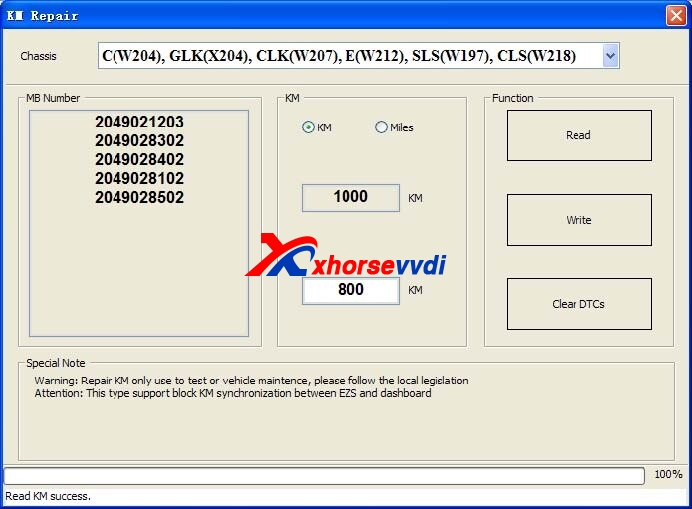
W204, W207, W212…and S-Class(W221), CL(216): If you want block KM synchronization between EZS and dashboard, you need backup CGW(Gateway) EEPROM and FLASH before write KM
For S-Class(W221), CL(216), block KM synchronization require update Gateway FLASH and EEPROM. You can provide the FLASH and EEPROM that you have. If you don’t provide these files. We will use the FALSH and EEPROM from Gateway, only need some time to read it
W166, W172, W246, W231 and W205: these 2 types only support change KM in dashboard. Don’t support block KM synchronization between EZS and dashboard. You can install extra CAN filter yourself or erase EIS
Warning: This function only use for KM repair, please follow the local legislation
How can I use Xhorse VVDI MB BGA Tool to renew/clone EIS for a Mercedes W906?
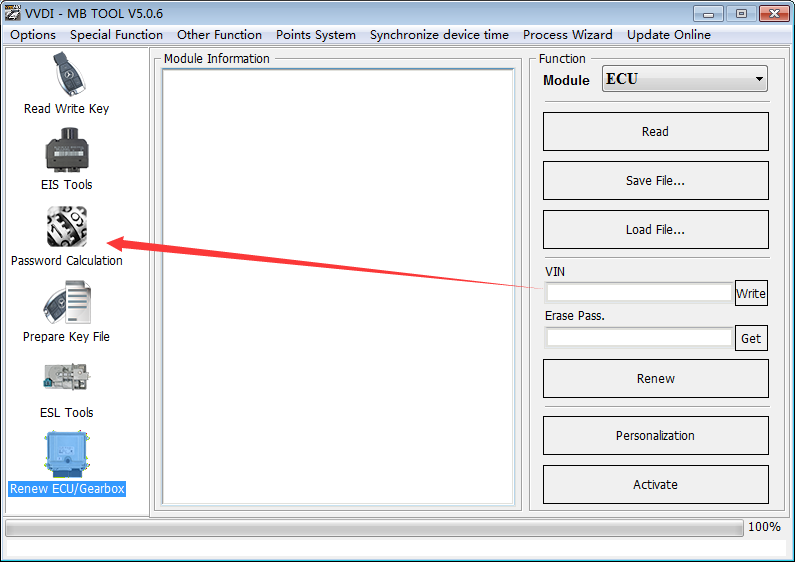
Tips: Start VVDI MB Tool software, use the “Password Calculation” function to get its code.
It means that VVDI MB BGA Tool can renew/clone EIS for the car if it was succeeded to calculate the result; OtherwiseVVDI MB BGA Tool cannot renew/clone EIS for the car if it was failed to calculate.
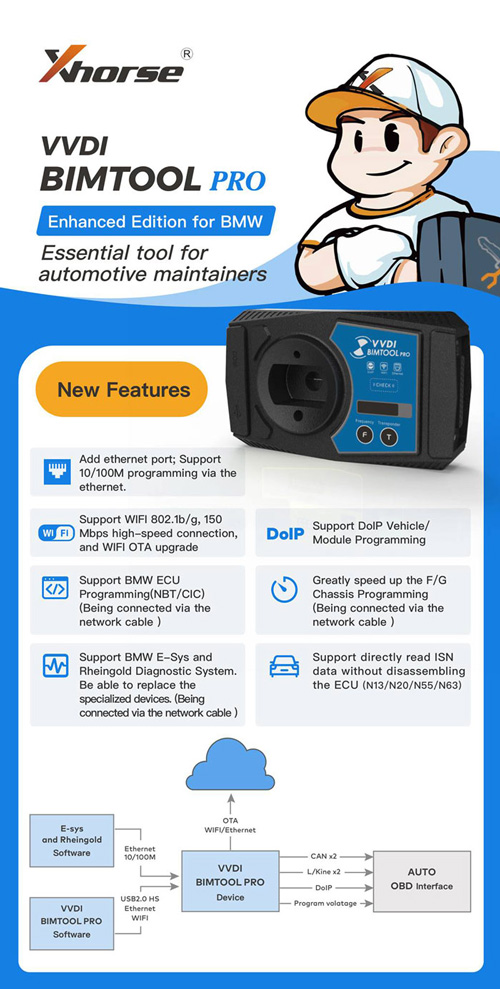
Before continuing reading the following paragraphs on VVDI BMW tool Reviews and using tips by a real user, please be informed: VVDI BMW tool is updated to Xhorse VVDI BIMTOOL PRO, it adds Ethernet port aside of USB port, which will speed up the programming/coding, usually it will only take several minutes to do advanced programming instead of dozens of hours when using the USB cable (When you prepare program/code BMW engineering software, connect the Ethernet cable; When you prepare the simple programming, connect the USB cable is okay.)
VVDI BMW tool works extremely well for E series 1, x1, 3, 5, and x5.
So for those who are thinking of buying one of these VVDI BMW tools. You connect it by ODB in the car, hit connect to gather the basic info on the car, CAS type, key frequency, VIN, bunch of other stuff. Then you should go to the next step, select the protocol which was also told to you after connect. Press “get key info” and hope for the best. If it displays the key info on the screen you are set, select a key slot, and prepare a key. The whole process should take less than 5 mins…if you can get the key data.
What I find odd about the process is how much is done for you, but then some other steps you have to do that would be quite easy for the application to simply do. For example, you load the app and you’re at Cas Info screen with car type set to auto-detect. Press connect and you get a good deal of info, one piece being which protocol to use. Now if you want to go further, you select key learn and for the car type, you should now switch auto-detect to what it said after you connected on the cas info screen. Auto-detect was designed to do a very quick scan and gives you all the answers you may have on the car. But it also knows what protocol to use as it just used it to gather the correct info.
I spent quite a few hours getting connection errors because auto-detect works within seconds to get your info but it won’t connect to read the EEPROM or key info. So when you open the app, hit connect and see what it says for car type. Then move on to the next screen and select that type, then connect again. Now you can get what you want from it. If I could have just one major change (other than it working with all cars as advertised) is to have a forced opening screen which has one button, connect. After it gathers the basic info, it should use that to configure itself to do everything it can without you having to do anything other than choosing a direction.
So now that my rant is over. I do like how fast this unit can make a key. If it worked with all E series cars it would be absolutely amazing. But it d oesn’t.
I have tried the following to make keys: 2006, 07, 08, 09, 11 E90 3 Series – Works 2007 E70 X5 – Works 2009 E88 135i – Works 2007 E60 525i – Works 2009 E60 535xi – Works 2012 E84 X1 – Works 2003 E65 745i – Doesn’t work 2004 E66 745Li – Doesn’t work 2006 E66 750Li – Doesn’t work 2008 E66 760Li – Doesn’t work 2010 F01 750i – Connects, shows basic info – I didn’t try to make a key but I will tomorrow.
ECU work: I’ve tried a number of things with MSV70 and MSV80’s in the car and on the bench, all work no issues.
Transmissions: It says that it can clear and make new the 8HP module. I’ve tested this on the 6HP transmission in the E90 and E65. Those are 6 speed older transmissions and the VVDI read them and was able to clear the units without question. E and F series programming: Loads in and works – can show and clear DTC’s. It can get complicated quick which is much further than I need to go, for now.
For the CAS cable:
I wanted to spend some time and confirm what I’m about to say.
For the CAS cable, they have two versions. Download the manual for the BMW VVDI and check the last few pages to see what the cable should look like inside. If it doesn’t match then you have a version one and you should mod it to match. Once it matches you should take the CAS covers off the cable and make sure that all pins are actually making it to the end of the connector. Mine had a few that were in halfway. Next without a CAS module plugged in, check for +12v on both large cable ends (you can check them all but 2 will do). Mine didn’t have +12v and even under-read, no 12v. I thought that maybe the cable used a switching fet that would apply 12v when you want to read the module, tested that, nothing. I found 12v on the ODB end of the cable, found where 12v from the CAS end comes into the cable, and simply moved the CAS wire over to 12v inside the ODB2 end. With 12v, I can read on the bench.
With a confirmed working cable, now comes the real kick in the ass. I can only read CAS1 on the bench. CAS2 modules from the E series (white case) from 3, 5, X series will read in the car perfectly but won’t read with the cable. So the cable is really a CAS1 bench cable. That should work fine for anyone trying to read CAS1 cars from 2000-2006 that don’t read in the car.
I just pulled the complete wiring harness out of an E90 2011 – I will see what on the CAN bus is needed to make this work on the bench. It will take time but I will have answers.
I had a chance to try the BMW F01 750i today. It uses a CAS4 system and it worked without any issues. The Key was made in under 5 mins.
A BMW 2014 X1 came in with a CAS3++ today, tried to read the information and it said that feature isn’t supported yet but soon. Went to Key learn and it said it had to flash this type of CAS, would take 10 mins. Didn’t really feel confident in that but went for it. Took 10 mins and it was able to make a key after the flash. In order to make a key for this CAS3++, it said it needed a real key to make it work. So you insert the real key into the programmer, then insert the new key and it was able to make it work. All keys lost wasn’t supported.
So for my needs, I needed to cover the E series from 2002 to 2010. So far the only car it won’t read is the BMW 760 E66. I guess they didn’t have one available to test with. I have another 760 coming in a week or two. When that gets here I plan to take a CAS1 from 2003 745 and attempt to change the VIN, KM, and codes to see if I can start the 760. This one 760 I have now has no fob, just the plastic valet key. The unit can read the ECU and basic info from the CAS so it should be possible to mod another CAS to allow the car to start. No harm in trying.
So far I do like the unit. If they would have had a bundle with a set of working cables, full detailed info like CAS1 needs to be read indirectly, I would have paid more to get it all one shot.
All right, one question: Is VVDI BMW a good tool to buy?
The only info you get from Xhorse is that it does it all – no problem. But once in hand, it’s not so simple. You need a host of special cables that they won’t mention until you find yourself stuck. It won’t one-click work as they advertise with all BMW’s.
Once you’ve tried a car, find out what you need to do, and are set up for it, then it’s easy. Buy every cable they offer for it and attachment. Then buy a bunch of spare key fobs and make a bunch of keys. I also intend to remake some of the cables using the real harness out of a junkyard car. The connectors they use are crap.
One more question: downgrade CAS3+, any risk? Many do it on the bench. For making key.
So far using the VVDI BMW tool, CAS3 will work in the car using ODB2. For CAS3++ which seems to be 2012-2017, some will do keys right away while others will require a patch. The patch is applied for you, just make sure your computer and car are plugged into a good power source and let the tool do it’s thing.
I’ve narrowed my trouble with this tool to a few variations of CAS1 units that Xhorse most likely hasn’t come across. For anyone making keys for newer cars from 2012 and up it seems to do it’s job well.
Last but not least, when you have VVDI BIMTOOL PRO, you will have a better user experience than VVDI BMW Tool. Of course, they share the same functions as the above user’s said.
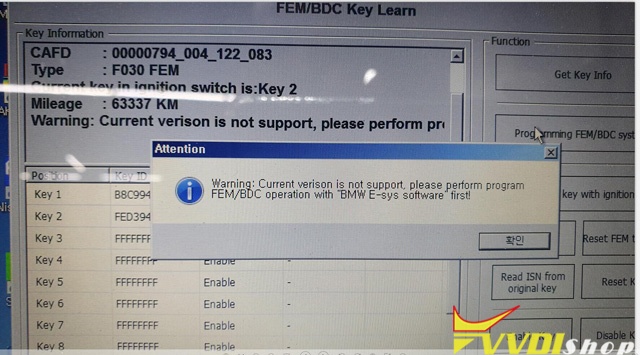
Q: I wanna use VVDI2 to add key for BMW f30 2017 320d, but it shows error “Warning:Current version is not support,please perform program FEM/BDC operation with E-SYS softeware first!”
any ideas?
Solution by VVDISHIO.COM engineer:
VVDI2 can not support BMW f30 FEM, you should E-Sys software from BMW to program FEM.
Or you can use Xhorse new tool – BIMTOOL PRO, it supports BMW E-sys and Rheingold Diagnostic System.
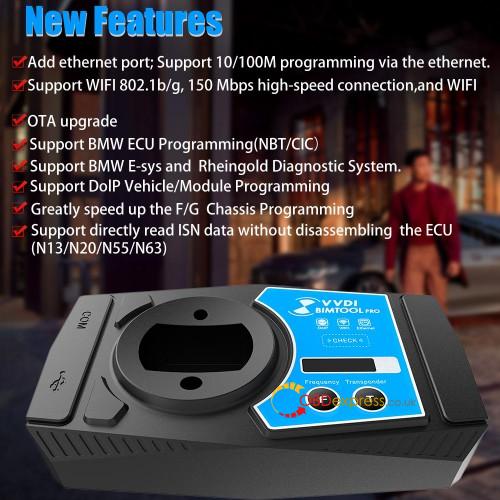
Xhorse VVDI BIM Tool Pro Enhanced Edition is Update Version of VVDI BMW Features Add ethernet port, Support 10/100M programming via Ethernet. Support WIFI 802.1b/g, 150Mbps high-speed connection, and WIFI OTA upgrade Support DoIP Vehicle/Module Programming Support BMW ECU programming (NBT/CIC) (connect via network cable) Greatly speed up the F/G Chassis programming (connect via network cable) Support BMW E-sys and Rheingold Diagnostic System. Able to replace the specialized devices. (connect via network cable) Support directly read ISN data without disassembling the ECU (N13/N20/N55/N63)
 xhorse vvdi key tool max