Xhorse VVDI MB TOOL power adapter FAST do Benz all key lost

This article is about to show you how to reduce Benz W204/W207 password calculation time by VVDI MB Power Adapter when all key lost, as it often takes few hours to give the password. Let’s see the difference during the process of password calculation.
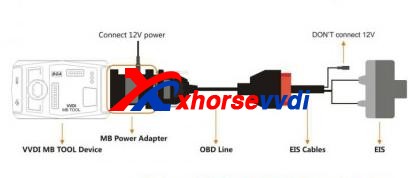
Difference 1.Connection (esp. Power supply)If we have VVDI MB Power Adapter, we connect VVDI MB to OBD line by it, and supply 12V power to the power adapter.
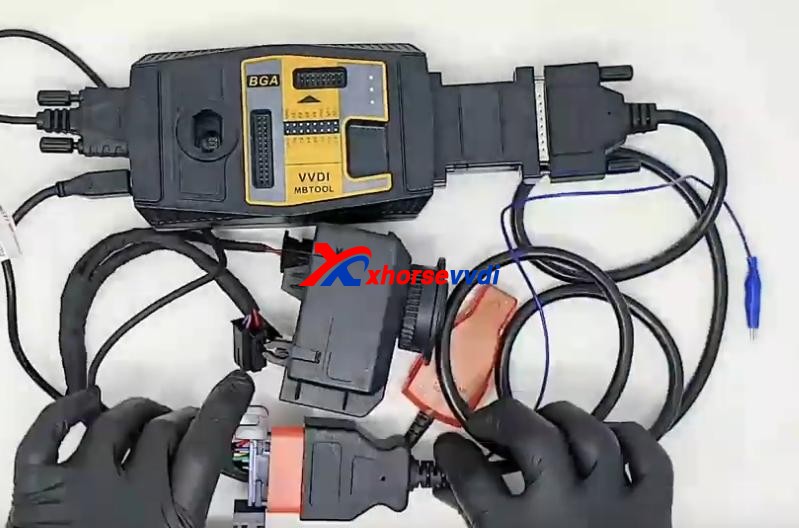
How To Reduce Mercedes Benz W204 W207 Password Calculation Time 1
How To Reduce Mercedes Benz W204 W207 Password Calculation Time 2

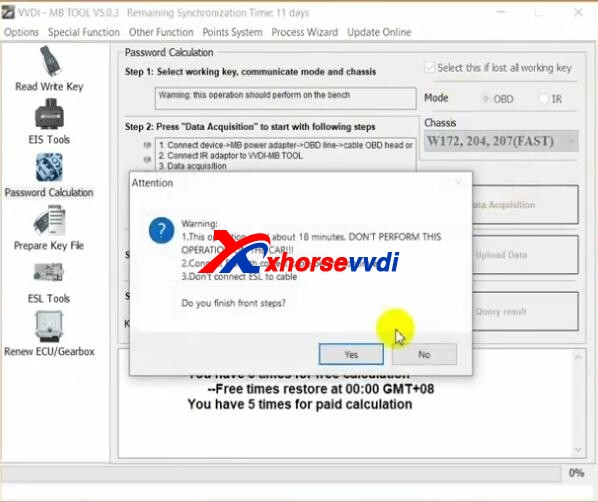
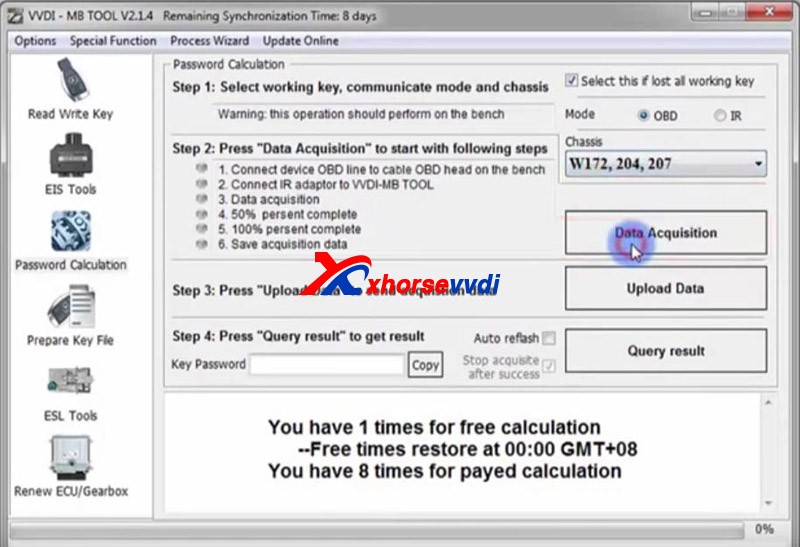
We can also calculate the password without it. Then we directly connect VVDI MB to OBD line, and supply 12V power to EIS test cable.  Difference 2.Mode OptionOn “Password Calculation” page of VVDI MB App,If we have the power adapter, select “W172, 204, 207(FAST)”; If not, select “W172, 204, 207”.
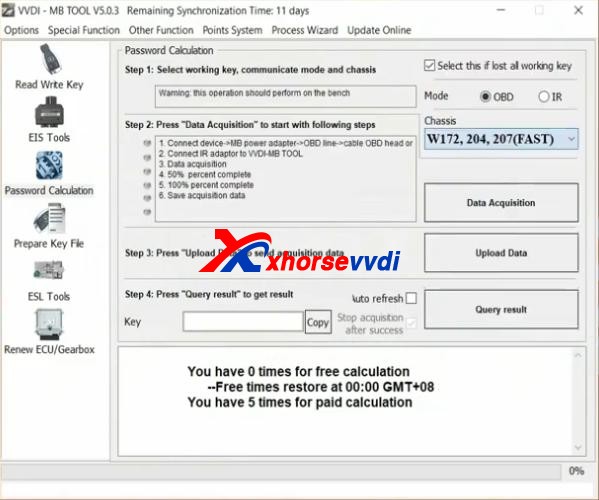
How To Reduce Mercedes Benz W204 W207 Password Calculation Time 3
How To Reduce Mercedes Benz W204 W207 Password Calculation Time 4

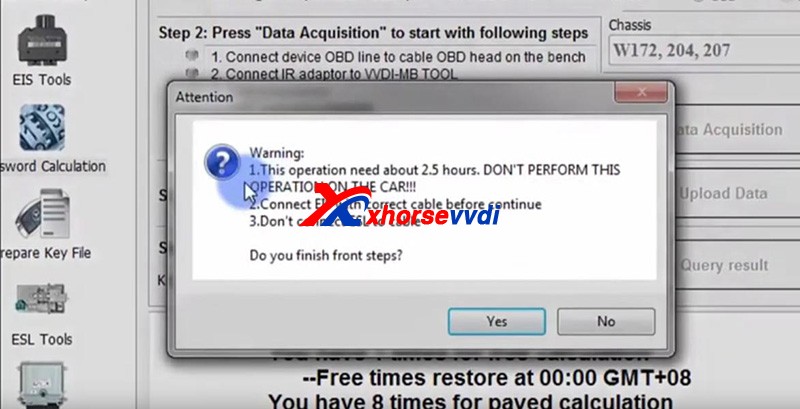
Difference 3.Calculation TimeWe directly calculate password without adapter, and it will be around 2.5 hours; MB Power Adapter could decrease the time to only 18 minutes.
How To Reduce Mercedes Benz W204 W207 Password Calculation Time 5
How To Reduce Mercedes Benz W204 W207 Password Calculation Time 6

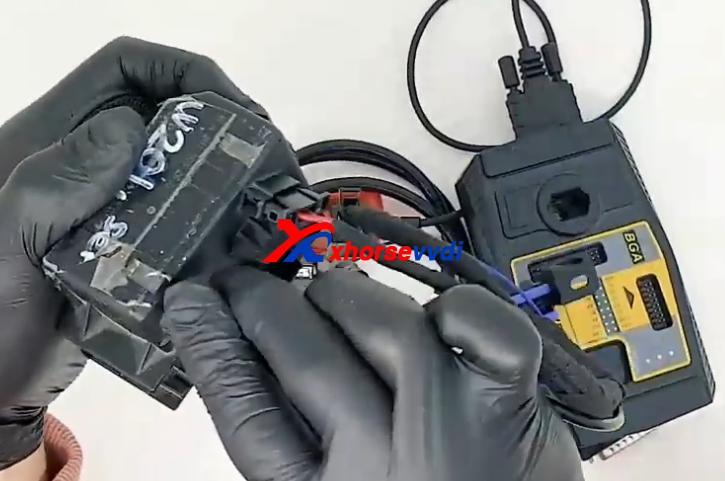
  Complete StepsStep1. Connect test cable to EIS module
How To Reduce Mercedes Benz W204 W207 Password Calculation Time 7

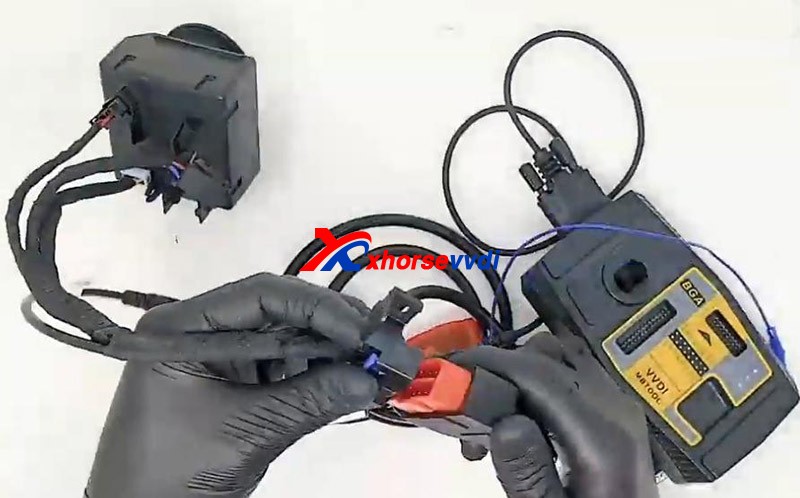
Step 2. Connect test cable to OBD line
How To Reduce Mercedes Benz W204 W207 Password Calculation Time 8

Step 3. Connect VVDI MB to OBD line by power adapter and supply 12V power to power adapterPath on VVDI MB App:

  • Password Calculation>>Check “Select this if lost all working key”>>Mode – “OBD”>>Chassis – “W172, 204, 207(FAST)”>>Data Acquisition>>Save data>>“Upload Data”>>“Query result”

Then we get the password, and don’t forget this function requires VVDI MB Token.
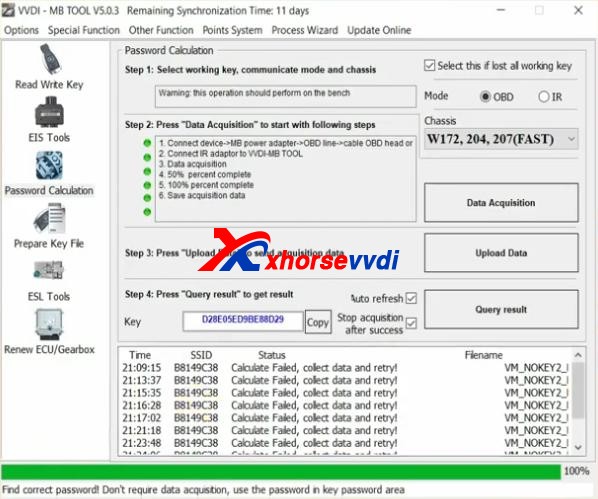
How To Reduce Mercedes Benz W204 W207 Password Calculation Time 9

 VVDI Benz Power Connector has more advantages for different Benz models like No re-plugging in IR adapter and gateway simulator function… Source:http://blog.xhorsevvdi.com/how-to-reduce-mercedes-benz-w204-w207-password-calculation-time/
How to use VVDI MB program ESL for W204

Tutorial of how to use Xhorse VVDI MB program ESL for 09 Mercedes C300 W204  here:

Main Steps:

  1. Calculate the key password
  2. Load the EIS data on the ESL interface and paste the key password.
  3. Tick off “Auto clear TP and personalized” and then click on “Write”, done.

*Except for the calculation of the password, all other steps are operated on the “ESL Tools” interface.

Please program the simulator in the same method of programming the ESL.

When operating on the car, you need to clamp the K-line cable of the ESL. The ESL has a plug connection with four wires on it. Tear the thinnest harness and clamped with the blue clip of the OBD wire before operation. There is no need to clip K-line cable separately on the platform.

Hope it helps!

http://blog.xhorsevvdi.com/vvdi-mb-program-esl-for-09-mercedes-w204/

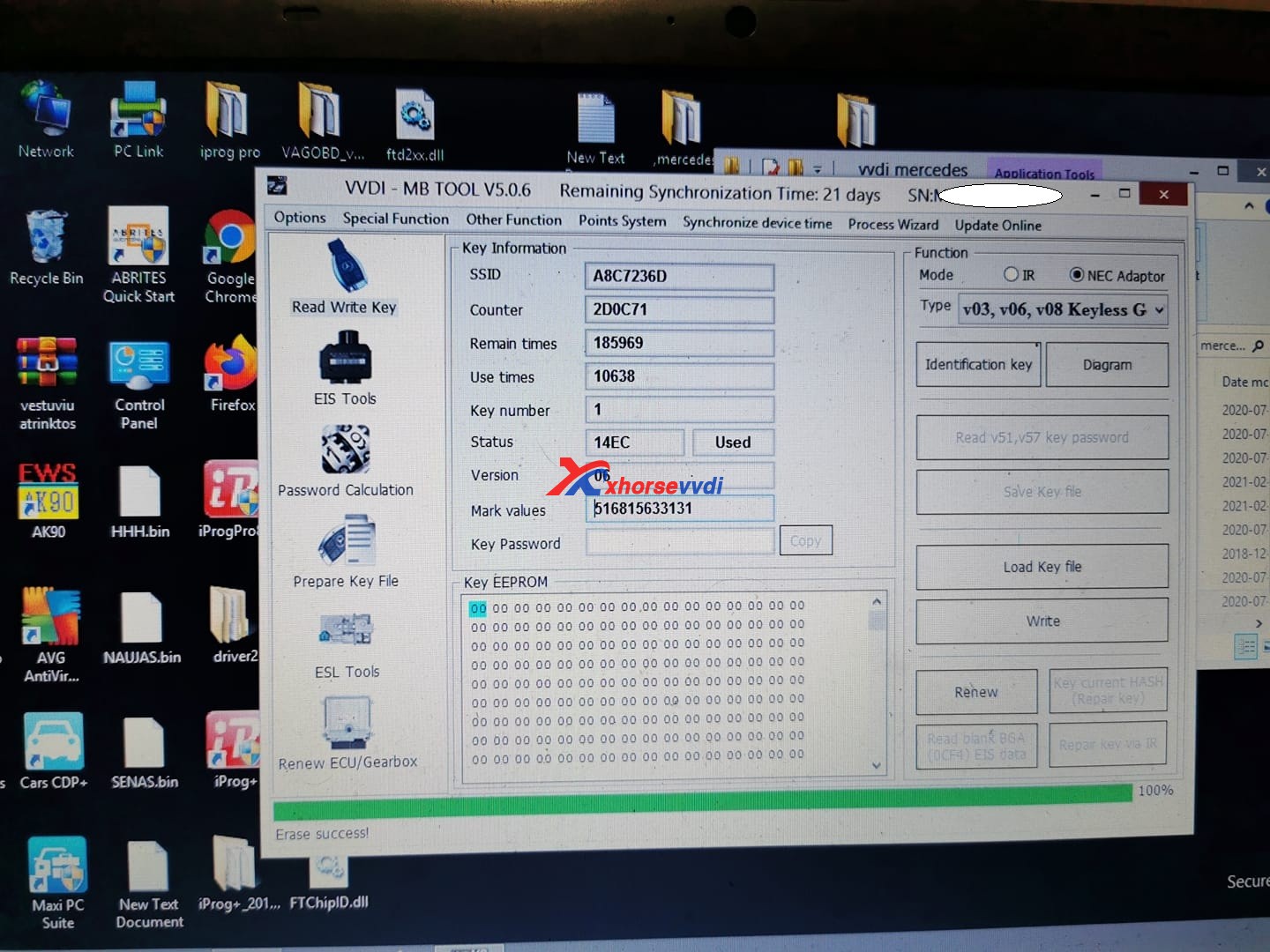
How to identify VVDI MB Tool Key NEC Adapter?

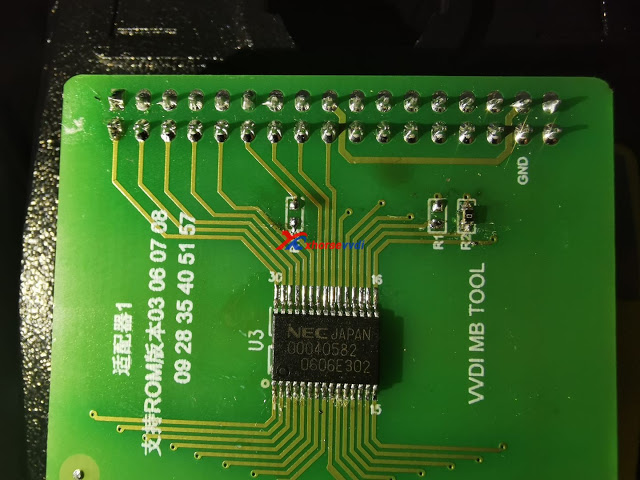
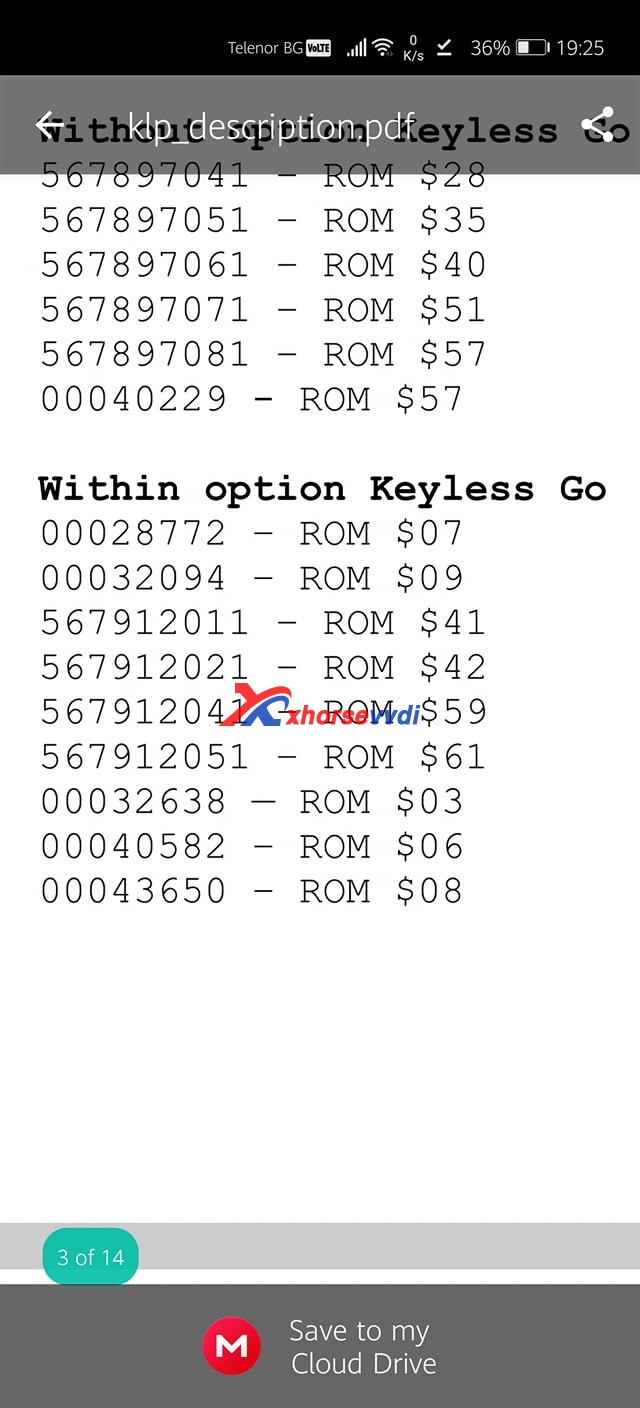
 Question: How to identify this NEC chip? I know its keyless go. But on VVDI MB ? Which one?

identify-nec-chip-vvdi-mb-tool-01
identify-nec-chip-vvdi-mb-tool-02
identify-nec-chip-vvdi-mb-tool-03

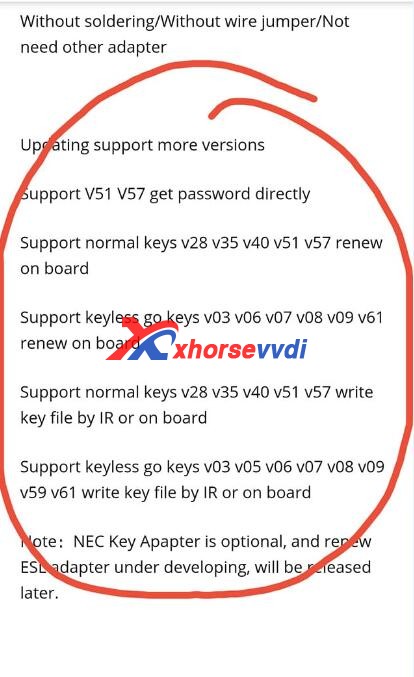
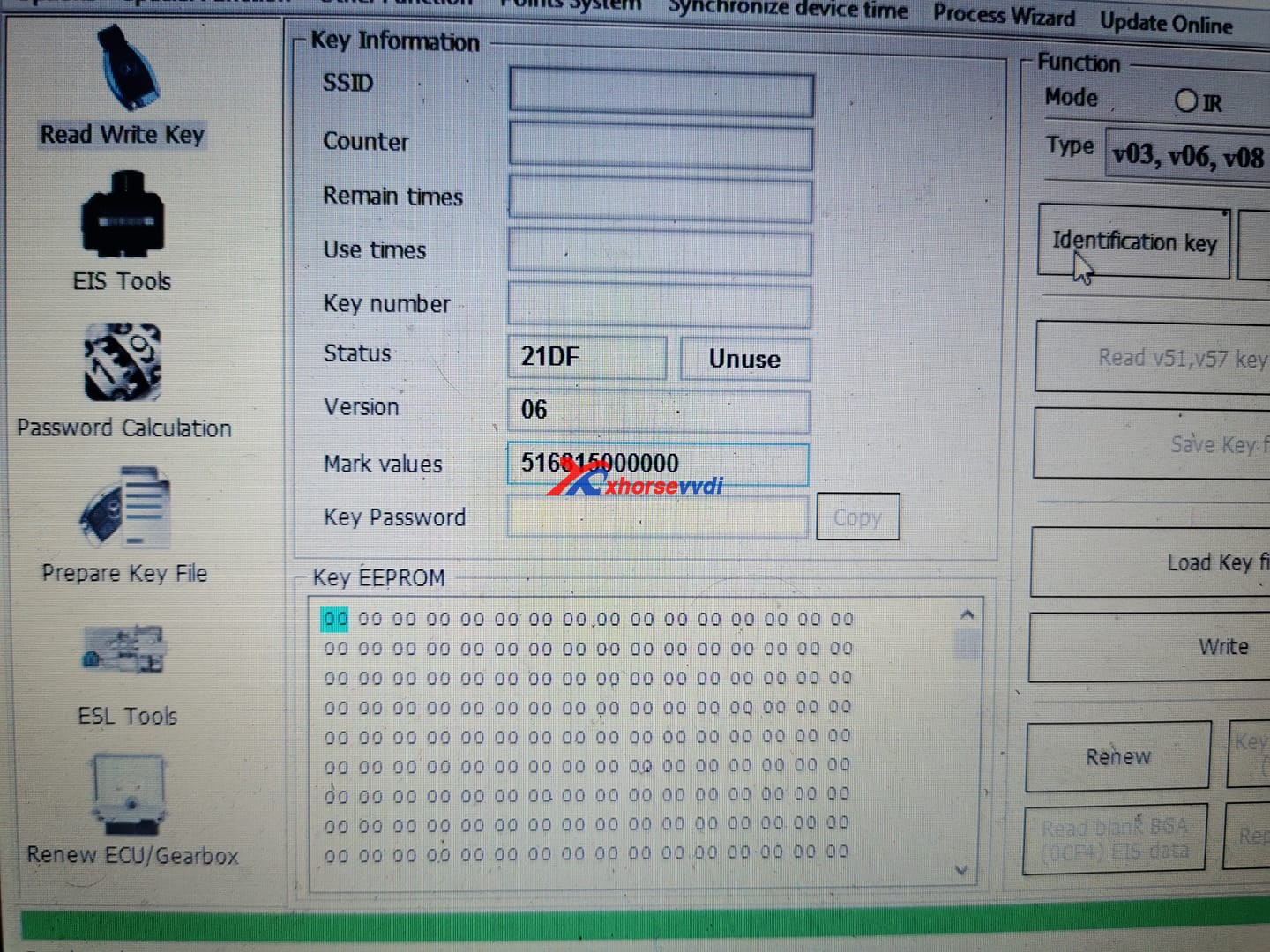
Answer here you can refer to Rom –> version. 031 it is Rom 42 XHORSE vvdi MB can renew and write it.

identify-nec-chip-vvdi-mb-tool-04

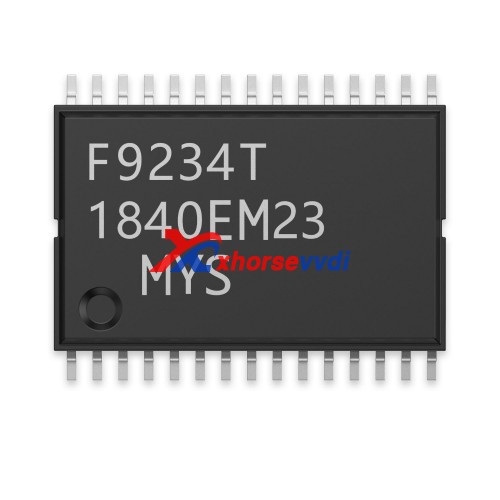
For your information, for the chip on the image 1 board, it is the Transponder Chip for Benz Smart Key Dedicated NEC:

identify-nec-chip-vvdi-mb-tool-05

Source: https://www.xhorsevvdi.com/wholesale/transponder-chip-for-benz-smart-key-dedicated-nec.html

It can only be written once.

Enjoy!

http://blog.xhorsevvdi.com/

Fixed! Program W906 Sprinter with VVDI MB, remote lock unlock not work

Used VVDI MB on a 2008 W906 Sprinter to program BE key, starts & runs. But can’t get remote to lock/unlock. Finally solved by changing the frequency TO 433MHZ. Read the details below.

Car model and year:

2008 W906 Sprinter

Benz key programmer to play with:

VVDI MB

Symptom:

Have managed to program BE key, starts & runs. But can’t get remote to lock/unlock.

Have tried
Insert key into Ign
Remove key
Within 10 secs press & hold the lock button
Press the Unlock button 5 times
Press the boot release button
Release all buttons
Not working

How to do next?

After ignition on, remote work, maybe change frequency to 433MHZ with VVDI.

Finally! Solved!

Now works  433MHZ. Strange tho, the only other working key says frequency is ‘Control frequency by resistance control’ Is an older BE key

Good to know:

With XHORSE BE keys you can change frequency using VVDI MB while other BE usually have a resistor to control frequency. Since your sprinter has an IR EIS – you are not in the US and your frequency will be 434.

http://blog.vvdishop.com/

Design a site like this with WordPress.com
Get started