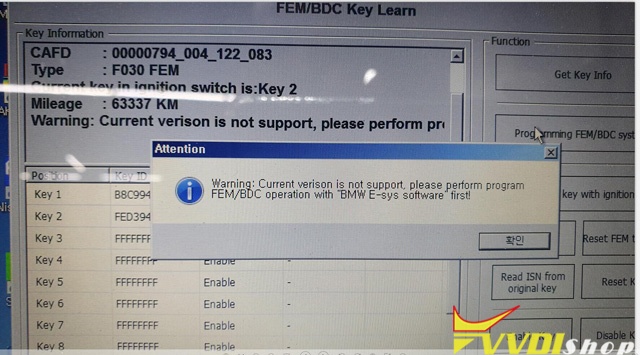
Q: I wanna use VVDI2 to add key for BMW f30 2017 320d, but it shows error “Warning:Current version is not support,please perform program FEM/BDC operation with E-SYS softeware first!”
any ideas?
Solution by VVDISHIO.COM engineer:
VVDI2 can not support BMW f30 FEM, you should E-Sys software from BMW to program FEM.
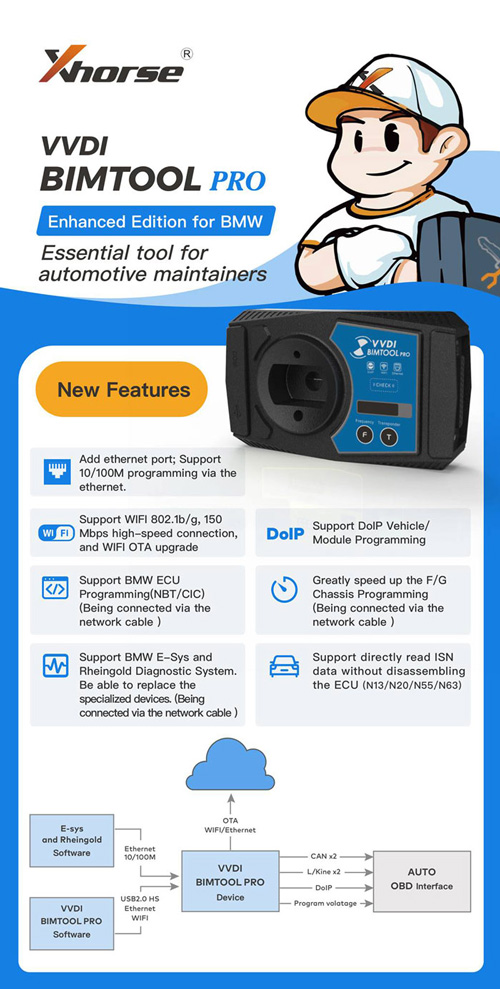
Or you can use Xhorse new tool – BIMTOOL PRO, it supports BMW E-sys and Rheingold Diagnostic System.
Xhorse VVDI BIM Tool Pro Enhanced Edition is Update Version of VVDI BMW
Features
Add ethernet port, Support 10/100M programming via Ethernet.
Support WIFI 802.1b/g, 150Mbps high-speed connection, and WIFI OTA upgrade
Support DoIP Vehicle/Module Programming
Support BMW ECU programming (NBT/CIC) (connect via network cable)
Greatly speed up the F/G Chassis programming (connect via network cable)
Support BMW E-sys and Rheingold Diagnostic System. Able to replace the specialized devices. (connect via network cable)
Support directly read ISN data without disassembling the ECU (N13/N20/N55/N63)
Best offer here:
https://www.vvdishop.com/wholesale/xhorse-vvdi-bim-tool-pro.html
 xhorse vvdi key tool max