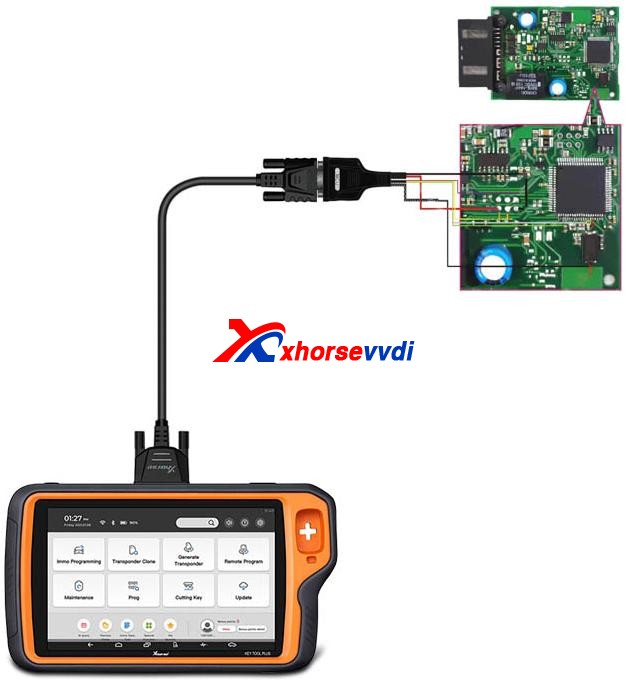
How to use Xhorse VVDI2 Read Audi BCM encryption info

Recently released Xhorse BCM2 Solder-free Adapter allows users to read encrypted Audi BCM2 module, but how to know if it’s a locked version? In this article we’ll raise two ways:

  1. Judge by the number on BCM2 module
  2. Read BCM2 info by VVDI2/Key Tool Plus

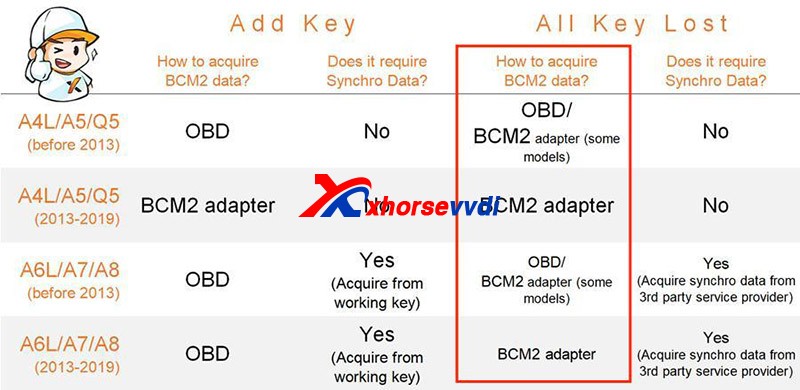
Generally, BCM2 modules before 2013 are unencrypted while those after 2013 are encrypted.
How To Identify An Encrypted Audi Bcm By Xhorse Programmers 1

However, there are exceptions after 2013 and it’s hard to judge 2013 versions.

Then we have

Method 1. Judge by the number on the BCM2 module

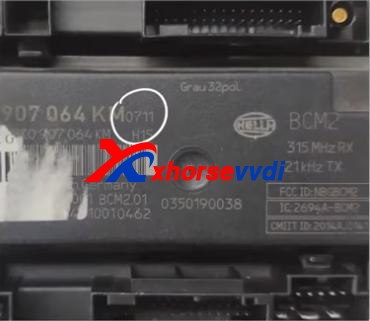
After we remove a BCM2 module, check the number on the box. (Here we have “0711”)
How To Identify An Encrypted Audi Bcm By Xhorse Programmers 2

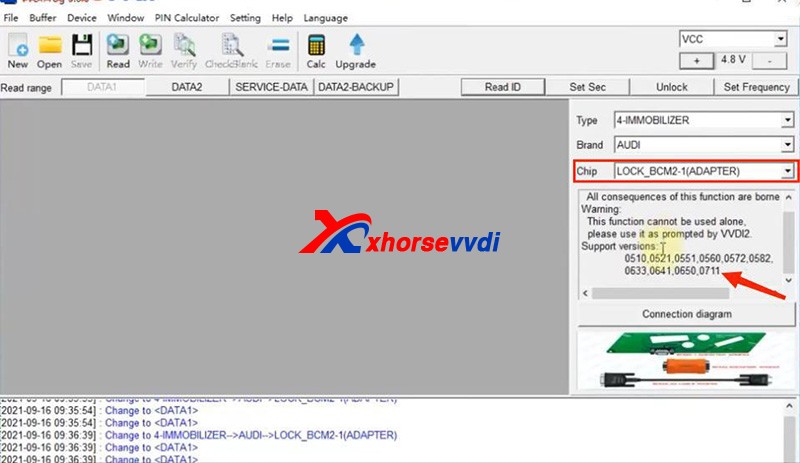
On the chip selection page of VVDI PROG or VVDI Key Tool Plus, supported numbers are listed on the below.
How To Identify An Encrypted Audi Bcm By Xhorse Programmers 3
How To Identify An Encrypted Audi Bcm By Xhorse Programmers 4

If our BCM2 number is on the list, we need to read it by an encrypted BCM2 Adapter.

Notes:

1)VVDI PROG has “LOCK_BCM2-1(ADAPTER)” and “LOCK_BCM2-2(ADAPTER)”

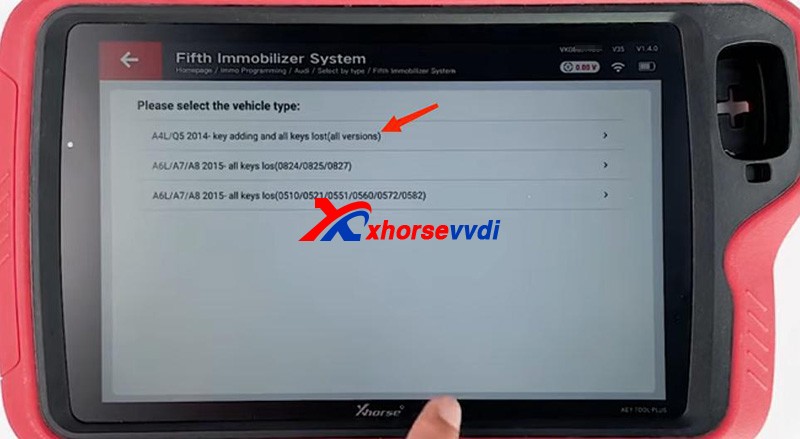
2)For our “0711”, we should select “(all versions)” on Key Tool Plus.

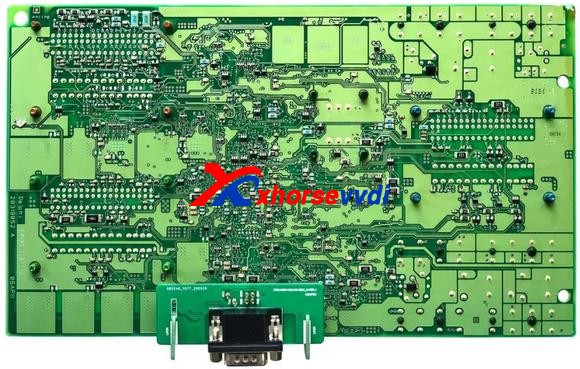
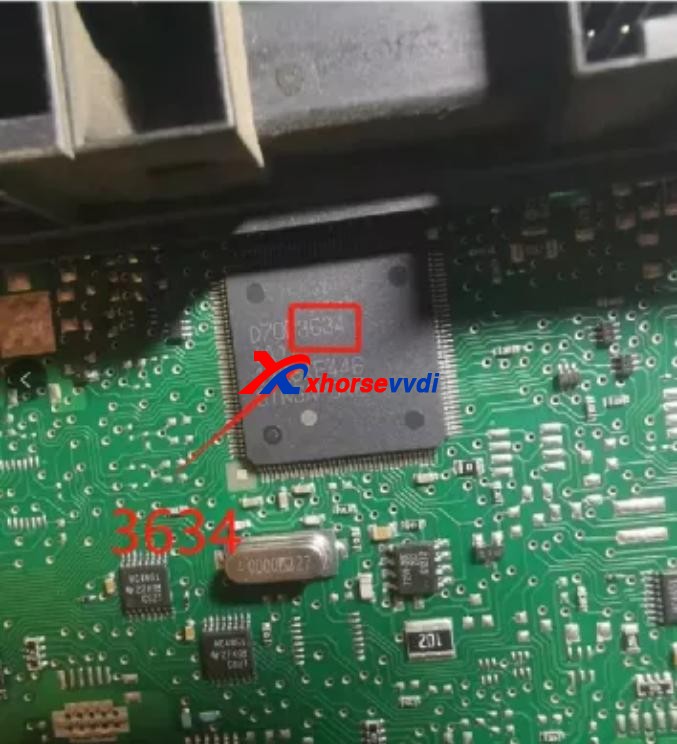
If we cannot find a number on our BCM2 modules, remove the cover to check the number on the chip of the circuit board.
How To Identify An Encrypted Audi Bcm By Xhorse Programmers 5

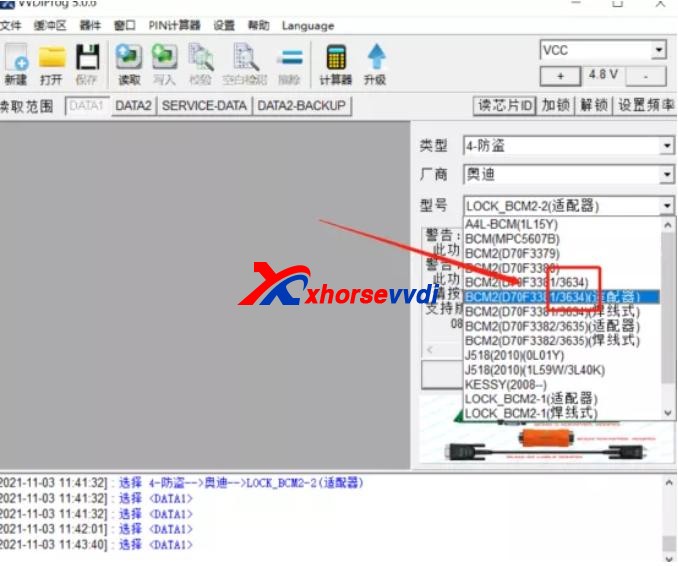
Then see if our number is listed on unencrypted versions.
How To Identify An Encrypted Audi Bcm By Xhorse Programmers 6

If so, read it by the selection prompt (our “3634” is unencrypted and it can be read in a soldering/solder-free way);

If not, Do Not Try to read a unknown-version BCM2 and contact your dealer to confirm.

Method 2. Read BCM2 info by VVDI2/Key Tool Plus

Sometimes we find part of BCM2 modules on the encrypted list are unencrypted, so we have the second way – OBD identify/read.

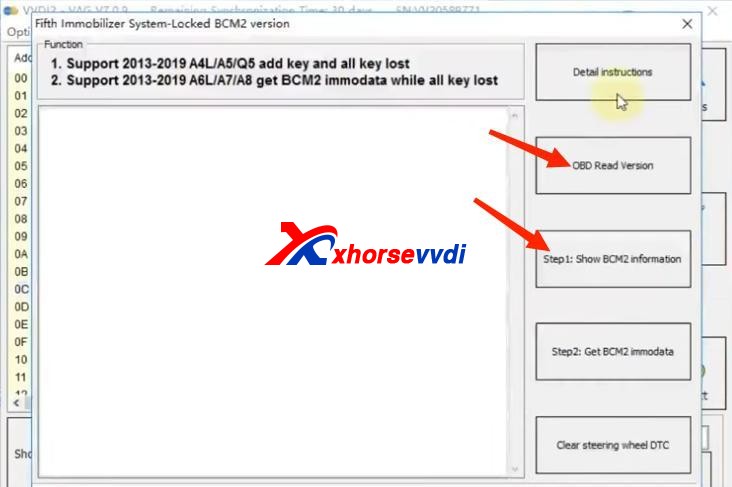
Before We Remove A BCM2 From A Vehicle, connect VVDI2/Key Tool Plus to your vehicle via OBD to check.

Path 1 (on VVDI2):

  • Key Learn>>Fifth Immobilizer-Locked BCM2 version
How To Identify An Encrypted Audi Bcm By Xhorse Programmers 7

Path 2 (on Key Tool Plus):

  • Immo Programming>>Audi>>Select by type>>Fifth Immobilizer System>>Start Programming>>Read BCM2 Data>>OBD identify BCM2 type
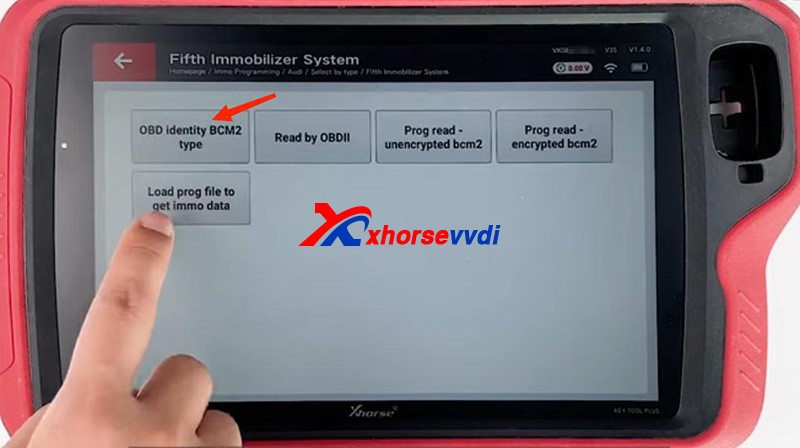
How To Identify An Encrypted Audi Bcm By Xhorse Programmers 8

It’s accurate to read BCM info via OBD, and then follow the instruction:

For unencrypted versions, read D-FLASH and P-FLASH without encrypted BCM2 adapters.

For encrypted versions, Do use encrypted BCM2 adapters.
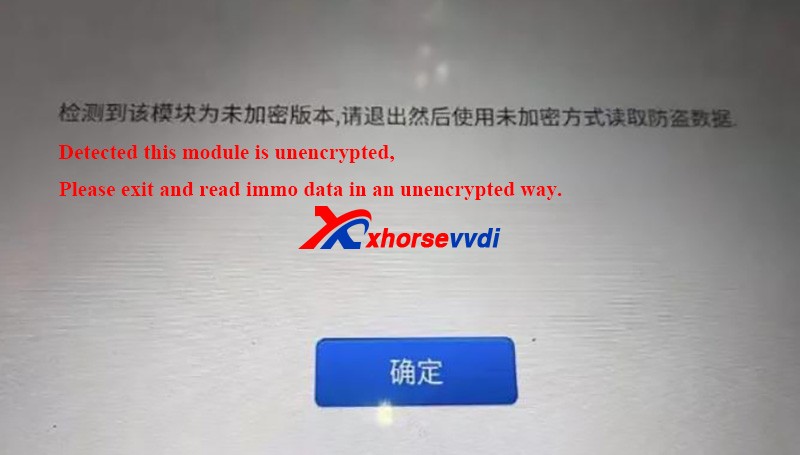
How To Identify An Encrypted Audi Bcm By Xhorse Programmers 9

Other tips

  1. When we read an encrypted BCM2 with VVDI AUDI BCM2 adapters, Do Not click on “Unlock”, or the module will be erased and no way to restore.
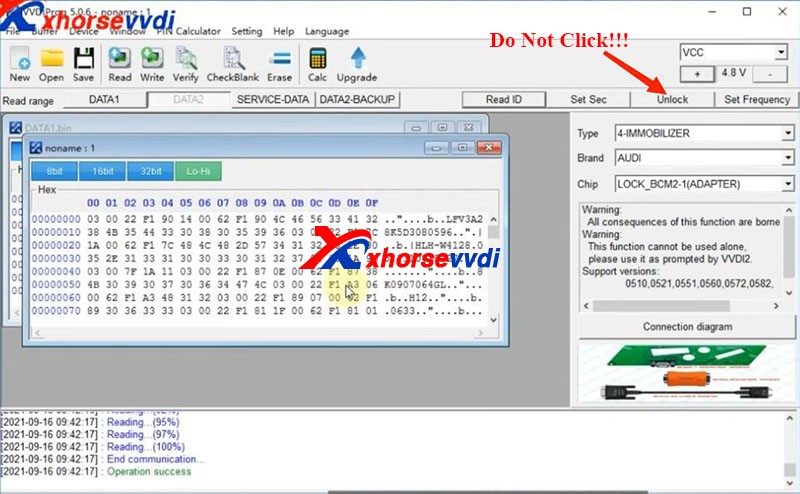
How To Identify An Encrypted Audi Bcm By Xhorse Programmers 10
  1. During removing BCM modules or soldering cables to BCM circuit boards (Particularly in winter), Do care static electricity, which may cause damages to chips or data loss.

Alright, that’s how we identify BCM2 status and some tips during operation.Thanks to xhorsevvdi for making this article: http://blog.xhorsevvdi.com/how-to-identify-an-encrypted-audi-bcm-by-xhorse-programmers/
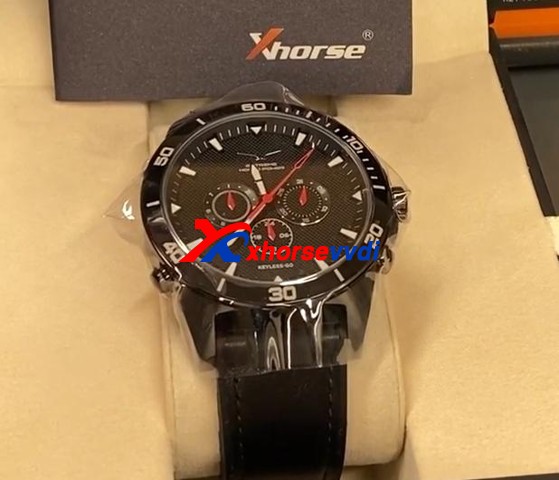
How to use Xhorse SW-007 Smart Watch ?

This is a guide on how to use Xhorse Keylessgo Watch configuration & programming to your vehicle step-by-step.

How To Use Xhorse Keylessgo Watch Smart Remote 1

 SW-007 Keyless go Watch is another Xhorse Universal Smart remote. It can be programmed by your Key Tool Plus, Key Tool Max or even Mini Key Tool. The process is similar to another Xhorse universal key:1)Pick the FCC ID, remote, or your make and model2)Write the configuration into the watch3)Program it to the vehicle by any key programmers you want Here is a complete demonstration for reference:

Part 1. Generate the remoteGo to

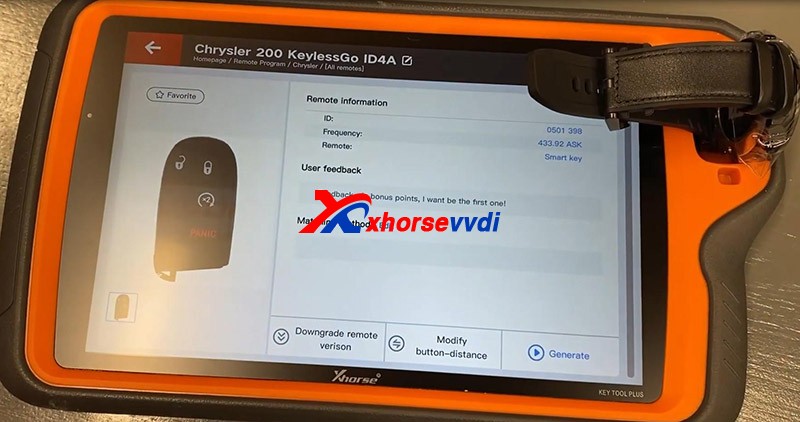
  • Remote Program>>North America>>Chrysler>>[All Remotes]>>Chrysler 200 KeylessGo ID4A

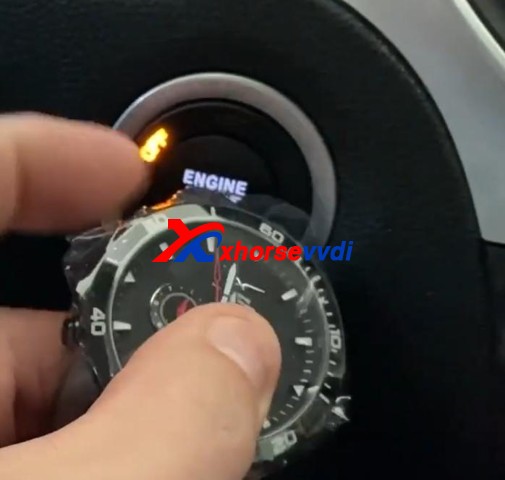
Put your smartwatch into the key coil and press “Generate”.

How To Use Xhorse Keylessgo Watch Smart Remote 2

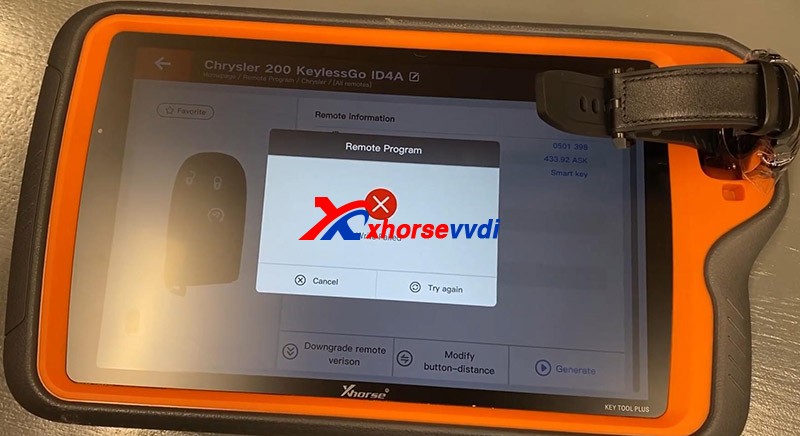
Here if you experience the error “Write Failed”, put your watch slightly deeper so that it could be detected.

How To Use Xhorse Keylessgo Watch Smart Remote 3

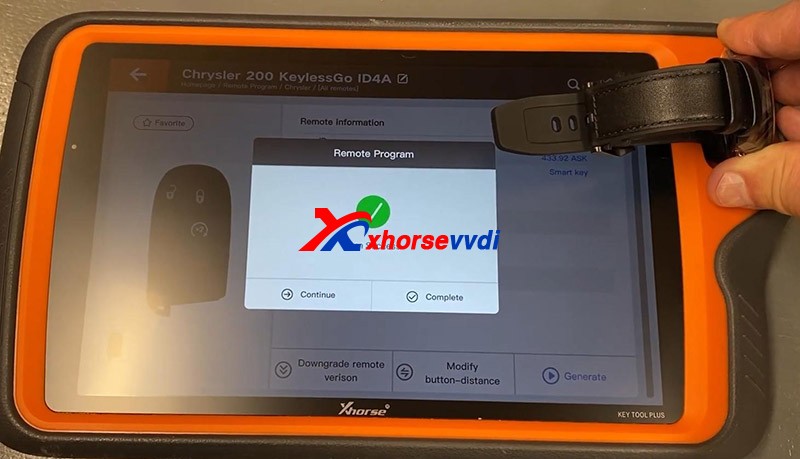
Try again and you should put a slight bit of downward pressure on the watch and it would be done.

How To Use Xhorse Keylessgo Watch Smart Remote 4

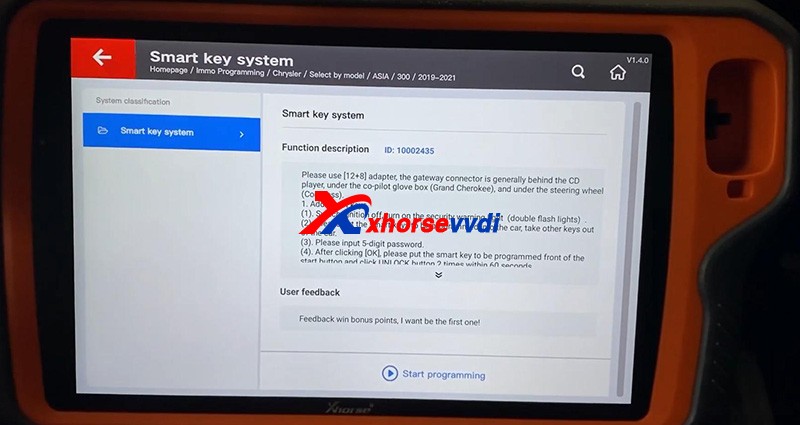
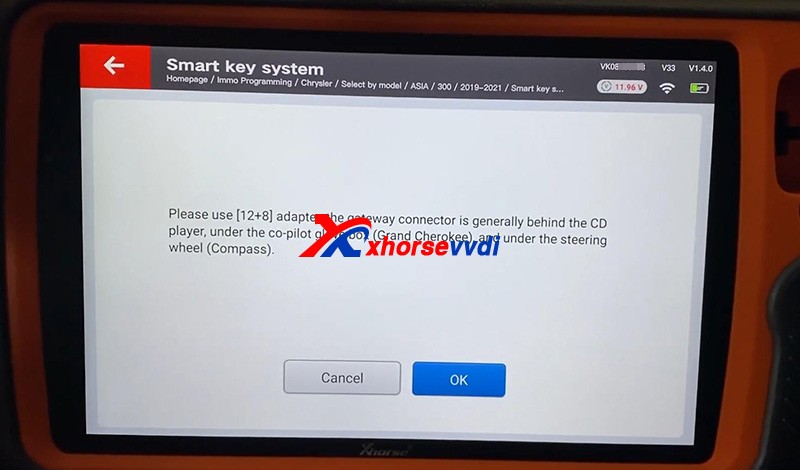
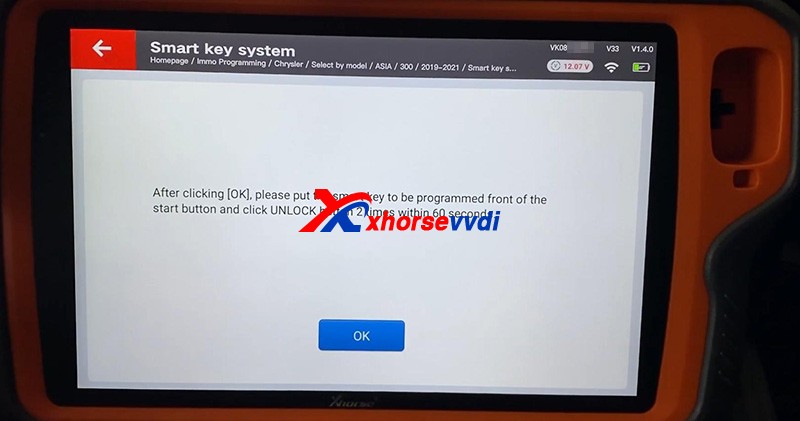
Part 2. Program the immobilizerPlug Key Tool Plus to the vehicle via OBDII, and don’t forget the FCA 12+8 Converter since there is a security gateway in this model.Go to

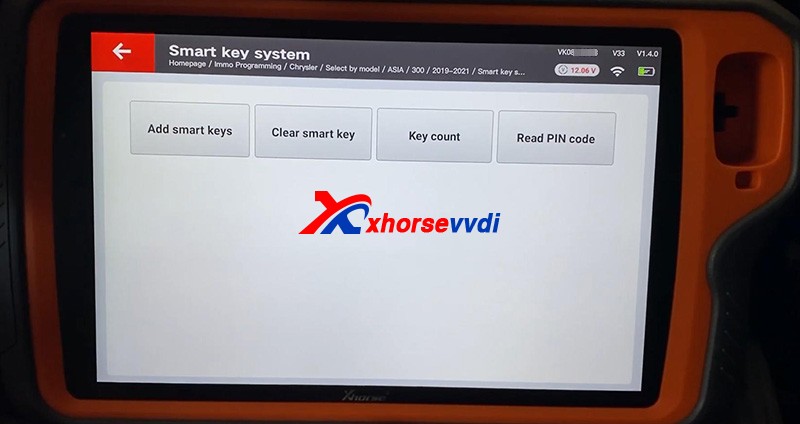
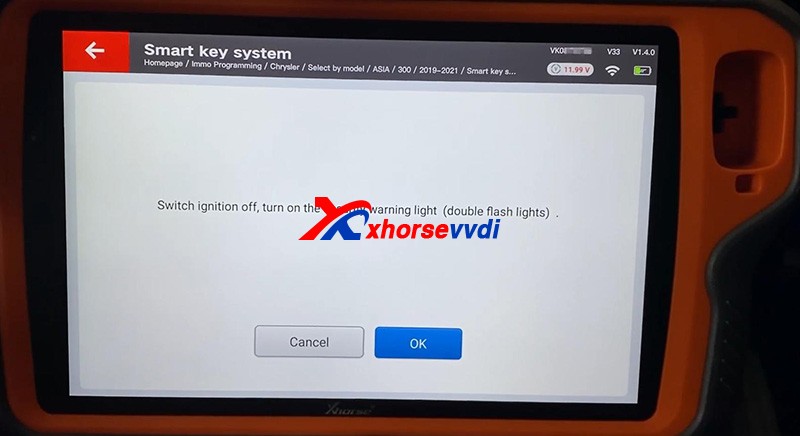
  • Immo Programming>>North America>>Chrysler>>Select by model>>ASIA>>200>>2019-2021>>Smart key system>>Start Programming
How To Use Xhorse Keylessgo Watch Smart Remote 5
How To Use Xhorse Keylessgo Watch Smart Remote 6
How To Use Xhorse Keylessgo Watch Smart Remote 7

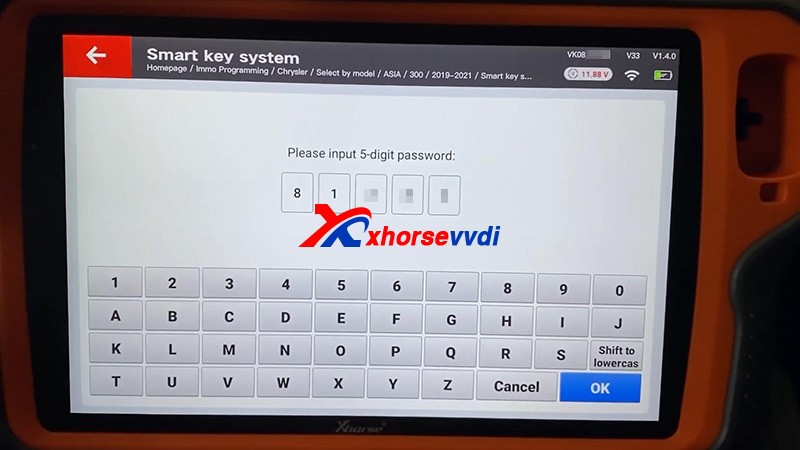
  Check “Key Count” and “Read PIN code”.Then press “Add smart keys”

How To Use Xhorse Keylessgo Watch Smart Remote 8
How To Use Xhorse Keylessgo Watch Smart Remote 9
How To Use Xhorse Keylessgo Watch Smart Remote 10
How To Use Xhorse Keylessgo Watch Smart Remote 11

   If it prompts “Fail”, try if the watch could work first.Start the vehicle, no problem.

How To Use Xhorse Keylessgo Watch Smart Remote 12

Done!That’s how to use Xhorse SW-007 Smart Watch. Thanks to xhorsevvdi for making this tutorial :http://blog.xhorsevvdi.com/how-to-use-xhorse-keylessgo-watch-smart-remote/

Custom key blanks with Xhorse CONDOR XC-MINI PLUS Ⅱ Engraving Machine

Too many keys, hard to classify, would like a Key with unique design?
Luckily, Xhorse CONDOR XC-MINI PLUS II featuring thte Key Blank Engraving function,allows users to add and delete texts and pictures, resize and turn them to perfectly design a unique Key.

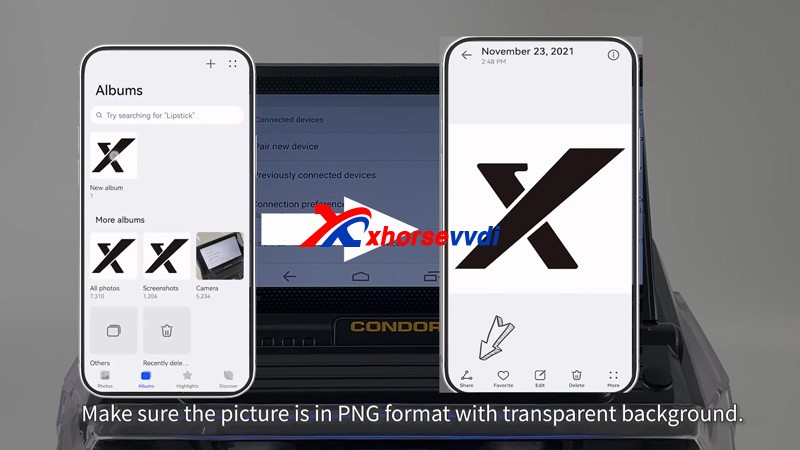
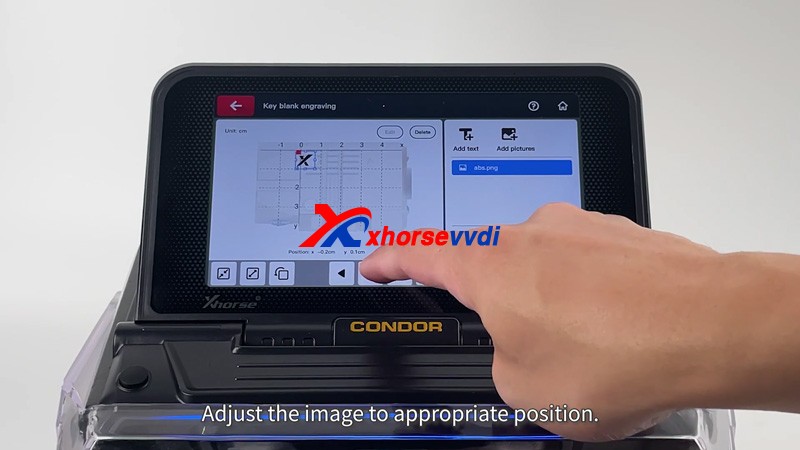
 Today,Xhorsevvdi took an Xhorse’s “ X”  image as an exampleHow to engrave on a key blank with CONDOR XC MINI PLUSⅡ 00

Tips: The image format must be PNG

Procedure:
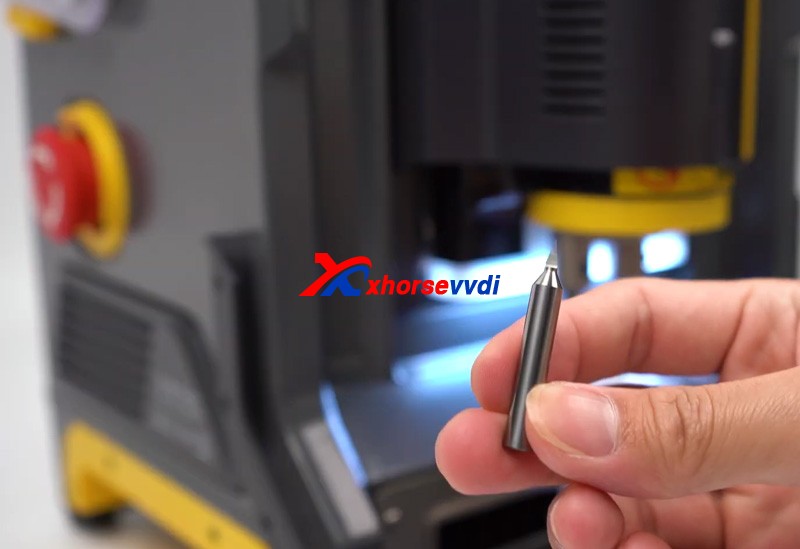
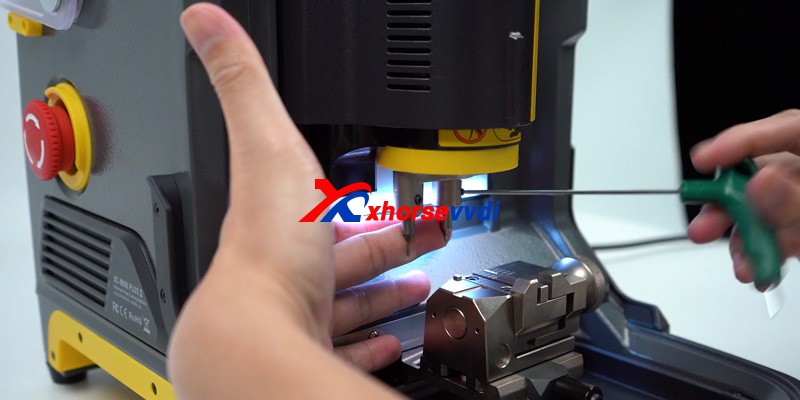
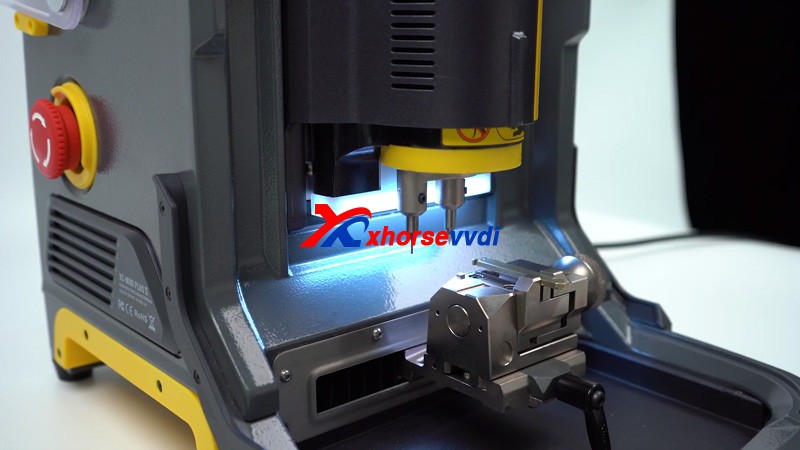
Step 1: Insert the engraving cutter and the key blank
How to engrave on a key blank with CONDOR XC MINI PLUSⅡ 01
How to engrave on a key blank with CONDOR XC MINI PLUSⅡ 02
How to engrave on a key blank with CONDOR XC MINI PLUSⅡ 03
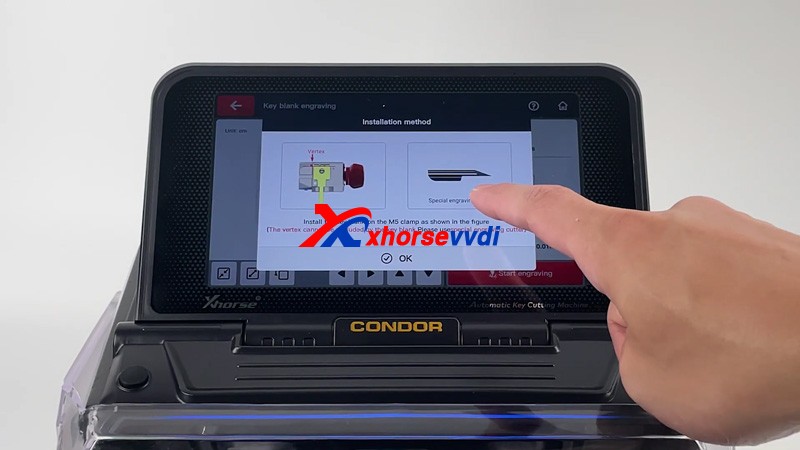
Tips :Engraving cutter and the key blank installation:
How to engrave on a key blank with CONDOR XC MINI PLUSⅡ 04

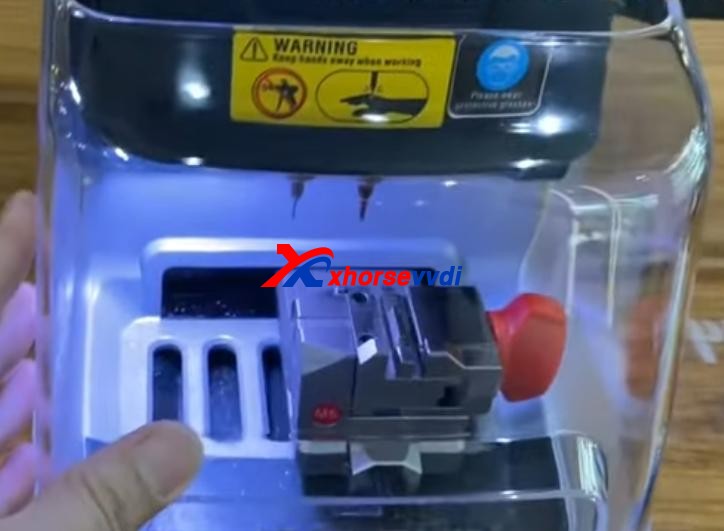
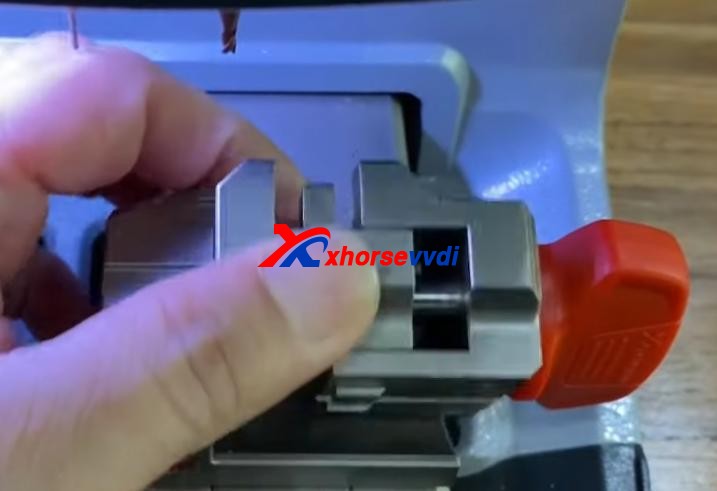
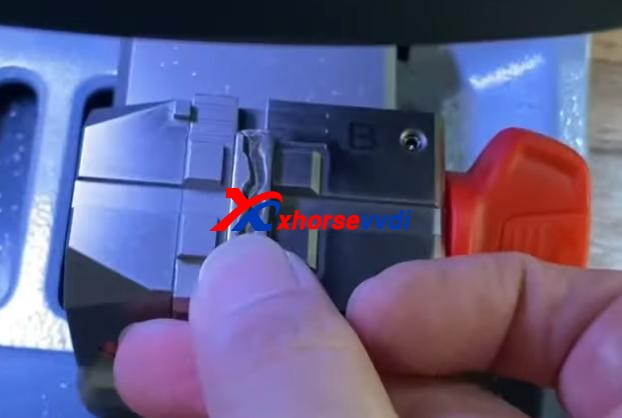
  • Install the key blank on the M5 Clamp as shown in the figure above(The vertex cannot be occluded by the key blank please use a special engraving cutter)

Step 2: Send the picture you want to engrave to the machine
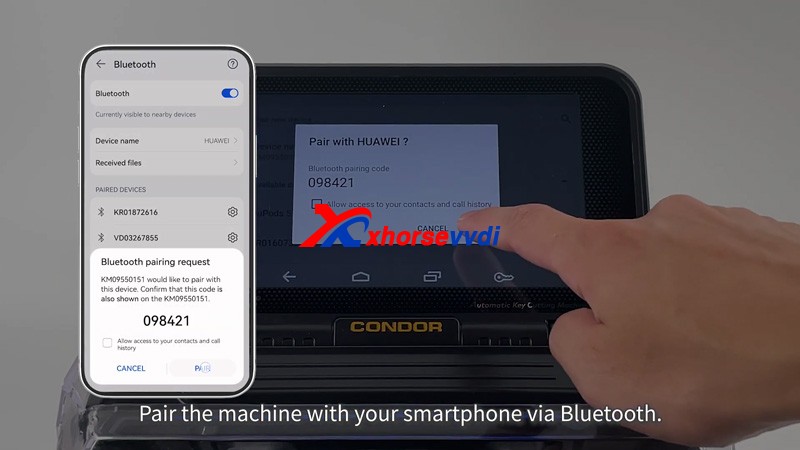
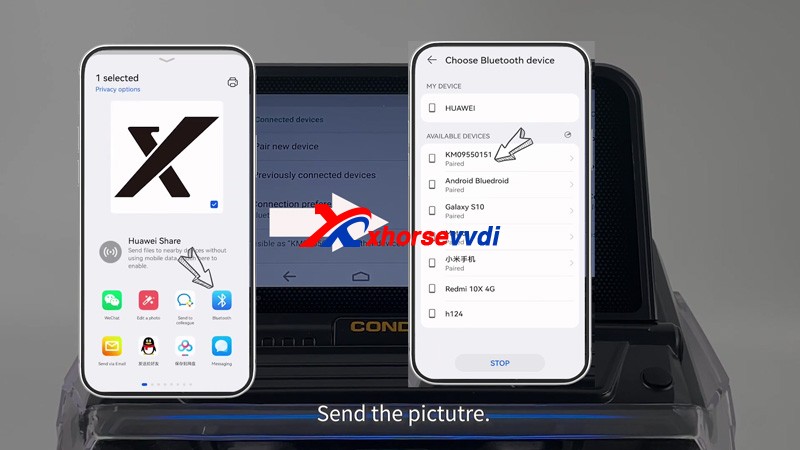
1.Pair the machine with your smartphone via Bluetooth.
How to engrave on a key blank with CONDOR XC MINI PLUSⅡ 05
2.Send the picture 
How to engrave on a key blank with CONDOR XC MINI PLUSⅡ 06
How to engrave on a key blank with CONDOR XC MINI PLUSⅡ 07

Step 3. Choose the picture and start to engrave

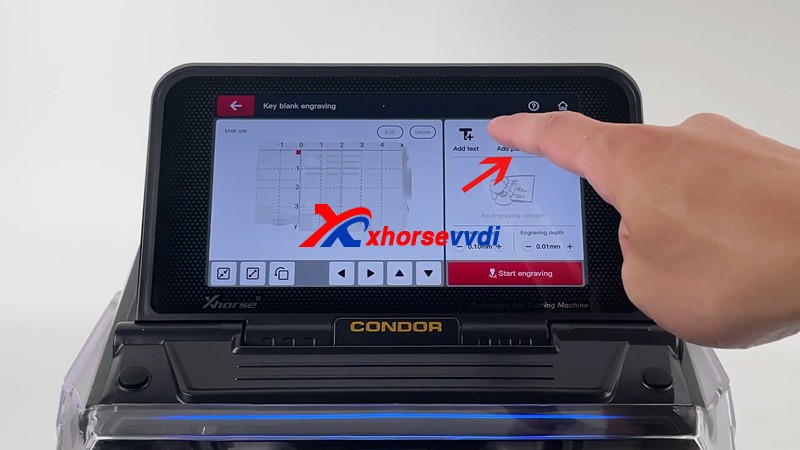
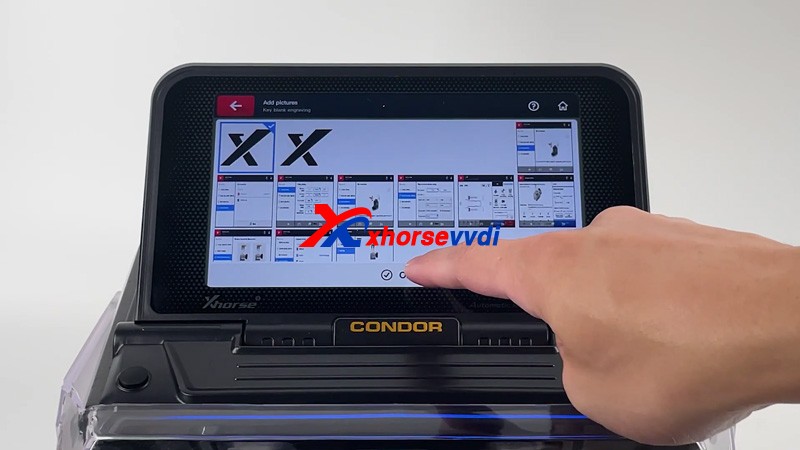
  • Press “HOME” icon >> Click “mini plus II” icon>> Key blank engraving>>add picture>>Choose the picture and press OK>>Adjust the image to appropriate position then press Start engraving

How to engrave on a key blank with CONDOR XC MINI PLUSⅡ 08
How to engrave on a key blank with CONDOR XC MINI PLUSⅡ 09
How to engrave on a key blank with CONDOR XC MINI PLUSⅡ 10

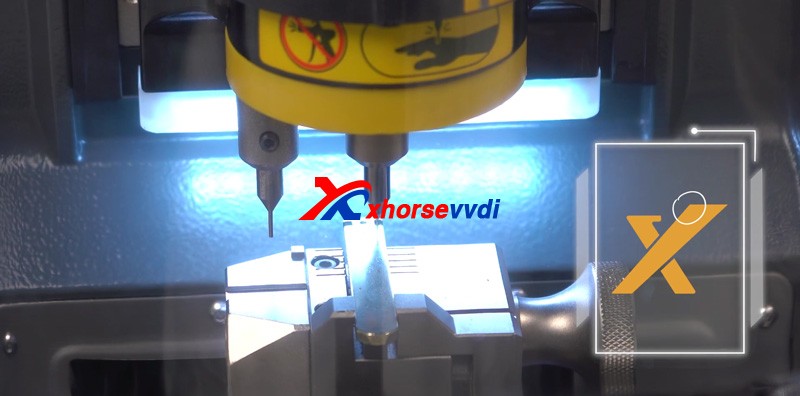
Now Xhorse Condor XC-MINI PlusII Key Cutter starts to carve automatically,The first dot engraved will start from the highest point on the left the image 
How to engrave on a key blank with CONDOR XC MINI PLUSⅡ 12

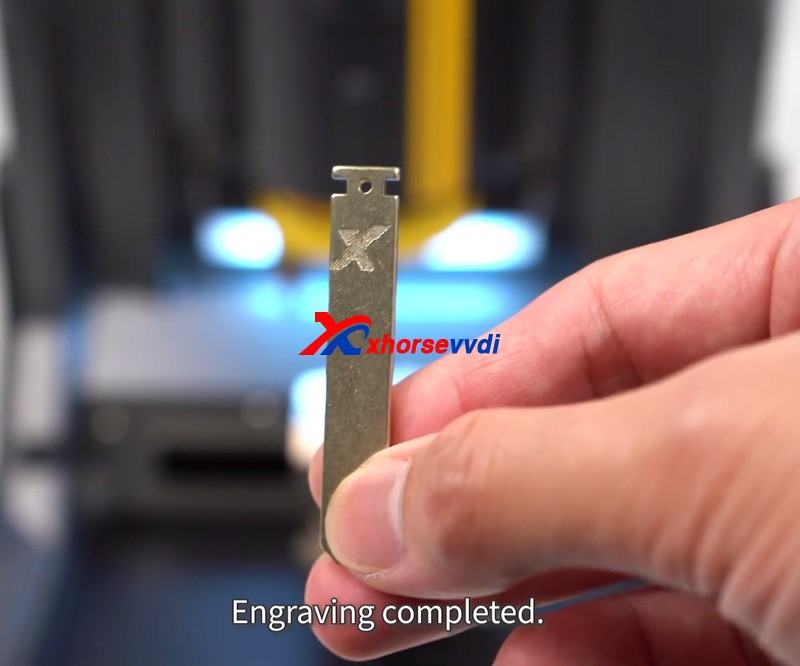
Engraving completed!!!!

Thanks to Xhorsevvdi for making this article:http://blog.xhorsevvdi.com/how-to-customize-keys-with-condor-xc-mini-plusii/

How To Cut Mini Cooper HU100R key w/Dolphin XP005L Automatic Key Cutter

This article is about to show you how to learn and cut Mini Cooper HU100R key using this new Xhorse Dolphin XP005L. First let’s see some highlights of this machine:A complete protection cover and an adjustable touch-screen

new-dolphin-xp005l-clone-mini-cooper-hu100r-key-tutorial-2

Smart LED indicators.

new-dolphin-xp005l-clone-mini-cooper-hu100r-key-tutorial-3

 Then start the procedure.
Step 1. Vehicle choose Open it up and select,

  • Vehicle Database>>Mini>>[All Key Blank]>>HU100R

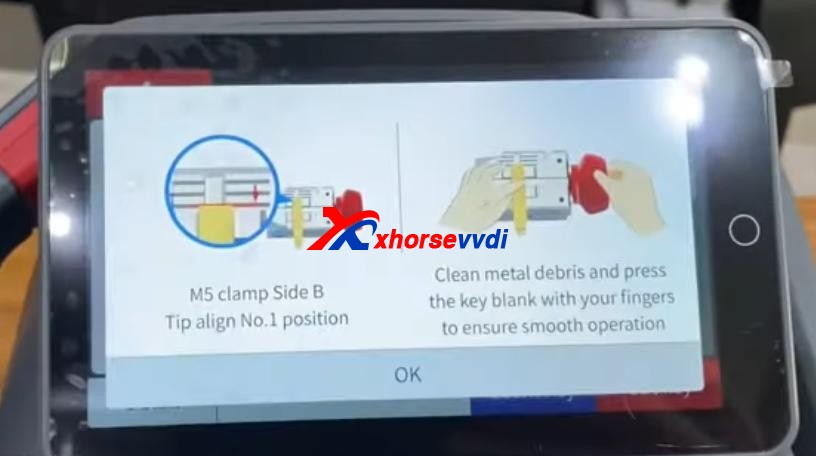
Step 2. CalibrationInstall and calibrate clamp M5 side B as instructions.

new-dolphin-xp005l-clone-mini-cooper-hu100r-key-tutorial-4
new-dolphin-xp005l-clone-mini-cooper-hu100r-key-tutorial-5
new-dolphin-xp005l-clone-mini-cooper-hu100r-key-tutorial-6

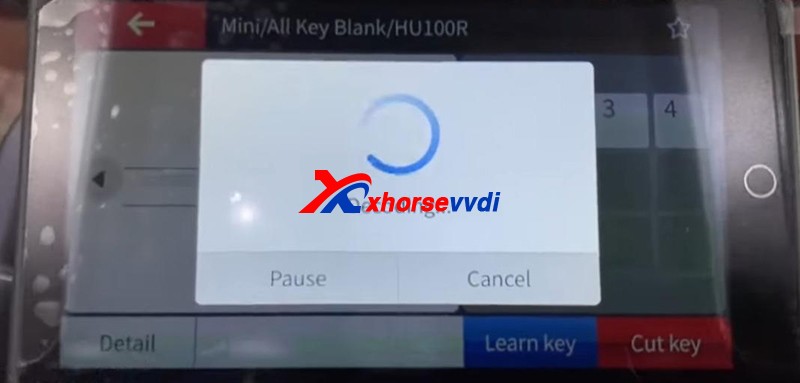
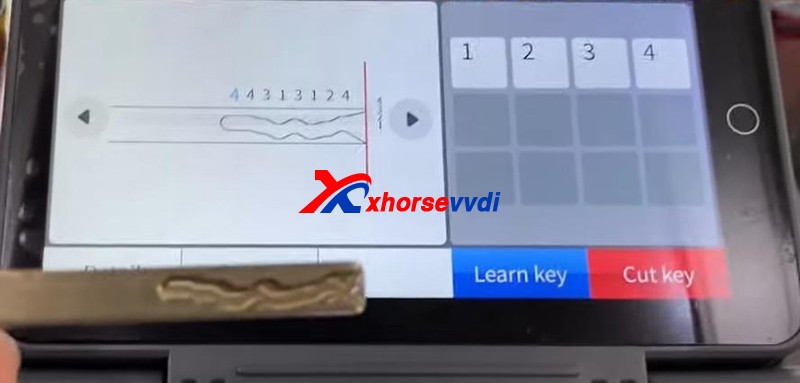
Step 3. DecodePress “Learn key”.

new-dolphin-xp005l-clone-mini-cooper-hu100r-key-tutorial-7
new-dolphin-xp005l-clone-mini-cooper-hu100r-key-tutorial-8

 After Decode key completed, check the result by original key.

new-dolphin-xp005l-clone-mini-cooper-hu100r-key-tutorial-9

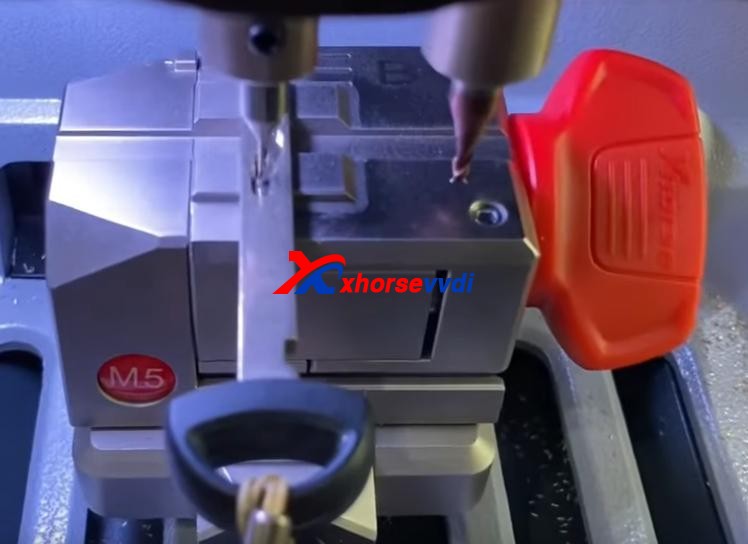
Step 4. CutPut new key blade in clamp M5.Press “Cut key” and wait.

new-dolphin-xp005l-clone-mini-cooper-hu100r-key-tutorial-10

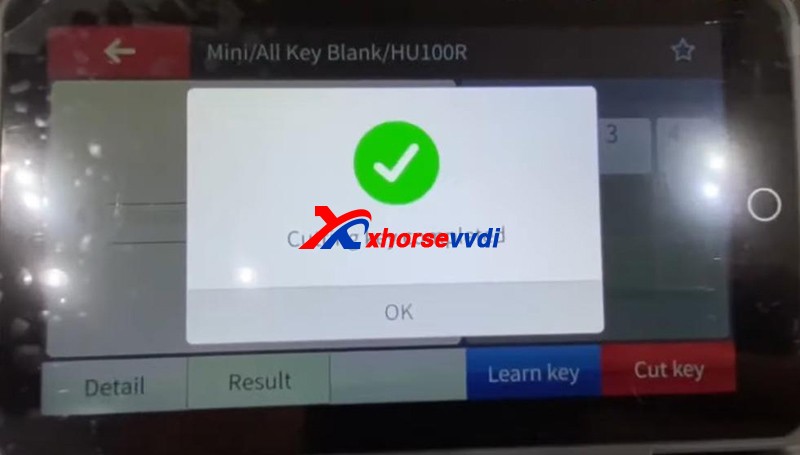
Cutting key completed!

new-dolphin-xp005l-clone-mini-cooper-hu100r-key-tutorial-11

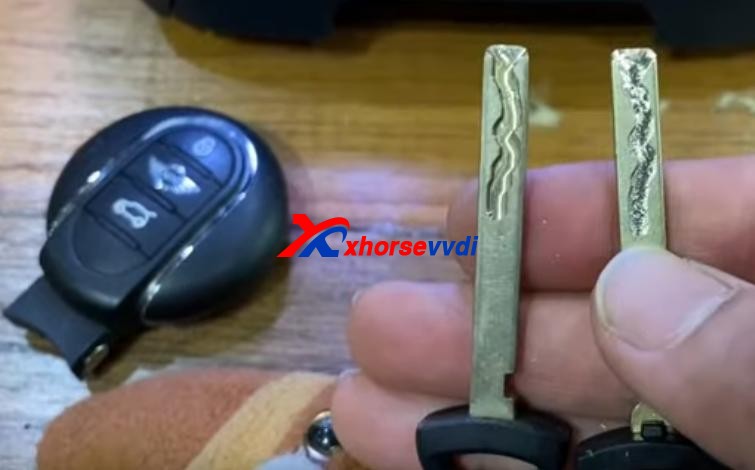
Compare with the original one.

new-dolphin-xp005l-clone-mini-cooper-hu100r-key-tutorial-12

 Done! Nice and simple.

Great thanks to Xhorsevvdi for making this article:http://blog.xhorsevvdi.com/new-xhorse-dolphin-xp005l-clone-mini-cooper-hu100r-key-tutorial/

Peugeot 307 Johnson BSI 95128 All Keys Lost With Xhorse VVDI KEYTOOL MAX

Question: How to do transponder clone for Peugeot 307 all keys lost in Xhorse Key Tool Max?

Generally, the whole procedure is divided in two steps:

1. Read PIN code via OBD or EEPROM

2. Learn/Program keys.

This article provides two ways and some tips for your reference.

Method 1. Read PIN via OBD and program keys

If you have Key Tool Max and Mini OBD Tool, the procedure will be very simple.

General Procedure:

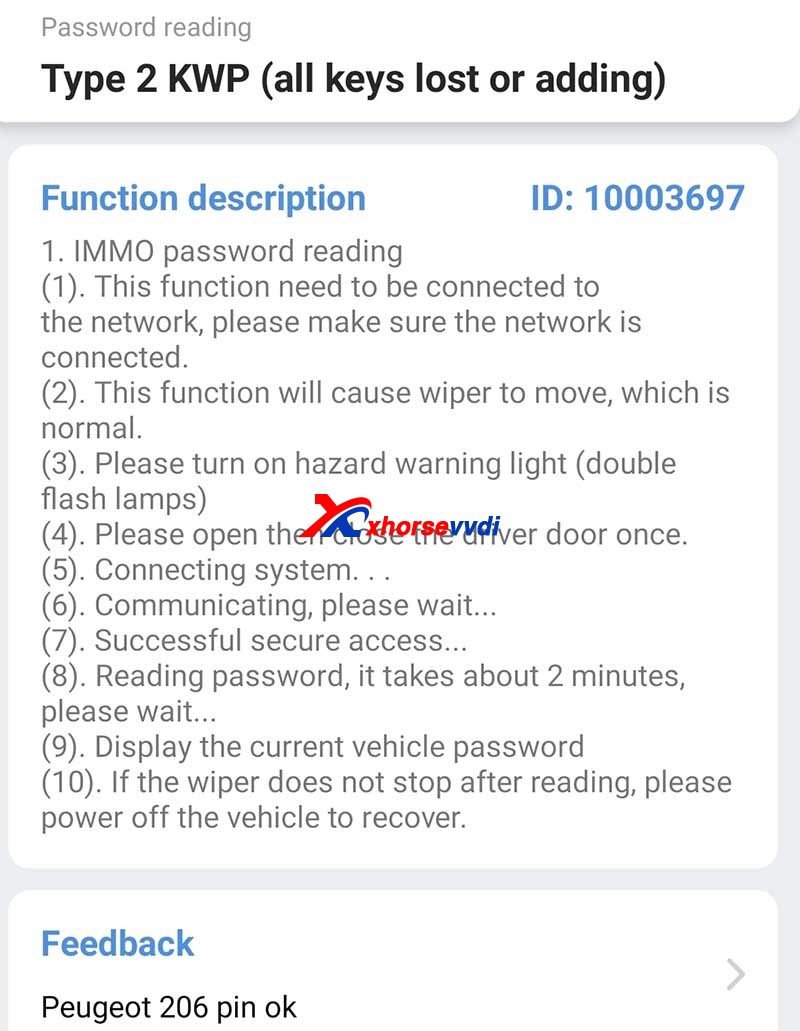
1.Read password by Mini OBD Tool via OBD port.

2.Generate an ID46 Peugeot Citroen chip using VVDI Super Chip and Key Tool Max.

PIN Reading Path :

  • Immo Programming>>Peugeot>>Password reading>>Type 2 KWP (all keys lost or adding)
Tips On Peugeot 307 Johnson Bsi 95128 All Keys Lost Programming 1

Method 2. Read PIN via EEPROM and program keys via dump

If you don’t have a password reader, the procedure may be a little bit tough.

General Procedure:

1.Remove BSI module.

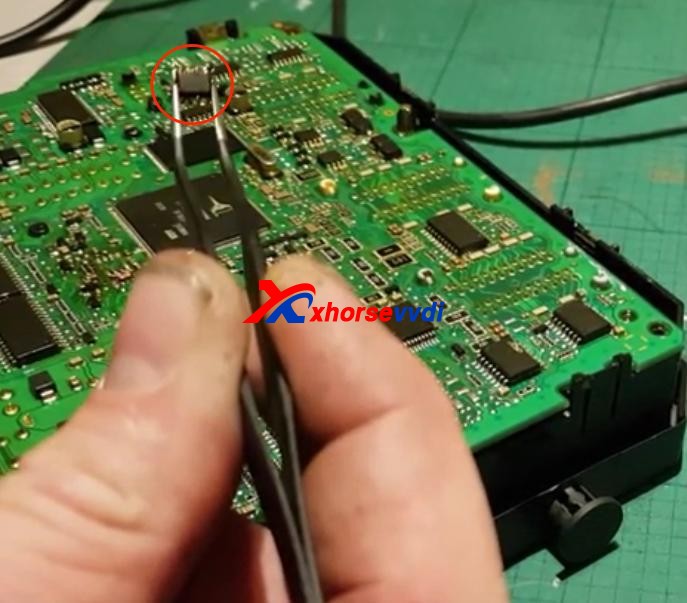
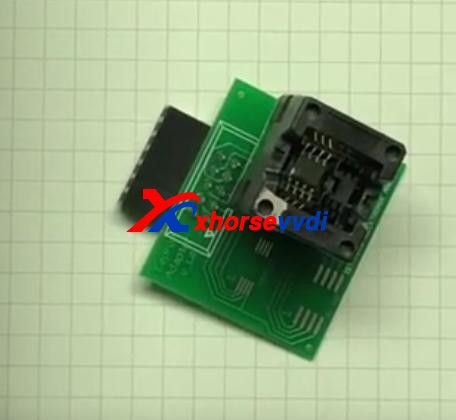
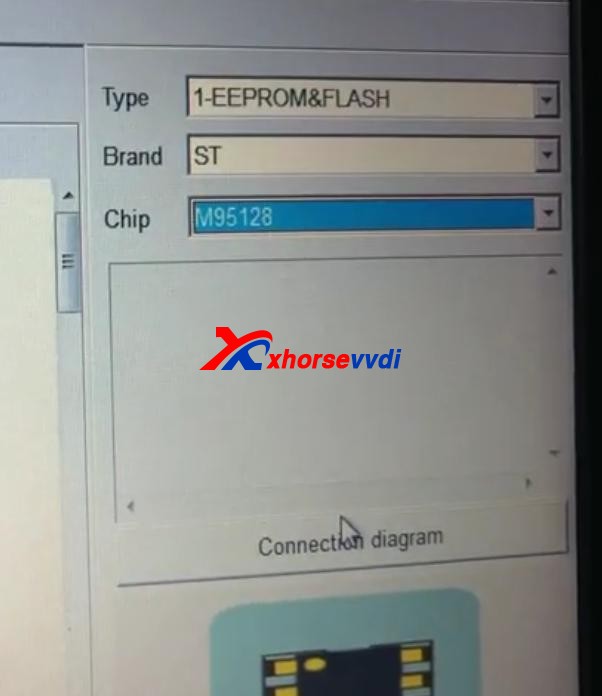
2.Read EEPROM (this step may need desoldering) by an ECU programmer like VVDI PROG or XPROG.

3. Program keys via dump file.

Tips On Peugeot 307 Johnson Bsi 95128 All Keys Lost Programming 2
Tips On Peugeot 307 Johnson Bsi 95128 All Keys Lost Programming 3
Tips On Peugeot 307 Johnson Bsi 95128 All Keys Lost Programming 4
Tips On Peugeot 307 Johnson Bsi 95128 All Keys Lost Programming 5
Tips On Peugeot 307 Johnson Bsi 95128 All Keys Lost Programming 6

Tips:

1. You may need to take apart the BSI module to get the circuit board.

Tips On Peugeot 307 Johnson Bsi 95128 All Keys Lost Programming 7

2. Use hot air very carefully since EEPROM is close to CAN MCU. In any error, the MCU may die.

Thanks to Ghayath, Woj and Gaio.

Any questions feel free to contact us.

http://blog.xhorsevvdi.com/peugeot-307-johnson-bsi-95128-all-keys-lost-programming/

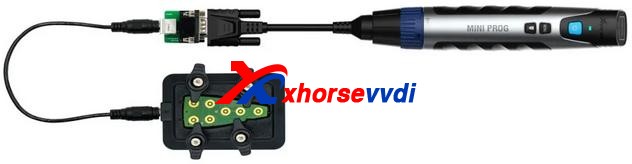
 Xhorse solder-free adapters & cables are designed and manufactured for the convenience of its customers. With those, users can enjoy a whole-new working experience without removing chip or cutting wires.Now, Xhorse released nearly 100 adapters and cables which can work with both KEY TOOL PLUS and MINI PROG. They cover a wide range of car modules such as IMMO, ECU instrument etc.

This article is a detailed explanation of  Xhorse solder-free adapters and cables for VVDI Key Tool Plus and Mini Prog. This article mainly covers what they can do and how to use them.

Check below:

ItemImageFor Key Tool PlusFor Mini ProgFunctionWiring Diagram/Step
Basic Adapter
 XDNP10 Prog EEPROM Adapter(Supplied in package)Read chip data (Desoldering required)
Mercedes-Benz Adapters
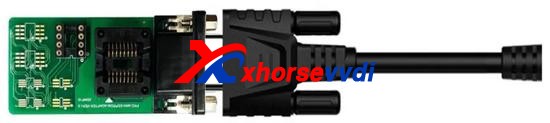
XDNP13 DB9 Cable×Connect Mini Prog to EZS adapter for reading Benz EIS data without solderingCheck with blog
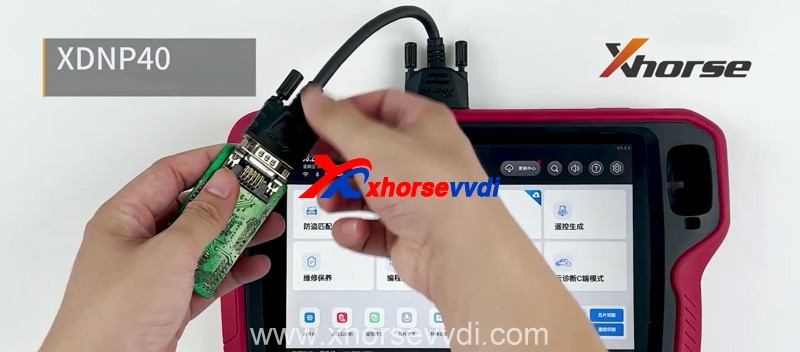
XDNP40 Benz ELV Adapter×Read/Write Benz ELV chip
(For repair damaged ELV caused by chip data loss)
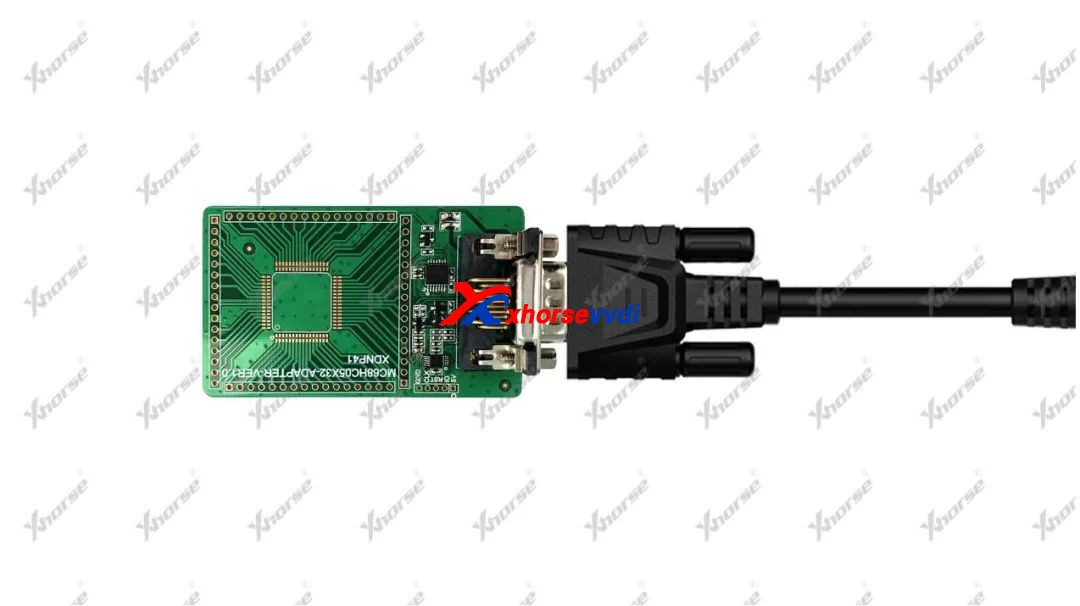
XDNP41 MC68HC05X32 AdapterRead/Write old-type Motorola MC68HC05X32 series MCU
(Mainly for Benz EIS reading and Benz key programming)
BMW  Adapters
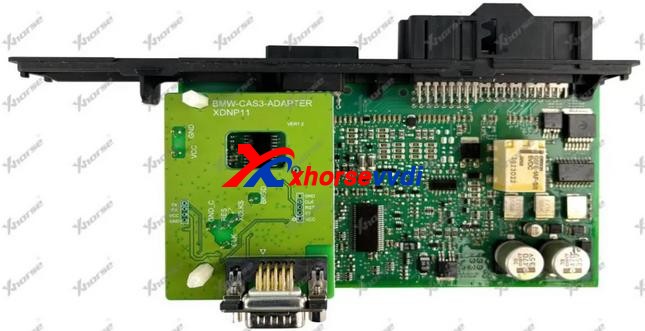
XDNP11 BMW CAS3/CAS3+ AdapterRead BMW CAS3/CAS3+ data without soldering
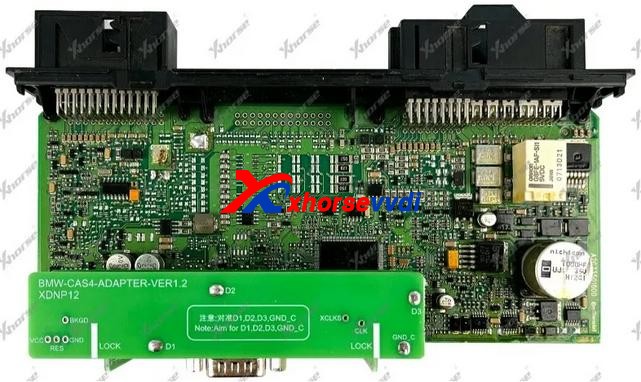
XDNP12 BMW CAS4/CAS4+ AdapterRead BMW CAS4/CAS4+ data without soldering
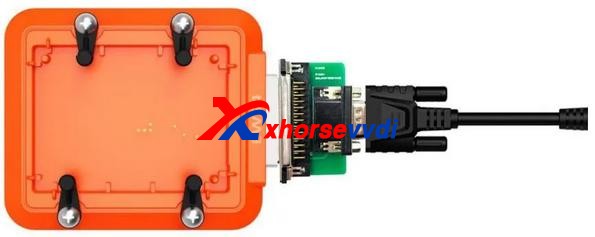
XDNP14 DB15-DB25 AdapterConnect Key Tool Plus/Mini Prog to BMW EWS4 adapter (Read ESW4 data without soldering)
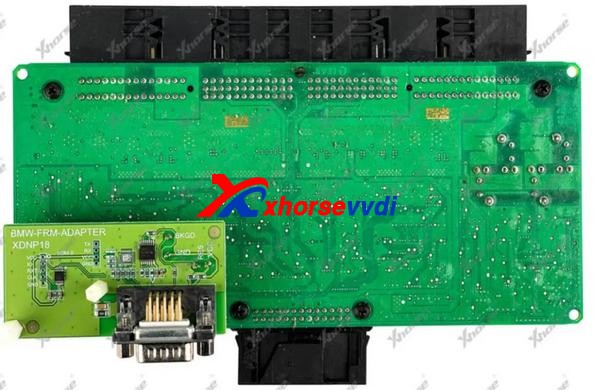
XDNP18 BMW E-Chassis FRM AdapterRead BMW E-Chassis FRM data without soldering (Repair BMW footwell module)
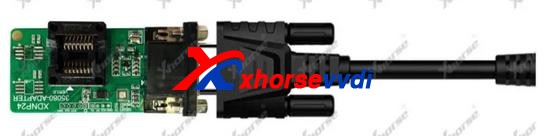
XDNP24 D80/35080 AdapterErase/Read/Write BMW dashboard 35080 chip
(Mainly for BMW E-chassis&F-chassis odometer correction)
XDNP33 ECU Interface Board Kit (N20 N55 B38)Work with Bosh ECU adapter to read BMW N20/N55/B38 engine ECU and read ISN for F-chassis (CAS4+/FEM/BDC) AKLNull
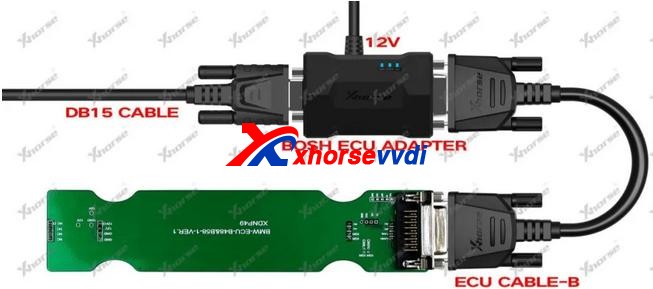
XDNP49 B48/B58 AdapterWork with Bosh ECU adapter to read BMW B48/B58 engine ECU and read ISN for F-chassis (CAS4+/FEM/BDC) AKL
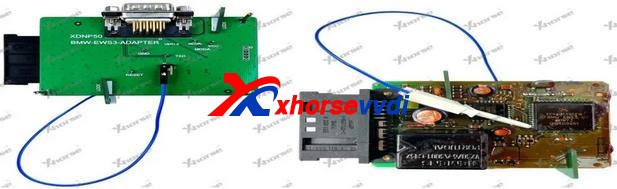
XDNP50 BMW EWS3 AdapterRead BMW EWS3 data without soldering
Instrument Adapters for Honda KIA Hyundai
XDNP19 Honda FIT-H Dashboard AdapterRead/Write Honda FIT-H dashboard without soldering for repairing
XDNP20 Honda FIT-L Dashboard AdapterRead/Write Honda FIT-L dashboard without soldering for repairing
XDNP21 Hyundai Sonata Dashboard AdapterRead/Write Hyundai Sonata dashboard without soldering for repairing
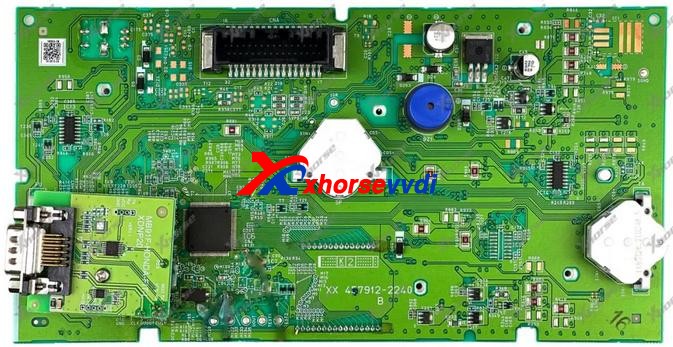
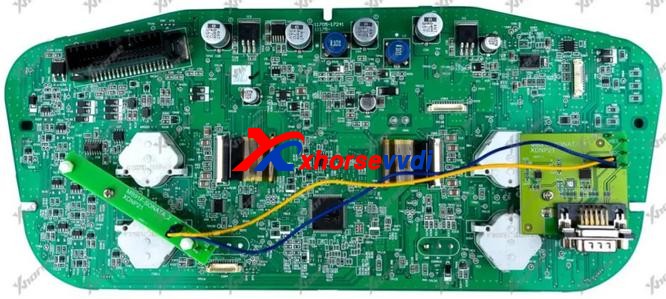
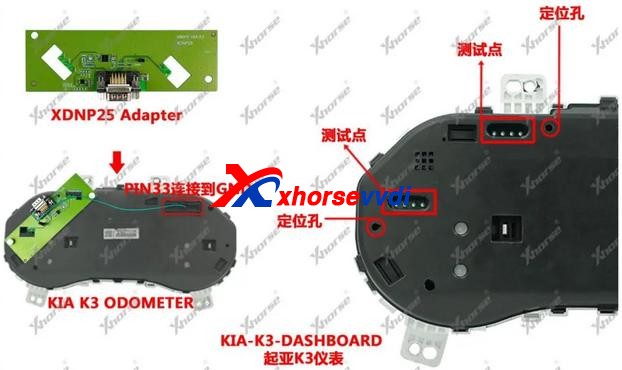
XDNP25 KIA K3 Dashboard AdapterRead/Write KIA K3 dashboard without soldering for repairing
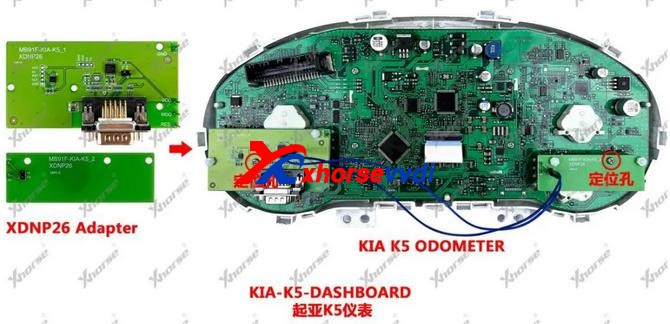
XDNP26 KIA K5 Dashboard AdapterRead/Write KIA K5 dashboard without soldering for repairing
Porsche Adapter
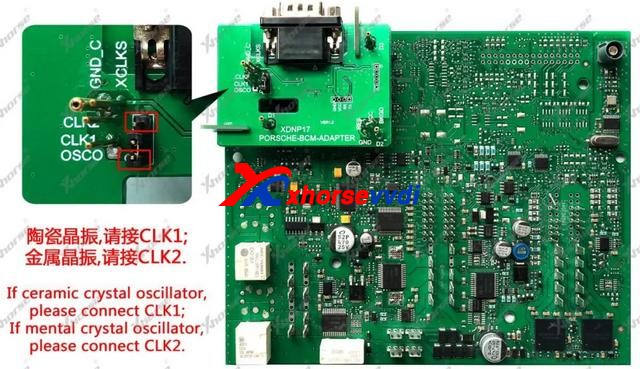
XDNP17 Porsche BCM AdapterRead Porsche BCM data without soldering (Support ID49 chip Add Key/AKL)
Landrover/Jaguar Adapter
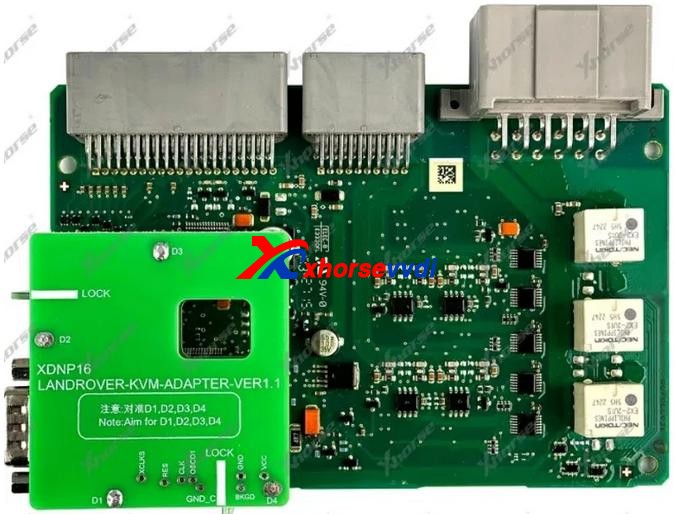
XDNP16 Landrover KVM AdapterRead Landrove/Jaguar KVM without soldeing (Support Landrover/Jaguar 2015-2018 Add Key/AKL )
Volvo Adapters
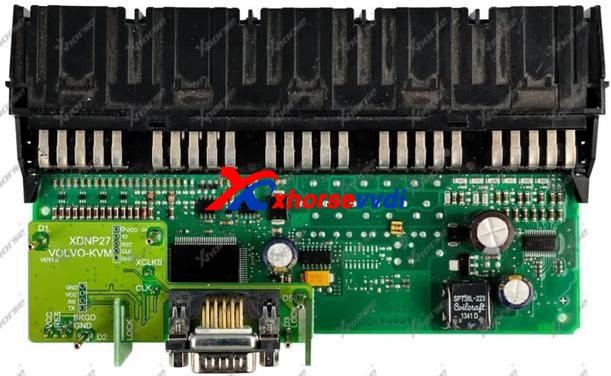
XDNP27 Volvo KVM AdapterRead Volvo KVM data without soldering (Smart key programming)
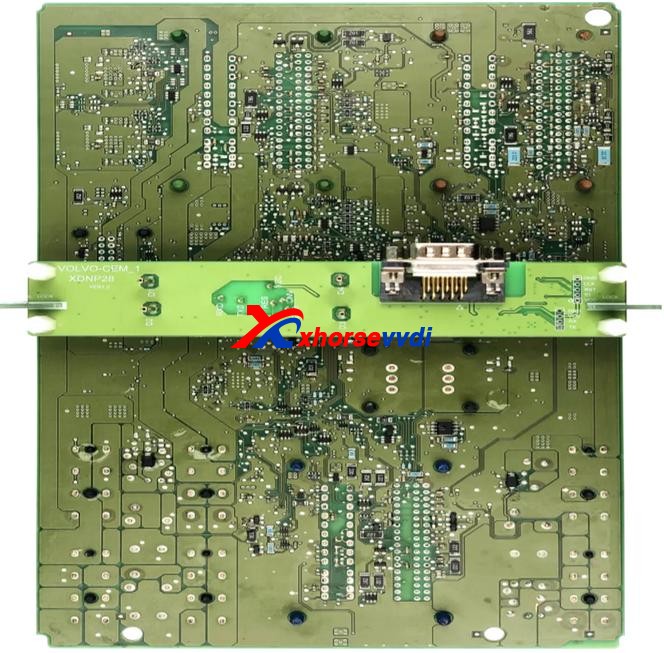
XDNP28 Volvo CEM-1 AdapterRead Volvo CEM data without soldering (Semi-smart/Smart key programming)
XDNP29 Volvo CEM-2 AdapterRead Volvo CEM data without soldering (Semi-smart/Smart key programming)
XDNP52 Volvo CEM(MPC5748G) AdapterRead CEM on Geely Volvo and Geely Lynk & Co without soldering
Work with OBD function on Key Tool Plus for Add Key/AKL
Null
XDNP53 Volvo CEM(MPC5646C) AdapterRead CEM on Geely Volvo and Geely Lynk & Co without soldering
Work with OBD function on Key Tool Plus for Add Key/AKL
Null
VW Adapters
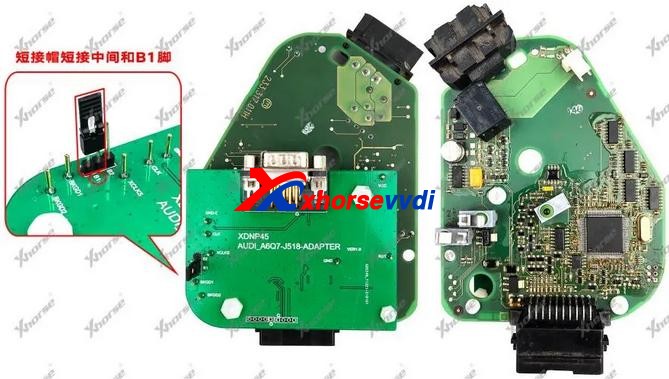
XDNP45 Audi ESL J518 AdapterRead/Write Audi ESL J518  for OEM 8E Add Key/AKL on A6, Q7
XDNP46 VW MG1CS001 ECU AdapterRead VW engine dataNull
XDNP47 TMS370 AdapterRead old-type Jetta IMMO data for ID42 key programmingNull
XDNP55 VW EGS DQ200 Gearbox AdapterRead/Write VW Audi DQ200 Gearbox ECU without solderingNull
XDNP56 VW EGS DL382 Gearbox AdapterRead/Write VW Audi DL382 Gearbox ECU without solderingNull
XDNP58 VW EGS DL501 Gearbox AdapterRead/Write VW Audi DL501 Gearbox ECU without solderingNull
XDNP59 VW EGS DQ250 Gearbox AdapterRead/Write VW Audi DQ250 Gearbox ECU without solderingNull
XDNP60 VW EGS VL381 Gearbox AdapterRead/Write VW Audi VL381 Gearbox ECU without solderingNull
Honda Adapters
XDNP54 Honda Civic BCM AdapterRead/Write Civic 2019- BCM without soldering for Smart card AKL programmingNull
XDNP57 Honda Vezel BCM AdapterRead/Write Vezel 2019- BCM without soldering for Smart card AKL programmingNull
Other Adapters
XDNP15 DB15-PS2 AdapterConnect Key Tool Plus/Mini Prog to key renew adapter (Renew or unlock keys)
XDNP22 12V+5V Power Adapter(Supplied in package)NullSupply 5V and 12V power
(12V – supply power to BOSH adapter for ECU/EGS reading
5V – TYPE-C port supplies power to Mini Prog)
Null
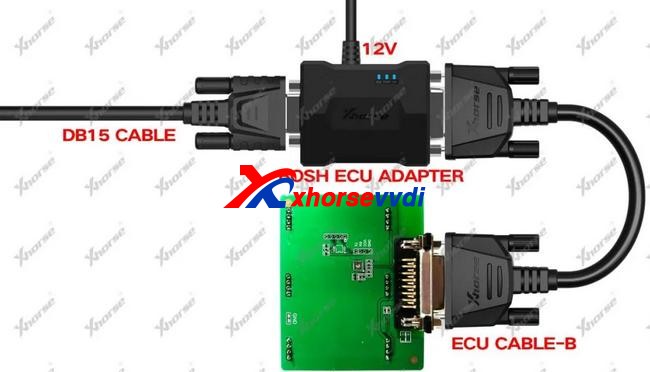
XDNP30 BOSH ECU Adapter and CableRead Engine ECU data by removing engine cover
XDNP34 MCU Cable(Supplied in package)Read MCU data to program keys or repair/replace module
XDNP36 9S12XE Cable(Supplied in KTP default package)Read/Write Motorala MCU data to repair/replace moduleNull
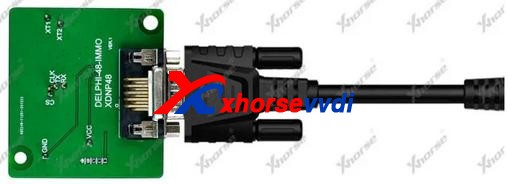
XDNP48 Delphi-48-IMMO AdapterRead old-type Greatwall IMMO data for ID48 key programming
XDKP30 Multi-function AdapterCompatible for:
1.BOSH ECU Adapter (DB25) No Need Soldering
2.Connect with EZS Adapter (DB9)
3.EWS4 Adapter (DB25)
Renew Adapter (Only for MINI Prog)
4.MINI Prog and Key Tool Plus (DB15)
Check with blog

More adapters are coming!

If you’re interested, we have most of these adapters and cables such as audi bcm2 adapter stock at https://www.xhorsevvdi.com/

 This article from https://www.xhorsevvdi.com/service/xhorse-ktp-mini-prog-adapters-full-list.html

Read & write for Porsche Key With VVDI Programmer User Manual

This article is about to compare different ways to read Porsche BCM and program keys by Xhorse Programmer. Some require de-soldering, while some don’t with certain cables and adapters.

Method 1. VVDI PROG (Desoldering required)

This way requires MC9S12 reflash cable included in the package and to desolder components (and to cut wires on part of chips).

1)Panamera (1L15Y) tested OK

It requires removing a component and soldering it back after reading and saving the FLASH file.

vvdi prog Panamera (1L15Y) tested OK

2)Macan (1N35H) & Cayenne GTS (5M48H) tested OK

It requires removing two components, cutting a wire, and soldering them back after it’s complete.

vvdi prog Macan (1N35H) & Cayenne GTS (5M48H) tested OK01
vvdi prog Macan (1N35H) & Cayenne GTS (5M48H) tested OK 02

General procedure (VVDI PROG+VVDI2):

  • Read&save D-FLASH file (VVDI PROG)>>Load the file (VVDI2)>>Program keys>>Install back BCM>>Learn keys via OBD (VVDI2)

Method 2. VVDI Programmer with Porsche Fast Easy Cable

This way requires Porsche Fast Easy Cable and wiring. No soldering is required.

This adapter works with VVDI PROG, VVDI2, and Key Tool Plus to read BCM without soldering.

1)1N35H tested OK

VVDI prog Programmer with Porsche Fast Easy Cable

The rest procedure is similar to method 1.

Method 3. VVDI Key Tool Plus/Mini Prog with XDNPP017 Adapter

This way requires XDNPP017 Solder-free Adapter, so soldering is not required in this way as well.

1)Cayenne (5M48H) and Macan (1N35H) tested OK

KTP Cayenne (5M48H) and Macan (1N35H) tested OK 01
KTP Cayenne (5M48H) and Macan (1N35H) tested OK 02

General procedure:

  • Read&save D-FLASH file (Key Tool Plus/Mini Prog)>>Load the file (Key Tool Plus)>>Program keys (Key Tool Plus)>>Install back BCM>>Learn keys via OBD (Key Tool Plus)
KTP Cayenne (5M48H) and Macan (1N35H) tested OK 03
KTP Cayenne (5M48H) and Macan (1N35H) tested OK 04

Alright, different methods require different adapters & cables and operation and watch the devices that adapters support.

  1. How to use VVDI2 and VVDI Prog to Program Porsche Paramera Key? 
  2. VVDI Prog Programmer Read Porsche BCM 2M25J Successfully 
  3. How to use VVDI2 and VVDI Prog to Read Write Porsche Key?
  4. Xhorse VVDI Key Tool program 2011 Porsche Cayenne AKL 
  5. VVDI Prog Read Porsche BCM Data Tips 

Programming Benz EZS key with Xhorse VVDI Key Tool Plus

VVDI Prog Adapter for Benz EIS/EZS is used to connected Benz EZS in easy way without soldering, and it is working with key tool plus, but you need have XDKP30 Adapter.

And here is the connection pic of VVDI Key Tool Plus +EZS Adapter+XDKP30 Adapter:


And here is the XDKP30 Adapter


Xhorse Multi-function Adapter is developed especially for connecting old adapters such as BOSH ECU adapter, BENZ EZS adapters, etc. to KEY TOOL PLUS and MINI PROG. This is could help avoid purchasing those new accessories coming with KEY TOOL PLUS again and make full use of your old ones.

And here review of VVDI Key Tool plus program benz car models

1.Mercedes sprinter W906 new key copy

Xhorse VVDI Key Tool Plus work with EZS Adapter Success  03

2.Add Key Mercedes W906 2010 year By Obd 20min Job Done

Xhorse VVDI Key Tool Plus work with EZS Adapter Success  04

3.All Keys Lost W906 2014

Xhorse VVDI Key Tool Plus work with EZS Adapter Success  05
Xhorse VVDI Key Tool Plus work with EZS Adapter Success  06
Xhorse VVDI Key Tool Plus work with EZS Adapter Success  07

4.Mercedes w204 2007 add-key obd success and surprised

Xhorse VVDI Key Tool Plus work with EZS Adapter Success 07
Xhorse VVDI Key Tool Plus work with EZS Adapter Success  08
Xhorse VVDI Key Tool Plus work with EZS Adapter Success  09


5.Mercedes W212 Key Adding Ok

Xhorse VVDI Key Tool Plus work with EZS Adapter Success  10

http://blog.xhorsevvdi.com/xhorse-vvdi-key-tool-plus-work-with-ezs-adapter-ok/

Xhorse VVDI BIMTool Cas3+ ISTAP Downgrade Over OBD OK

Here we’re trying to downgrade CAS3+ ISTAP. Because it’s encrypted since ISTAP upgrade and it doesn’t allow VVDI BIMTool or any software to write a key to it.

What we want to do is:

Write back the original FLASH data that was doing a key before.

Try to crank CAS3+ module by BIMTool and bench test platform.

Step 1

So, first we write the original FLASH into CAS3 by VVDI Prog Programmer.

How to downgrade ISTAP with Xhorse VVDI Prog +BIMTool 01
How to downgrade ISTAP with Xhorse VVDI Prog +BIMTool 02

Step 2

Set up bench test platform:

Connect the cable to all hardware (BIMTool, JBE, CAS3, key slot, switch…)

Notice the PIN on JBE module.

How to downgrade ISTAP with Xhorse VVDI Prog +BIMTool 03
How to downgrade ISTAP with Xhorse VVDI Prog +BIMTool 04

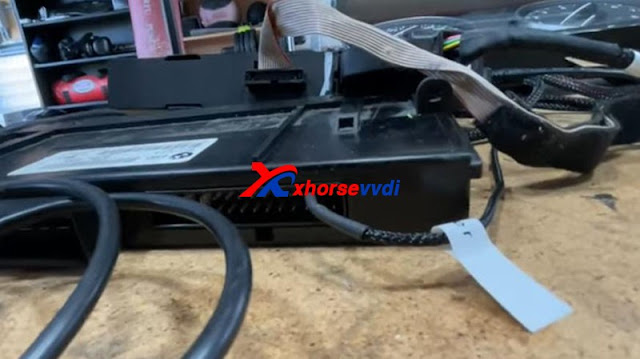
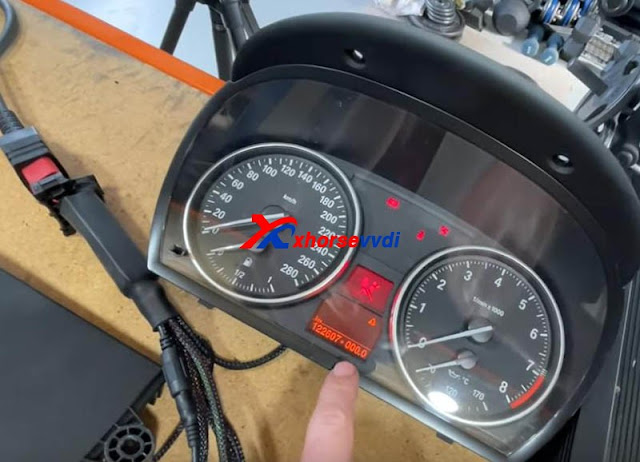
Insert the key and light on the cluster.

We see there is a steering lock but we can bring up the mileage. (The temper dot comes from the mismatch of the kilometer between CAS and cluster)

How to downgrade ISTAP with Xhorse VVDI Prog +BIMTool 04

Step 3

We hook up BIMTool.

Turn to “CAS key learn” page and connect.

Click on “Get Key Info” and “Add key”.

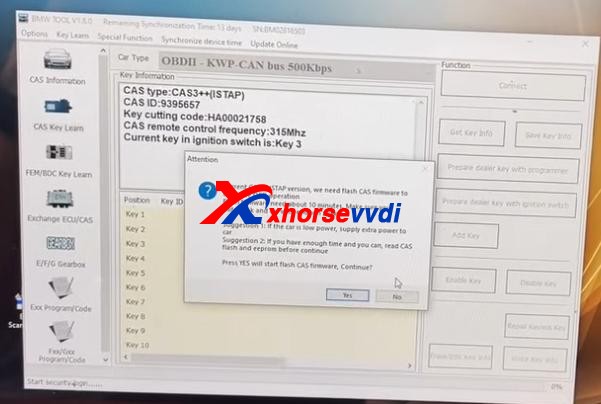
If it’s encrypted, here it’ll prompt.

But, it asks if we’re going to update firmware, which means FLASH writing by VVDI Prog worked.

How to downgrade ISTAP with Xhorse VVDI Prog +BIMTool 05

Now disconnect PC from the Internet.

Press “No” to update firmware.

Then press “Yes” to flash CAS firmware.

How to downgrade ISTAP with Xhorse VVDI Prog +BIMTool 06

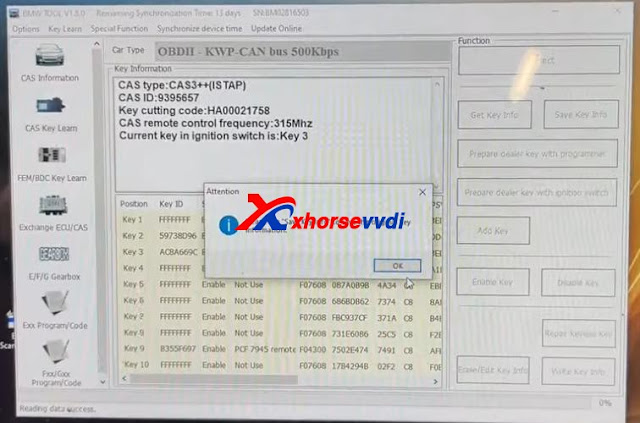
Follow the instruction and it gives us key info.

How to downgrade ISTAP with Xhorse VVDI Prog +BIMTool 07

Finally we manage to crack and downgrade CAS3+ ISTAP on bench.

Try if it can give us ISN.

Exchange ECU/CAS>>CAS – CAS3+ OBDII>>Read ECU ISN

No.

Try it via EEPROM dump file that we got from VVDI Prog, and a working key.

How to downgrade ISTAP with Xhorse VVDI Prog +BIMTool 09

Yes.

How to downgrade ISTAP with Xhorse VVDI Prog +BIMTool 10

Done!

More functions to be explored!

http://blog.xhorsevvdi.com/vvdi-prog-bimtool-and-cas3-bench-test-platform-downgrade-istap-success/

How to distinguish Xhorse VVDI Remotes Types

This article is about to explain the difference of VVDI Universal Remotes. Different keys have different colors although they are similar in appearance.

How to distinguish Xhorse Universal Remotes  Types

Comparison Chart:

                       Model
Information
Wired KeyWireless KeySuper RemoteSmart Remote
Target UserThe user who only matches remote, or those who have their own transponder to put it into the remote for matching.The user who wants to copy 46, or to generate 11,12,13,47,38 chip through 46, or to generate remote.Will cover the chip types that vvdi super chip can clone and generate, suitable for the user who want to generate remote.The user whose car key is a smart remote
Package ColorRedBluePurpleOrange
Package appearancehow-to-choose-xhorse-universal-remotes-with-different-colors-10
PCB appearance
Bonus Points25 points40 points40 points60 points
Factory CodeXK seriesXN seriesXE seriesXS series
Reusable
Remote control
Wired remote control×××
When using vvdi key tool/ vvdi2 to generate remote key, install the battery first×
Keyless Go×××
Will start the car after matching successfully× (without immo chip)
Transponder××
Generate other transponders××
Transponder copy 46××
Only use xhorse device to generate remote
Match remote by device
Manual remote match×
Use VVDI2 to match MQB remote key×××

1. Wired Key(Red, XK series)
Its circuit board should be connected to VVDI Key Tool Plus/Key Tool Max/Mini Key Tool by Remote generate cable (only one generated in a wired way).


There is no chip, no VVDI Super Chip or battery inside but only a circuit board.
By it we can make a Hyundai flip key since Hyundai doesn’t need a chip, or a Subaru WRX key with a chip, or just generate remote function etc.

2. Wireless Key(Blue, XN series)
This has a built-in chip (not a vvdi super chip), no socket and battery.


Eg. Honda Civic 2009 by Key Tool Plus
Remote Program.
It’ll tell us which one to choose.
how-to-choose-xhorse-universal-remotes-with-different-colors-5
Then just generate the remote, and program the chip via OBD port.

3. Super Remote(Purple, XE series)
This has a built-in Super Chip, no battery, so we can clone chips on it when we have a working key.
Eg. Ford F-150 2011 by Key Tool Plus
Remote Program.


We need to generate the remote and the chip on board, because the remote doesn’t learn with the chip.
Path: Generate Transponder>>New 4D+ chip(80 bits)


Then the chip could be learned via OBD port.

4. Smart Remote(Orange, XS series)
Put a battery in and generate it, and learn it via OBD port.

How to distinguish Xhorse Universal Remotes  Types 4

5. Other Tips
If Xhorse Key Programmer says only wireless, it needs to be the blue package with a chip because it means there’s no on-board procedure to learn the remote.
If wired/wireless key, we can use a wired remote and install a chip to it or just program the remote for some vehicles, or use the Super Remote.

Part of materials from russej02.

Source: http://blog.xhorse.co.uk/how-to-choose-xhorse-universal-remotes-with-different-colors/
Design a site like this with WordPress.com
Get started