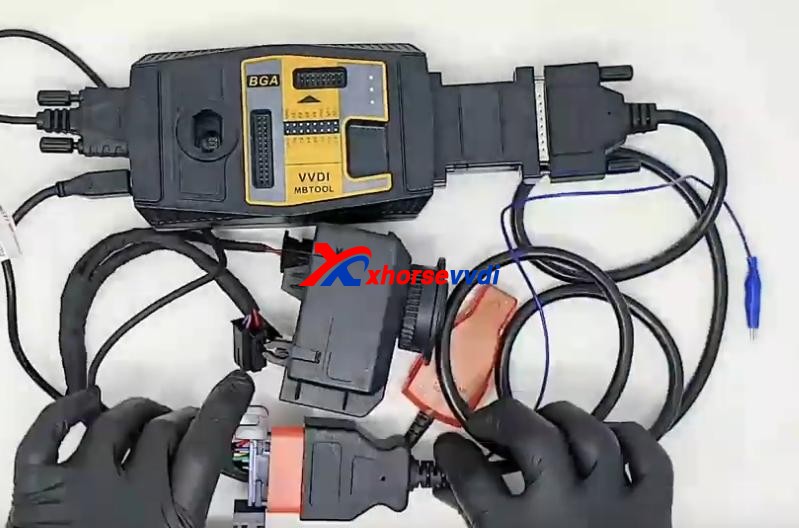
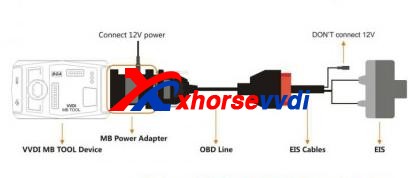
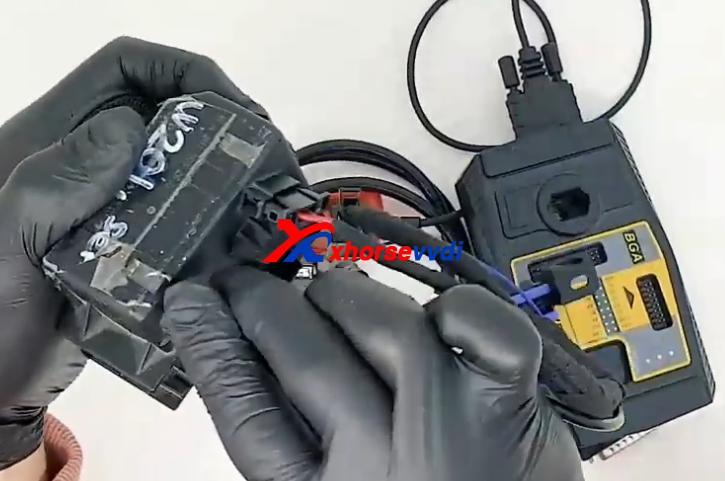
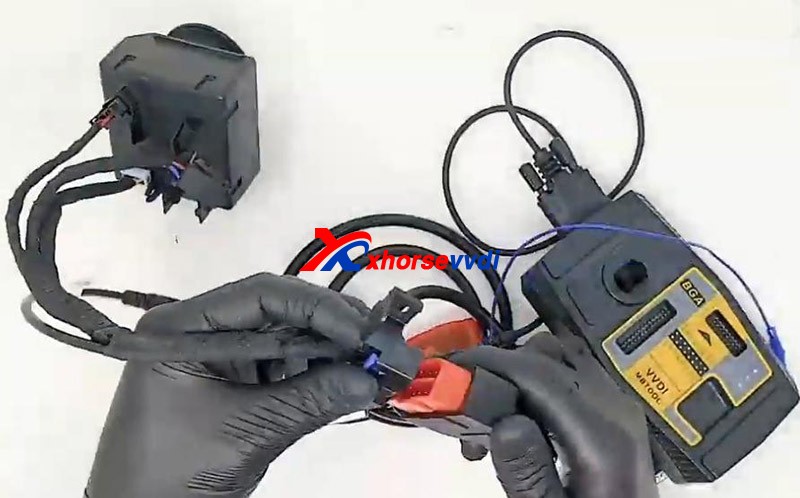
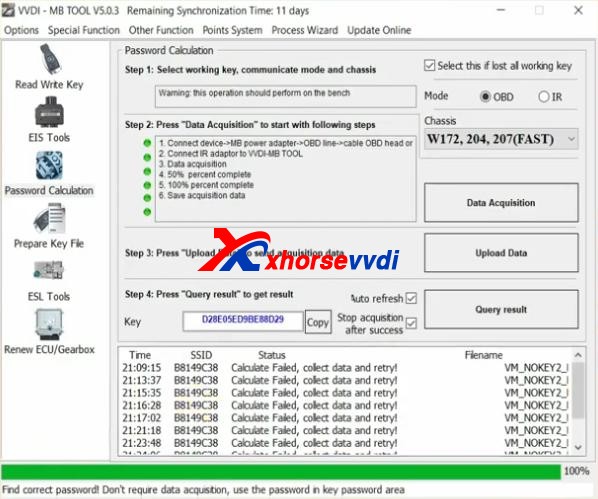
This article is about to show you how to reduce Benz W204/W207 password calculation time by VVDI MB Power Adapter when all key lost, as it often takes few hours to give the password. Let’s see the difference during the process of password calculation. Difference 1.Connection (esp. Power supply)If we have VVDI MB Power Adapter, we connect VVDI MB to OBD line by it, and supply 12V power to the power adapter.
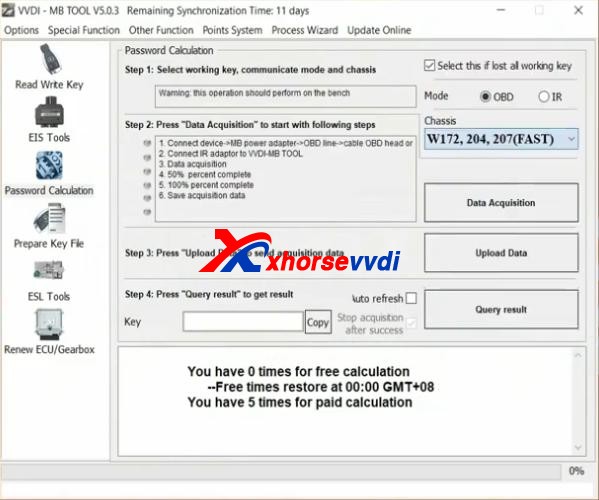
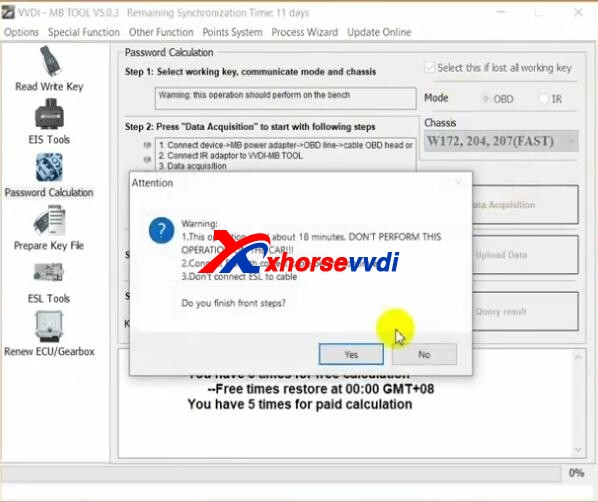
We can also calculate the password without it. Then we directly connect VVDI MB to OBD line, and supply 12V power to EIS test cable. Difference 2.Mode OptionOn “Password Calculation” page of VVDI MB App,If we have the power adapter, select “W172, 204, 207(FAST)”; If not, select “W172, 204, 207”.
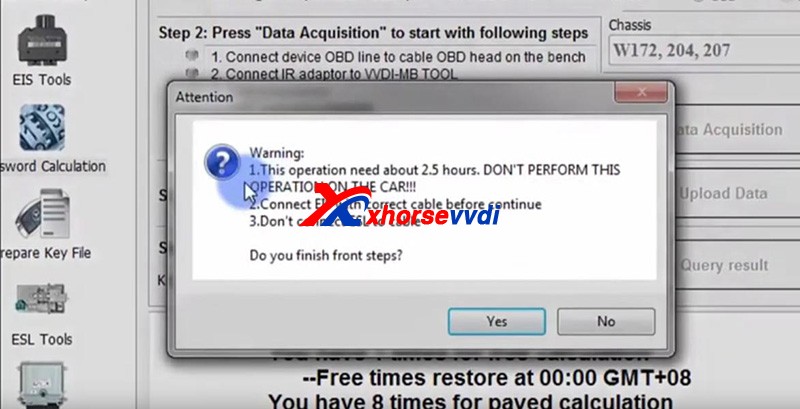
Difference 3.Calculation TimeWe directly calculate password without adapter, and it will be around 2.5 hours; MB Power Adapter could decrease the time to only 18 minutes.
Complete StepsStep1. Connect test cable to EIS module
Step 3. Connect VVDI MB to OBD line by power adapter and supply 12V power to power adapterPath on VVDI MB App:
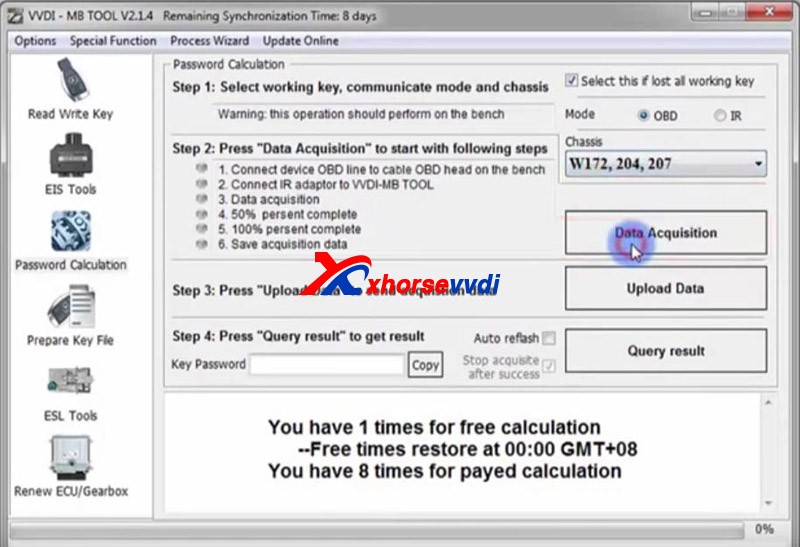
Password Calculation>>Check “Select this if lost all working key”>>Mode – “OBD”>>Chassis – “W172, 204, 207(FAST)”>>Data Acquisition>>Save data>>“Upload Data”>>“Query result”
Then we get the password, and don’t forget this function requires VVDI MB Token.
Xhorse Key Programmers (VVDI2/VVDI Key Tool Plus) can add key for VW cars with NEC/Johnson cluster via certain adapters or software.
For VW with NEC cluster, you may need to switch the cluster into service mode by NEC Cluster Set, and then you can add key by VVDI2/Key Tool Plus. For VW with Johnson cluster, you may need to contact VAG dealer to get Immo data, and then load it into like VVDI2 to add key.
Here will show you two examples: 1.VW JETTA 2013(NEC Cluster) What we need: Xhorse VVDI2 NEC Cluster Set Procedure: Connect NEC cluster cable to NEC cluster. Turn on the switch. Put probe side on the point until the cluster shows “BRAKE”, which means the cluster is in service mode.
Note: better back up ABS coding before putting cluster into service mode. On VVDI2, Click on “Read EEPROM/FLASH”. When it succeeds, it’ll tell you the whole procedure. So we read and save EEPROM&Immo data. Use a VVDI super chip to generate an ID48 transponder key by Key Tool Max. Put it in VVDI2 key coil to “prepare normal dealer key”. Last, click on “Reset Instrument” and the cluster goes back on.
2.VW Golf 2019(Johnson Cluster) What we need: Xhorse VVDI2 VAG dealer(to get Immo data) Procedure: If you select cluster type and click on “Diag”, it’ll prompt the cluster is not supported.
So we need to contact a VAG dealer to pay for immo data. After we got immo data file, if we just load it to prepare key, it’ll still prompt this file is not supported. So we need to exit and select other instrument types so that it don’t know we have a Johnson cluster. Then load immo data file on “Immo data prepare key” and add key.
Alright, we can see that VW key programming capability of Xhorse programmer can be advanced a lot by other tools’ help.
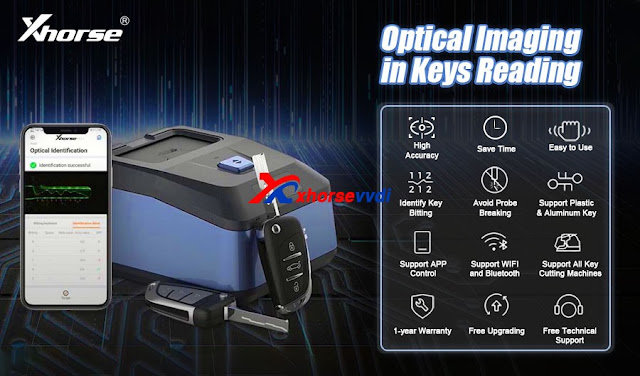
After Xhorse released the key reader, we received tons of questions on this very new tool , To start, we have to answer one question that we are frequently asked
Q: Why Xhorse developed this product?
A: well, Key reader has three significant features:
1. It is able to identify aluminum, keys plastic keys as well as metal keys. aluminum and plastic keys are not supported in key cutting machines. and it’s a bit troublesome to get the baiting codes,so the tool greatly compensates for that
3.It’s much more accurate and faster than taking photos to identify key data.
A: Will key reader work on the App?
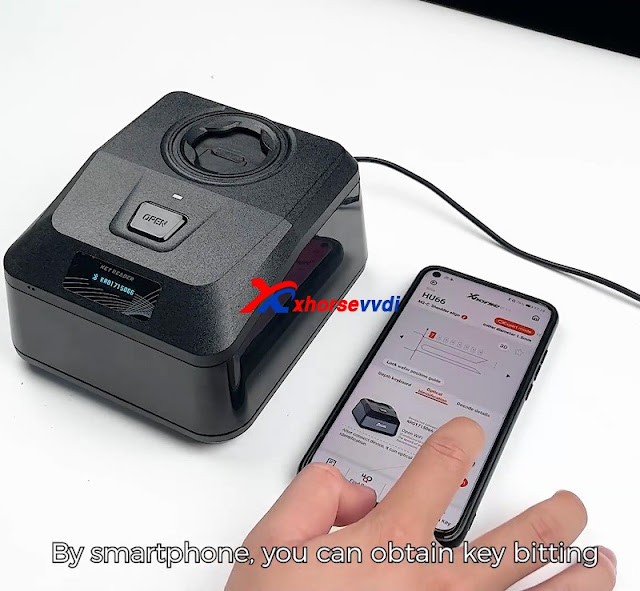
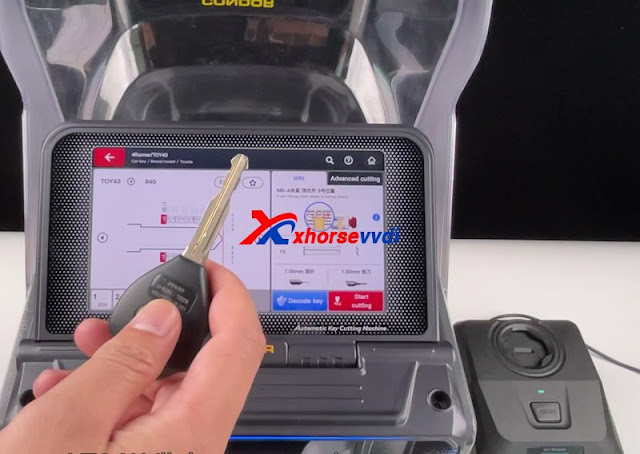
Q:Sure! you can either use your smartphone and key cutting machines like dolphin xp005 or use the Key cutting machine with a screen such as condor xc mini plus to copy a key.
With a smartphone, KEY READER gives a new level of working experience, allowing locksmiths to get the key bitting code even without a key cutting machine. KEY READER provides an integrated solution for a wide range of users.
But using key cutting machines with screens, you can directly cut the key with simple clicks on the machine
Xhorse Dolphin XP-005L system needs to initialize for first use. Learn the steps and basic settings below to start your smart cutting experience.How to connect Dolphin XP-005L with a smart phone?
Download Xhorse APP in App Store/ Google Play, or scan the QR code directly;
Power on XP-005Lmachine, open Xhorse APP and switch to the CNC machine interface. Press “Switch Device >> Dolphin II”;
Press “Select”to turn on Bluetooth, select XP-005L SN to connect (Users can set up automatic connect according to needs).
How to do cutting calibration?
Press on Dolphin II tablet screen: System >> Machine Parameter >> Cutting Calibration >> Select the cutter diameter installed;
Follow the tips, then press “Start”;
– DO NOT use a cutted key, make sure it’s a brand new HON66 key blank.- Make sure the probe and cutter at same height.- Insert M5 clamp and rotate to side A.
Clean the cutter, probe and working area, press “Continue”to finish.
What’s in Dolphin XP-005L System option?There are 6 main functions in System: machine parameter, system setting, history, my favorite, update center and WLAN connection. Here users can perform basic operations, such as machine calibration, cutting setting, language setting, query history, update version, WLAN connection, etc.
Machine Parameter
Here users can self test machine, calibrate various parameters, set cutter diameter, cutter speed and move speed during cutting.
Cutting setting: set the spindle speed, move speed, cutter diameter and buzzer switch.
Cutting calibration: calibrate machine for first use.
Self test
– Deviation detection: detect M5 clamp parameters.- Motor measurement: check the status of X, Y, Z axis and spindle motor.- Electrical conductivity: test the conductivity of probe and clamp, milling cutter and clamp.- Altitudes detection: check whether the height of the probe and the milling cutter are on the same level.
Parameter list: display relative parameters between probe and milling cutter recorded by the machine.
System Setting
Language setting: change system language, covers English, Spanish, French, Thai, Polish, Italian, Portuguese, Hindi, Hebrew, Korean, Indonesian, Chinese.
Set password: a startup password can be set to prevent children from touching the machine.
Unit setting: set millimeters and inches freely as common units.
General setting: switched on/off Bluetooth, adjust screen brightness, machine volume, time and date.
History
Users can query machine cutting records, make notes and cuts here. This function requires networking.
My Favorite
Users can collect the specific key blanks in Vehicle Database or Cut By Code. Finding the options collected here as a cutting operation shortcut key.
Update Center
How to update Dolphin II XP-005L firmware & database version?Follow the path to press on tablet:System >> Update center >> Red label >> Update >> OK Here will display the current system firmware & database version. The updateable version will be marked with red color. Otherwise, no need to update.
WLAN Connection
Here to connect Dolphin II XP-005L machine with Internet.
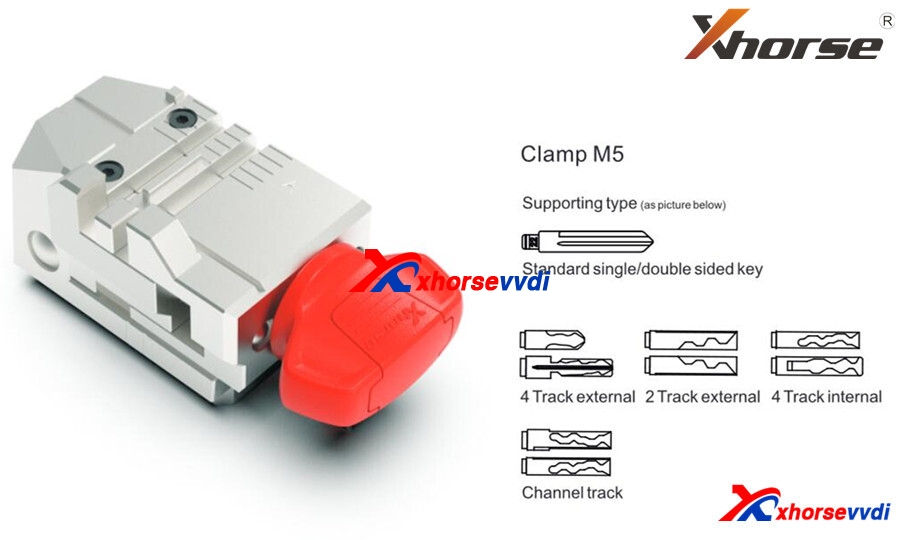
The new clamp M5 is equal to clamp M1 plus M2, supporting Dolphin II XP-005L and Condor XC-MINI II(coming soon).
Clamp M5 has side A and B, so users can turn it over as cutting needs instead of replacing different clamps. Detailed method is:
Loosen the key lock knob, turn over the clamp and tighten the key lock knob.
What new features on Dolphin XP-005L?
Dolphin XP-005L ≈Dolphin XP-005 software(function) + Condor XC-MINI Plus hardware.
Compared to Dolphin XP-005:
300$, we’ll get
An HD screen(you don’t have to operate on your phone or buy a Key Tool Max),
A larger protection cover(Some customers gave a feedback that they wanted to buy a separate shell for Dolphin XP-005),
Online update(Firmware update via Upgrade Kit is a big trouble to some customers)
Lower weight(Easier to carry out)
M5 clamp(Make operation easier).
Compared to Condor XC-MINI Plus:
450$, we’ll lose
A larger screen, offline operation. However, XC-Mini Plus doesn’t have a built-in battery so hard to take it out.
Personal review
Basically for me, 300 bucks to get a screen, don’t worth it. Just pay more 50 bucks and I can get Key tool max plus XP-005. And lower weight and the combination M5(M1, M2) also don’t interest me, but I’d like to pay for online update, because when the device needs a firmware update, you have to request a link to the update software application through the support section of their phone app. I couldn’t get it to communicate with my Dolphin xp005 over USB, and eventually I do the update using a friends computer.
As for Condor Mini Plus, you can see the biggest difference is that it allows you to cut keys without network support. It’s very useful, but the price is too high. See if you really need that function.
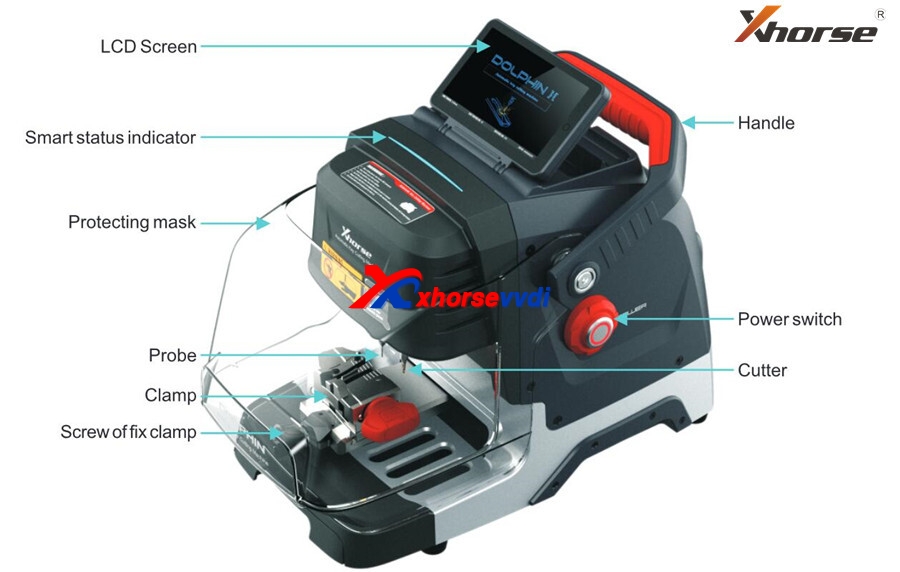
2021 newest Xhorse Dolphin II XP005L key cutting machine will be launched. It’s an upgrade version of Dolphin XP005, XP005L with Adjustable Screen and Protective Cover, total weight is only 14kg,asy and portable to work without pressure.
Xhorse XP-005L Features:
Buit-in database
Support APP Control
Intelligent operating system
Smart LED indicator
Angle adjustable LCD touch screen
Support WiFi and Bluetooth
All-aluminum body structure
High precision ball screw
High rigidity cross rail
Cutter and probe work in parallel
Support Multiple Clamps
Support Sided/Track/Tibbe Key
Update online: Machine firmware and database upgrade via WiFl directly
Xhorse XP005L Structure:
Xhorse Dolphin XP-005L M5 Clamp
M5 clamp with two sides of A and B. Users can turn the clamp surface to cut according to cutting needs, it’s no need to repeated install and uninstall to replace clamps. Here are the method of using the M5 clamp. 1) Loosen the “key lock knob” counter clockwise to make the right slider of the clamp the right limit 2) Turn the movable module clockwise, and turn the clamp from side a to side B. Tighten the key lock knob” clockwise to lock the clamp.
Dolphin XP-005L Specification: Input voltage: 24V DC Power: 160W Principal axis rotation speed: 12500rpm Motor Torque: 0.15Nm LCD resolution: 1280*720 Working temperature: 10-50°C Humidity: 10-90% Machine size: 390mm:220mm*270mm Package size: 495mm*400mm*360mm Net weight: 13kg Gross weight: 18.5kg
Look here, What are the new features in Dolphin II XP005L :
HD Touch Screen
Users can directly complete operation on the screen. High definition screen minimizes eye fatigue. The machine adopts an angle-adjustable 5-inch capacitive touch screen. You can set the angle of the screen based on actual needs.
Innovative Colorful Indicator Lights
The indicator light changes color with the change of real-time working status.
Massive Vehicle Database
Built-in powerful database covers over 100 car brands, 2,000 car models and 20,000 key data. Accurate key data, detailed parameters, and clear key graphics. We provide a lifelong database upgrade service for free!
Portable Solution
Thanks to its compact design, lightweight, much easier to take it outside and provide users outdoor and roadside services. Built-in well-known lithium battery, stable and reliable, support cutting works without power supply access.
Transparent Protective Shield
The transparent shield enables users to check the real-time working status while preventing metal debris from spattering.
Manufacture Craftsmanship
All-aluminum body structure; Manufactured by German-made DMG CNC machine to guarantee high precision cutting results. The finished keys passed the rigorous testing of the Optical Instrument. A wider workbench, strong and steady, make your works more productive. Maintain excellent performance even under extreme weather.
Multi-purpose Clamps (M5 Clamp)
A wide duplication availability guaranteed by a variety of functional clamps (Standard equipped M5 clamp (M1 and M2 2 in 1), optional M1/M2 Clamp, M3 Clamp, M4 Clamp.), support multiple key types, standard single sided, standard double sided, 2 track external, 4 track external, dimple, channel track, 4 track internal, F021 & Citroen SX9 keys, residential keys, etc.
Support Bluetooth and WiFi
Support directly upgrade online via WiFi connection. Control the machine by the Xhorse APP on your smartphone or other intelligent terminals via Bluetooth.
During the process of using Xhorse Audi BCM2 Adapter to read & write data with VVDI Key Tool Plus and VVDI Prog, some may have error reports or failure messages. In this article, We will put together 2 errors and solutions for your reference.
Issue 1.
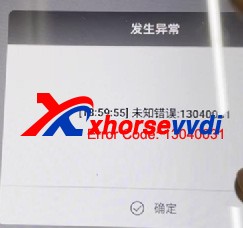
Read DATA1 success with BCM2 adapter , but during DATA2 reading VVDI Key Tool Plus prompts “Error Code: 13040031”and“Read Data fail”.
Solution 1 :
Do Not try as you like when it shows “Error Code: 13040031”, the correct way is to check cables & adapters connection and external power supply, try to read again and it should be fine (Do Not read DATA1 again, unlock BCM or try to install BCM back and read via OBD). Read data as instructions and restore BCM back, and there will be no other problems.
Issue 2.
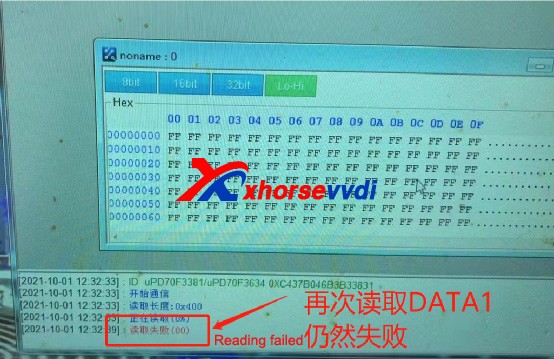
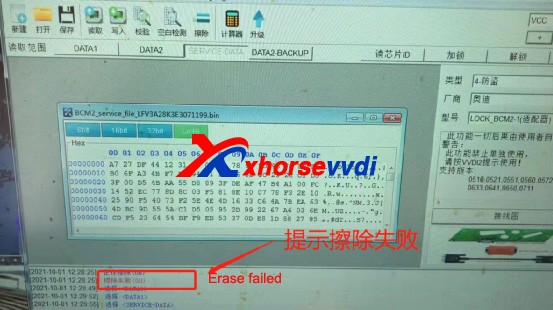
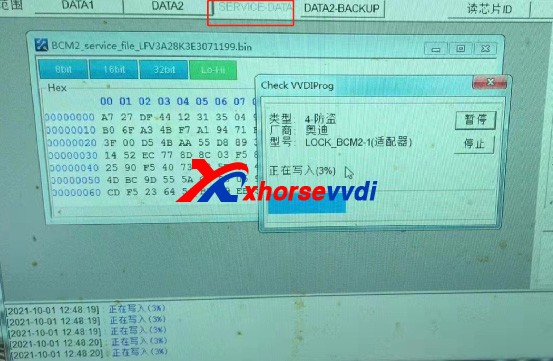
Read DATA1 and DATA2 success, save Immo data and service data success, but write service data fail and it prompts “Fail to erase” when repeating service data writing. Try again and DATA1 reading also fails.
Solution 2 :
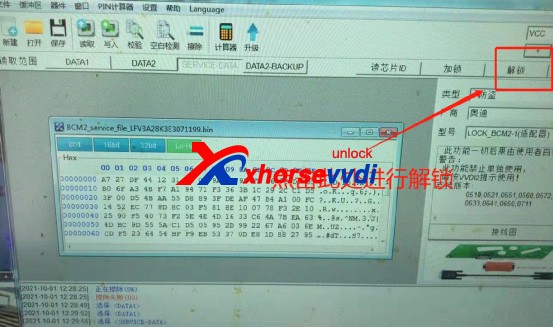
When VVDI PROG reads DATA1 & DATA2 successfully and saves service data, we can select “Unlock” to unlock BCM’s CPU.
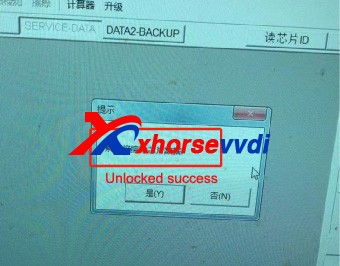
Until the system prompts that the unlock is successful
Then select “SERVICE DATA” and write it back.
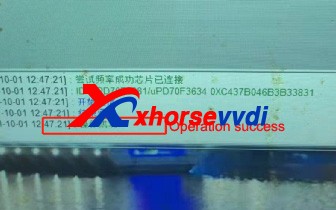
After writing successfully, restore BCM back to vehicle, and vehicle can start without additional operation.
Above problems are collected from customers feedback. Hope this could help. More questions, contact us.














 xhorse vvdi key tool max