Solved! Xhorse Condor Mini stuck after Changing PowerBoard Problem

The other day we’ve talked about the update error of Condor XC-Mini Plus that it cannot boot or be identified by the Upgrade Kit, also including how to check the power board. If you meet the similar problem, go check:

http://blog.xhorsevvdi.com/fix-xhorse-mini-condor-update-error/

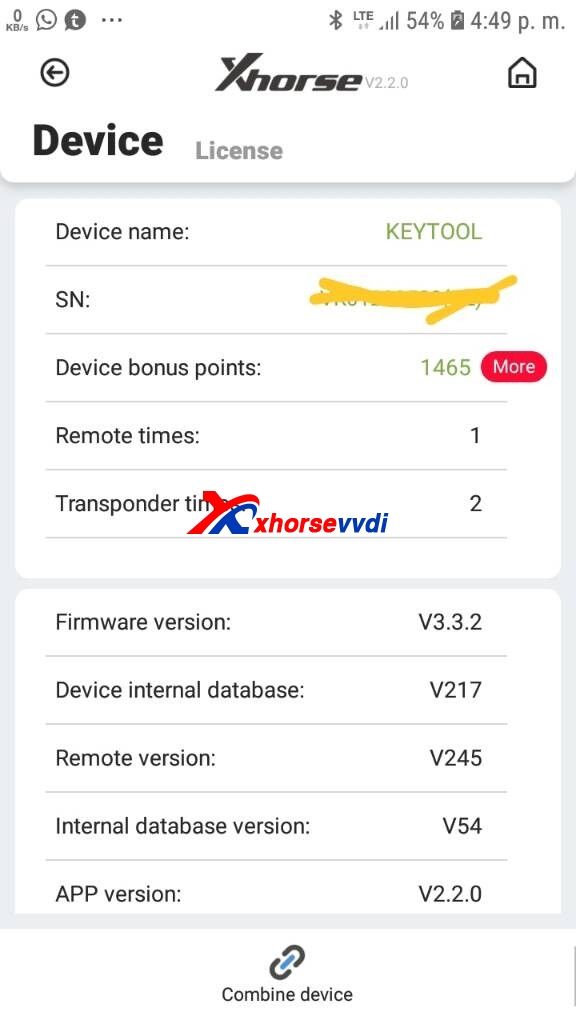
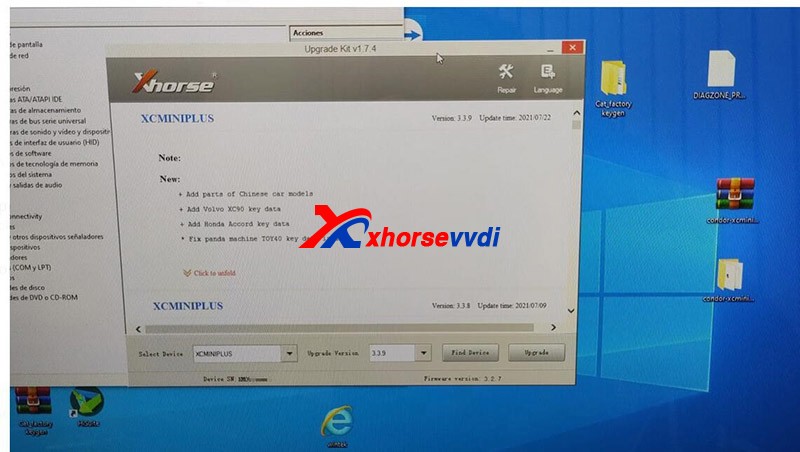
Recently we receive his feedback that he still cannot update the device after replacing the power board, and the problem is the device and the Upgrade Kit got stuck when updating.
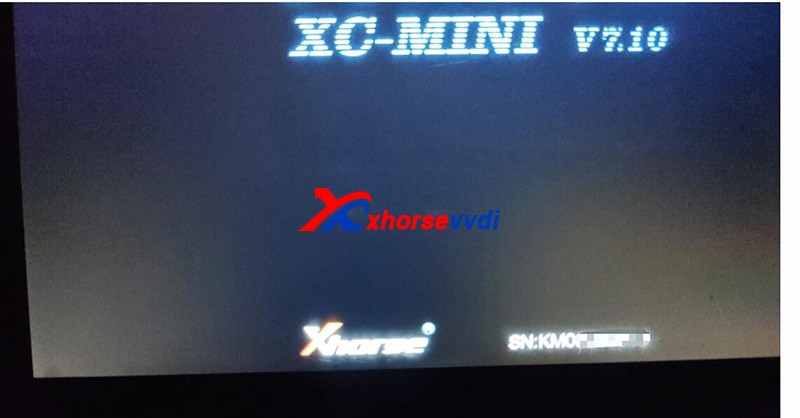
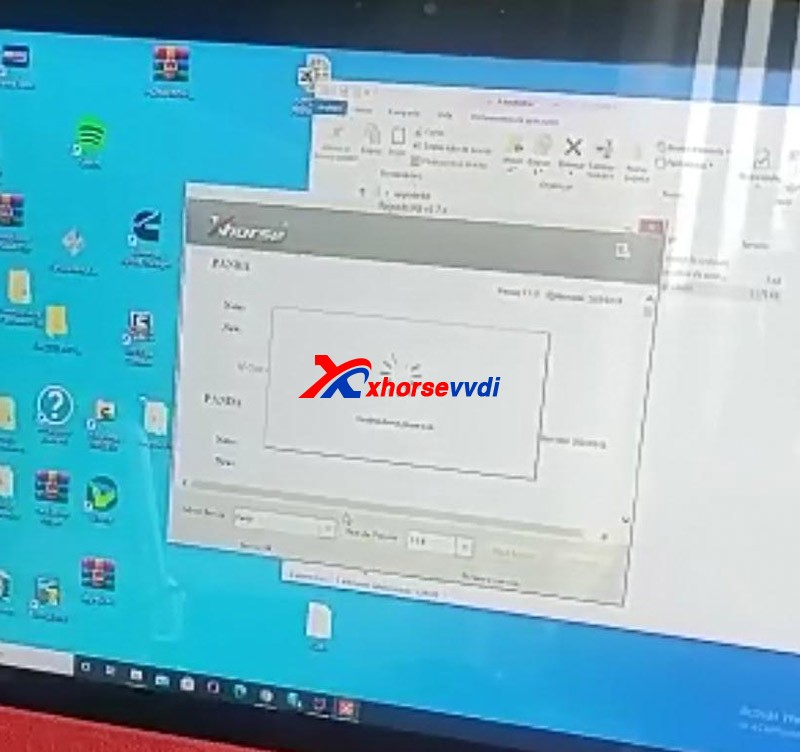


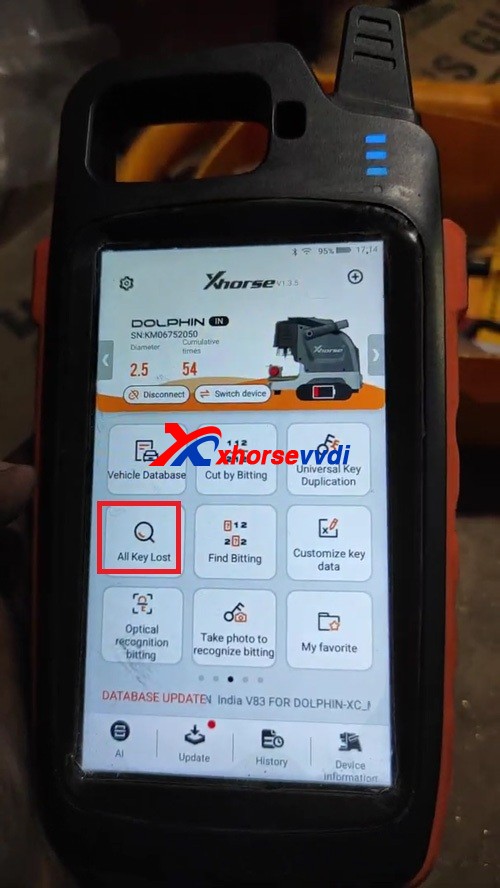
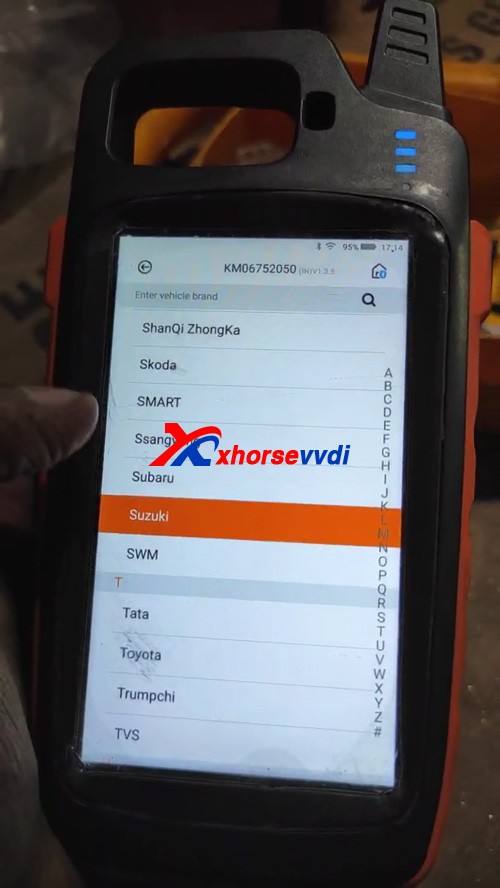
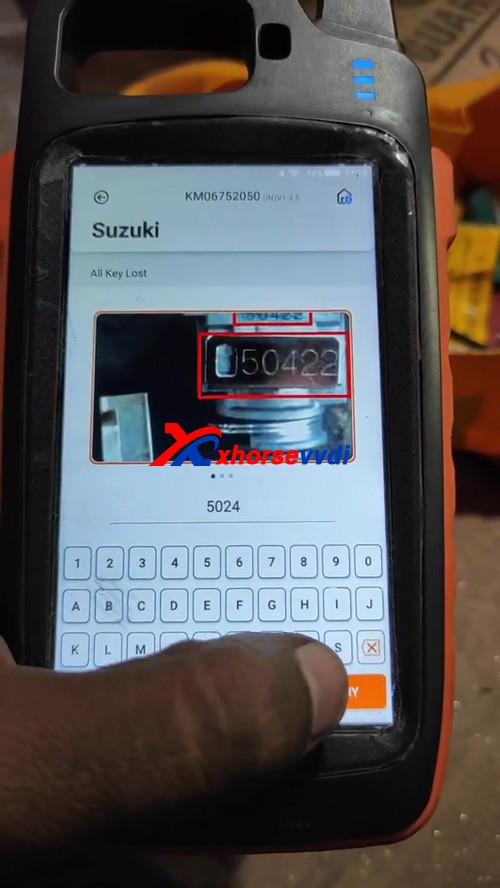
Xhorsevvdi technical support asks for his serial number (SN) and CONDOR MINI’s homepage picture for analysis and gave the
Solutions:
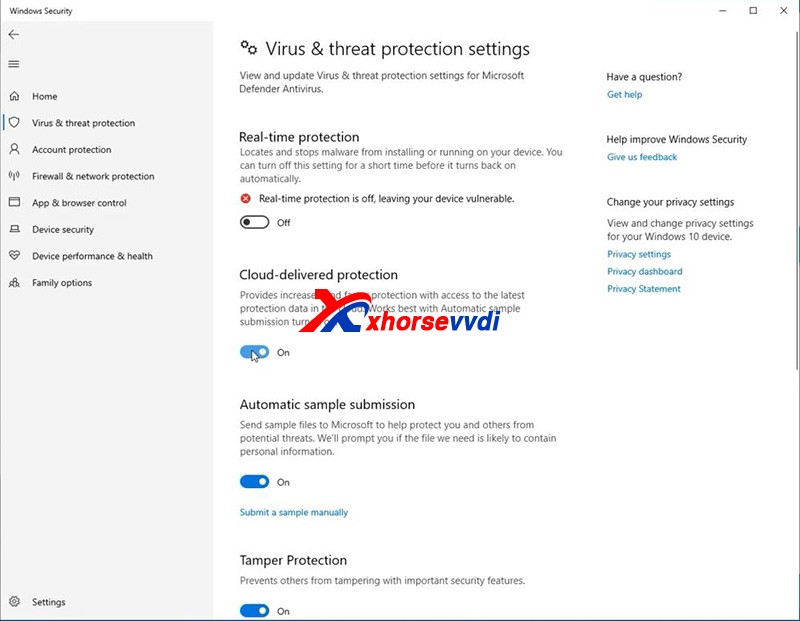
1.Close all anti-virus software and system firewall.
Enter “Windows Security” interface.
Press “Virus & threat protection” and “Manage settings”.
Turn off all options.
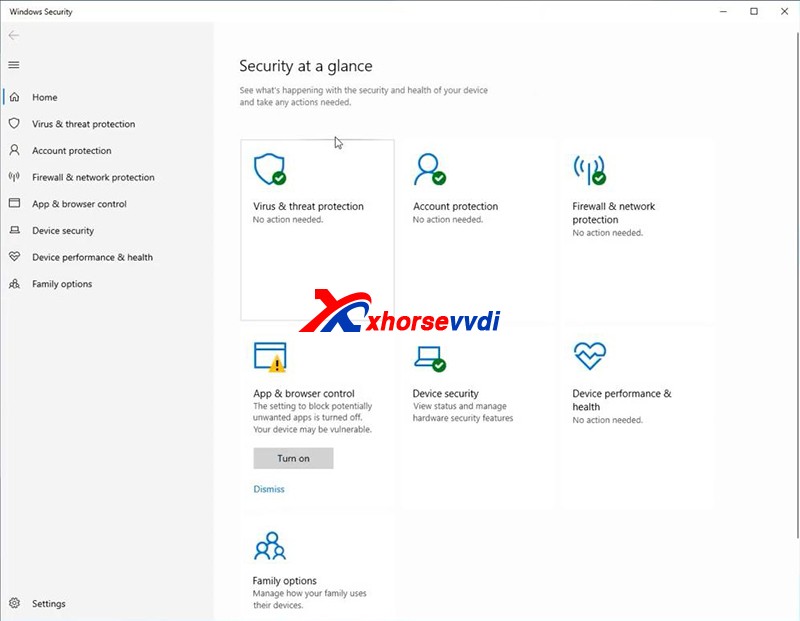
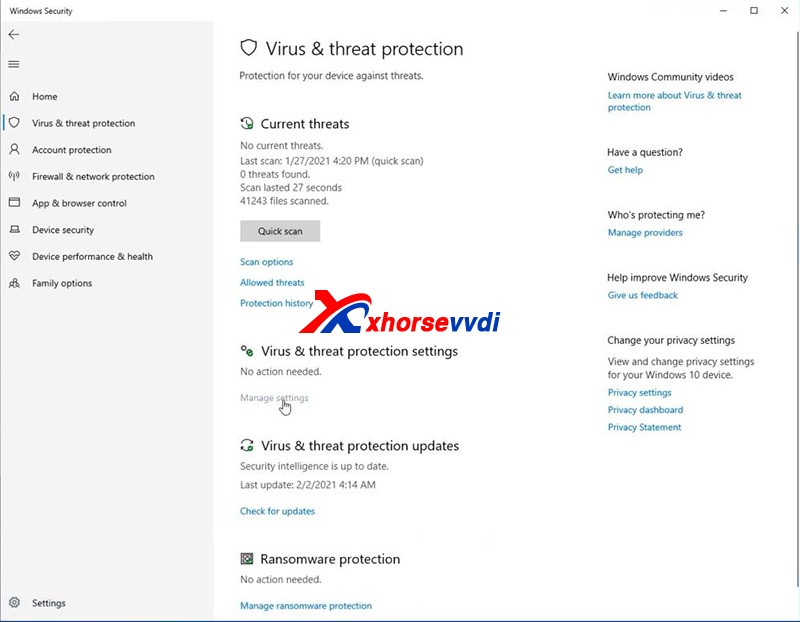


Note: Always remember that turn off all anti-virus programs when it comes to the update and installation of Xhorse software.

2.Re-install drivers and reboot the computer or try another computer.

Last we also receive the message that the customer’s device can be identified and update successfully.
 

https://www.xhorsevvdi.com/service/solution-to-xhorse-condor-mini-stuck.html
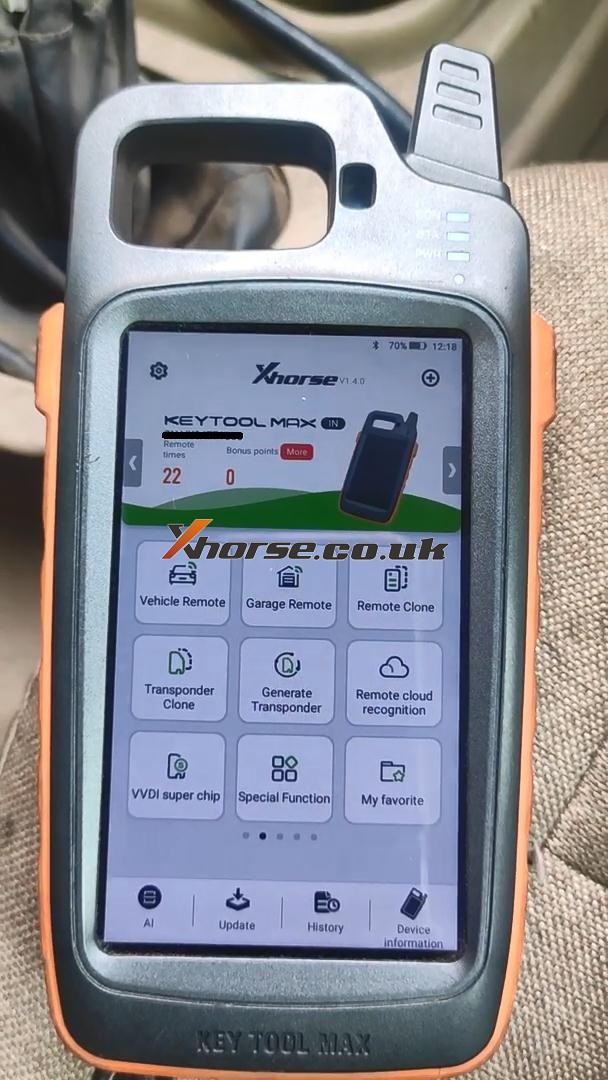
Xhorse VVDI Key Tool Max to Generate Super Chip ID47 -OK
Xhorse VVDI Key Tool Max is able to generate Super Chip ID47 successfully.

Generate Super Chip ID47 using Xhorse VVDI Key Tool Max 01

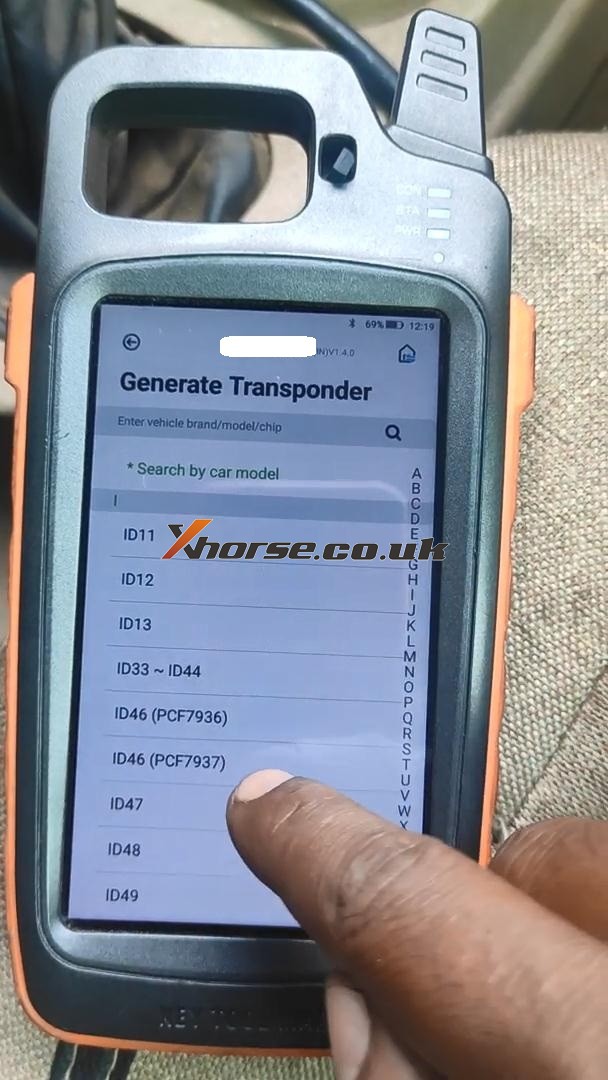
Put the super chip ID47 into the coil of VVDI Key Tool Max.

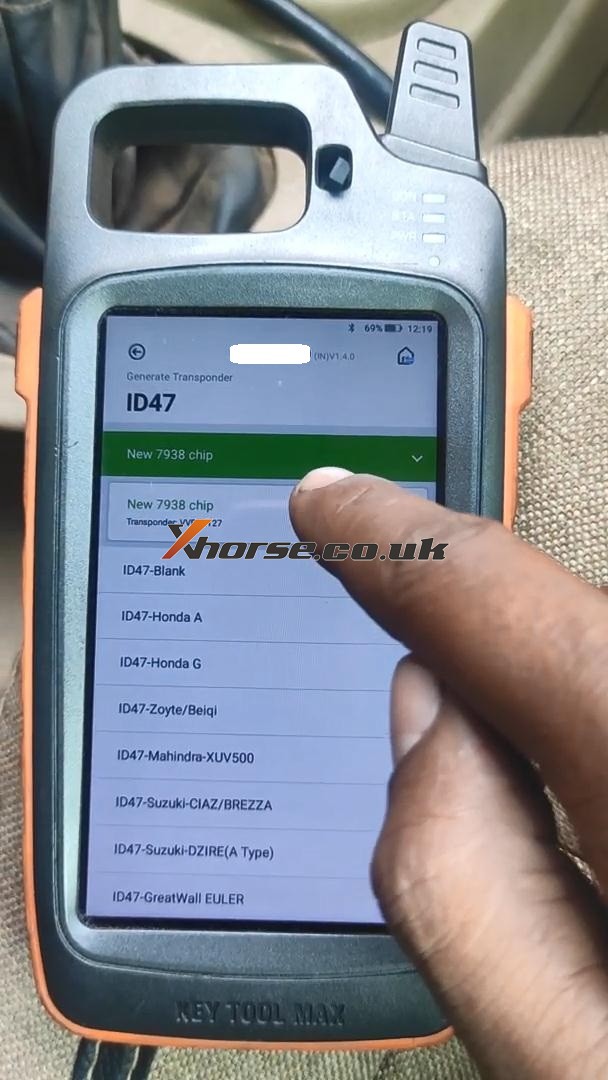
Tap “Generate Transponder” and then “ID47”

Generate Super Chip ID47 using Xhorse VVDI Key Tool Max 02

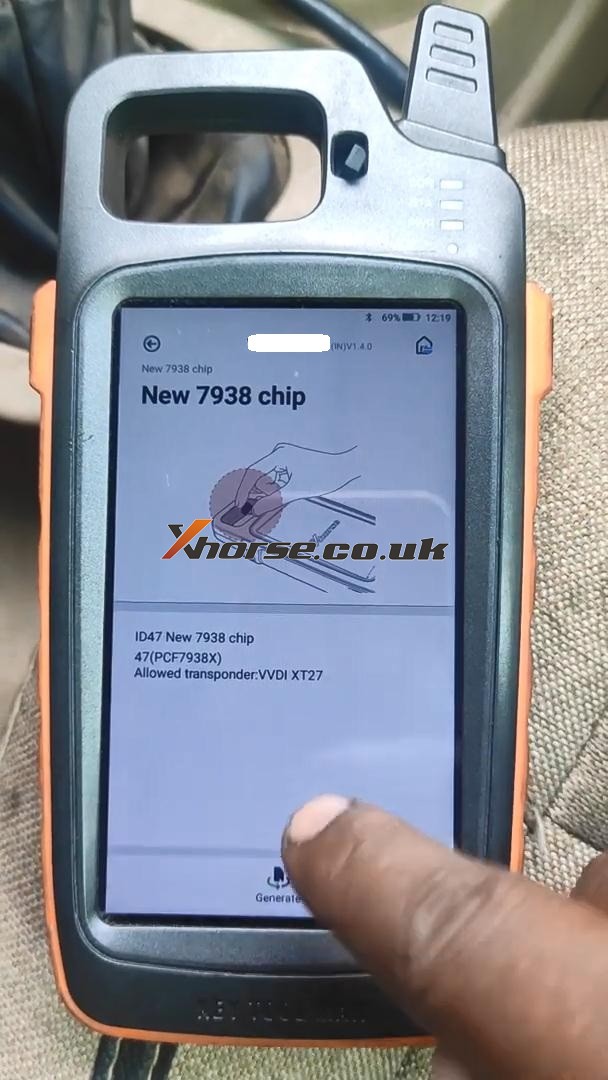
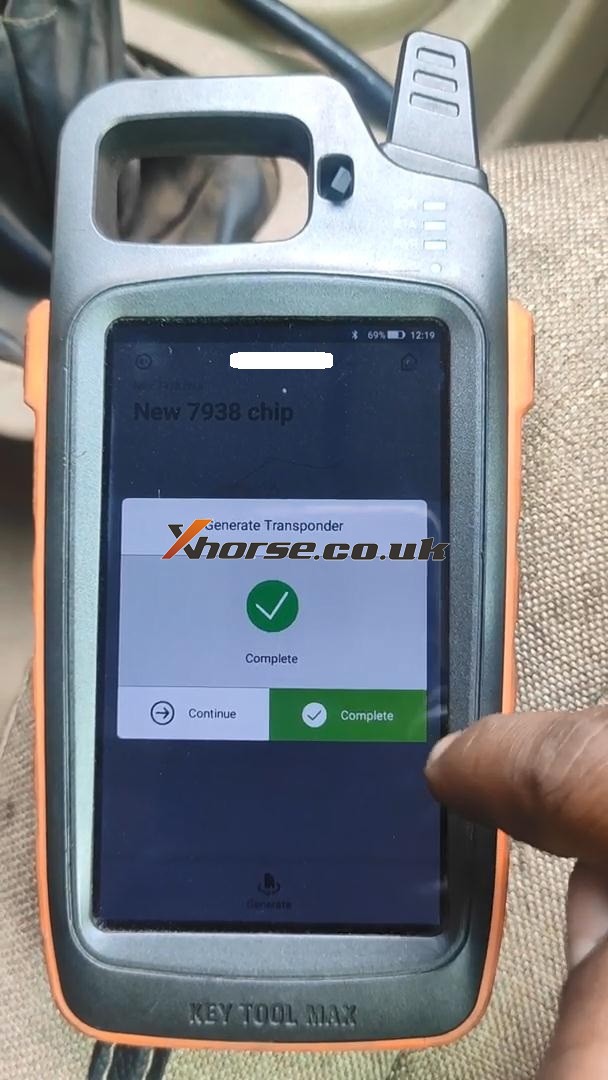
Tap “New 7938 chip” and then “Generate”.

Generate Super Chip ID47 using Xhorse VVDI Key Tool Max 03
Generate Super Chip ID47 using Xhorse VVDI Key Tool Max 04

Detecting transponder

Generate Transponder Complete.

Generate Super Chip ID47 using Xhorse VVDI Key Tool Max 05

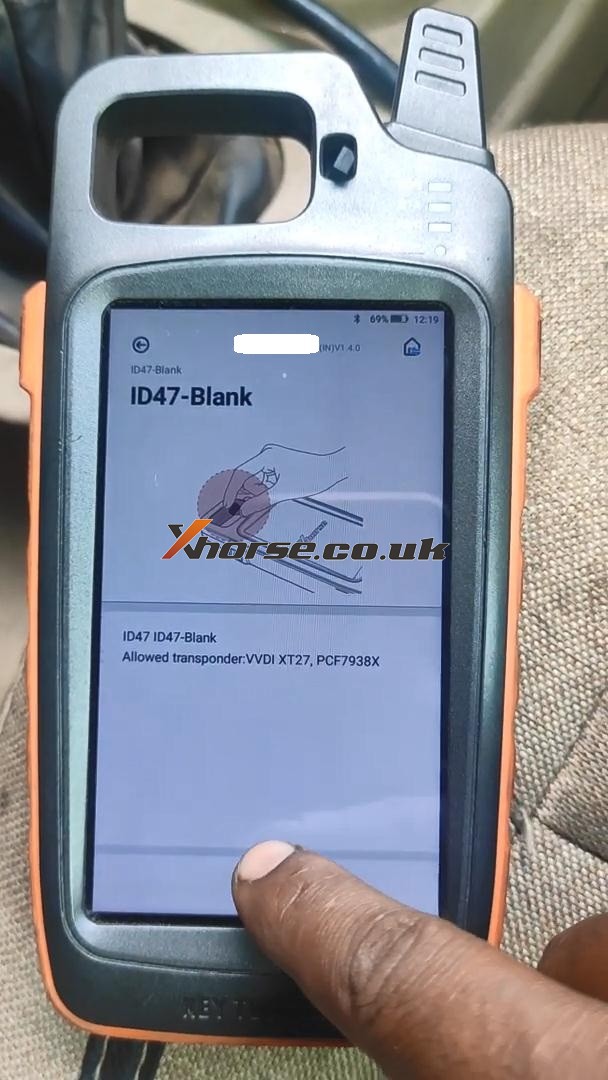
Then tap “ID47 Blank” and “Generate”.

Generate Super Chip ID47 using Xhorse VVDI Key Tool Max 06

Detecting transponder

Generate Transponder Complete.

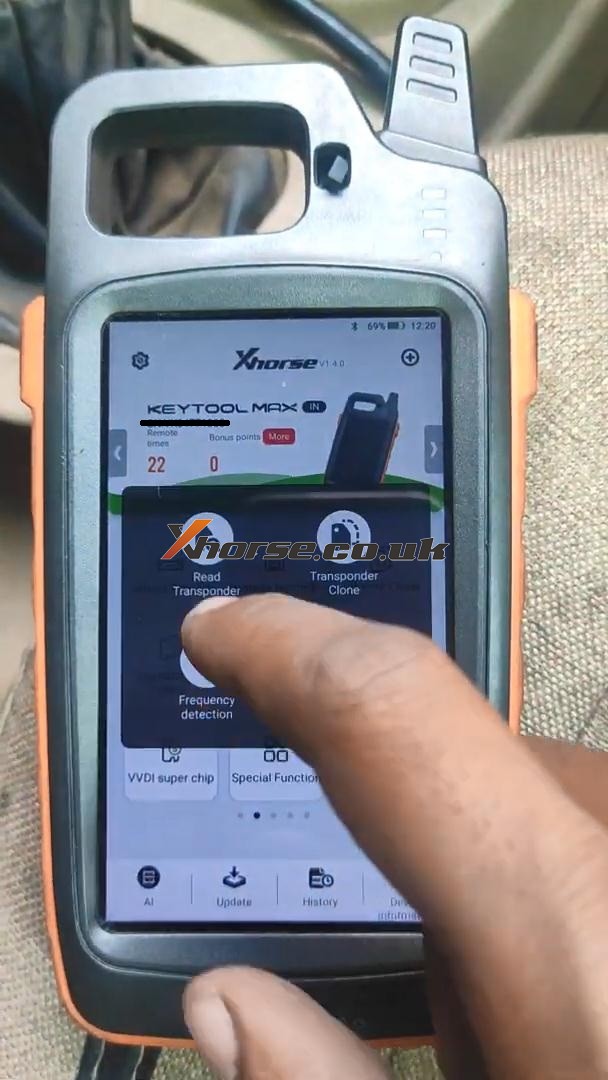
Back to the home menu and select “Read Transponder”.

Generate Super Chip ID47 using Xhorse VVDI Key Tool Max 07

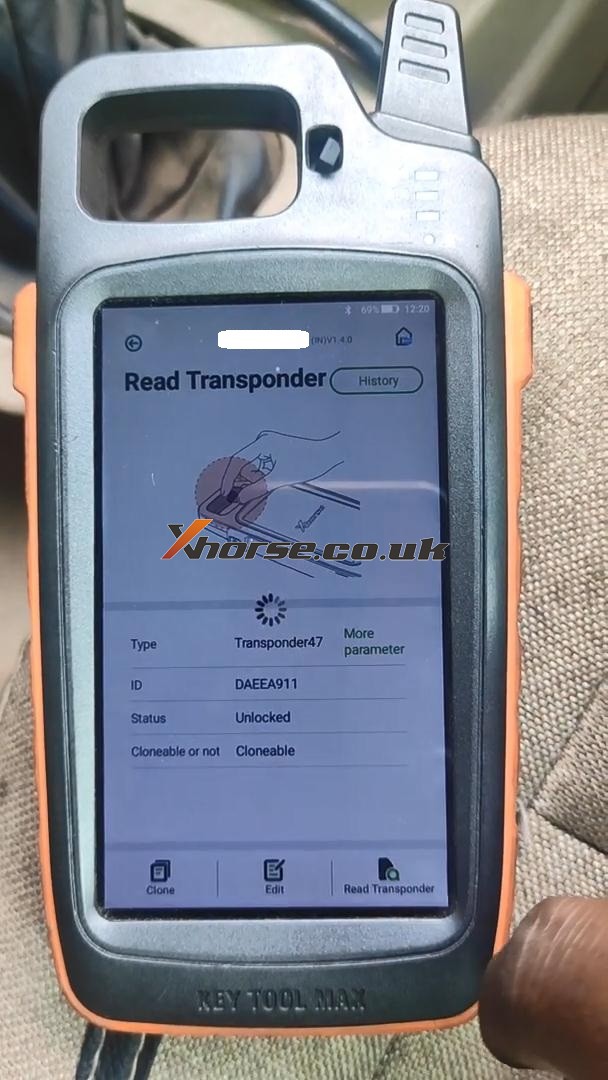
Alright, ID47 is unlocked and cloneable.

Generate Super Chip ID47 using Xhorse VVDI Key Tool Max 08

Xhorse VVDI Key Tool Max did a good job.

http://blog.xhorse.co.uk/

How to Renew the BMW F Series After Market Key with Xhorse VVDI MAX?

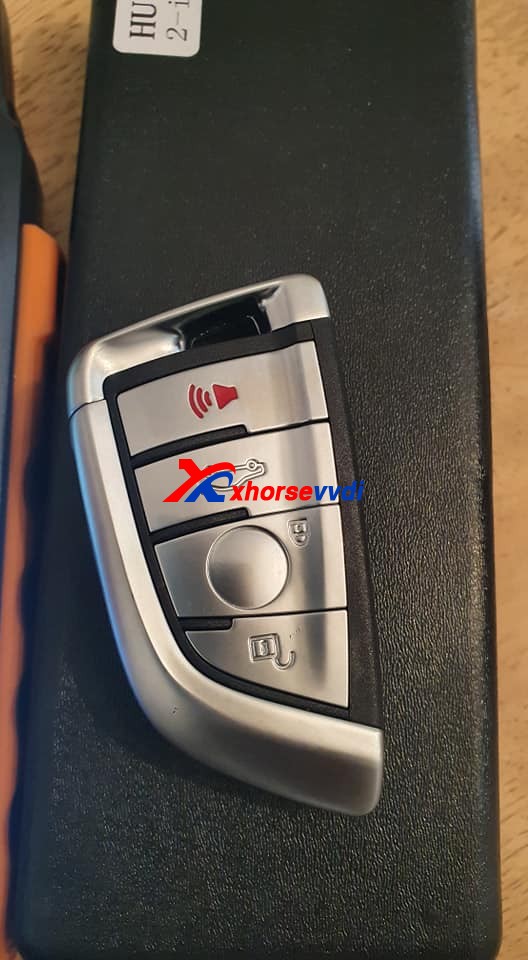
Question on Xhorse VVDI Key tool maxor vvdi mini key tool: how to renew the bmw f series after market key, soldering points please.

Renew the BMW F Series After Market Key with key tool max 01
Renew the BMW F Series After Market Key with key tool max 02

How-to guide:

Xhorse VVDI Key tool max or vvdi mini key tool can’t renew the After Market Key, because it may be unstable, if it is an Xhorse smart remote, it can burn the data without renewing.

Also, someone reports:

Desolder the pcf and insert in the adapter. Already done.

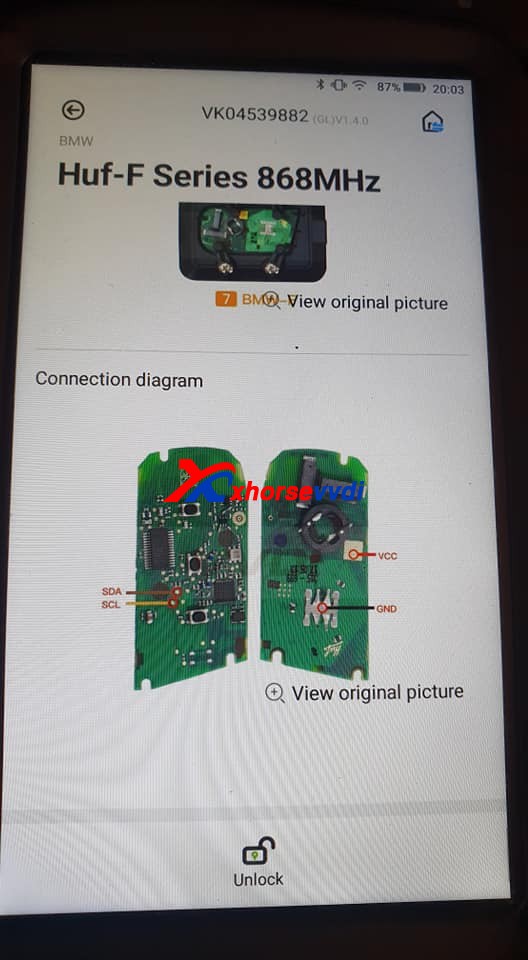
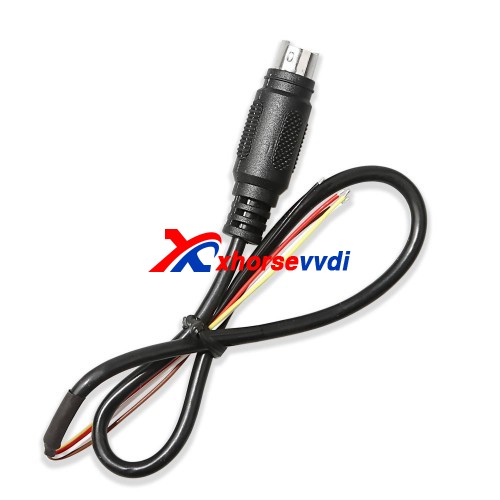
As for Huf-F Series 868MHz, it is not available yet, please use the renew cable to desolder instead.

Renew the BMW F Series After Market Key with key tool max 03

 http://blog.xhorsevvdi.com/renew-the-bmw-f-series-after-market-key-with-key-tool-max/

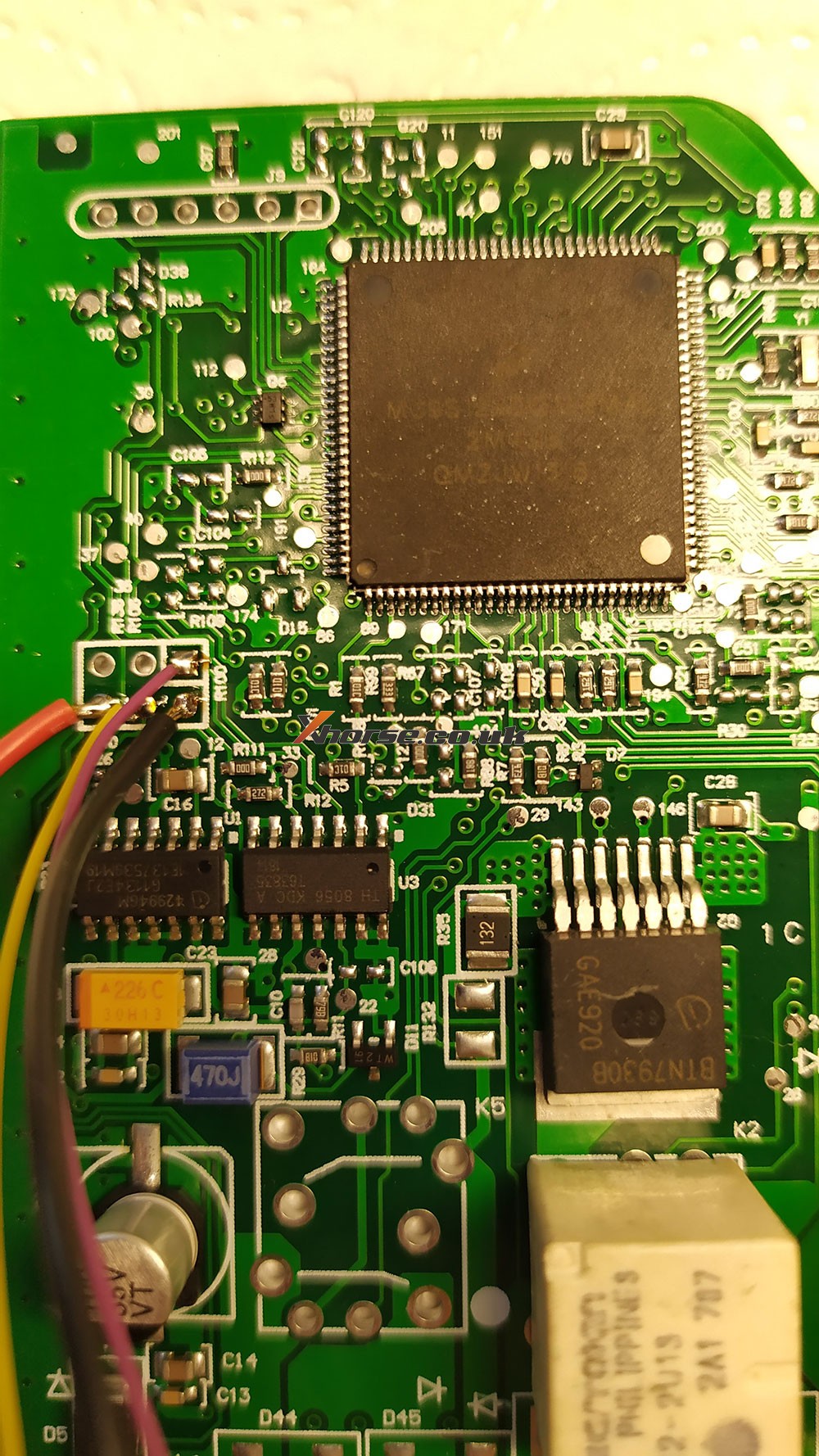
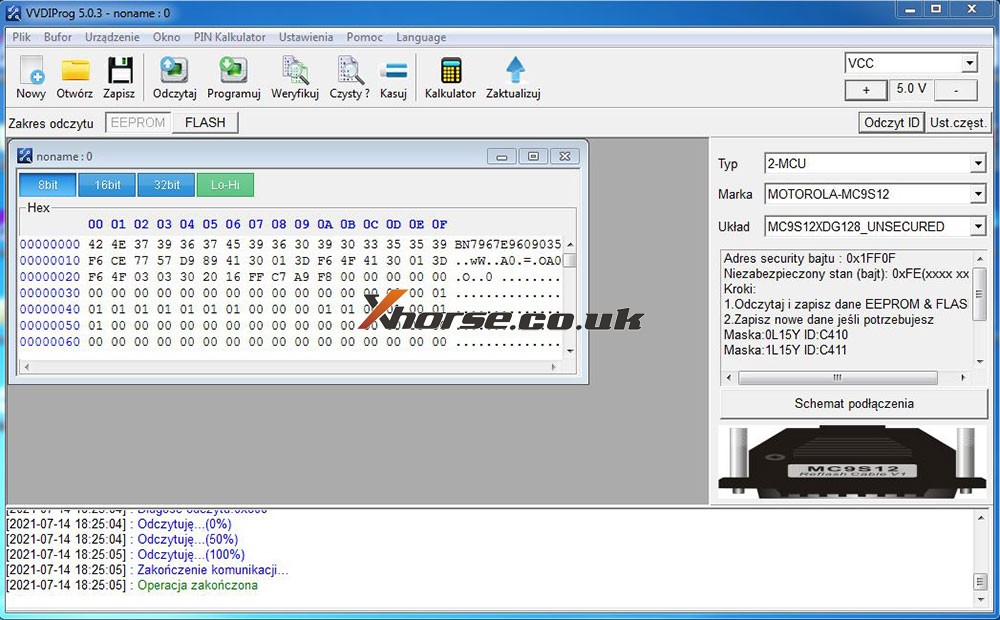
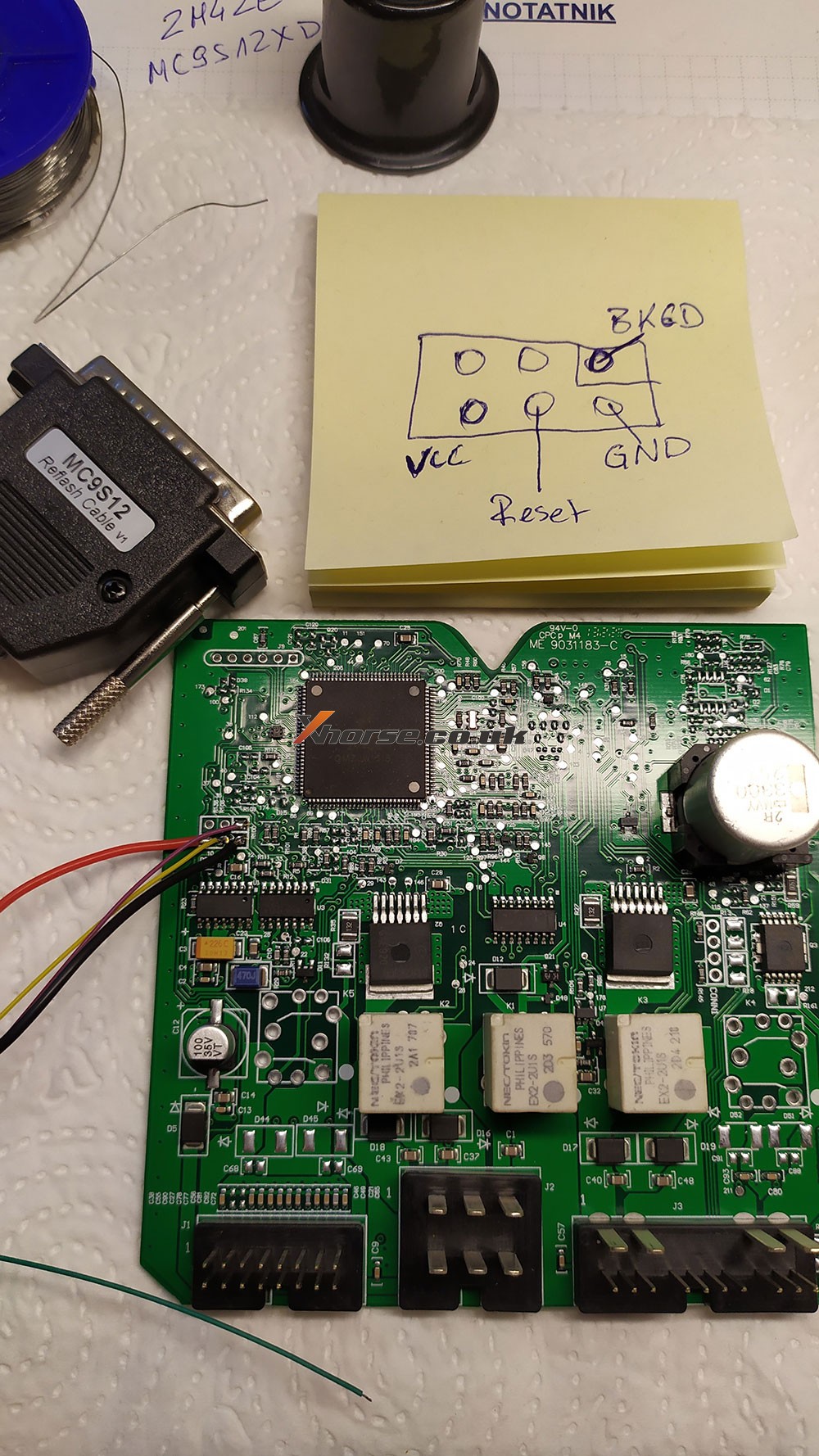
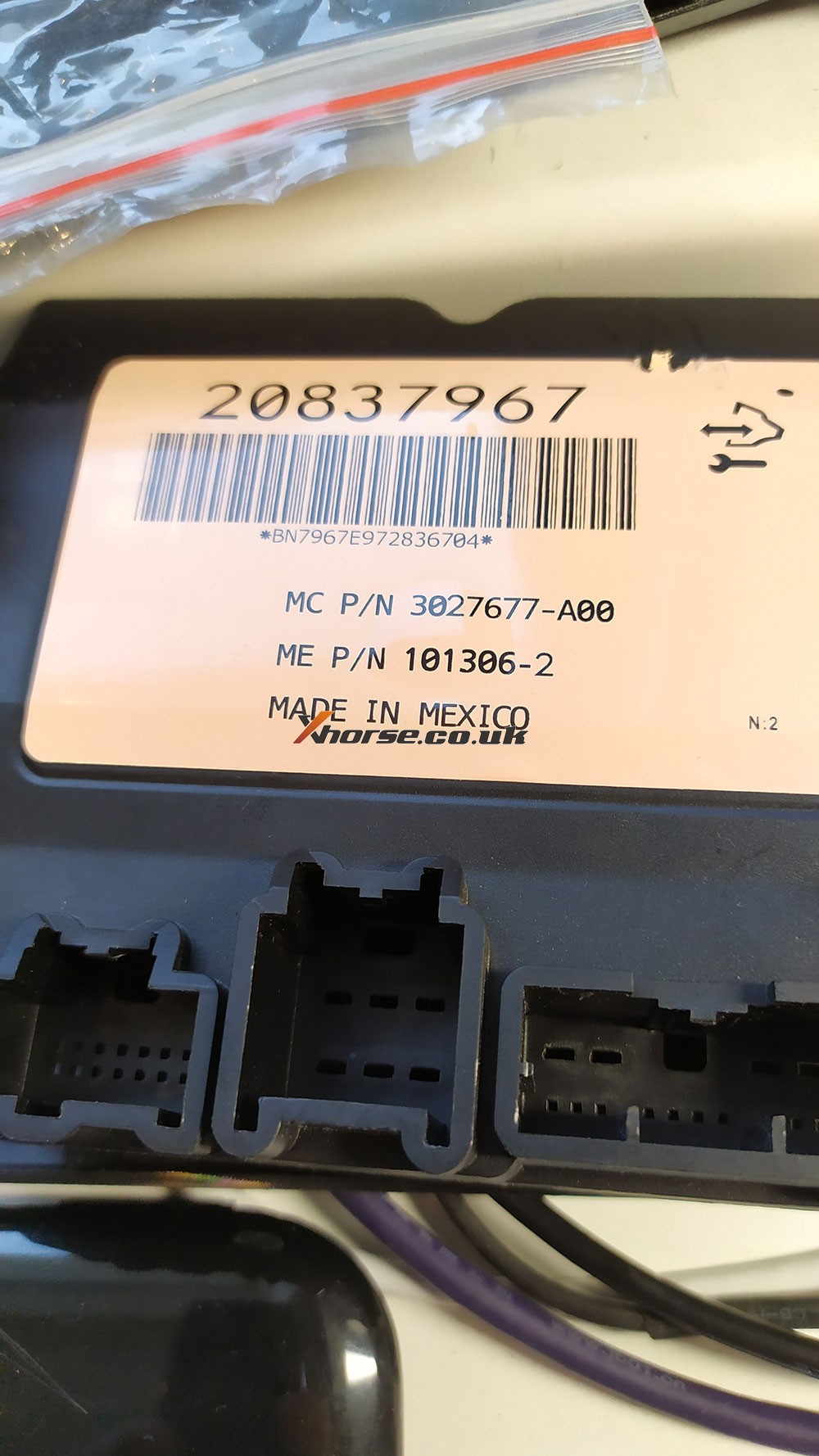
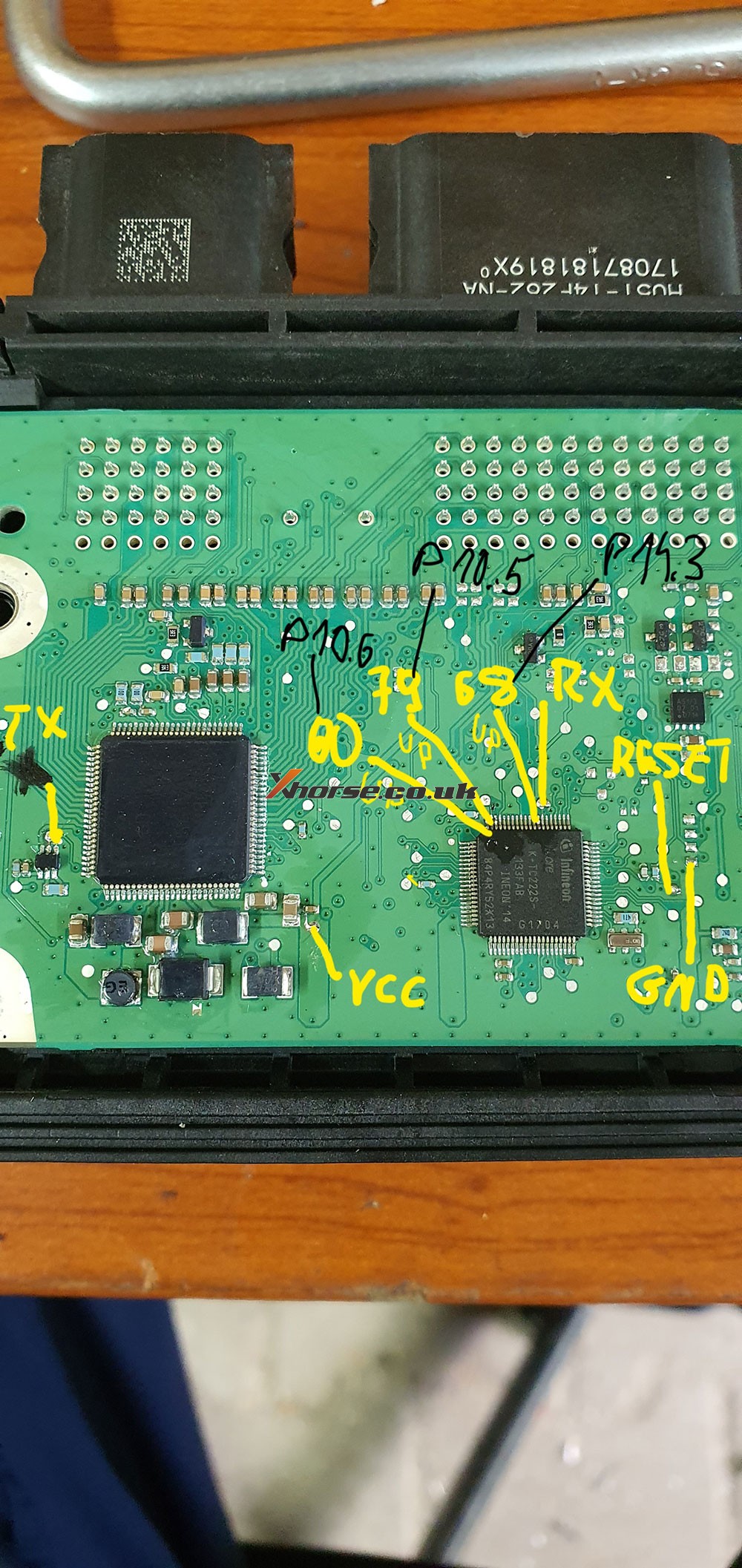
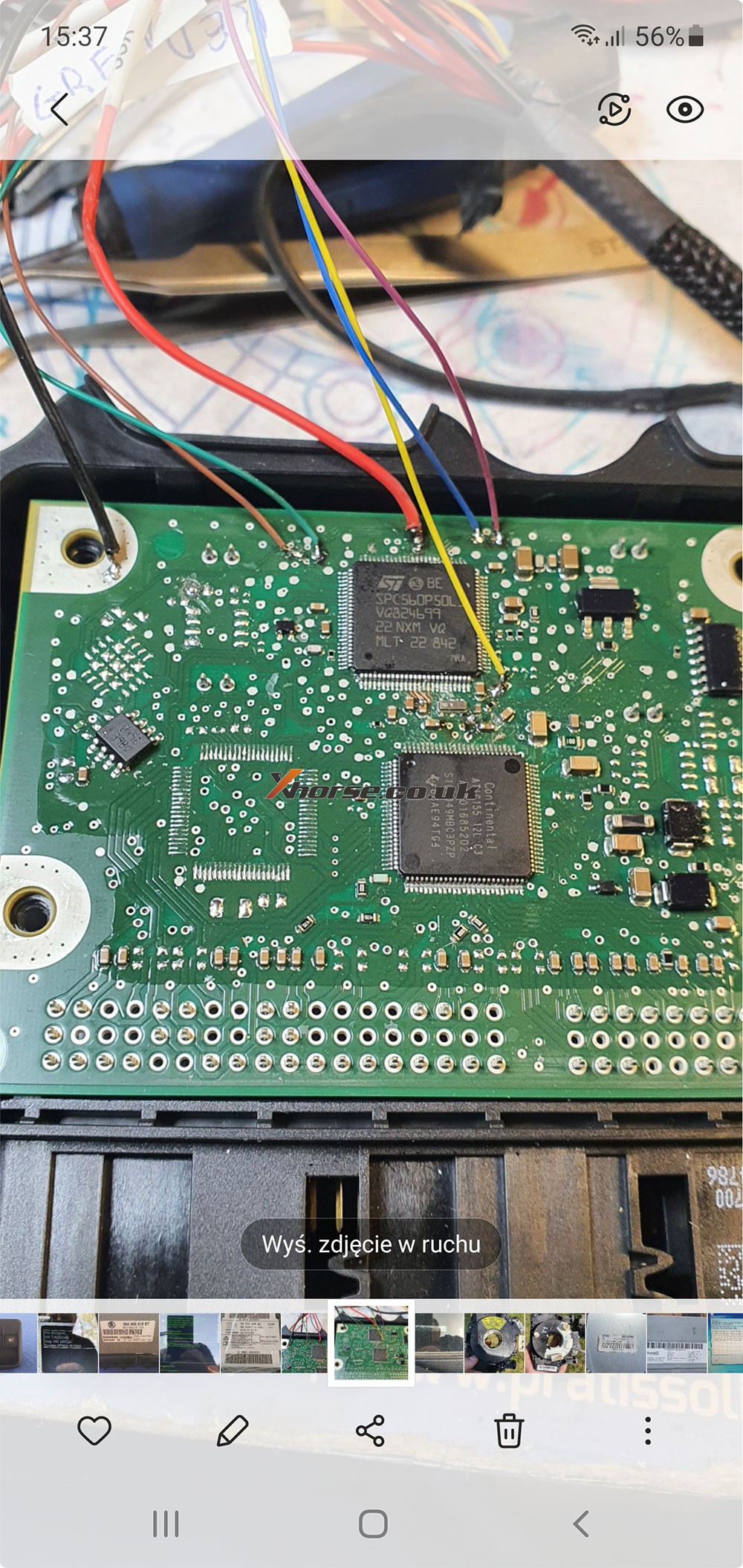
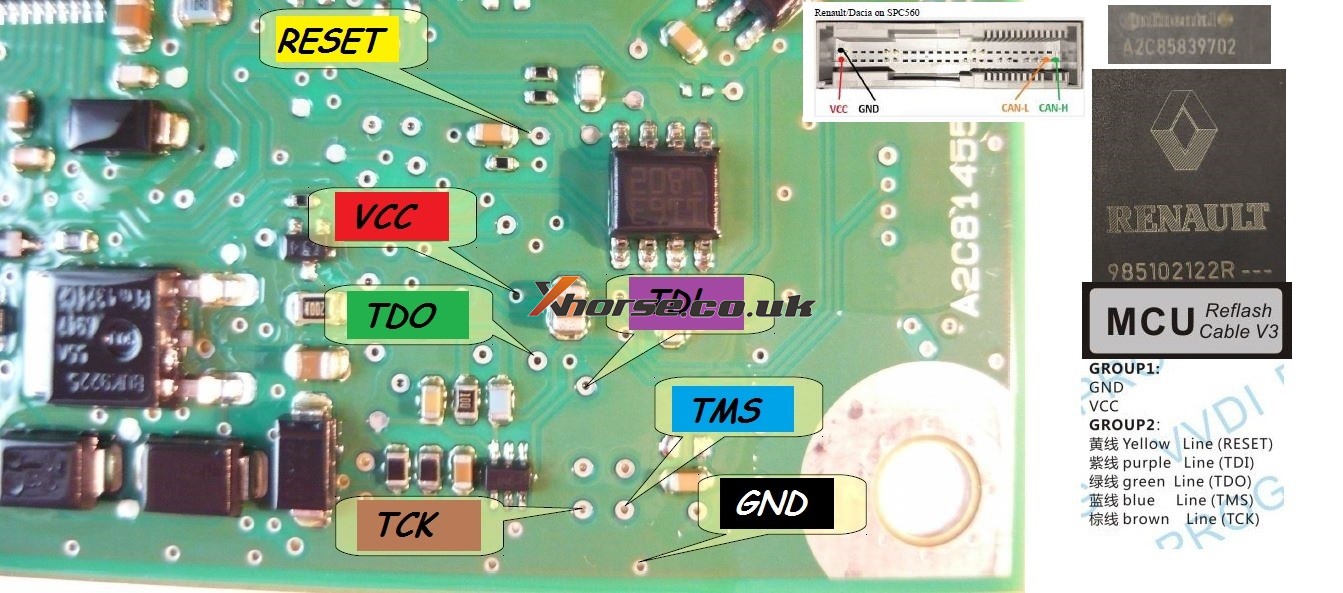
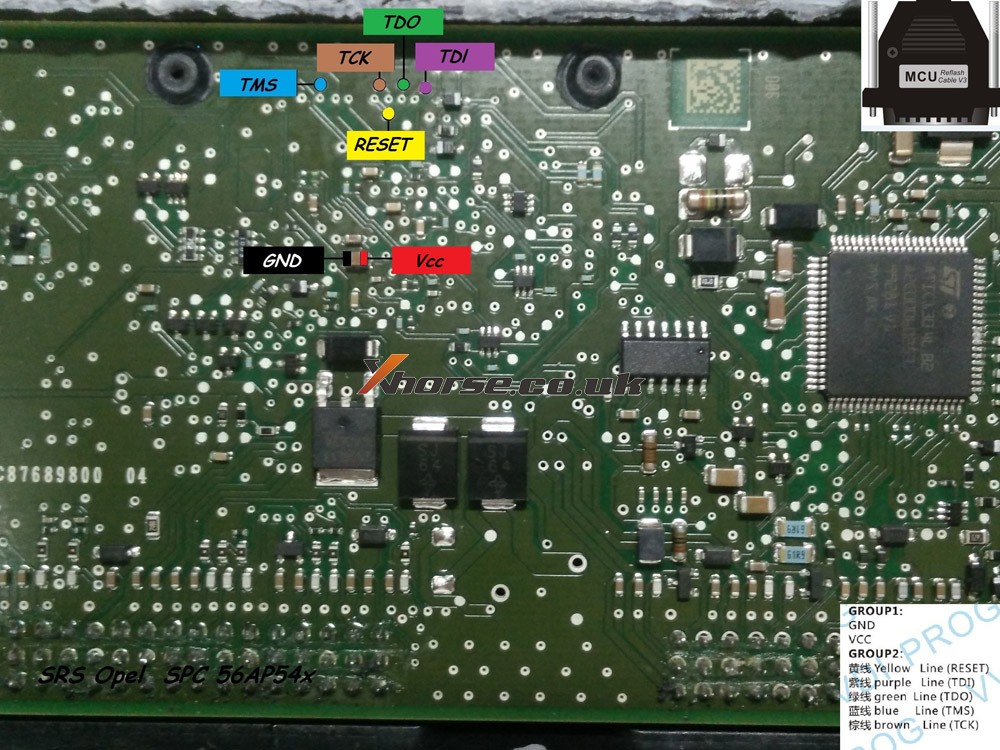
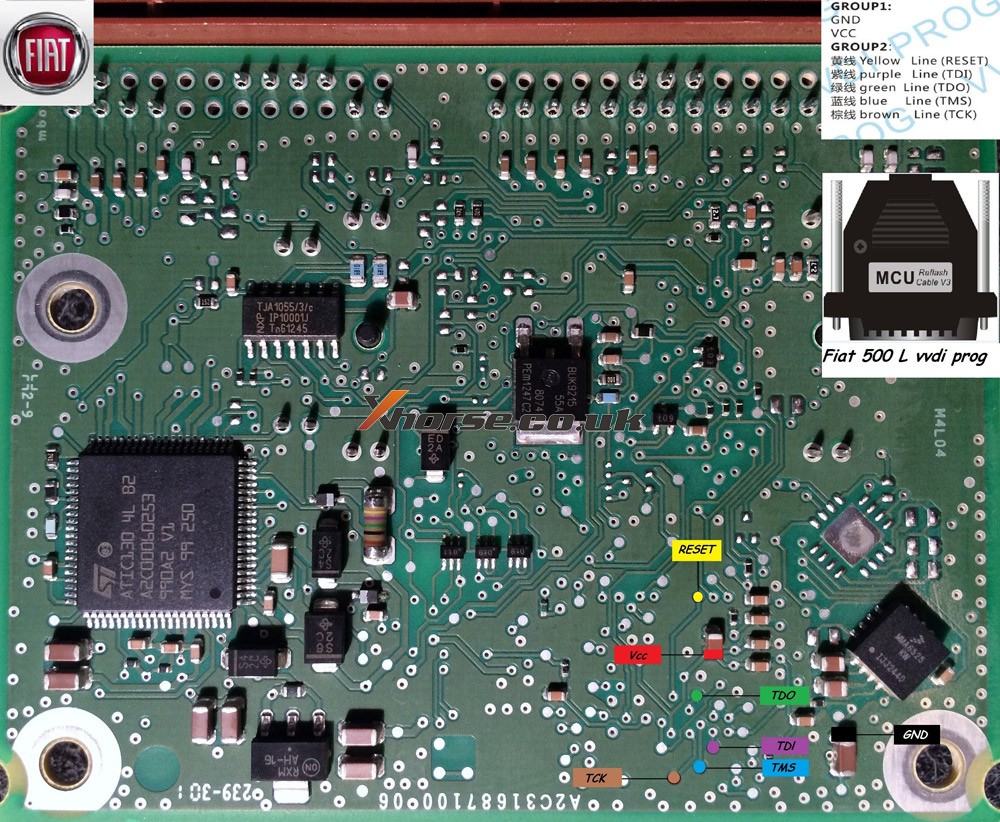
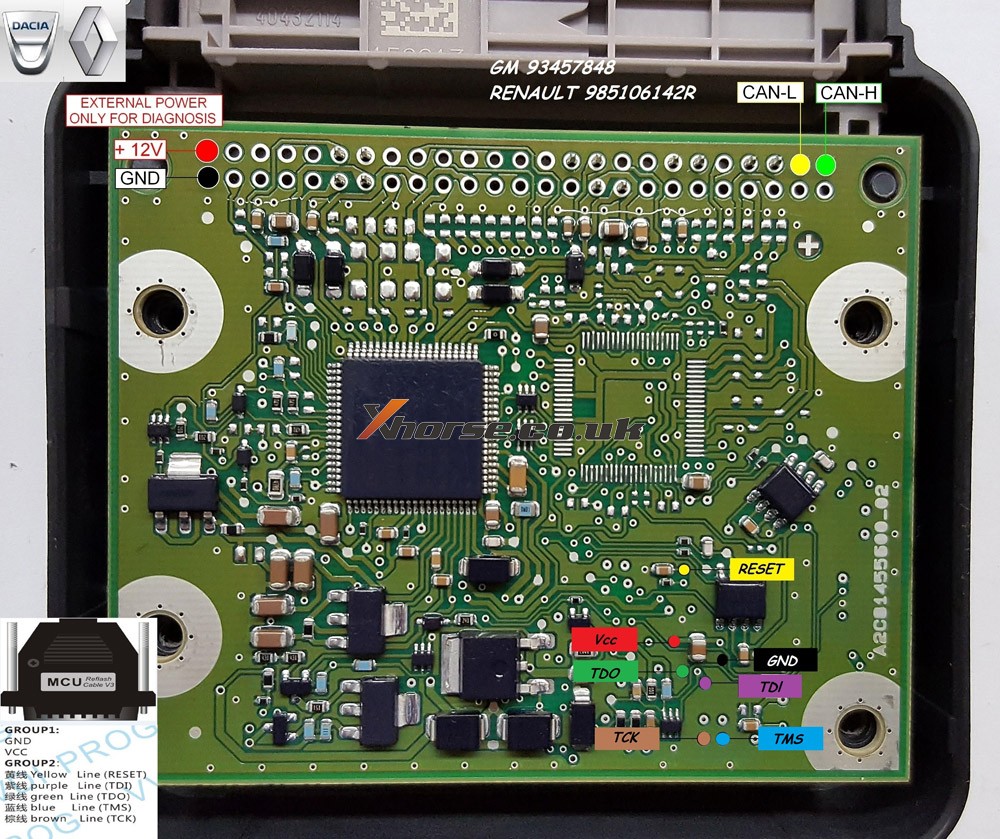
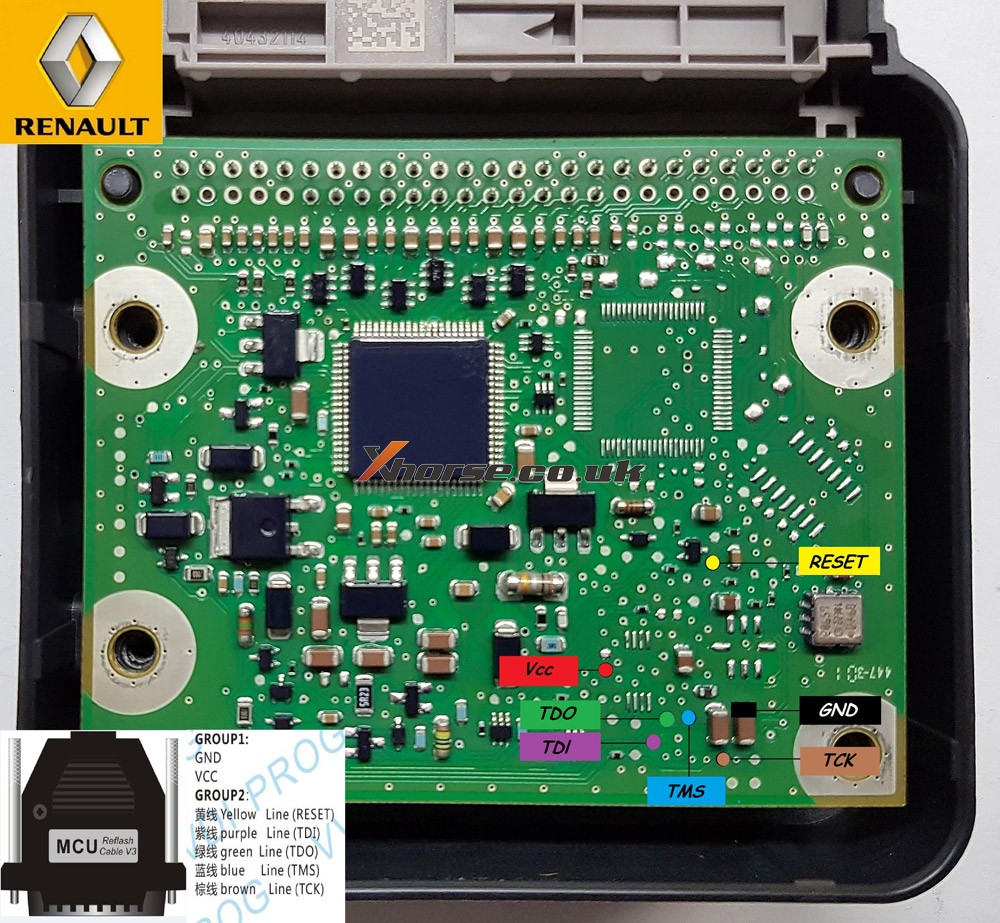
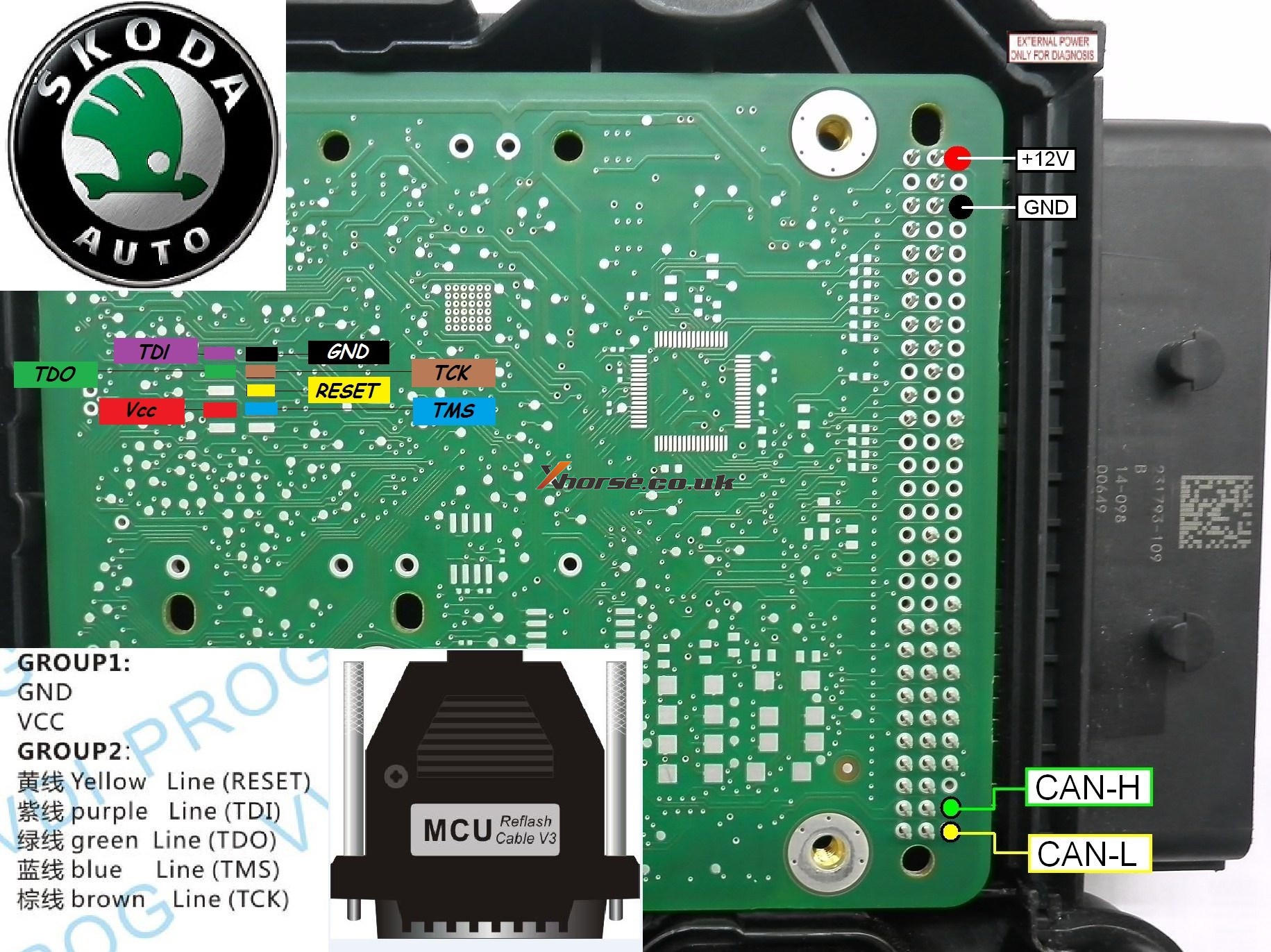
Xhorse VVDI PROG Pinout for Opel, Ford PSA etc

Opel Insignia 2011 year

Body R/W VVDI PROG

Pinout for all of you

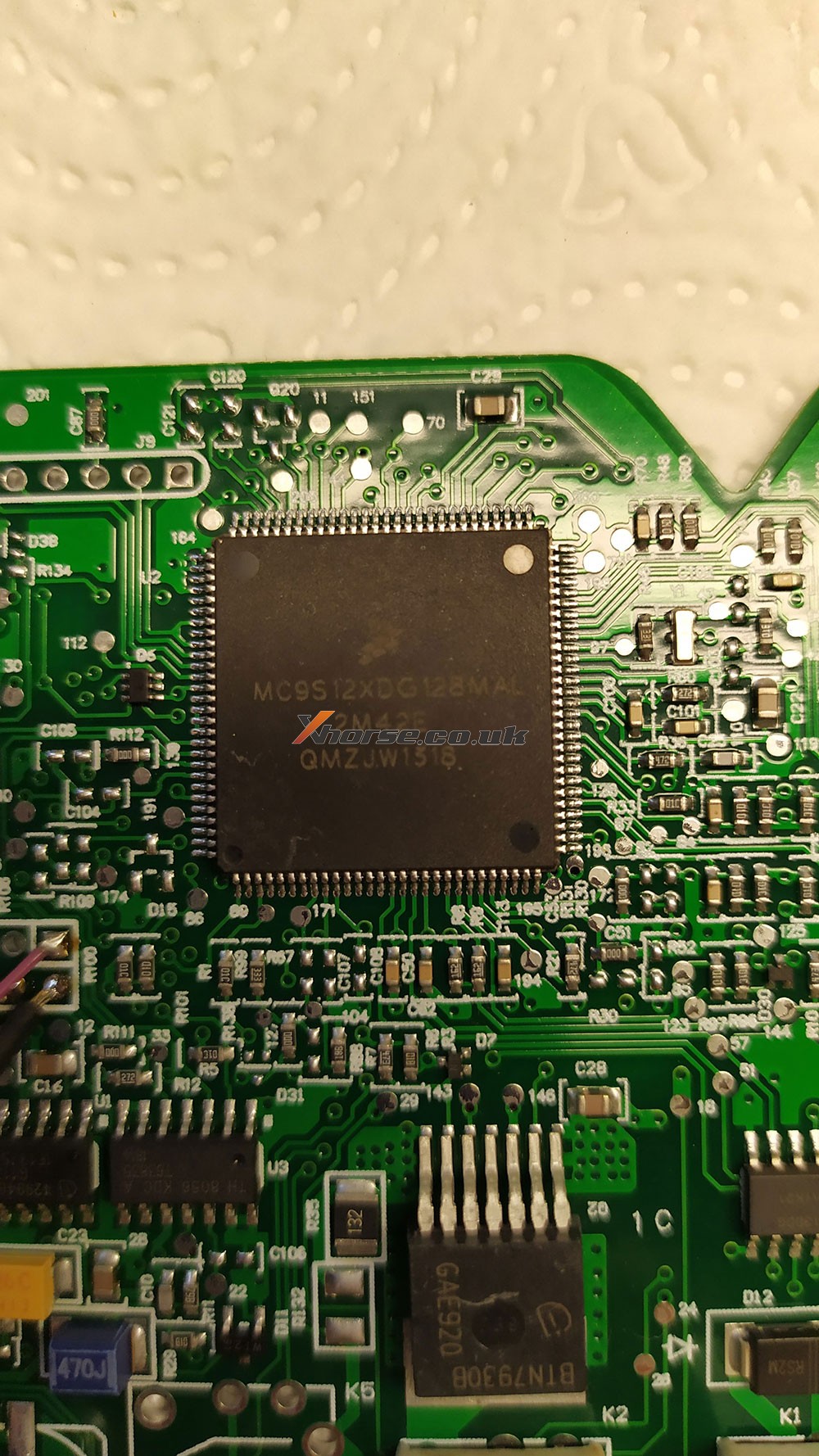
Mask 2M42E

MC9S12XDG128MAL


vvdi-pro-body-insignia-2m42e–eep 04
vvdi-pro-body-insignia-2m42e–eep 05

VVDI PROG Ford fiesta 2017 Pinout


VVDI PROG PSA SPC560 Pinout


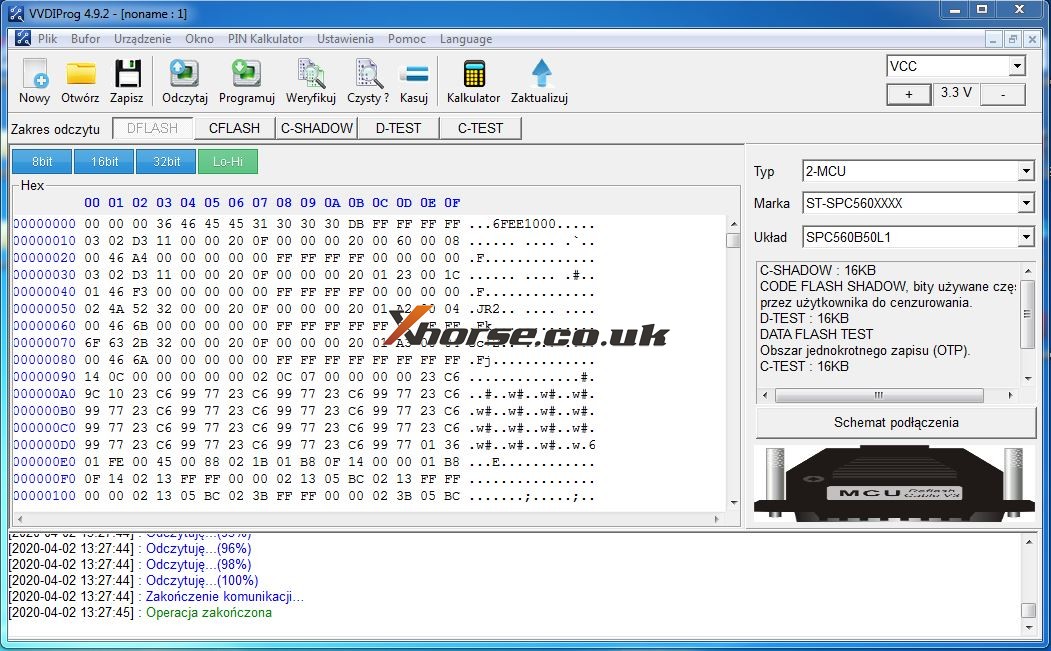
Renault / Dacia SPC560

Pinout xprog edit for vvdi
Test ok


Opel SPC 56AP54x
Pinout CPT edit for vvdi prog


Fiat 500 L
MPC/SPC
CPT edit for vvdi prog


Dacia / Renault v2
pinout CPT edit for VVDI prog


Dacia /Renault v3
pinout CPT edit for vvdi prog


Skoda SPC5604-114pin
pinout CPT edit for VVDI prog


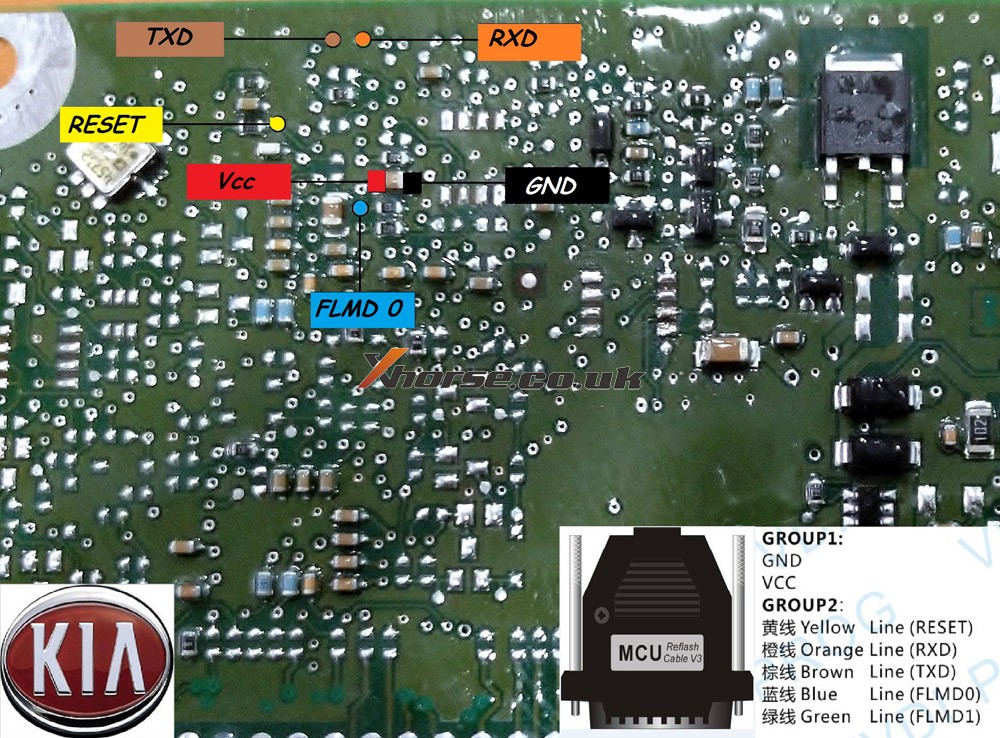
Kia NEC
pinout CPT edit for VVDI prog


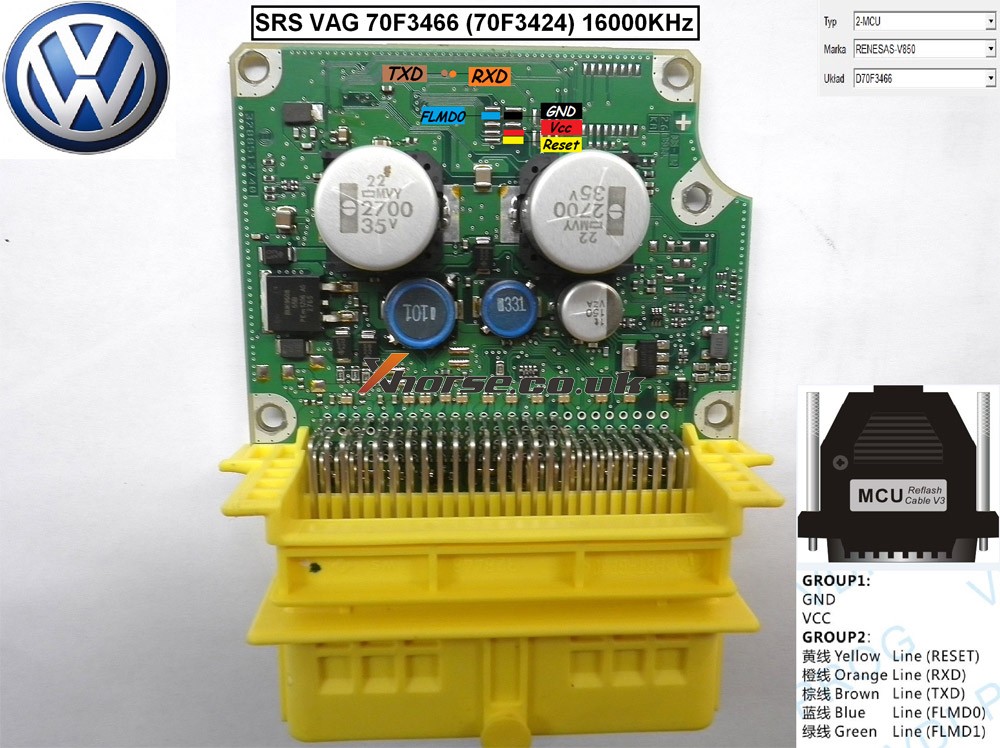
VW renesas v850
pinout CPT edit for VVDI prog


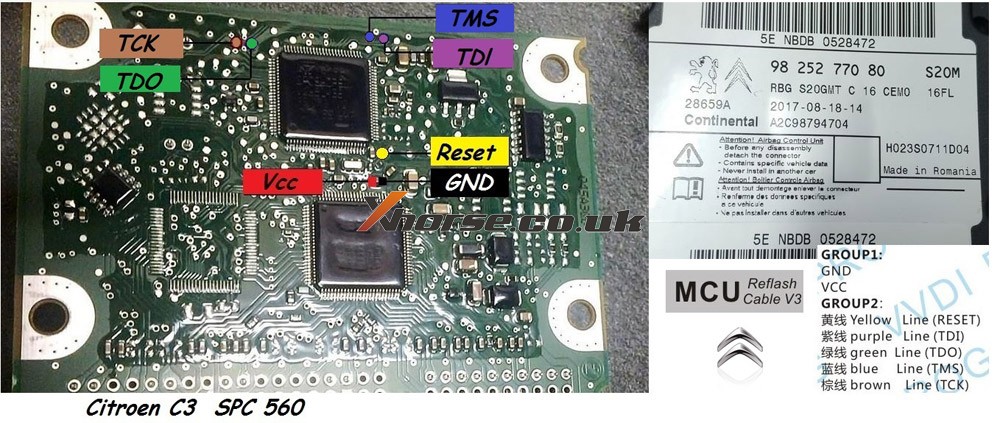
Citroen C3 SPC560


MB_W222_SRS_SPC560P5_jtag


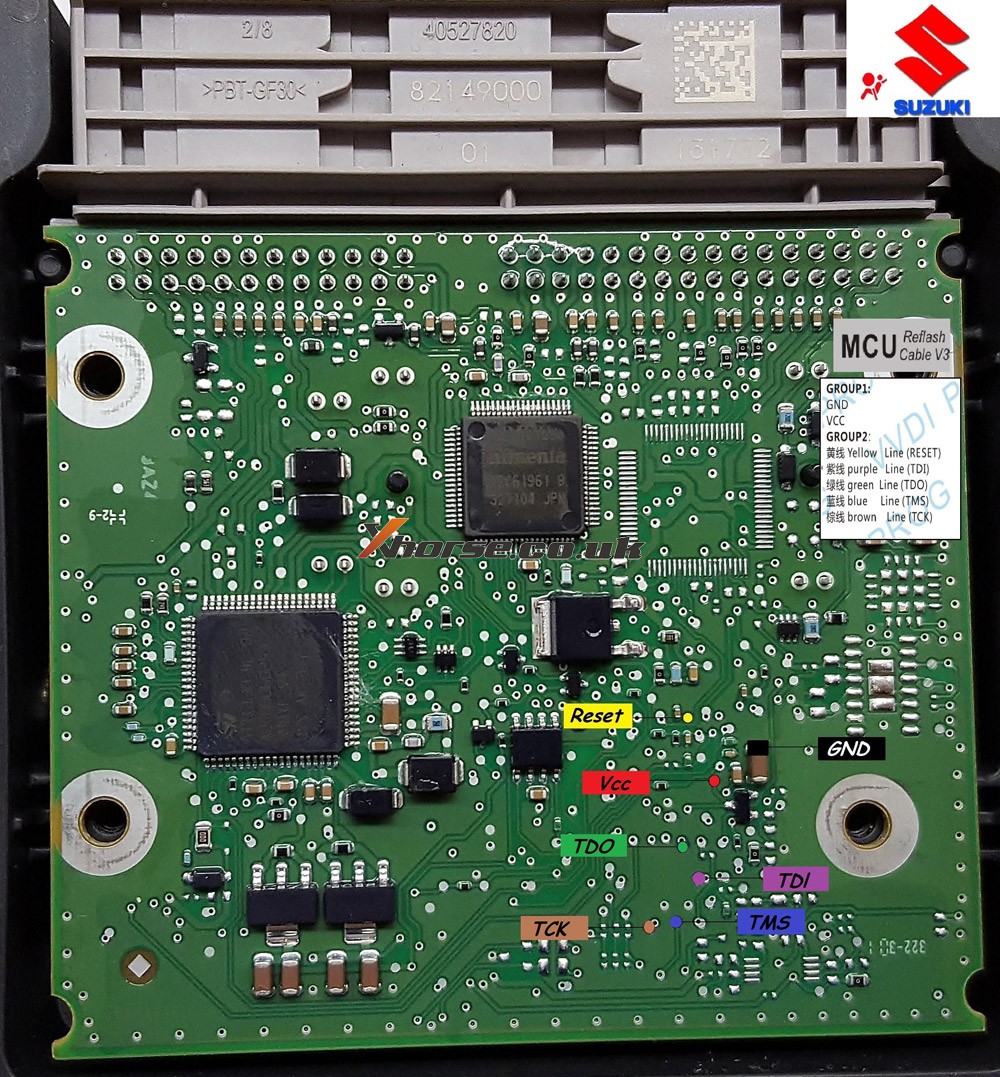
Suzuki_SRS_SPC560P50_pinout


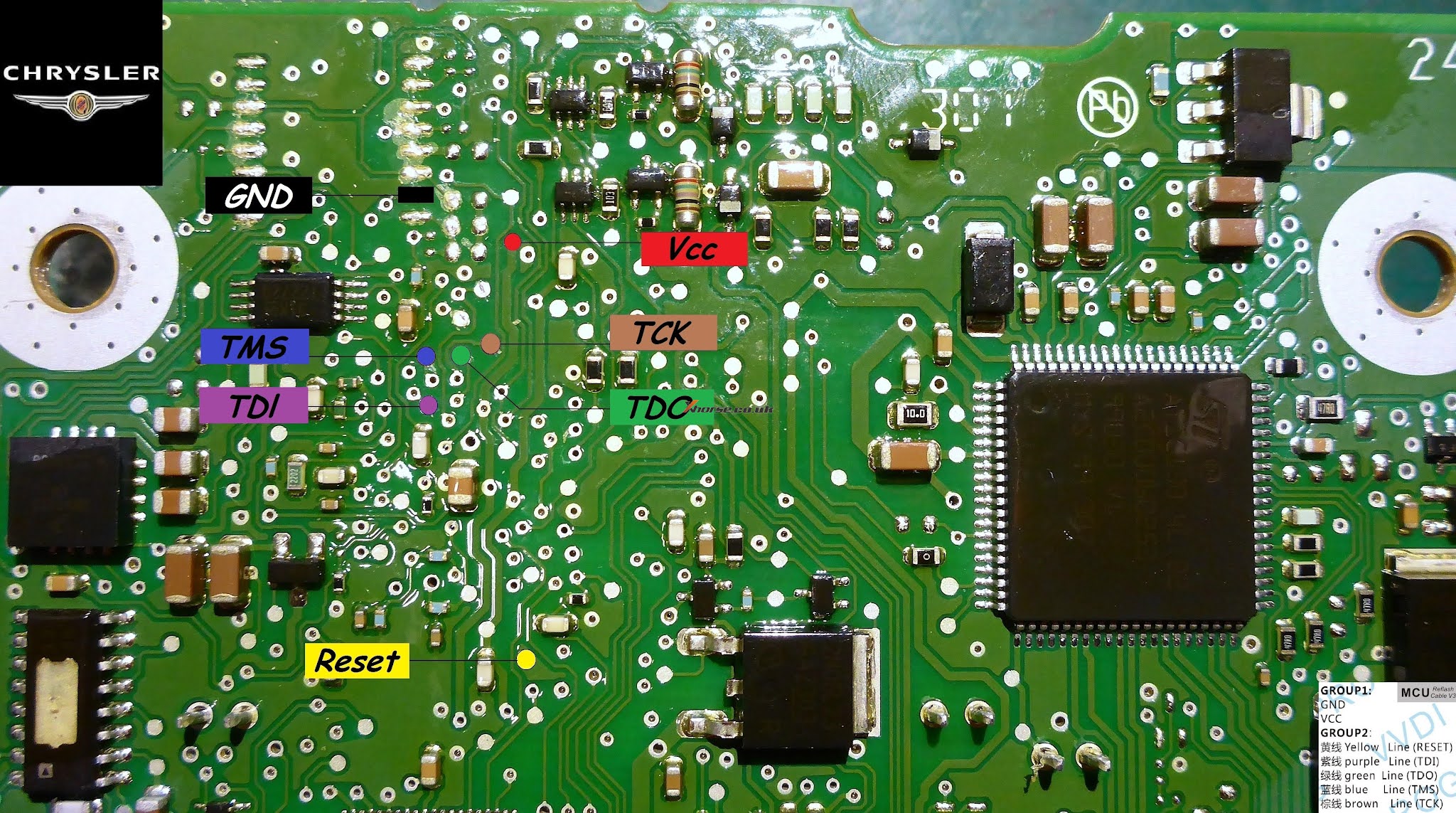
Chrysler MPC SRS


Source:http://blog.xhorse.co.uk/vvdi-prog-pinout-for-opel-ford-psa-etc/

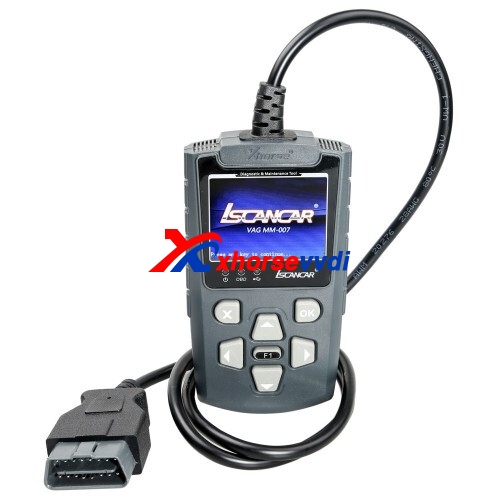
Program Audi TT 2003 Fobs key with xhorse iscancar MM-007 -NO ISUUE

Lost 2 sets of key fobs of my AUDI TT 2003 and I want to have the tools to program the keys and the remote. Which key programmer?

Experience for sharing:

Xhorse iscancar supervag 3.0 (red tool) will both extract the SKC code and add the keys.

If you want a more up to date tool then Xhorse Iscancar MM-007 (Grey tool) is the one to get.

Xhorse Iscancar MM-007 01

www.xhorsevvdi.com

How to use VVDI MB program ESL for W204

Tutorial of how to use Xhorse VVDI MB program ESL for 09 Mercedes C300 W204  here:

Main Steps:

  1. Calculate the key password
  2. Load the EIS data on the ESL interface and paste the key password.
  3. Tick off “Auto clear TP and personalized” and then click on “Write”, done.

*Except for the calculation of the password, all other steps are operated on the “ESL Tools” interface.

Please program the simulator in the same method of programming the ESL.

When operating on the car, you need to clamp the K-line cable of the ESL. The ESL has a plug connection with four wires on it. Tear the thinnest harness and clamped with the blue clip of the OBD wire before operation. There is no need to clip K-line cable separately on the platform.

Hope it helps!

http://blog.xhorsevvdi.com/vvdi-mb-program-esl-for-09-mercedes-w204/

How to add a Toyota Camry 2015 key with Xhorse Key Tool Plus

 This is a quick demo to generate remote for Toyota Camry 2015
Tool option:Xhorse VVDI Key Tool Plus
Blank key Chip: XM-TOY00GL 


The procedure:
Next is to check original Toyota Remote.
PS: we have the working key.

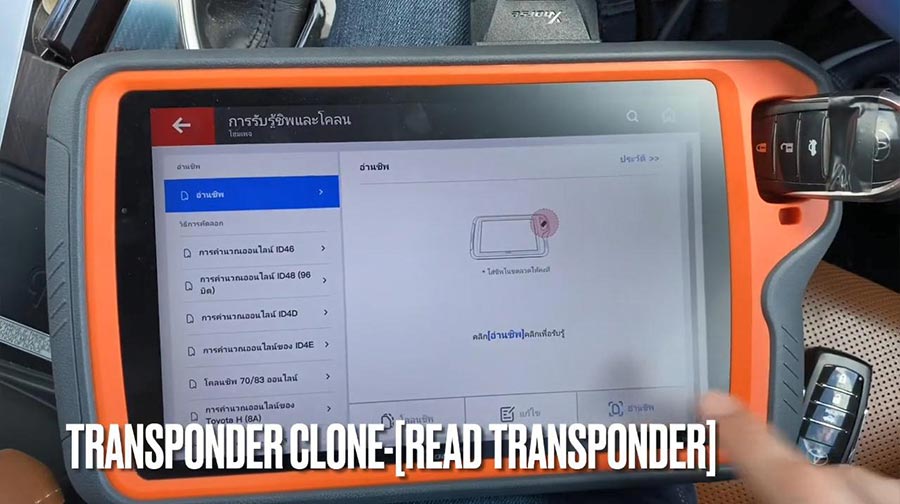
Path: transponder clone -> read transponder.


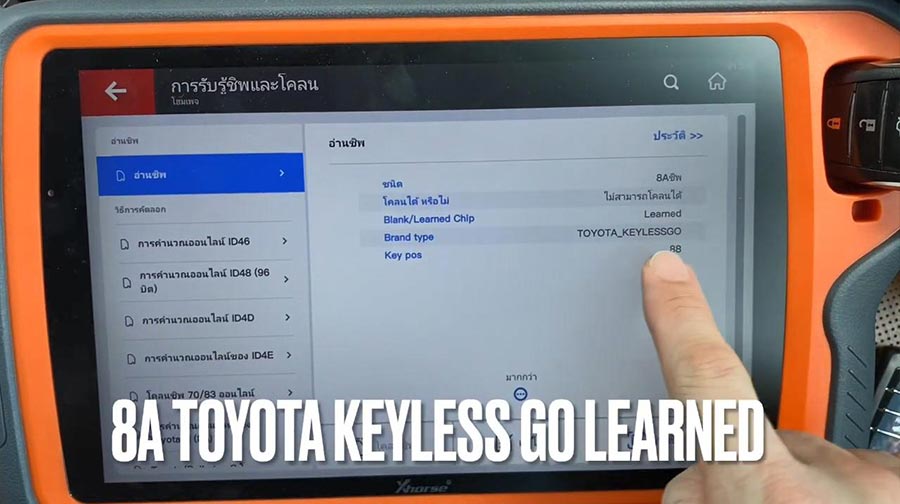
It is 8A Toyota Keyless Go learned.

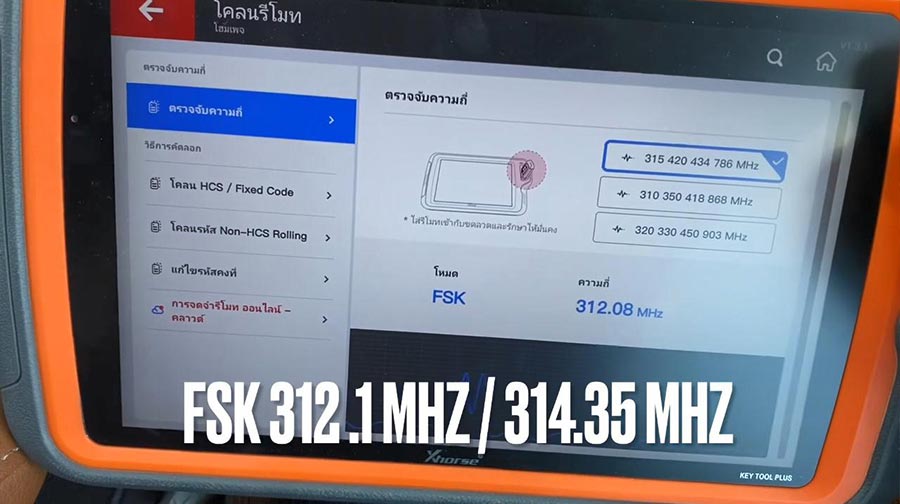
Check frequency.
It is FSK312.1MHZ/314.35 MHZ


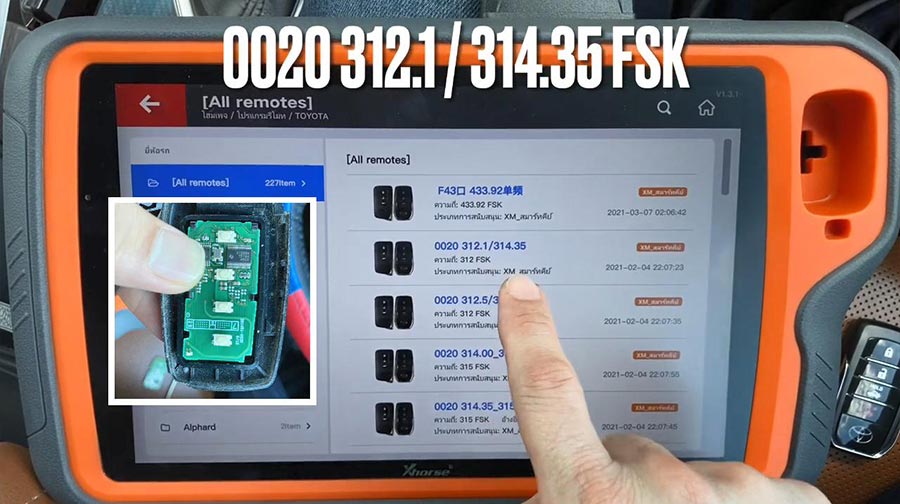
Next is remote program – Toyota -All remote – 0020 312.1MHZ/314.35 FSK.

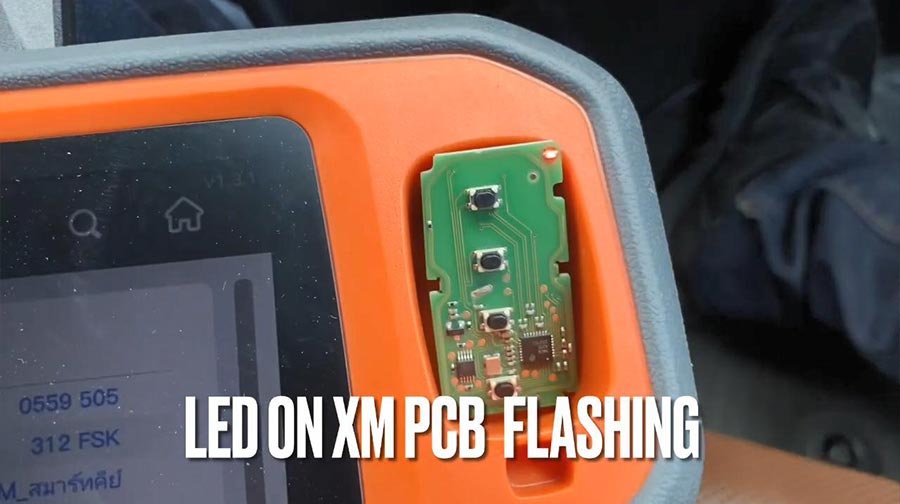
Put XM-Toy00GL PCB into coil antenna hole.
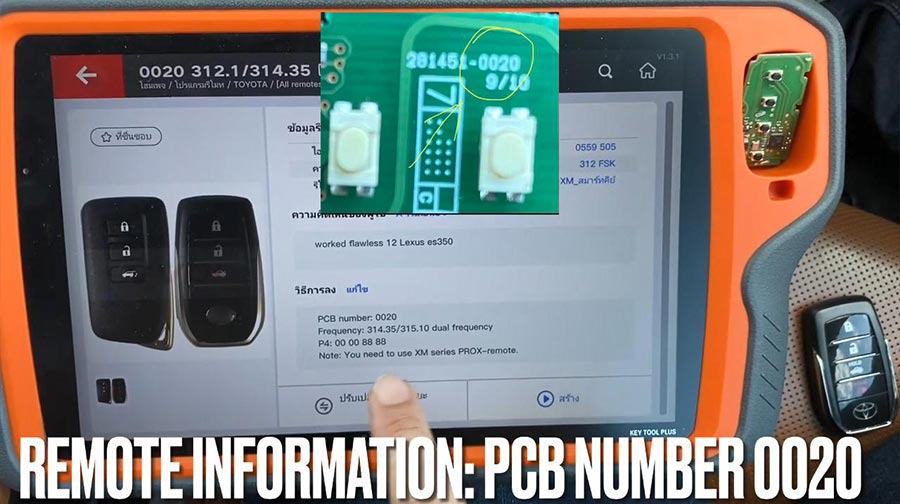
Remote information: PCB number 0020.

Press [Generate], meanwhile LED on XM PCB flashing.
Calculating required 5 seconds , query after 10 seconds.
 

Writing data, please wait…
Process time around 1-2 minutes.

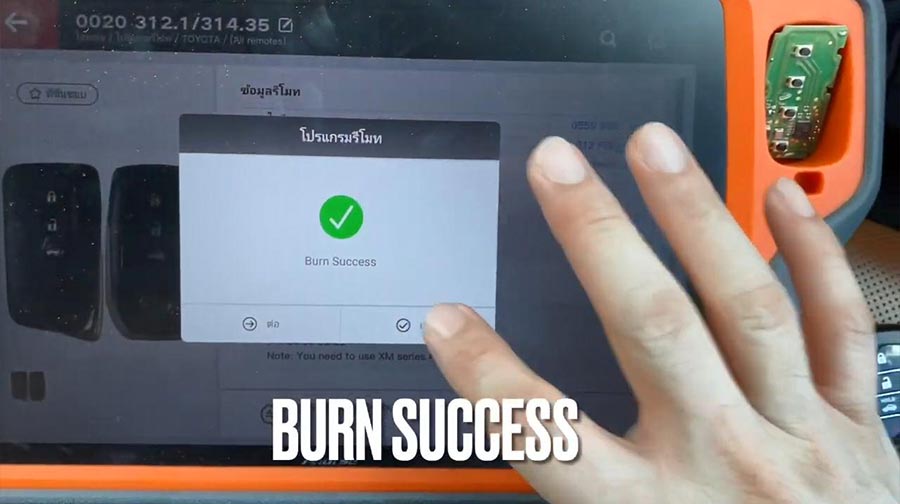
Burn success.

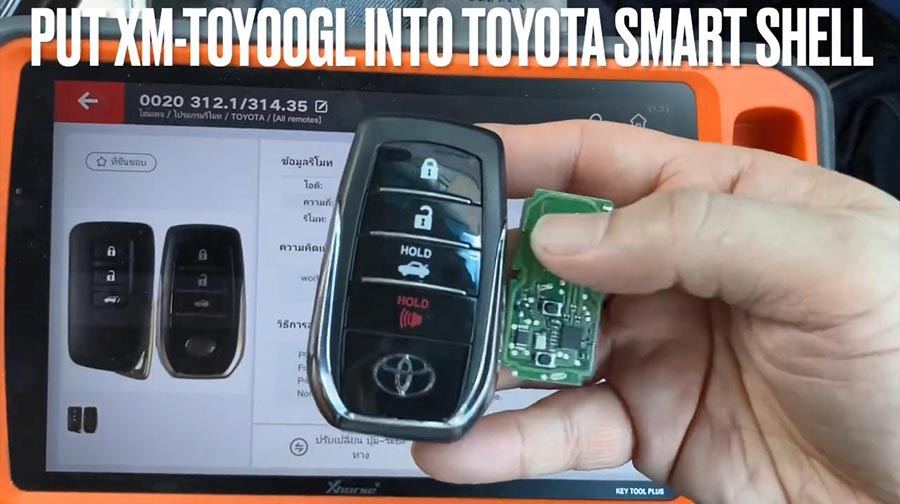
Put XM-TOY001 into Toyota smart shell.

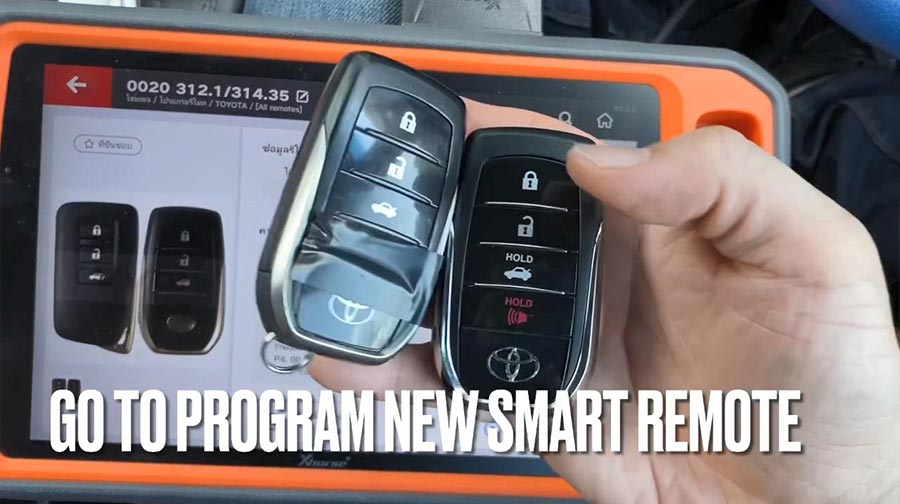
Go to program new smart remote.

Firstly, test original remote and new remote.

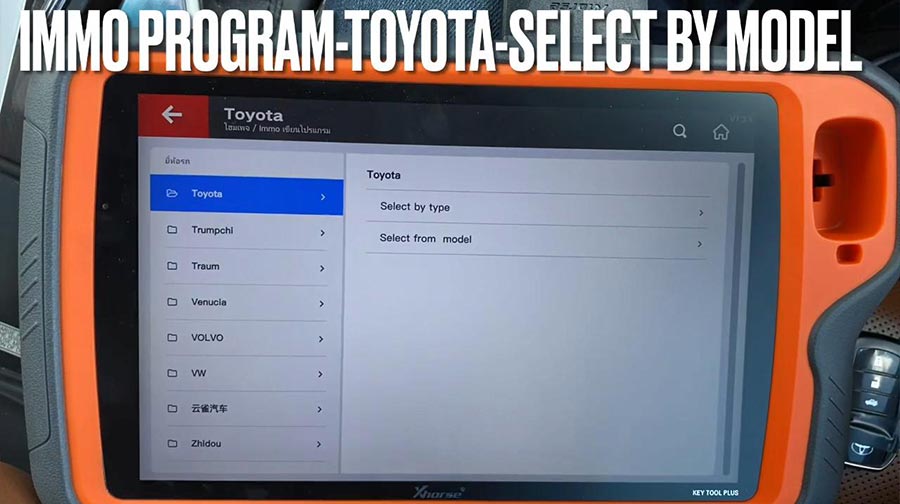
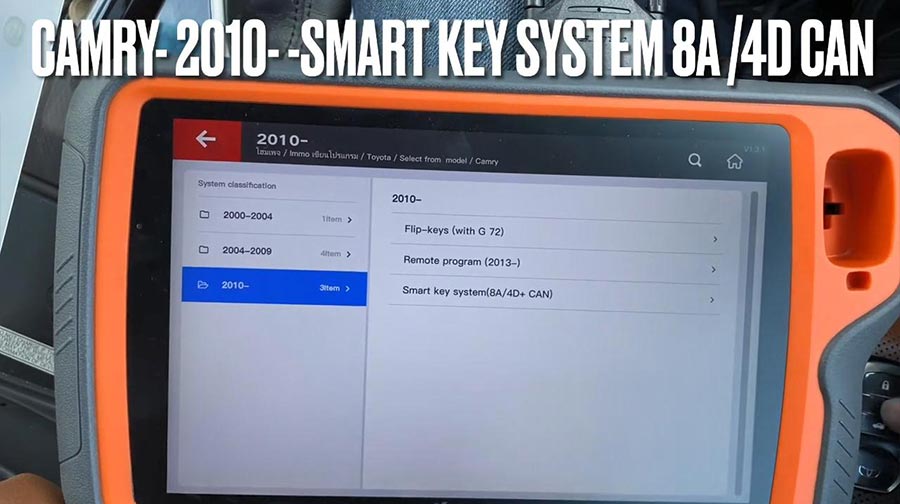
Then go to: IMMO program -Toyota -select by model.

Camry – 2010 -Smart key system 8A /4D CAN.

Press “Start program“.

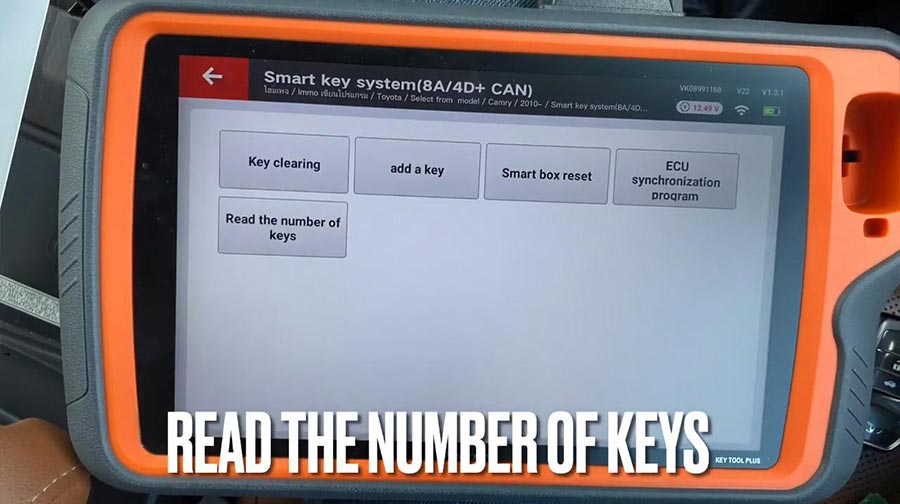
Select “Read the number of keys“.
Please switch ignition on.
The number of registered key:1

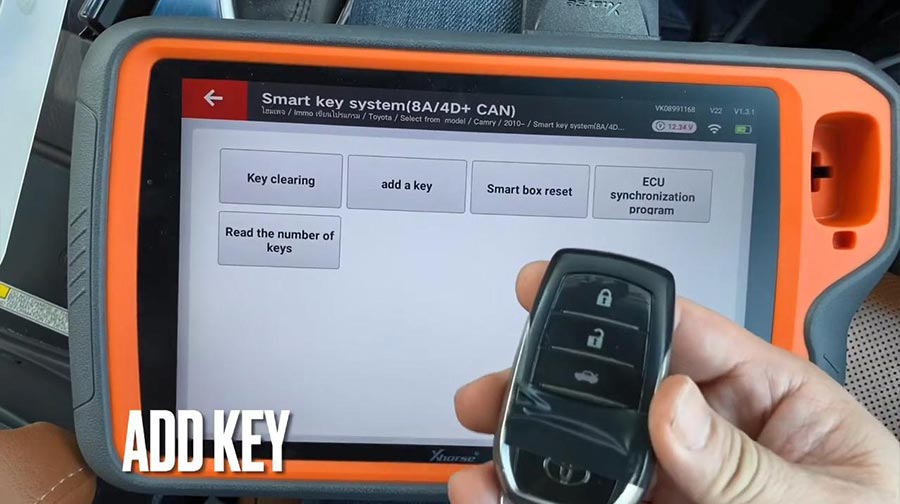
Add key.
Please switch ignition on.
The number of registered key:1 , the number of keys that can also registered: 6 

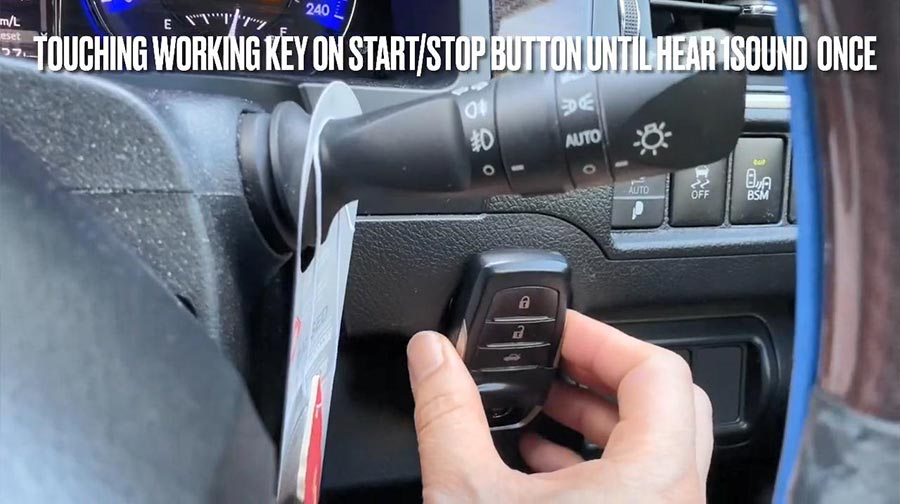
Keep touching the ignition switch with sign surface of a registered key, complete the operations within 30 seconds after clicking [OK].

Click [OK] and keep touching the ignition switch with sign surface of a registered key within 30 seconds.

Note: if key sound once, take the key farther away. If key sound twice, it is programmed successfully.

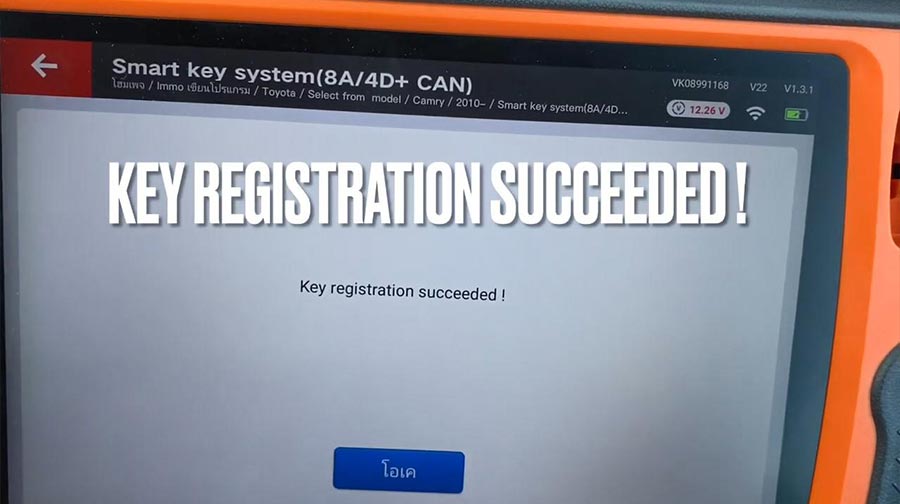
Key registration succeeded!

The number of registered key:2 , the number of keys that can also registered: 5.

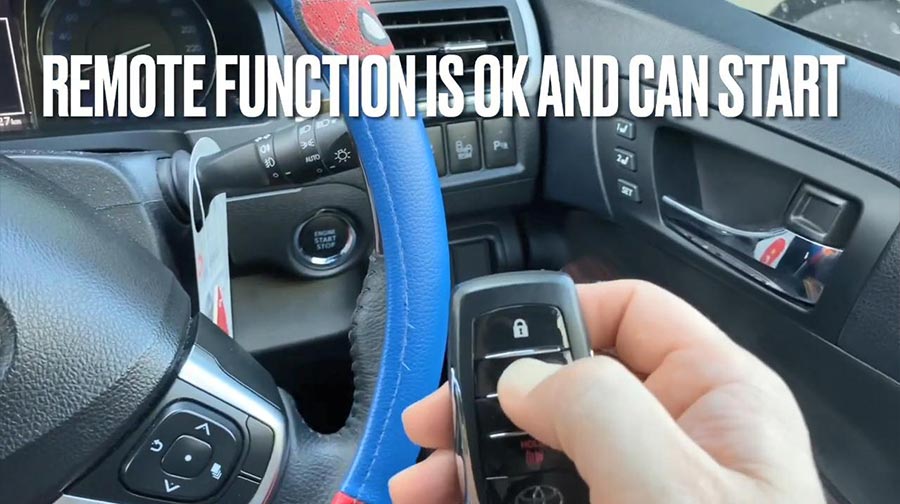
Please check if function of remote normal.
Remote function is ok and can start.

Job is done.
 

http://xhorsevvdi.over-blog.com/

Solution to Xhorse VVDI Key Tool internal error

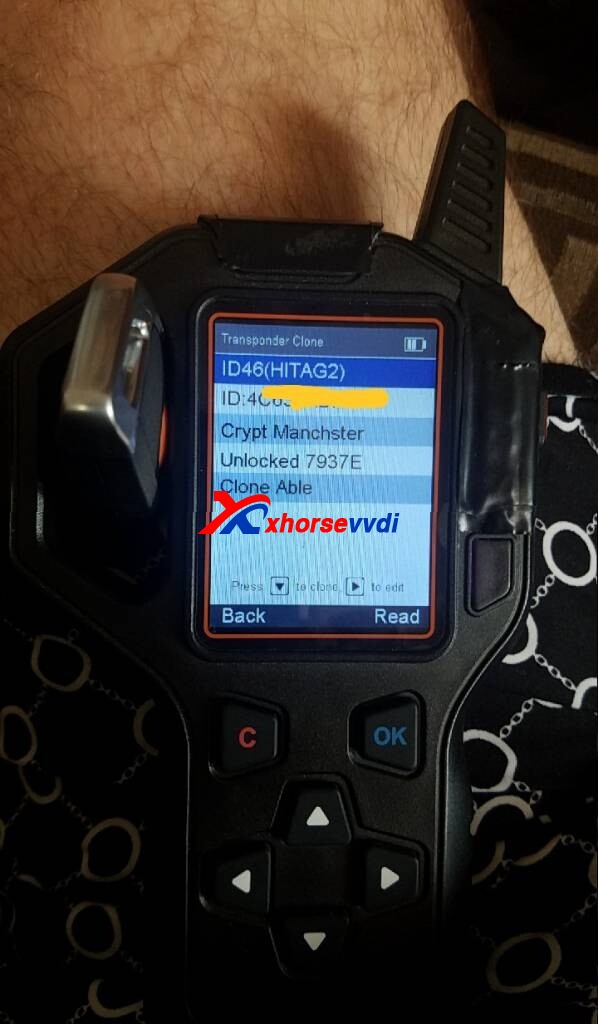
Issue:I have problem generating proximity remote with Xhorse VVDI Key Tool. I put remote with battery inside antenna and when I push generate it says internal error.

fix  Xhorse VVDI Key Tool internal error 01
fix  Xhorse VVDI Key Tool internal error 02
fix  Xhorse VVDI Key Tool internal error 03

Problem was SOLVED.

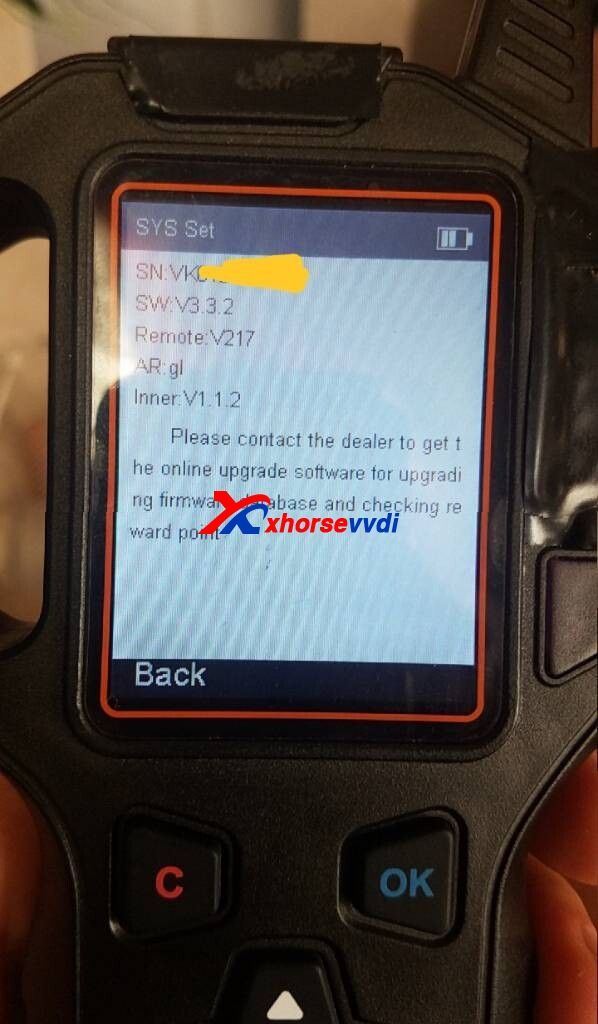
I had upgraded firmware from 3.3.2 to 3 3.4 and proximity remotes works perfect.

Alright, although Xhorse VVDI Key Tool discontinue producing and replaced by VVDI MINI Key Tool, if you have any questions, you will be served.

any further questions,please feel free to contact us:

 Skype: xhorsevvdi.com
Whatsapp: +86-13983756354

https://www.xhorsevvdi.com/

Cut Suzuki Swift all key lost using Xhorse VVDI Key Tool Max + Dolphin XP005

It’s so easy to use Xhorse VVDI Key Tool Max with Dolphin XP005 Key Cutting Machine to Program all keys lost for Suzuki Swift

Here you are:

Connect VVDI Key Tool Max and Dolphin XP005 key cutting machine via Bluetooth for smart control, prepare an original key and a new one for ready, then get to start:

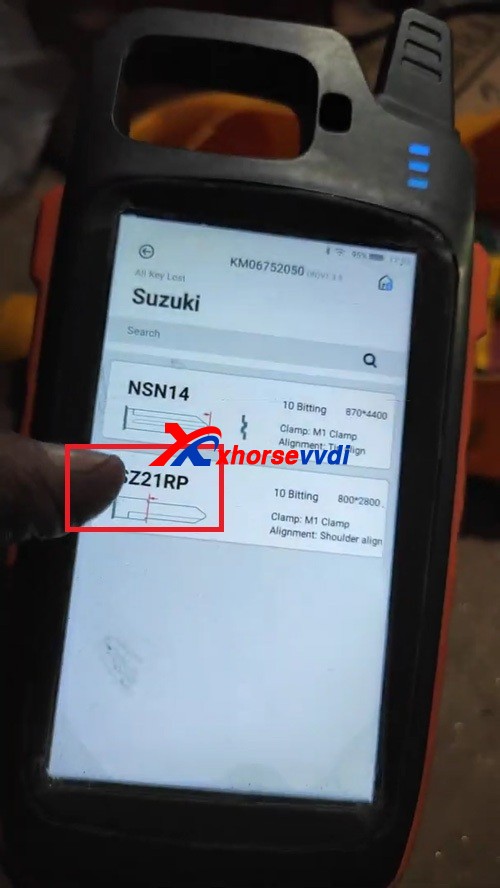
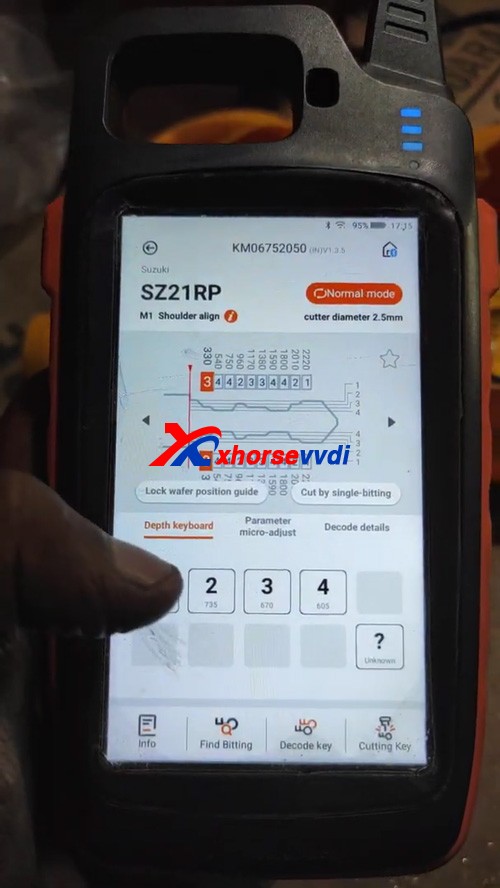
All Key Lost>>Suzuki>>input the number 5024>>SZ21RP

Suzuki Swift all key lost using Xhorse VVDI Key Tool Max + Dolphin XP005 01
Suzuki Swift all key lost using Xhorse VVDI Key Tool Max + Dolphin XP005 02
Suzuki Swift all key lost using Xhorse VVDI Key Tool Max + Dolphin XP005 03
Suzuki Swift all key lost using Xhorse VVDI Key Tool Max + Dolphin XP005 04

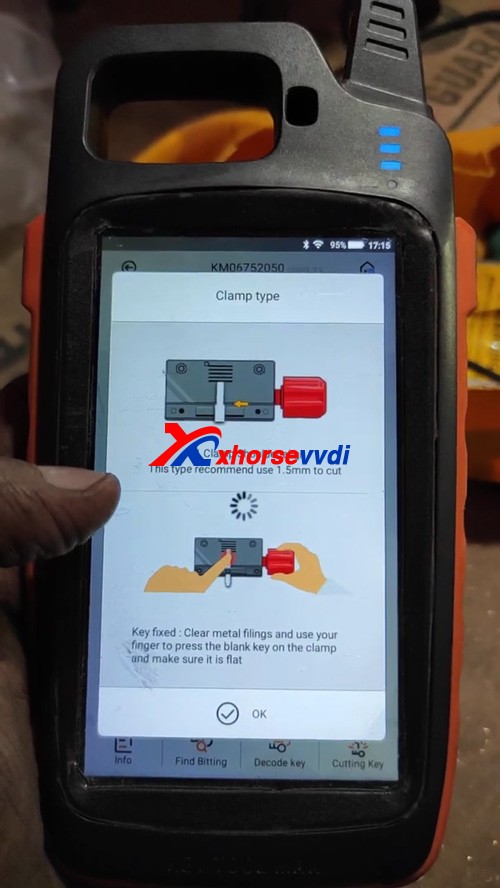
Please follow “Clamp type” to align M1 clamp tip to 2 position, this type recommend use 1.5mm to cut.

Key fixed: clear metal filings and use your finger to press the blank key on the clamp and make sure it is flat

Suzuki Swift all key lost using Xhorse VVDI Key Tool Max + Dolphin XP005 05

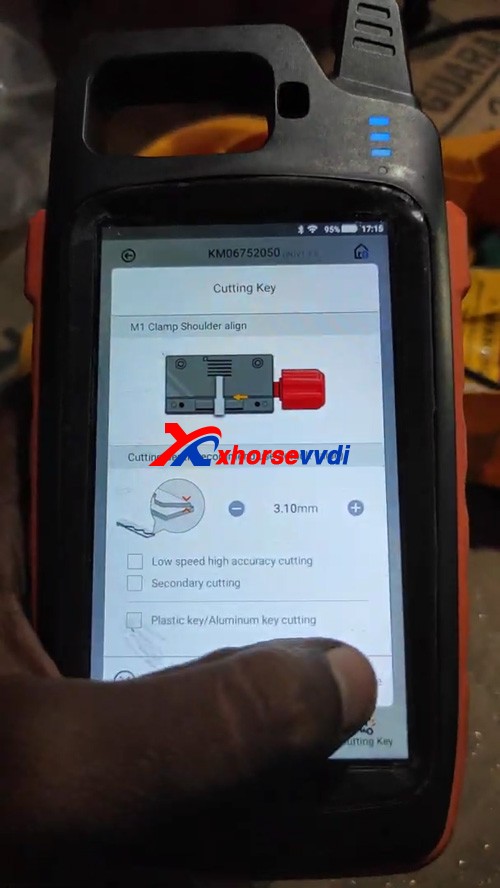
Select “Cutting key” and continue to make sure the cutting depth.

Suzuki Swift all key lost using Xhorse VVDI Key Tool Max + Dolphin XP005 06
Suzuki Swift all key lost using Xhorse VVDI Key Tool Max + Dolphin XP005 07

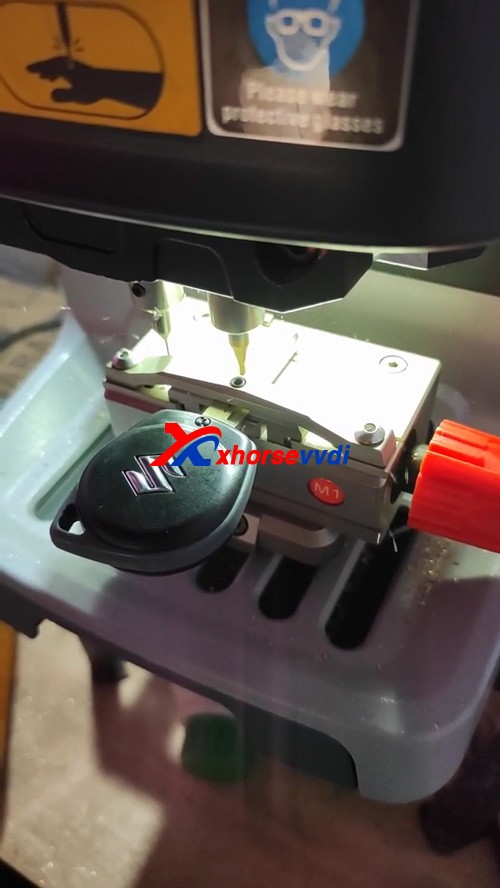
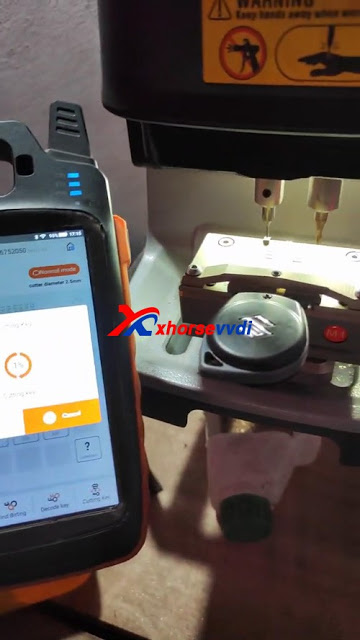
Then Start cutting key using Xhorse Dolphin XP005 automatically.

Suzuki Swift all key lost using Xhorse VVDI Key Tool Max + Dolphin XP005 08

Suzuki Swift all key lost using Xhorse VVDI Key Tool Max + Dolphin XP005 09

http://blog.xhorsevvdi.com/xhorse-vvdi-max-dolphin-xp005-program-suzuki-swift-all-keys-lost/

Xhorse VVDI Max with Dolphin XP005 to cut a Mahindra Bolero Key

Confirmed! The Xhorse VVDI KEY TOOL MAX can be used to connect with dolphin xp005 key cutting machine to program  Mahindra Bolero all keys lost 

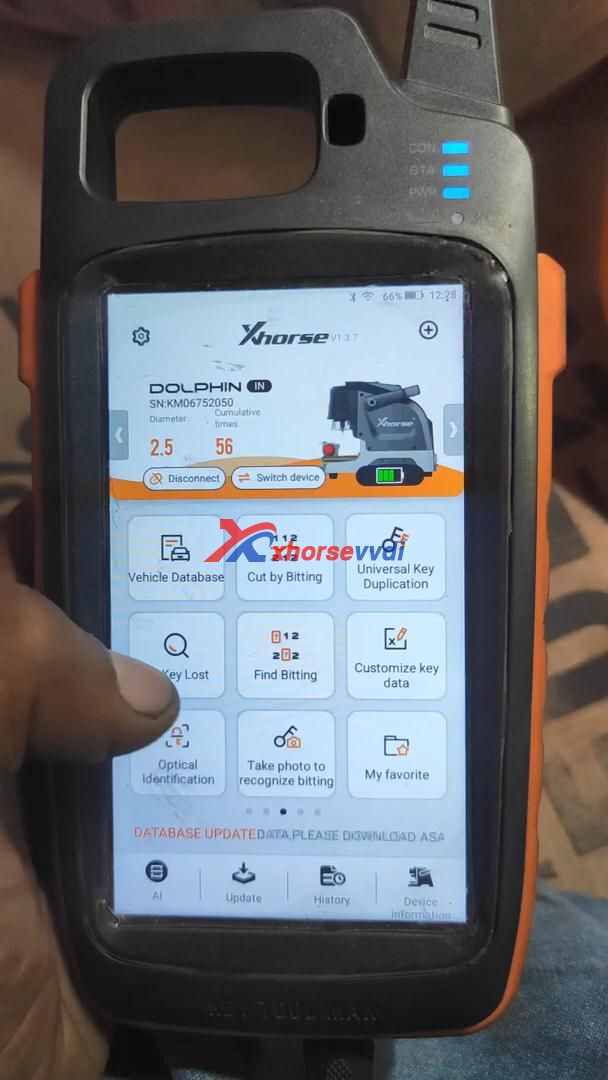
Firstly, please bind VVDI Key Tool Max with Xhorse Dolphin XP005 via Bluetooth.

In Key tool max menu, switch to Condor Dolphin XP-005 page, then connect with Dolphin XP005 via Bluetooth.

Part 1. Operate VVDI Key Tool Max:

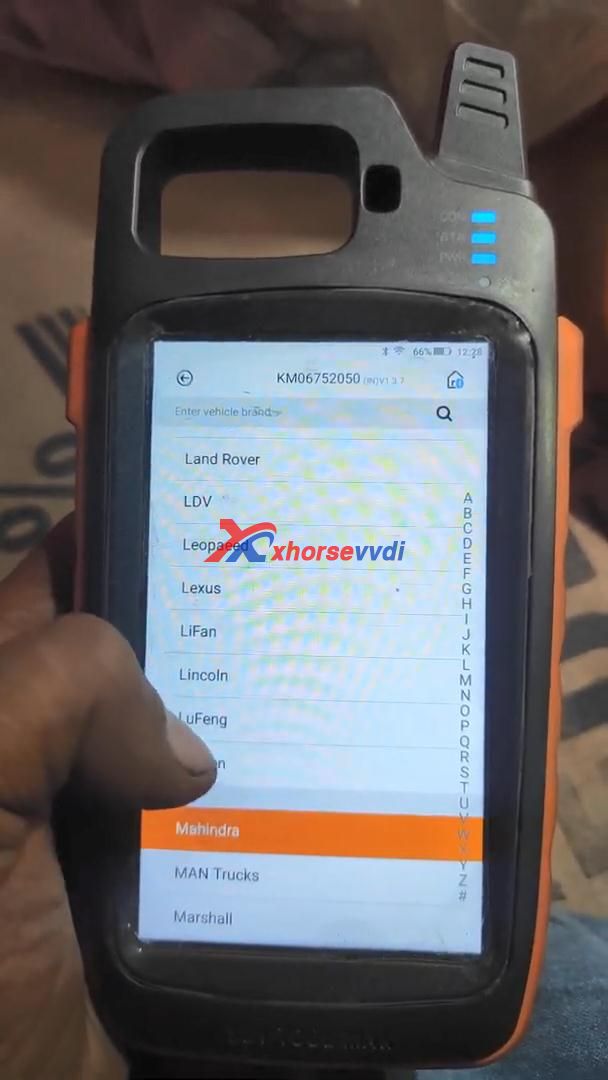
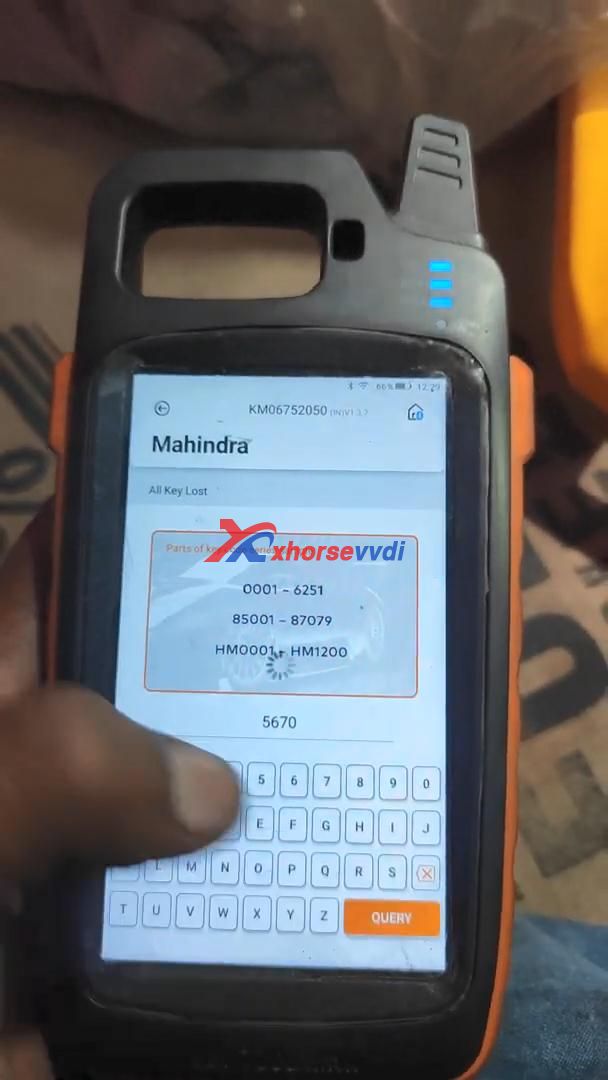
Tap “Key Lost” ->> Mahindra ->> Enter code “5670”

Xhorse VVDI Max with Dolphin XP005 to cut a Mahindra Bolero Key  01
Xhorse VVDI Max with Dolphin XP005 to cut a Mahindra Bolero Key  02
Xhorse VVDI Max with Dolphin XP005 to cut a Mahindra Bolero Key  03

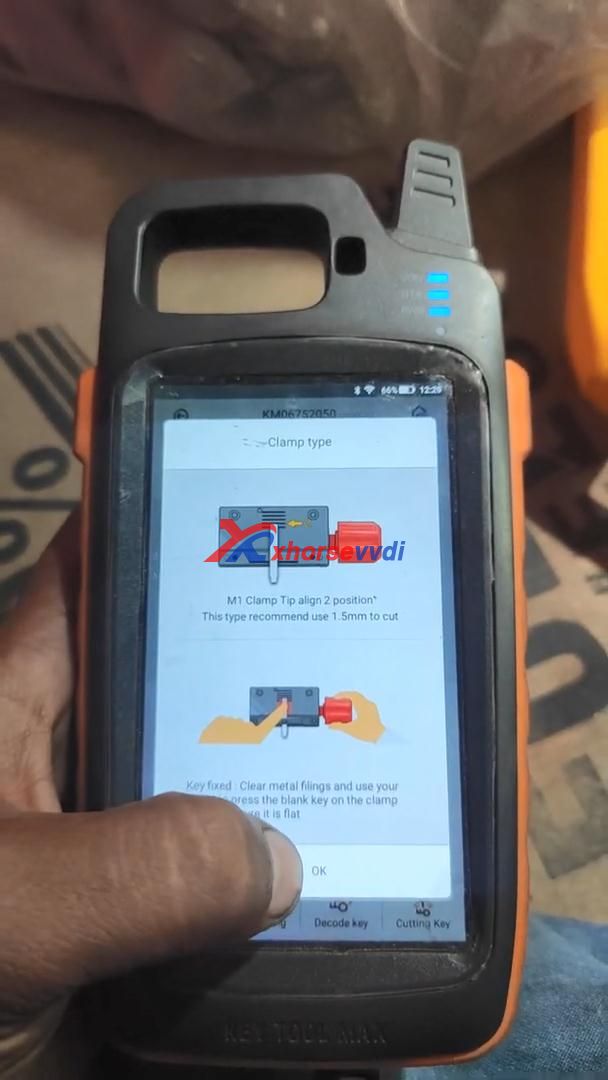
Please follow “Clamp type” to align M1 clamp tip to 2 position, this type recommend use 1.5mm to cut.

Xhorse VVDI Max with Dolphin XP005 to cut a Mahindra Bolero Key  04

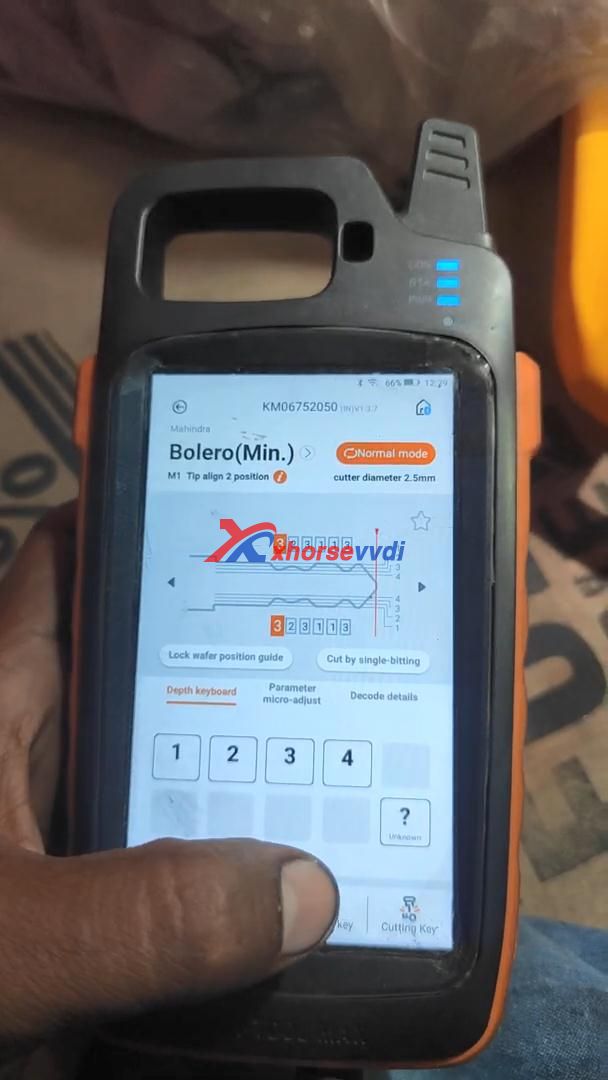
Select “Cutting key” and continue to make sure the cutting depth.

Xhorse VVDI Max with Dolphin XP005 to cut a Mahindra Bolero Key  05

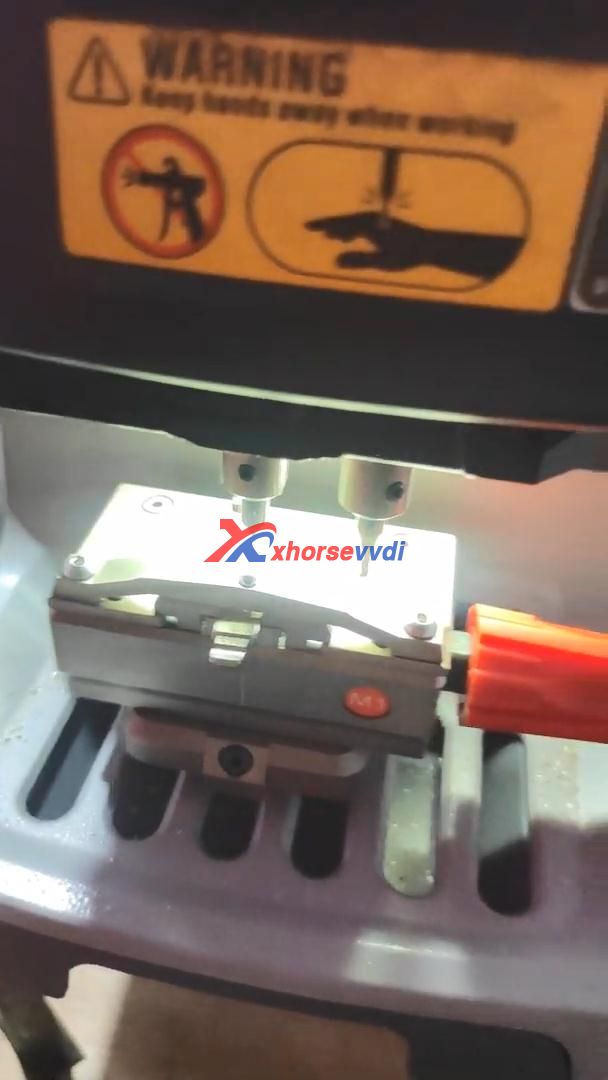
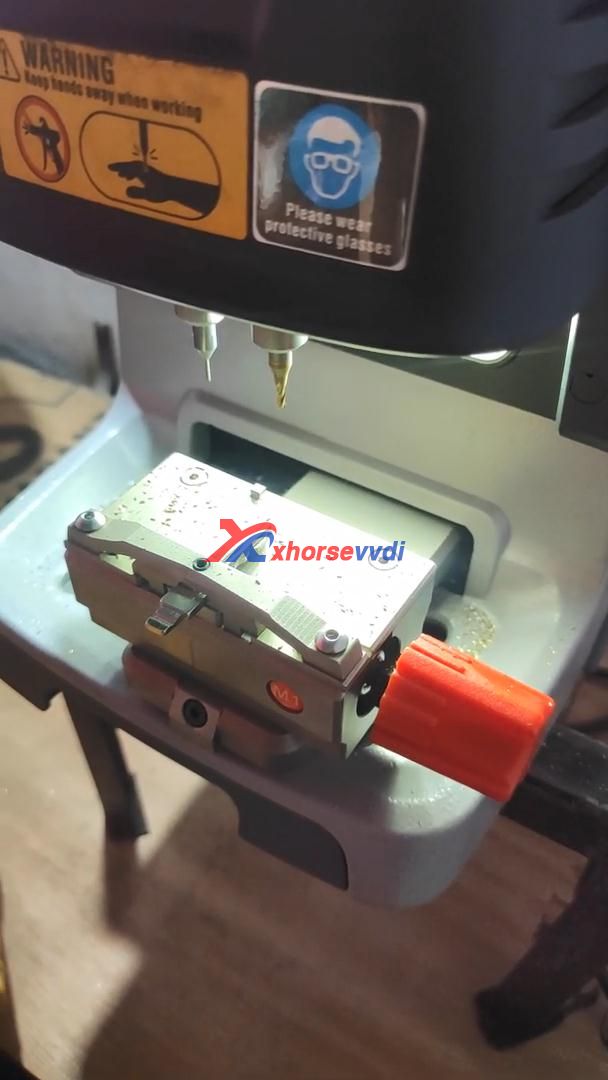
Part 2. Start cutting key using Xhorse Dolphin XP005 automatically.

Xhorse VVDI Max with Dolphin XP005 to cut a Mahindra Bolero Key  06
Xhorse VVDI Max with Dolphin XP005 to cut a Mahindra Bolero Key  07

Alright, it’s so easy to use VVDI Key Tool Max together with Xhorse Dolphin XP005 to cut a key.

http://blog.xhorsevvdi.com/cut-mahindra-bolero-all-key-lost-using-vvdi-key-tool-max-dolphin-xp005/

Design a site like this with WordPress.com
Get started